4G AIRHOME 310 irrotettavilla 4G-antenneilla
Ei löytynyt kohteita.
Ei löytynyt kohteita.
Kaikki kysymykset
4G AIRHOME 310 irrotettavilla 4G-antenneilla
Ei löytynyt kohteita.
Ei löytynyt kohteita.
Miten voin muuttaa SSID:n (Wi-Fi-verkon nimen) ja salasanan? (Tapaus 1: Pikasetukset)
Verkkokäyttöliittymässä on kaksi tapaa muuttaa reitittimen SSID-tunnusta ja salasanaa:
• Käyttämällä Pika-asetuksia
• Tai käyttämällä Wi-Fi-asetuksia
1Pikasetukset
Verkkokäyttöliittymän Pika-asetusten avulla voit muuttaa verkon tietoja: sen SSID-tunnusta ja salasanaa.
Voit tehdä tämän napsauttamalla yläpalkissa olevaa Pika-asetukset-painiketta.

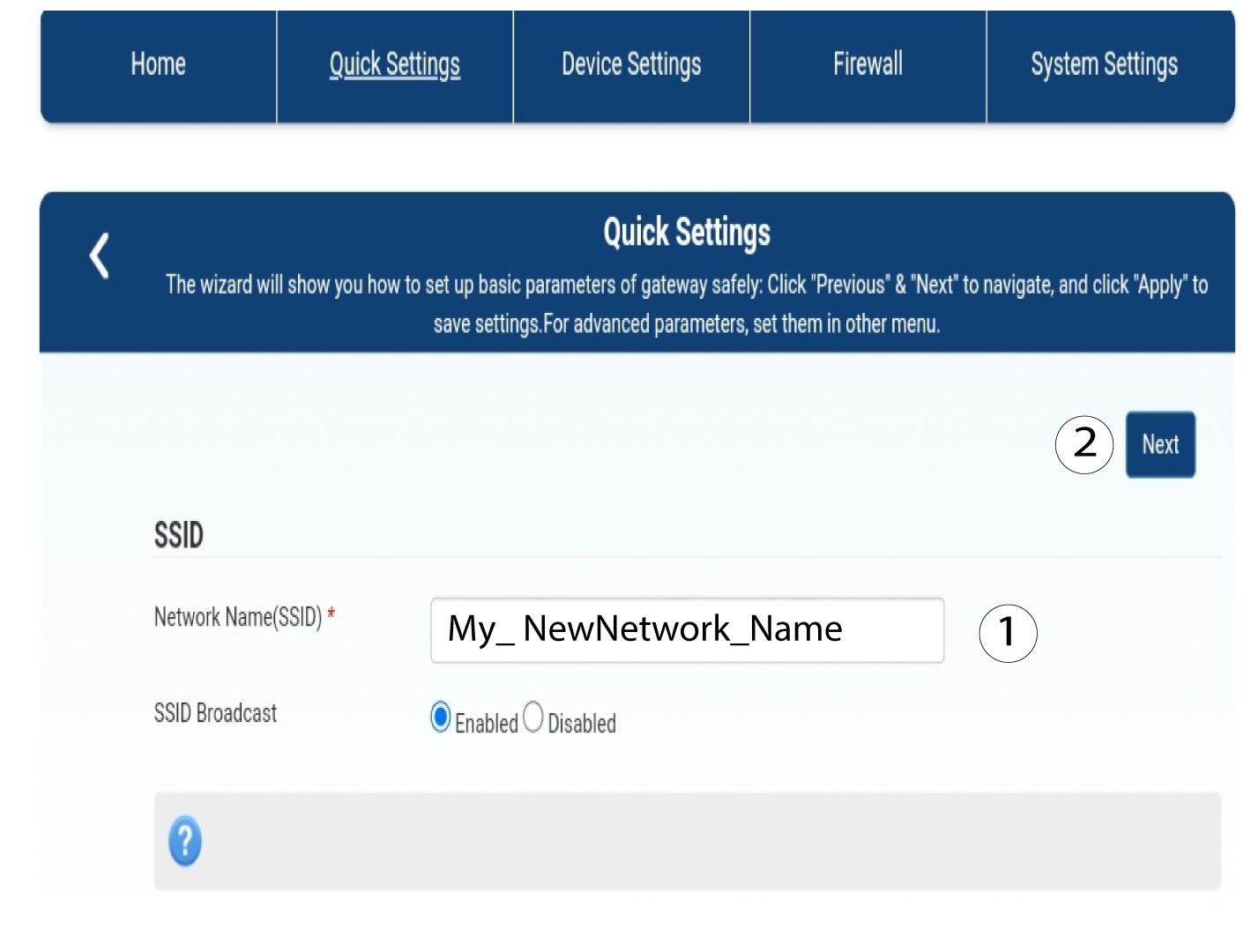
2Kirjoitauusi verkon nimi
Syötä sitten uuden verkon nimi ja napsauta Seuraava.
3NäytäWi-Fi-salasana
Napsauta ”Näytä salasana”.
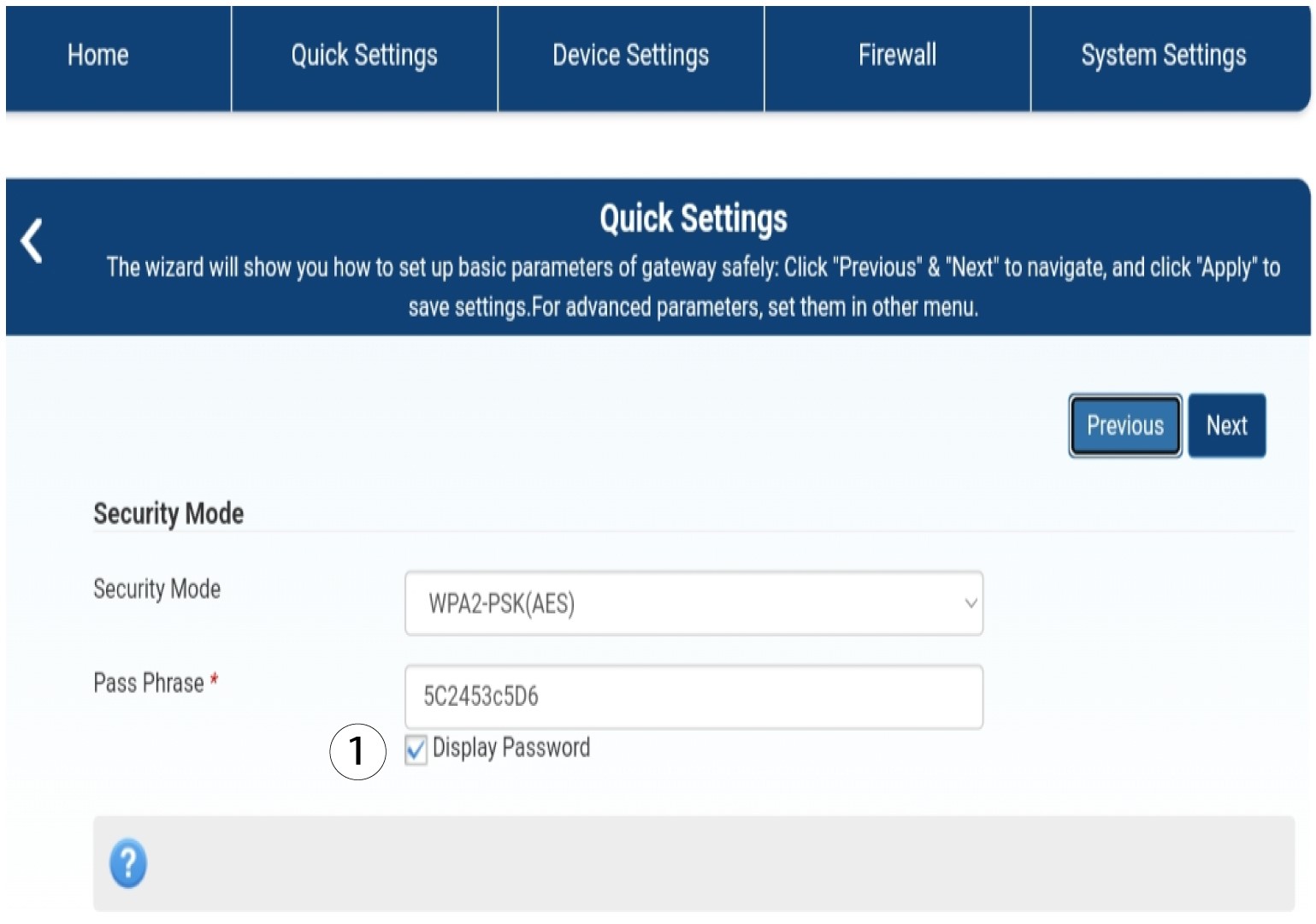
4Kirjoitauusi salasana
Vaihda salasanasi. Napsauta sitten Seuraava.

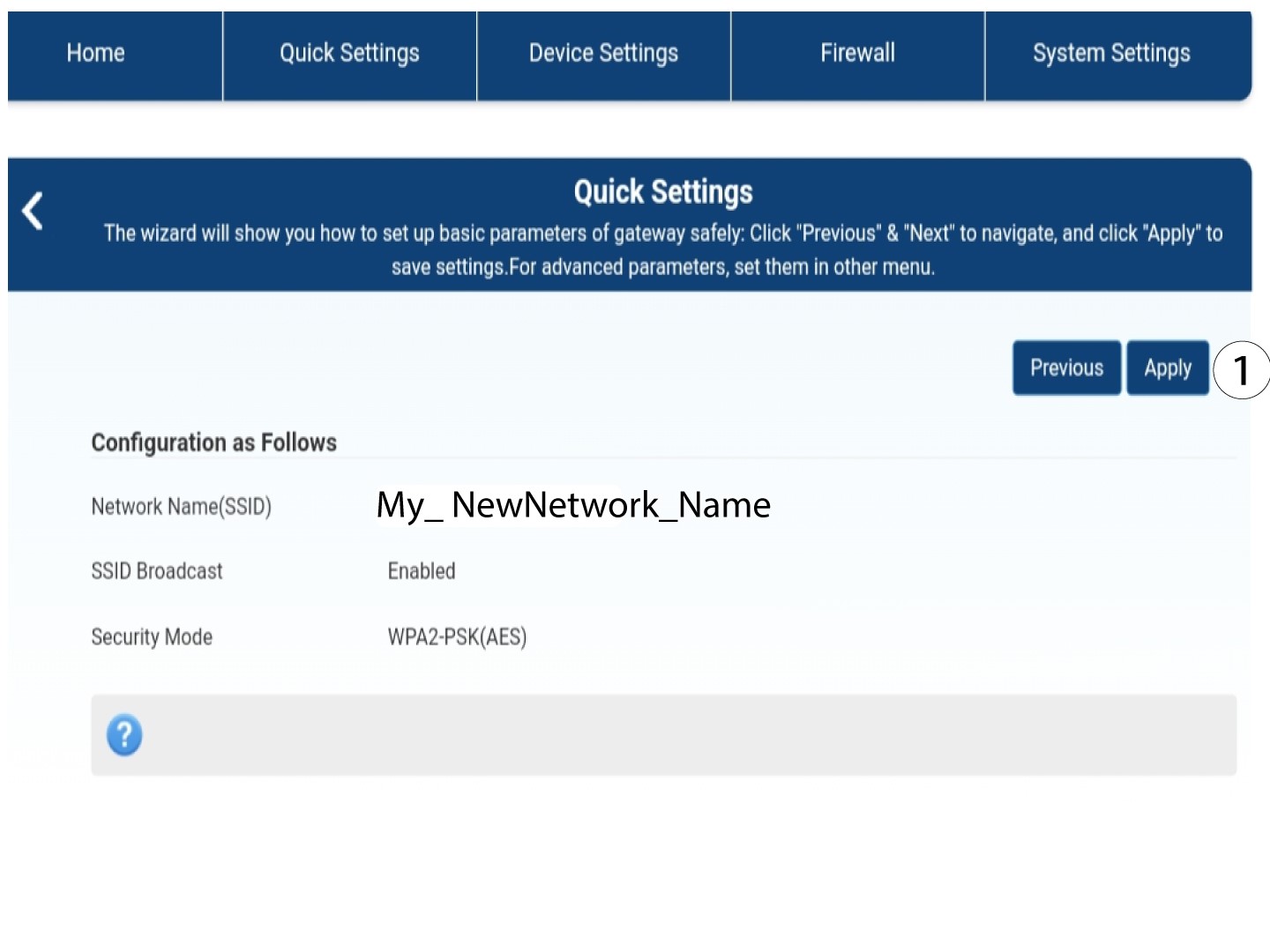
5Tallennauudet verkkoasetukset
Tallenna muutokset napsauttamalla ”Käytä”.
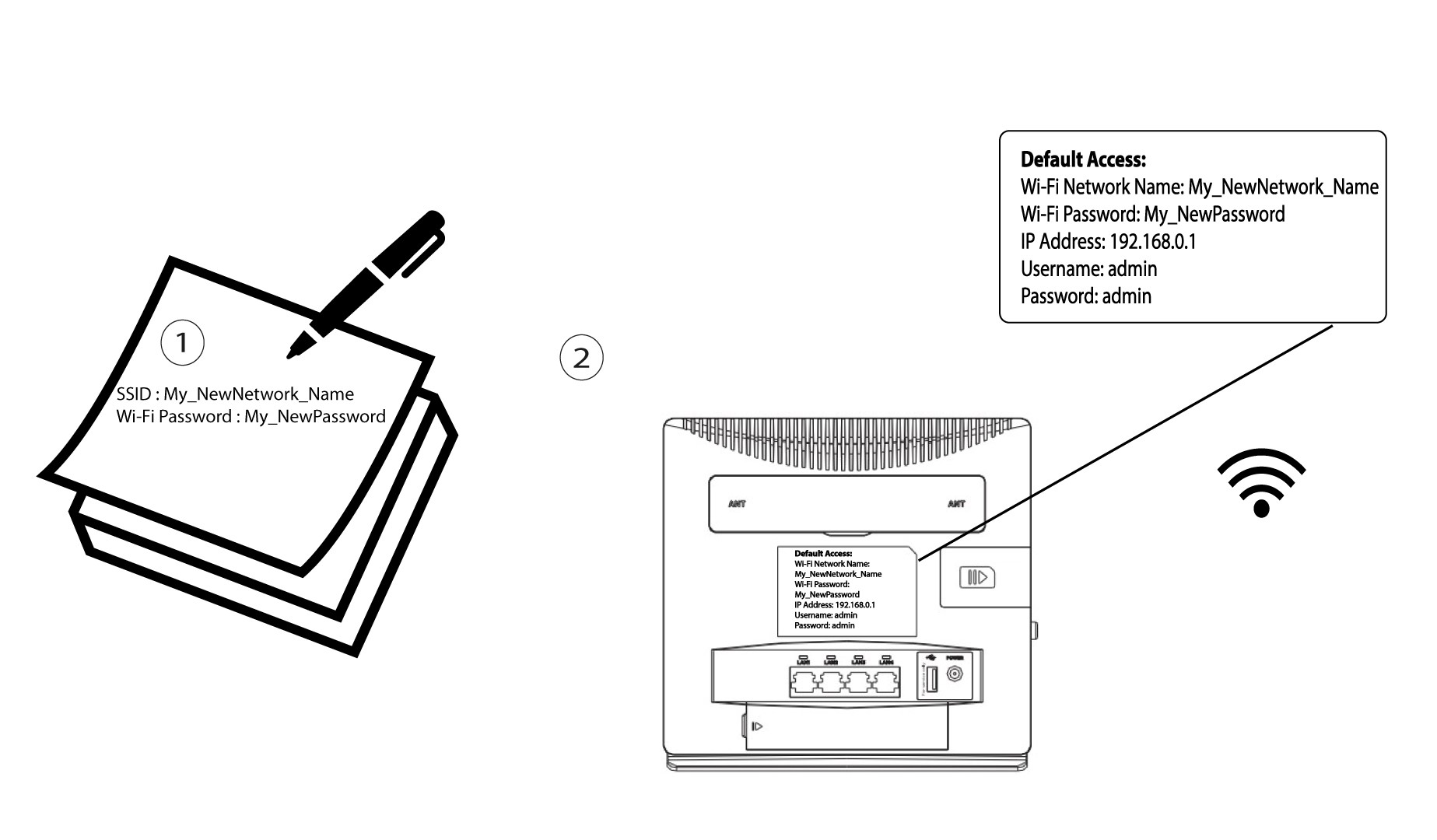
6Kirjoitauudet verkkotiedot muistiin
Kirjoita uusi SSID ja salasana paperille ja kiinnitä se reitittimeen teipillä.