4G AIRHOME 310 irrotettavilla 4G-antenneilla
Ei löytynyt kohteita.
Ei löytynyt kohteita.
Kaikki kysymykset
4G AIRHOME 310 irrotettavilla 4G-antenneilla
Ei löytynyt kohteita.
Ei löytynyt kohteita.
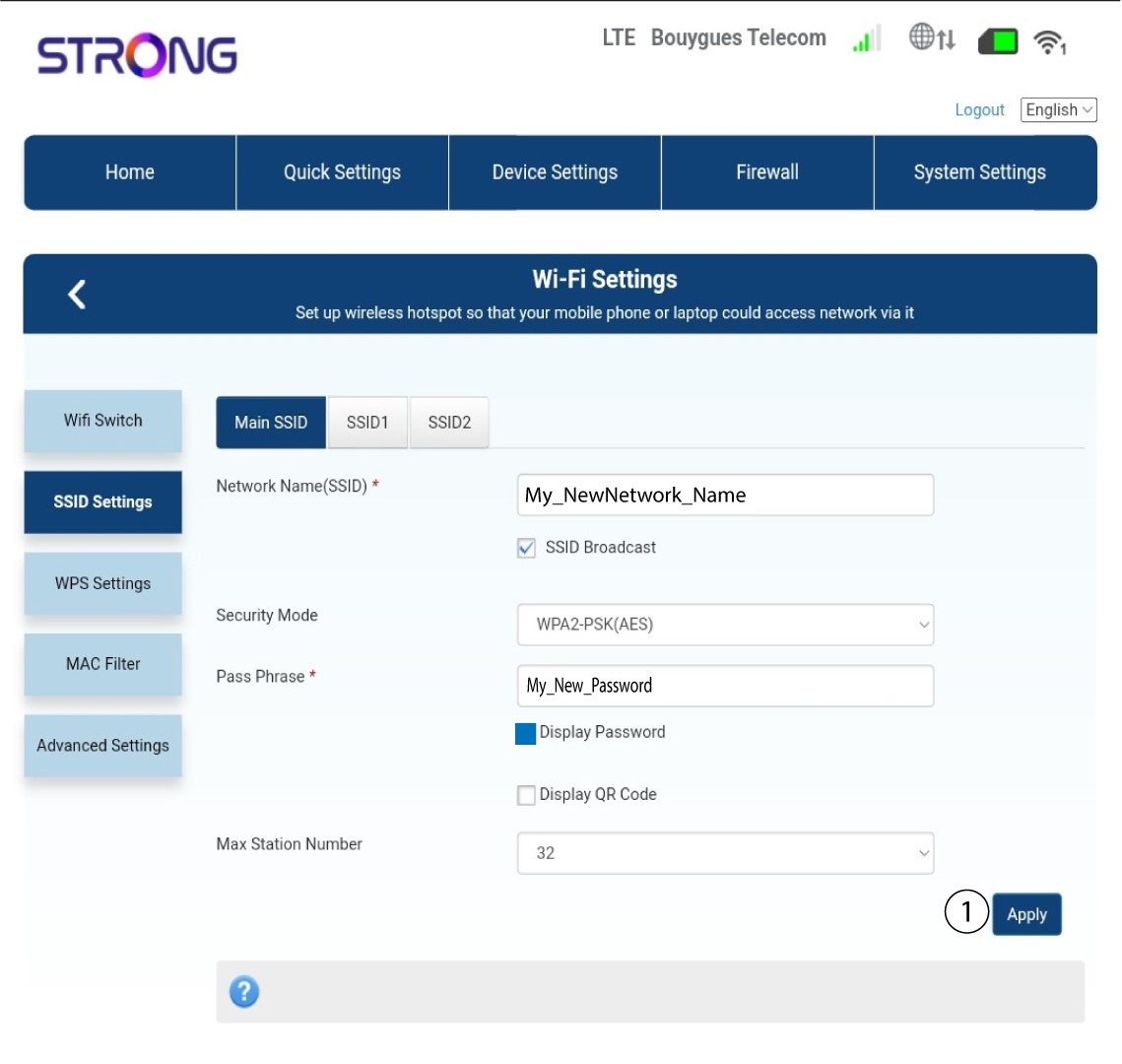
Miten voin muuttaa SSID:n (Wi-Fi-verkon nimen) ja salasanan? (Tapaus 2: Wi-Fi-asetukset)
Miten voin muuttaa SSID:n (Wi-Fi-verkon nimen) ja salasanan? (Tapaus 1: Pikasetukset)
Verkkokäyttöliittymässä on kaksi tapaa muuttaa reitittimen SSID-tunnusta ja salasanaa:
• Käyttämällä Pikakäyttöasetuksia
• Tai käyttämällä Wi-Fi-asetuksia.
1. Yhdistäreitittimen Wi-Fi-verkkoon
Jos haluat muuttaa SSID-tunnusta ja salasanaa, sinun on muodostettava yhteys laitteesi Wi-Fi-verkkoon. Yhdistä sitten verkkokäyttöliittymään seuraavasti:

2. Wi-Fi-asetukset
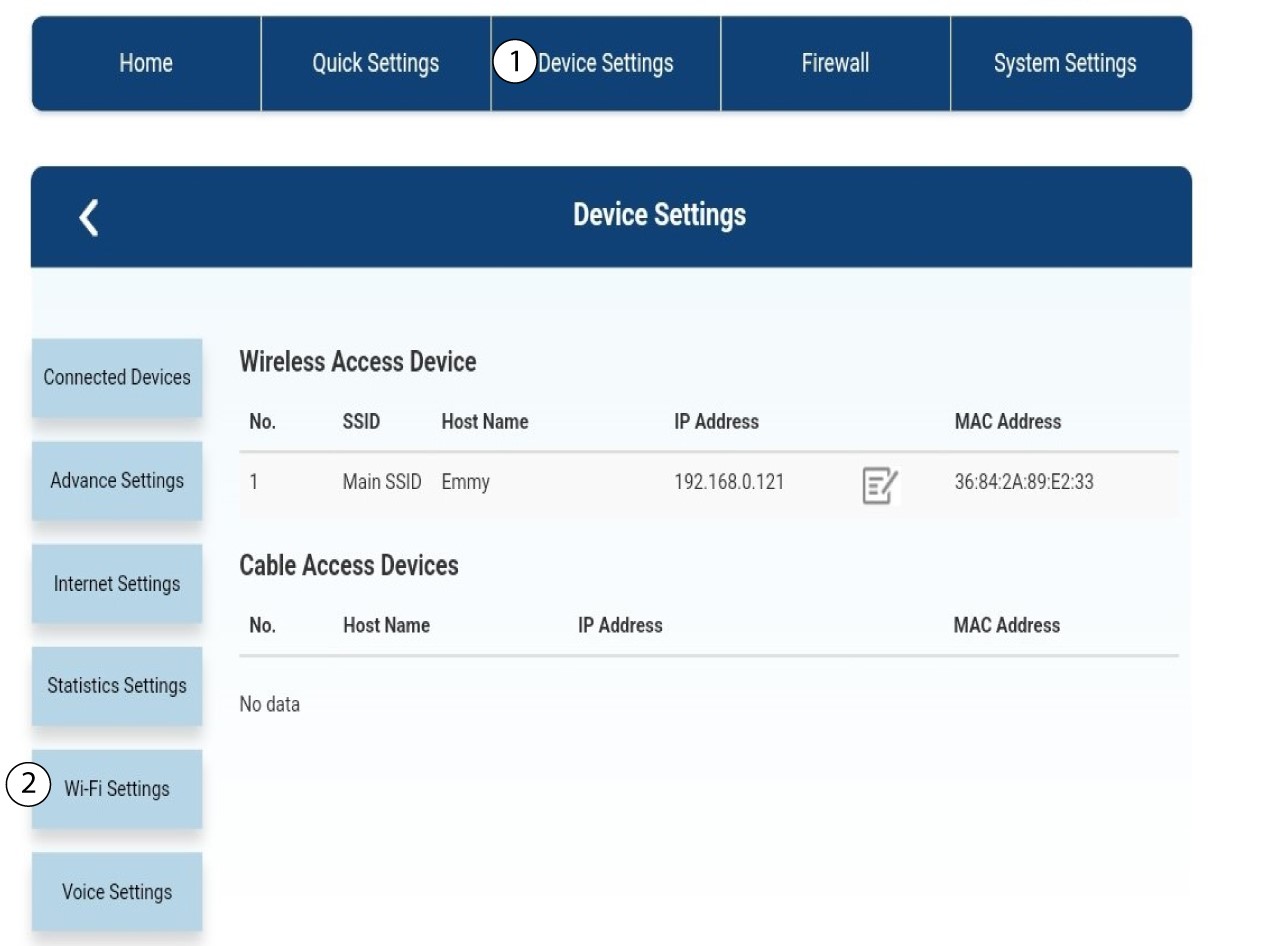
Napsauta Laiteasetukset ja valitse Wi-Fi-asetukset.
3SSID-asetukset
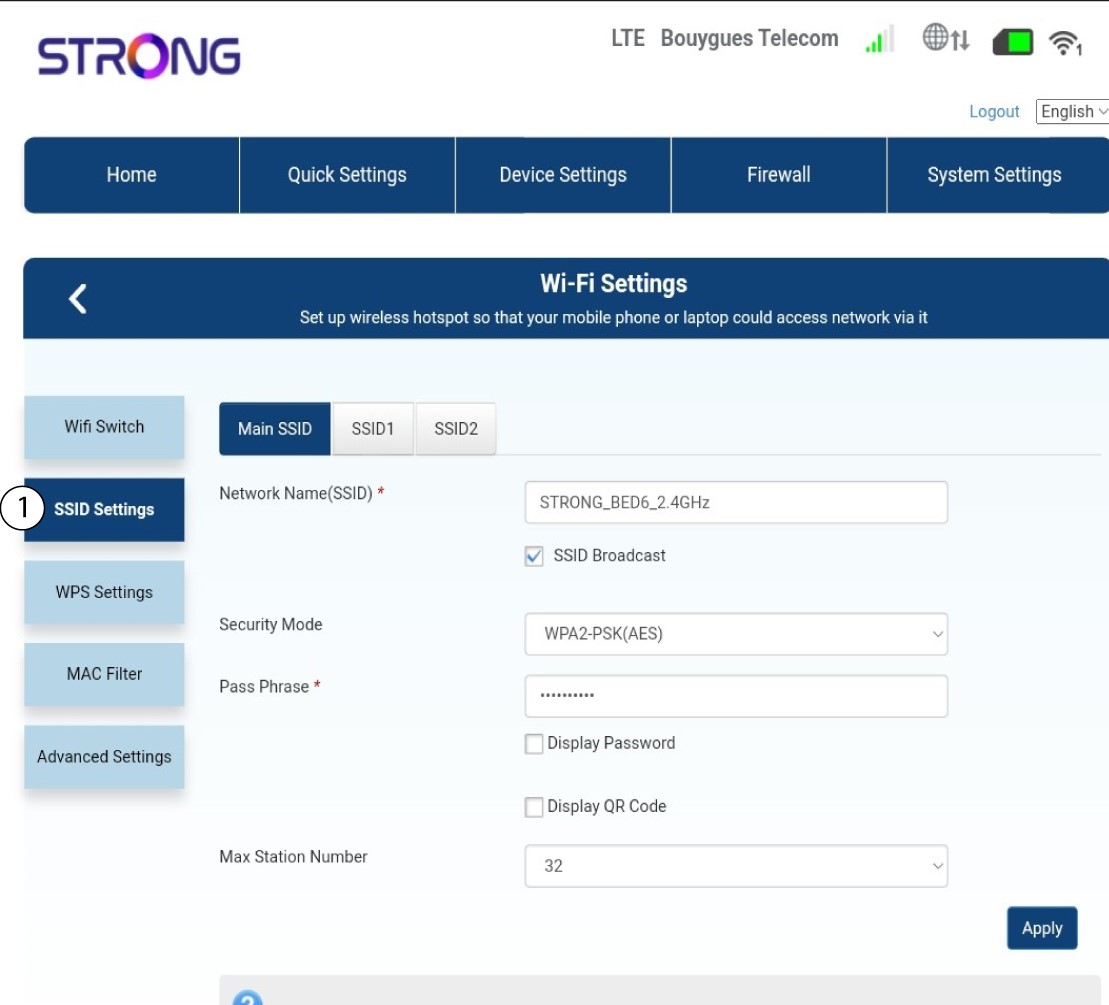
Valitse sitten SSID-asetukset.
4Syötäuudet verkkotiedot
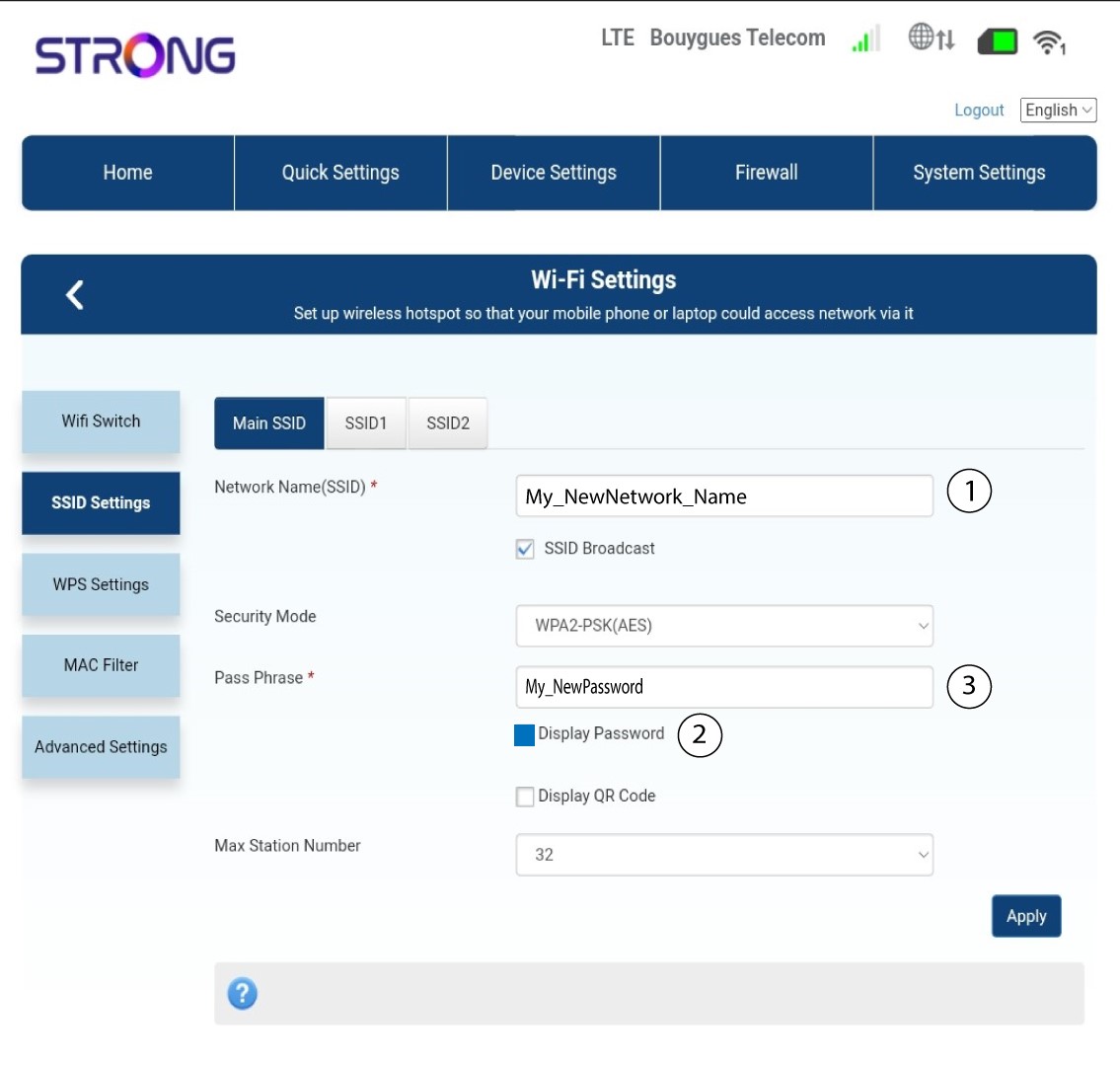
Muuta kenttään ”Verkon nimi (SSID)” syötettyä nimeä ja valitse valintaruutu ”Näytä salasana ”. Muuta sitten kenttään ”Salasana” syötettyä salasanaa.
5Tallennauudet verkkoasetukset
Tallenna muutokset napsauttamalla Käytä.
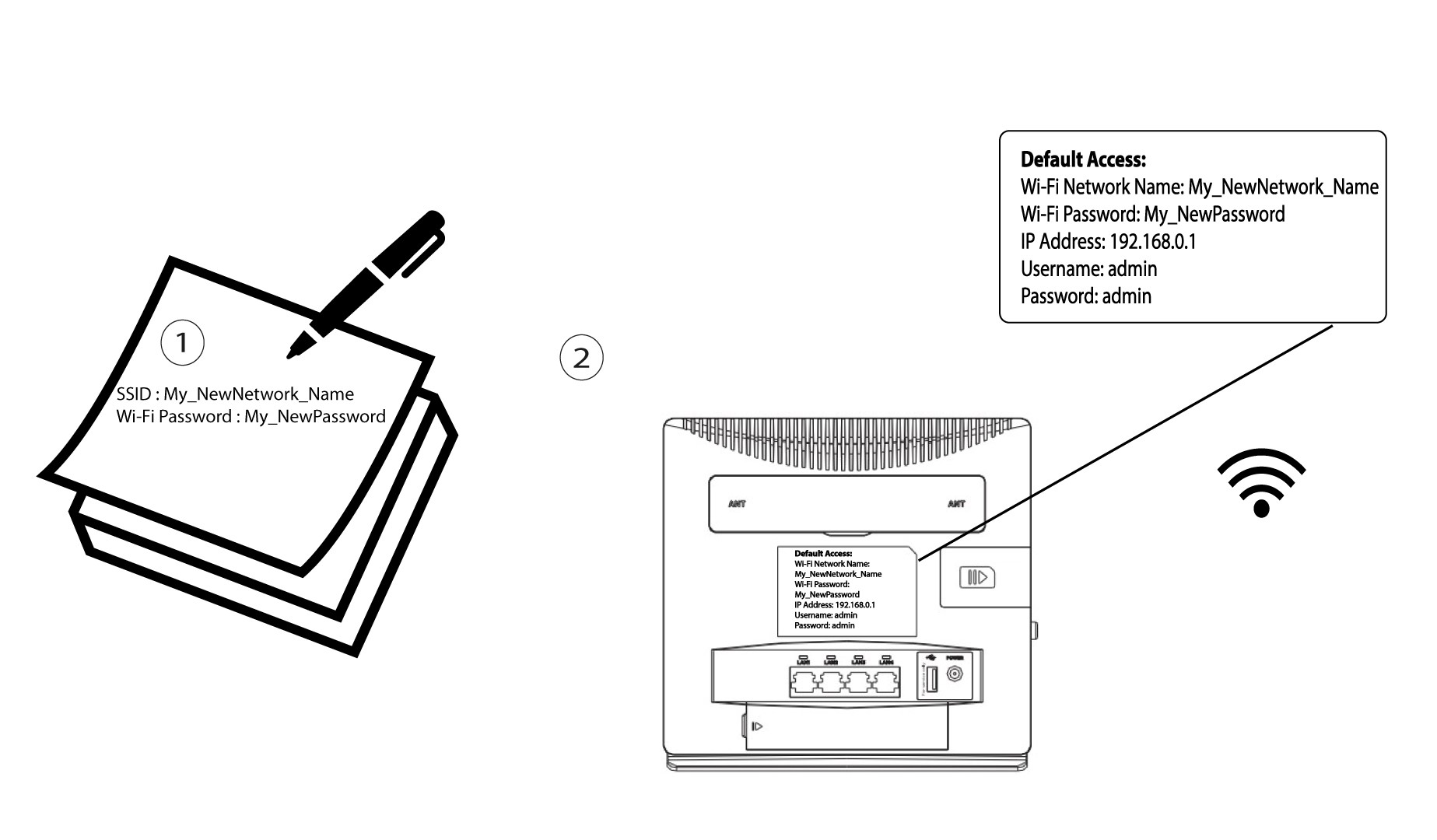
6Kirjoitauudet verkkotiedot muistiin
Kirjoita uusi SSID ja salasana paperille ja kiinnitä se reitittimeen teipillä.