
4G AIRHOME 310 irrotettavilla 4G-antenneilla
Ei löytynyt kohteita.
Ei löytynyt kohteita.
Kaikki kysymykset
4G AIRHOME 310 irrotettavilla 4G-antenneilla
Ei löytynyt kohteita.
Ei löytynyt kohteita.
Miten voin poistaa Wi-Fi-yhteyden käytöstä?
Jos haluat käyttää reititintä kytkemällä sen suoraan laitteeseesi Ethernet-kaapelilla, voit poistaa Wi-Fi-yhteyden käytöstä.
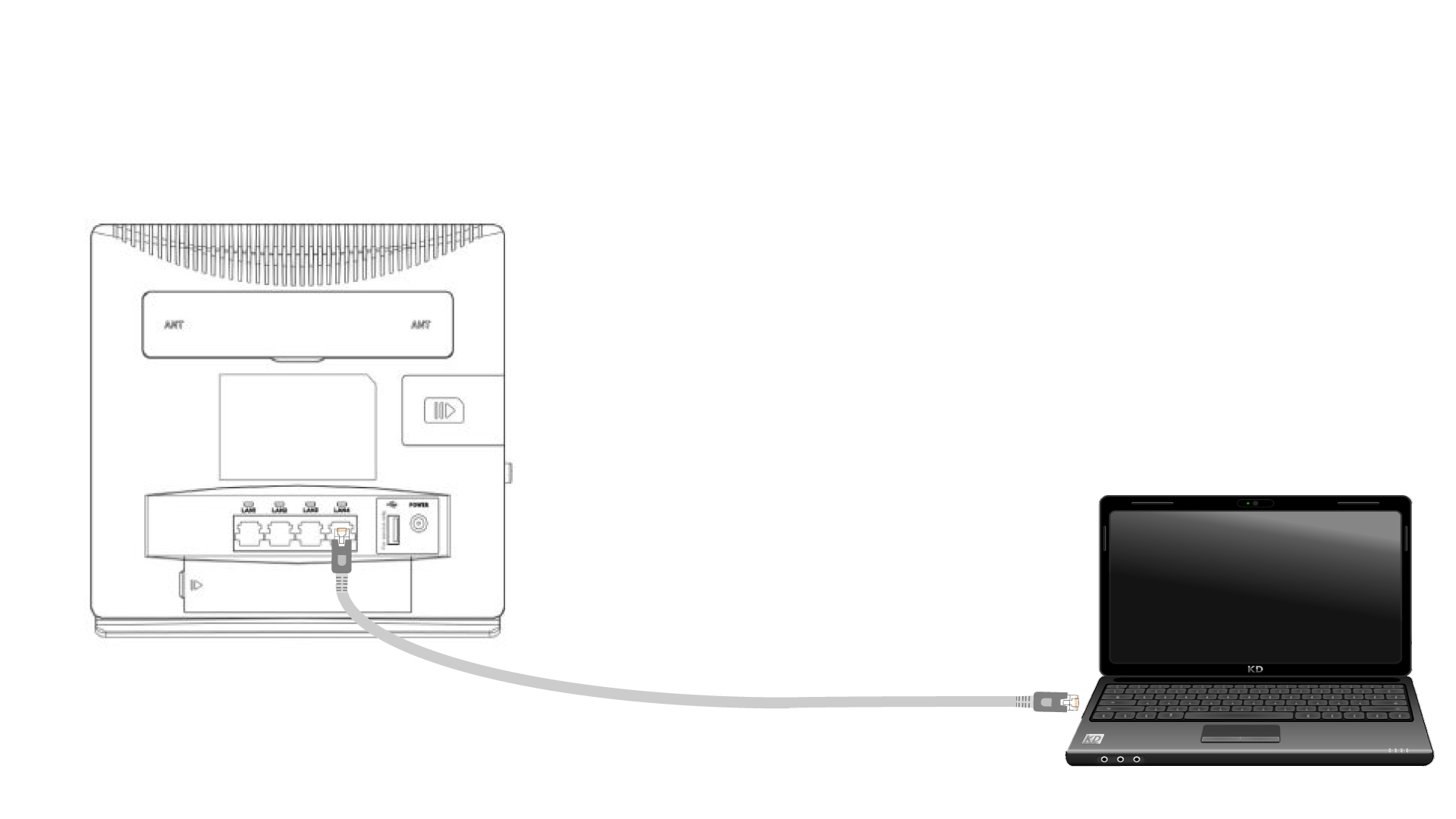
1. Liitäreitittimeen Ethernet-kaapelilla
Liitä RJ45-kaapeli reitittimeen päästäksesi verkkokäyttöliittymään. Yhdistä verkkokäyttöliittymään seuraavien ohjeiden mukaisesti (vaiheen 2 jälkeen):
2. Wi-Fi-asetukset
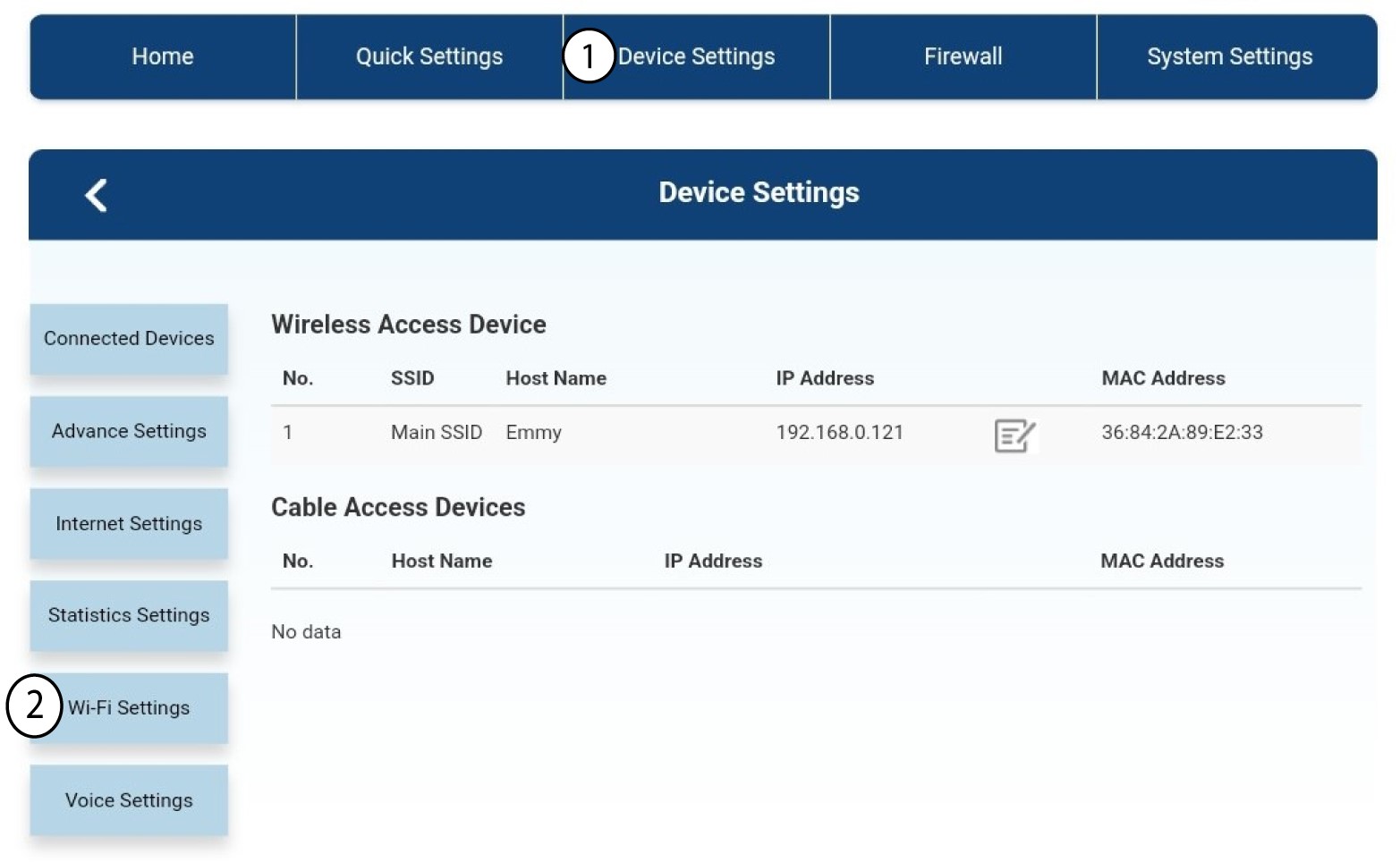
Napsauta sitten ”Laitteen asetukset ” ja valitse sen jälkeen ”Wi-Fi-asetukset”.
3. PoistaWi-Fi käytöstä
Valitse Wi-Fi-asetuksista Wi-Fi- Switch. Napsauta sitten ”Pois käytöstä ” -ruutua ja ”Käytä ”-painiketta.
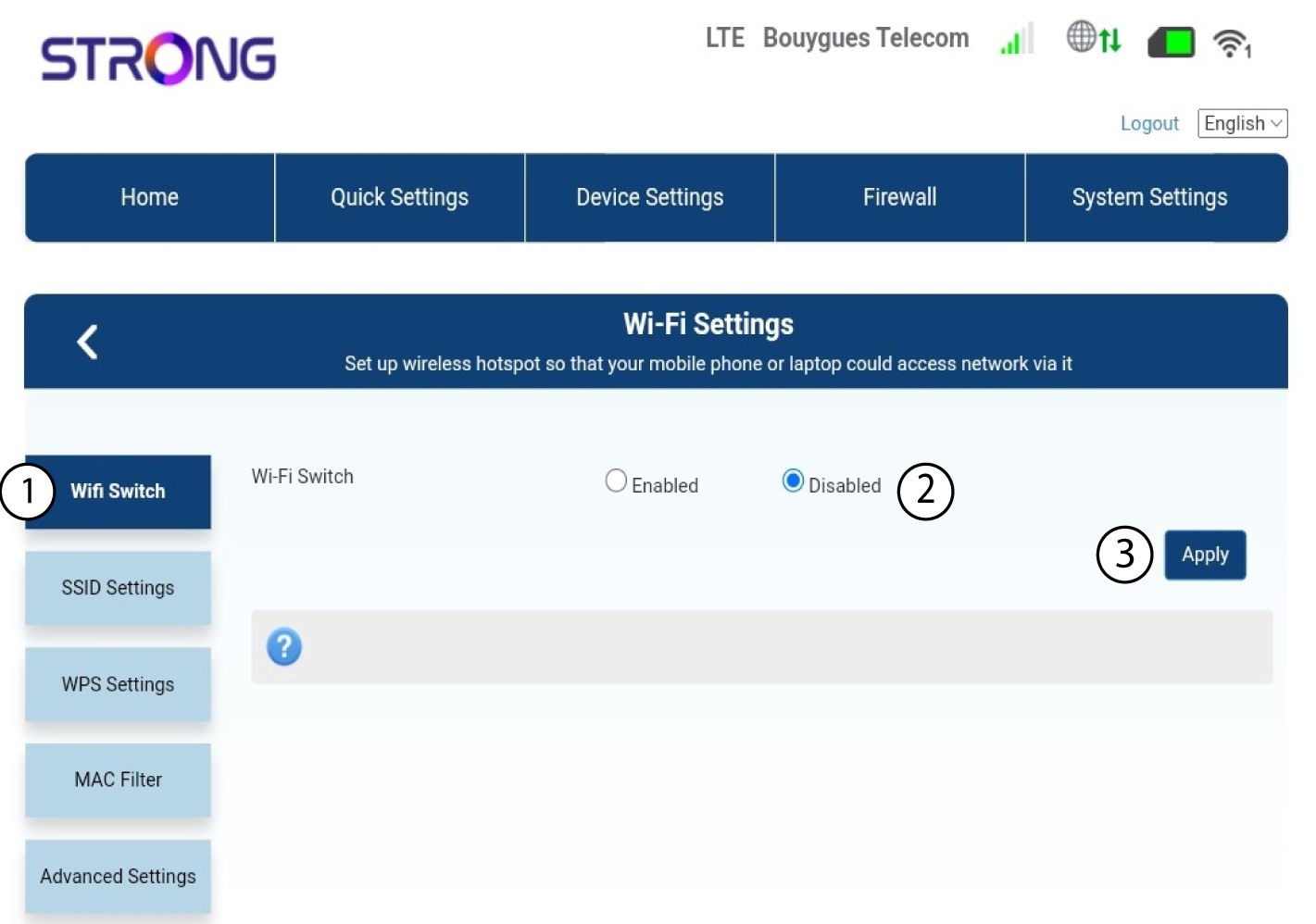

Reitittimen Wi-Fi-verkko on poistettu käytöstä. Kaikki laitteet, jotka olivat aiemmin yhteydessä verkkoon, irrotetaan verkosta automaattisesti. Jos haluat ottaa Wi-Fi-verkon uudelleen käyttöön, sinun on kirjauduttava verkkokäyttöliittymään tai palautettava reitittimen tehdasasetukset.