
5G AIRHOME 1050 | Wi-Fi 6
Kaikki kysymykset
5G AIRHOME 1050 | Wi-Fi 6
Miten päivitän laitteeni laiteohjelmiston (manuaalinen päivitys)?
Kun olet kirjautunut verkkokäyttöliittymään, sinun on tarkistettava laitteesi laiteohjelmistoversio käyttämällä verkkokäyttöliittymän online-päivitystoimintoa. Näin laitteeseen asennetaan uusin laiteohjelmistoversio.
Jos laitteellasi on eri versio, päivitä laiteohjelmisto seuraavien ohjeiden mukaisesti.
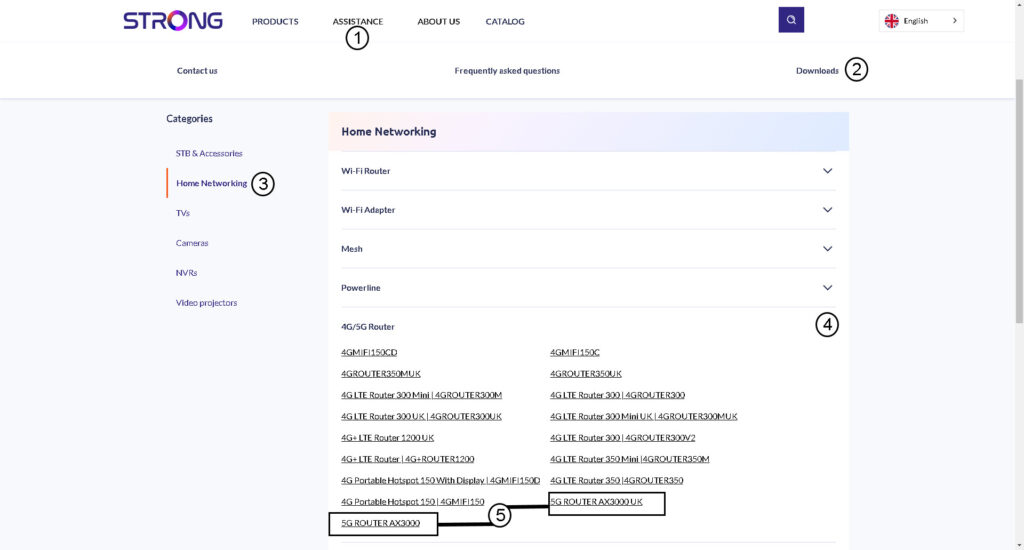
1Siirryverkkosivustomme lataussivulle.
Siirry lataussivullemme .
- Napsauta kohtaa ”Tuki ja lataukset”.
- Valitse ”Verkko” ja ”4G/5G-reititin”.
- Napsauta tuotteen nimeä siirtyäksesi sen lataussivulle.
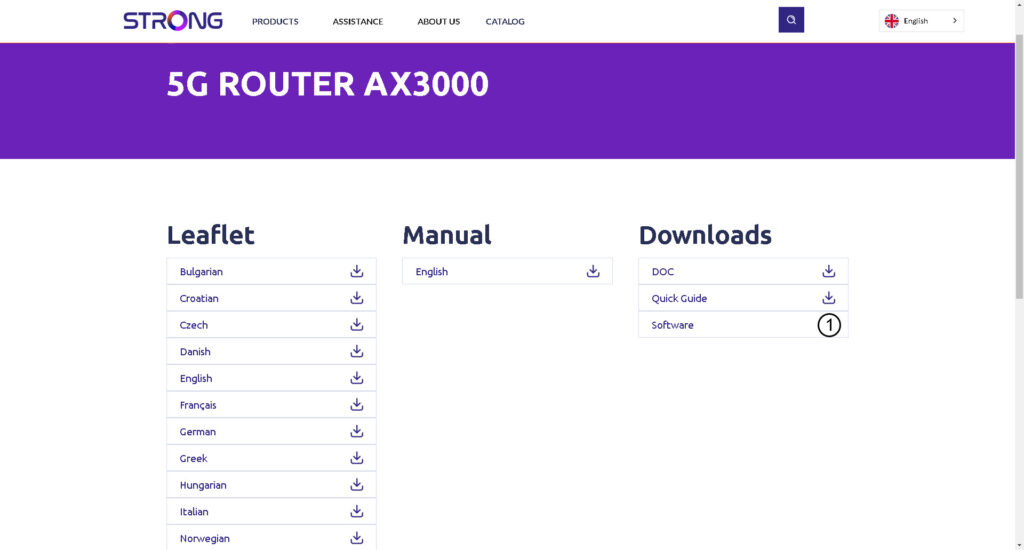
2Lataaasetustiedosto
Napsauta ohjelmiston vieressä olevaa latauskuvaketta.
3. YhdistäWi-Fi-verkkoon
Laitteen laiteohjelmiston päivittämiseksi sinun on muodostettava yhteys laitteesi Wi-Fi-verkkoon.

4Siirryverkkokäyttöliittymän IP-osoitteeseen
Syötä sitten selaimeesi seuraava IP-osoite: 192.168.0.1.

5Kirjautumissivu
Napsauta sitten Kirjaudu sisään.

6. Laiteohjelmistonpäivitys
Napsauta ”Järjestelmätyökalut”, valitse ”Laitteiden hallinta ” ja siirry kohtaan ”Laiteohjelmiston päivitys”.
- Napsauta sitten ”Valitse tiedosto” ja valitse laiteohjelmistotiedosto ennen kuin napsautat ”Päivitä ohjelmisto”.
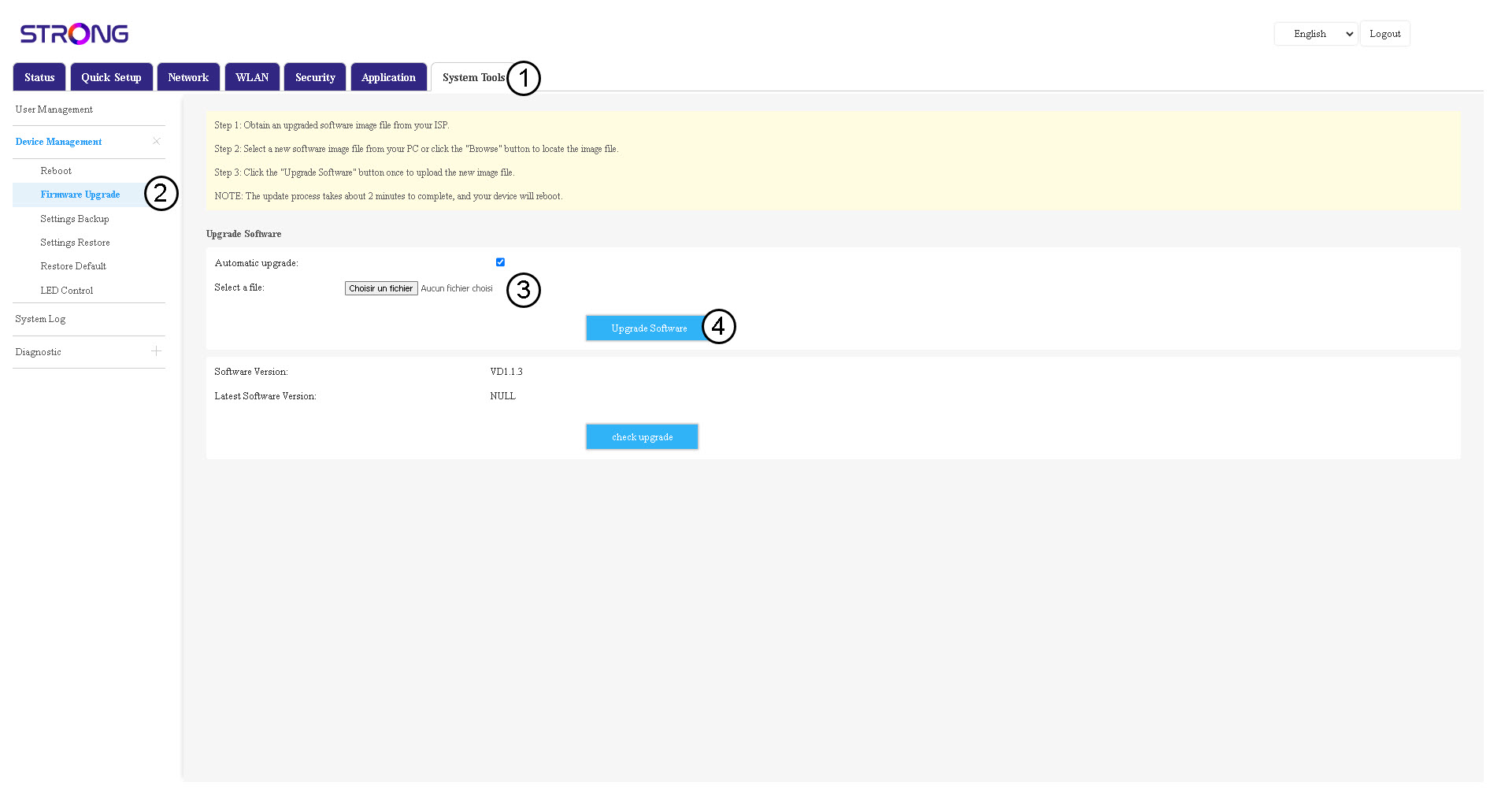

Huomaa, että reitittimen päivityksen jälkeen laite käynnistyy automaattisesti uudelleen. Sinun on muodostettava yhteys Wi-Fi-verkkoon ja verkkokäyttöliittymään uudelleen.