5G AIRHOME 1050 | Wi-Fi 6
Kaikki kysymykset
5G AIRHOME 1050 | Wi-Fi 6
Miten päivitän laitteen laiteohjelmiston (verkko-päivitys)?
Kun olet kirjautunut verkkokäyttöliittymään, sinun on tarkistettava laitteesi laiteohjelmistoversio käyttämällä verkkokäyttöliittymän online-päivitystoimintoa. Näin laitteeseen asennetaan uusin laiteohjelmistoversio.
Jos laitteellasi on eri versio, päivitä laiteohjelmisto seuraavien ohjeiden mukaisesti.
1. YhdistäWi-Fi-verkkoon
Laitteen laiteohjelmiston päivittämiseksi sinun on muodostettava yhteys laitteesi Wi-Fi-verkkoon.

2Siirryverkkokäyttöliittymän IP-osoitteeseen
Syötä sitten selaimeesi seuraava IP-osoite: 192.168.0.1.

3Kirjautumissivu
Napsauta sitten Kirjaudu sisään.

4. Laiteohjelmistonpäivitys
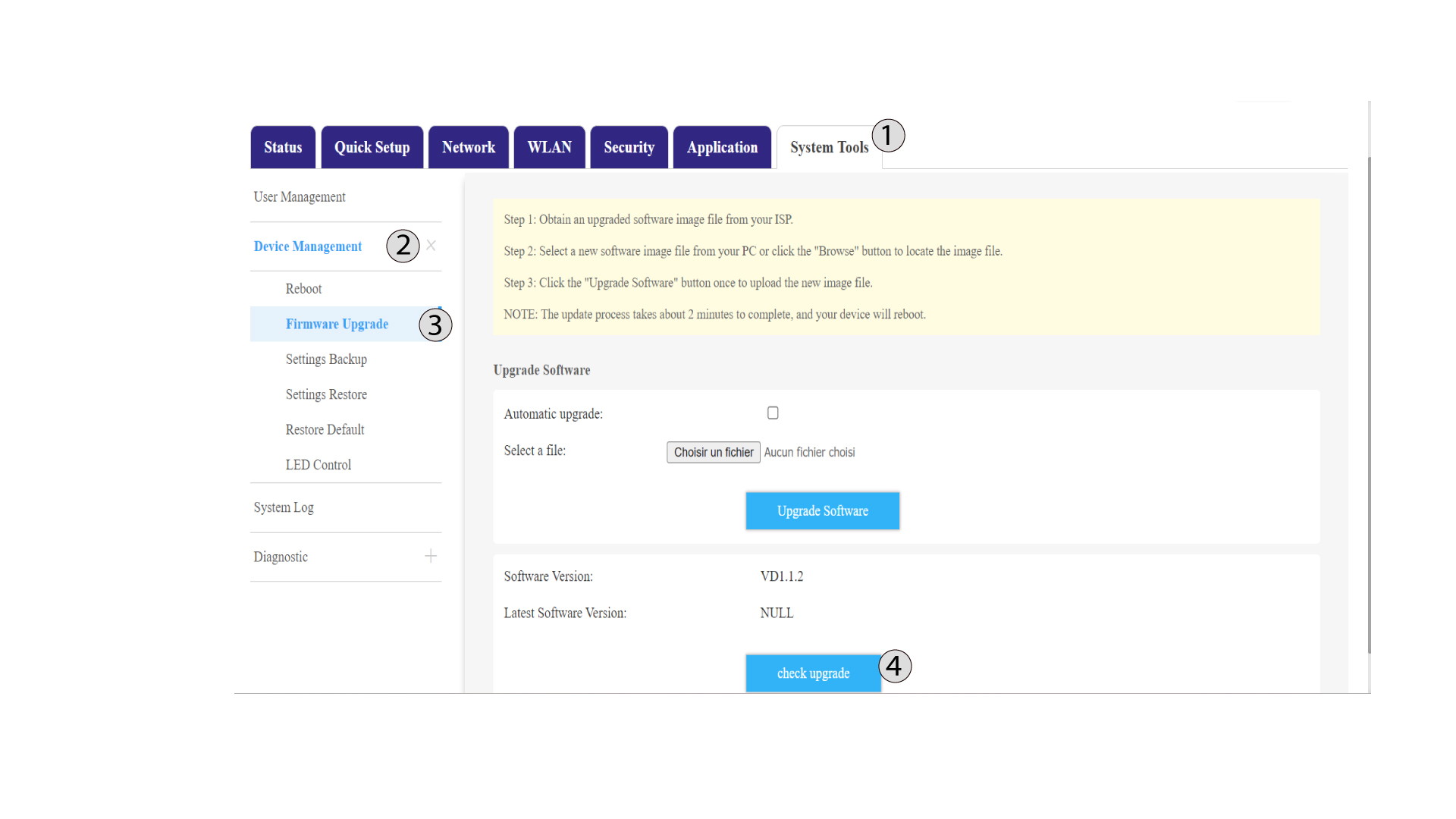
Napsauta ”Järjestelmätyökalut”, valitse ”Laitteiden hallinta ” ja siirry kohtaan ”Laiteohjelmiston päivitys”.
5check-päivitys
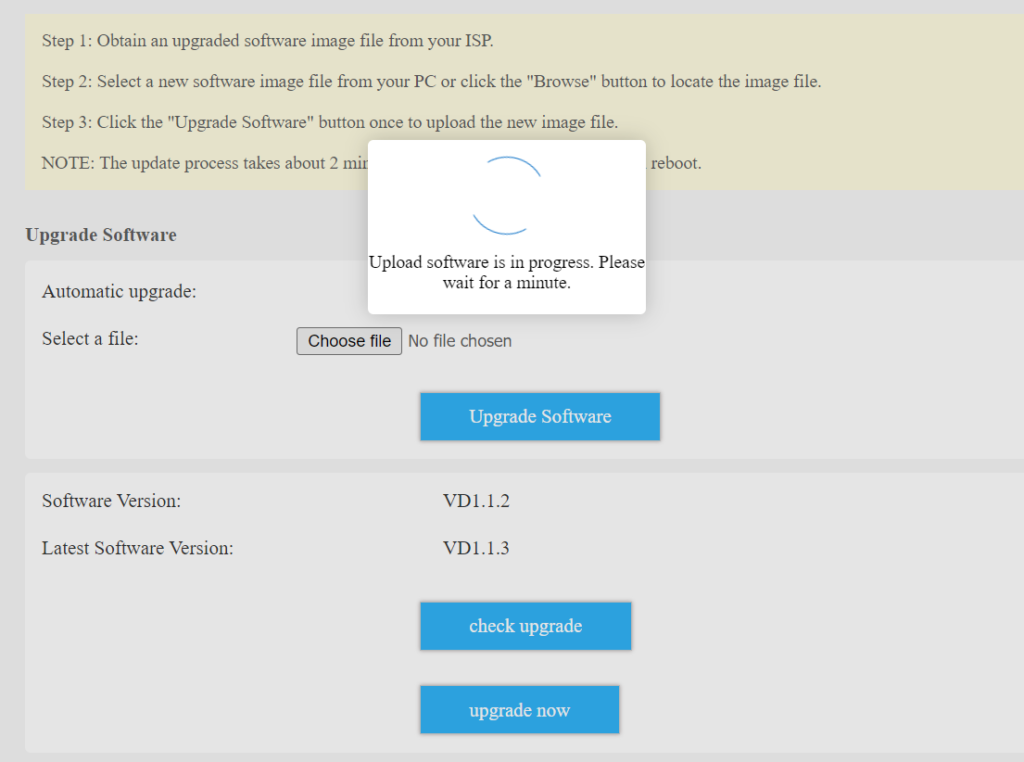
Napsauta automaattisen päivityksen vieressä olevaa valintaruutua ja sitten Tarkista päivitys -painiketta. Jos uusi versio on saatavilla, näkyviin tulee Päivitä nyt -painike.
Napsauta ”Päivitä nyt ” -painiketta ja odota, kunnes päivitysprosessi on päättynyt.