Point d'accès Wi-Fi 4G AIRSPOT 220 avec écran
Toutes les questions
Point d'accès Wi-Fi 4G AIRSPOT 220 avec écran
Comment modifier le code PIN de la carte SIM ?
Il est possible de modifier le code PIN de votre carte SIM via l'interface utilisateur Web. Pour ce faire, suivez la procédure ci-dessous. Vous devez vous connecter à l'interface utilisateur Web.
1. Connectez-vousau réseau Wi-Fi du routeur
1.
Pour ce faire, saisissez le SSID (nom du réseau Wi-Fi
) et le mot de passe Wi-Fi du routeur sur votre appareil.

2Accédezà l'interface utilisateur Web via l'adresse IP
Ensuite, saisissez l'adresse IP suivante dans votre navigateur : 192.168.188.1

3Connexion
Vous devez saisir votre mot de passe. Cliquez ensuite sur « Connexion ».

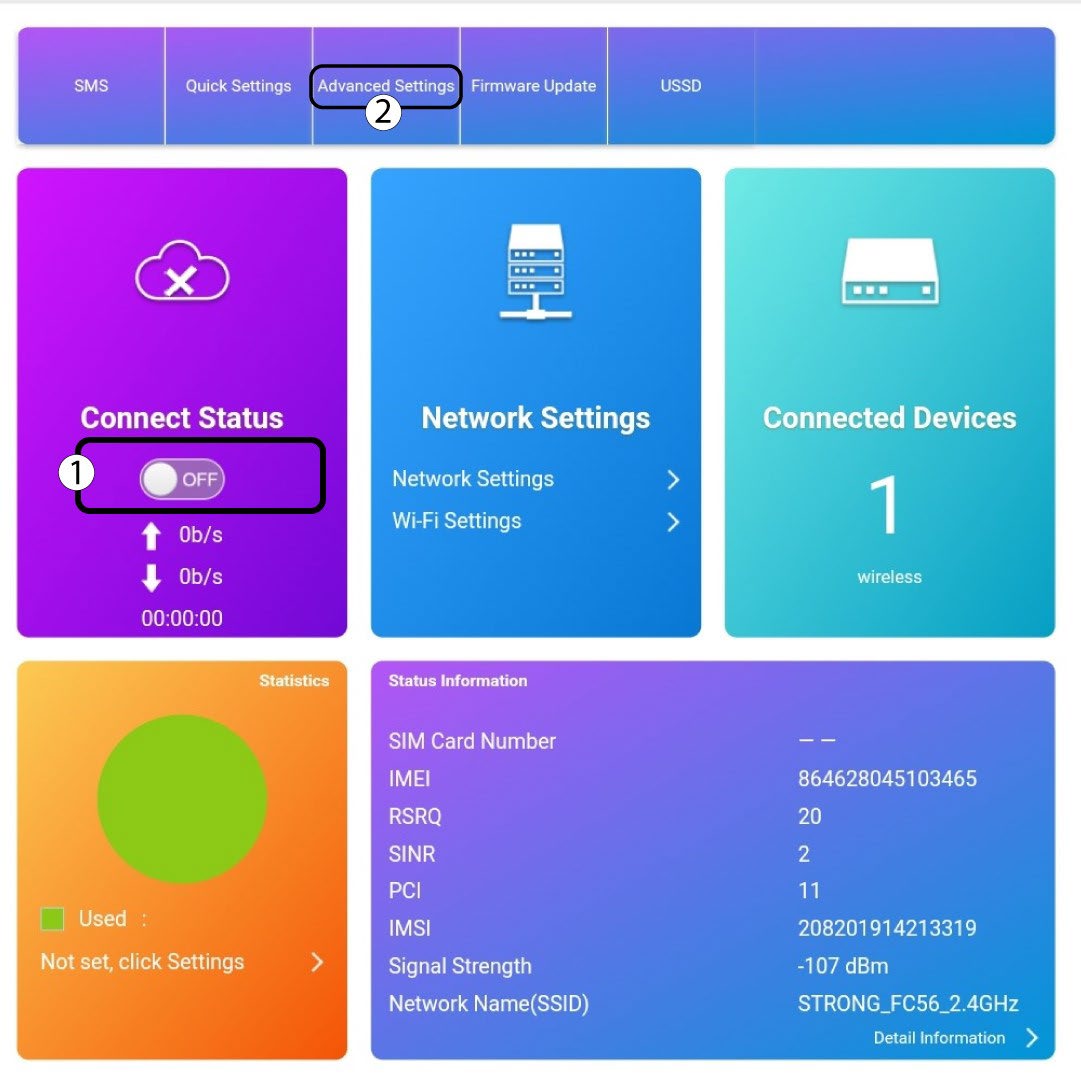
4. État de la connexion
Cliquez sur le bouton bascule dans la section « État de la connexion », puis cliquez sur « Paramètres avancés ».
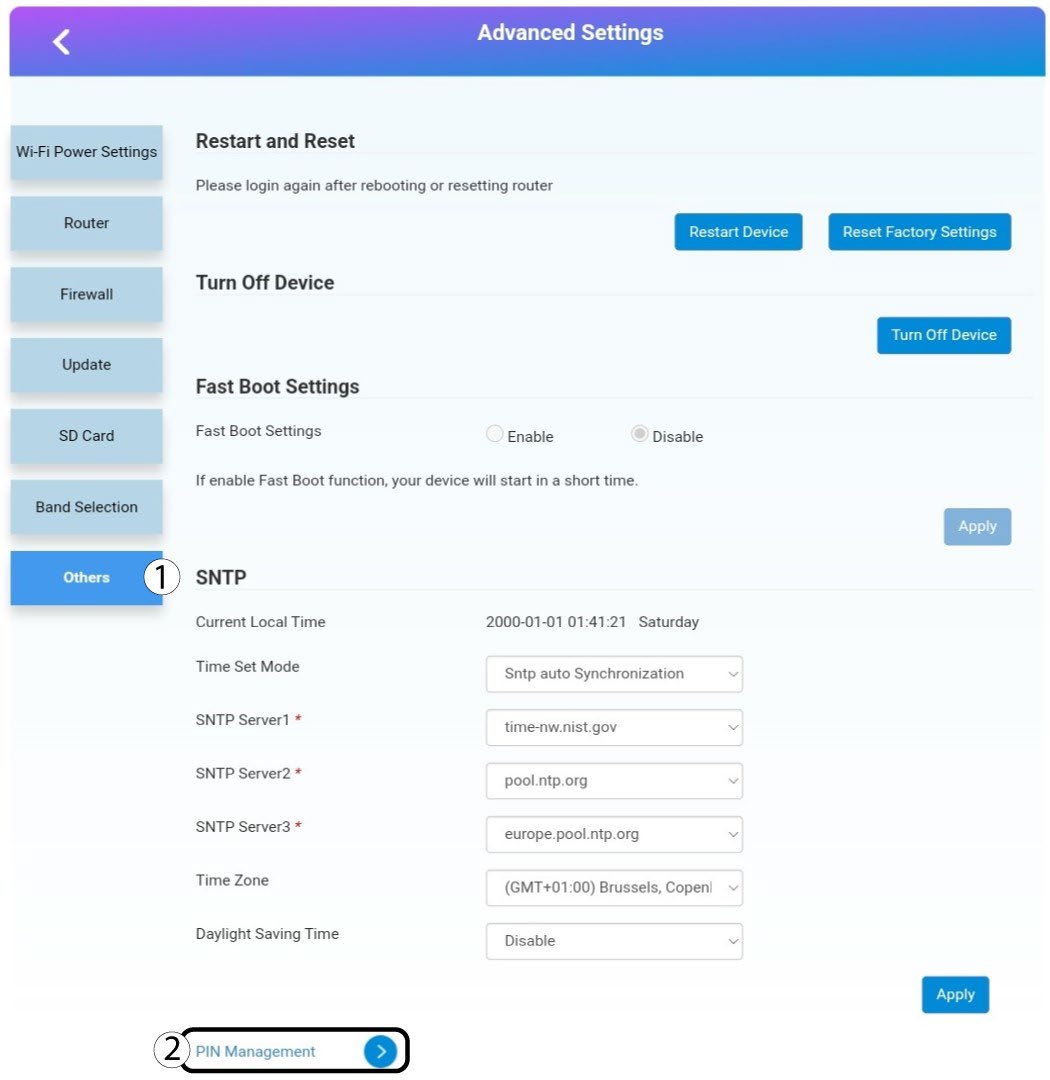
5. Paramètres avancés
Cliquez sur « Autres ». Cliquez ensuite sur « Gestion du code PIN ».
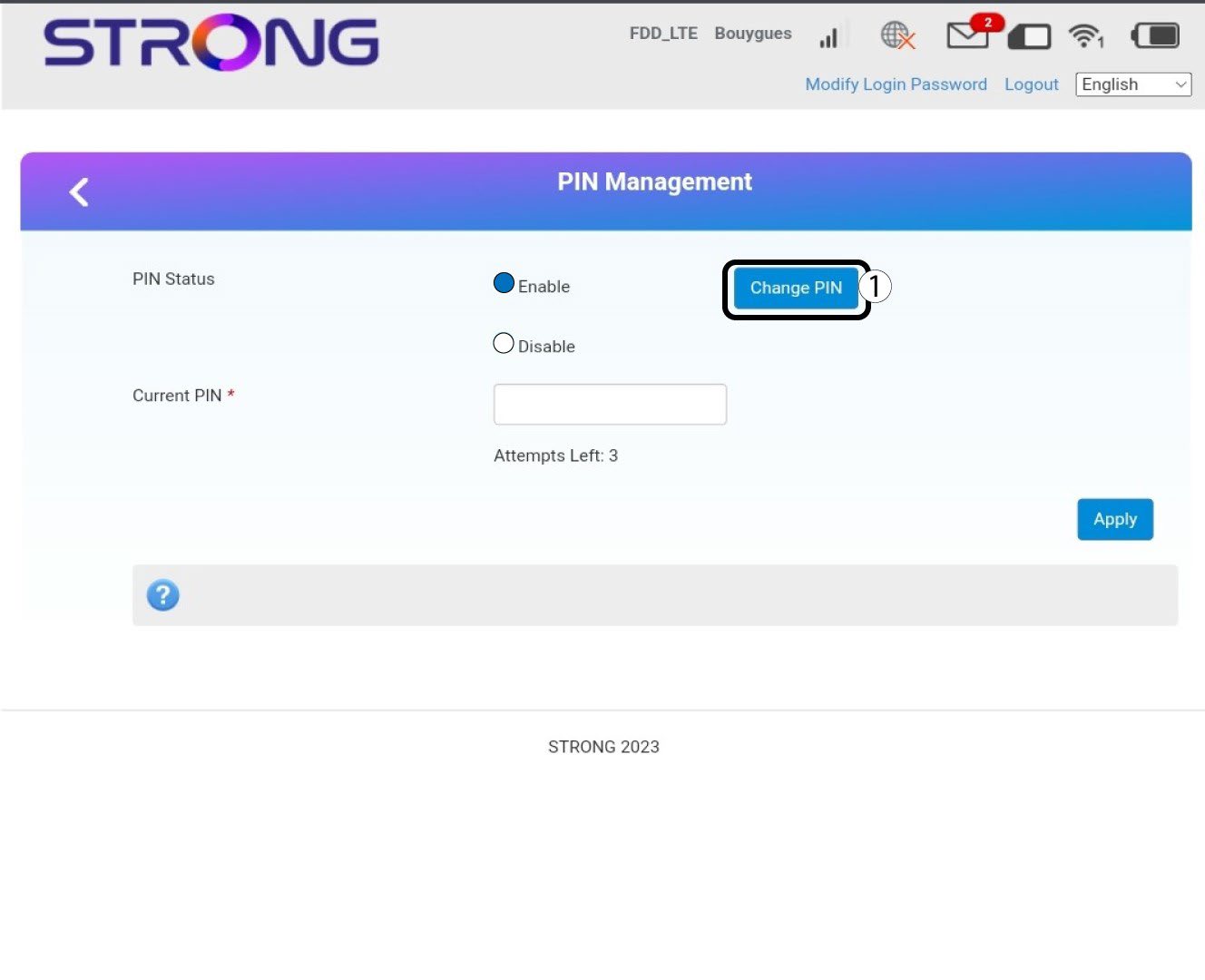
Gestion des connecteurs à 6 broches
Cliquez sur « Modifier le code PIN ».
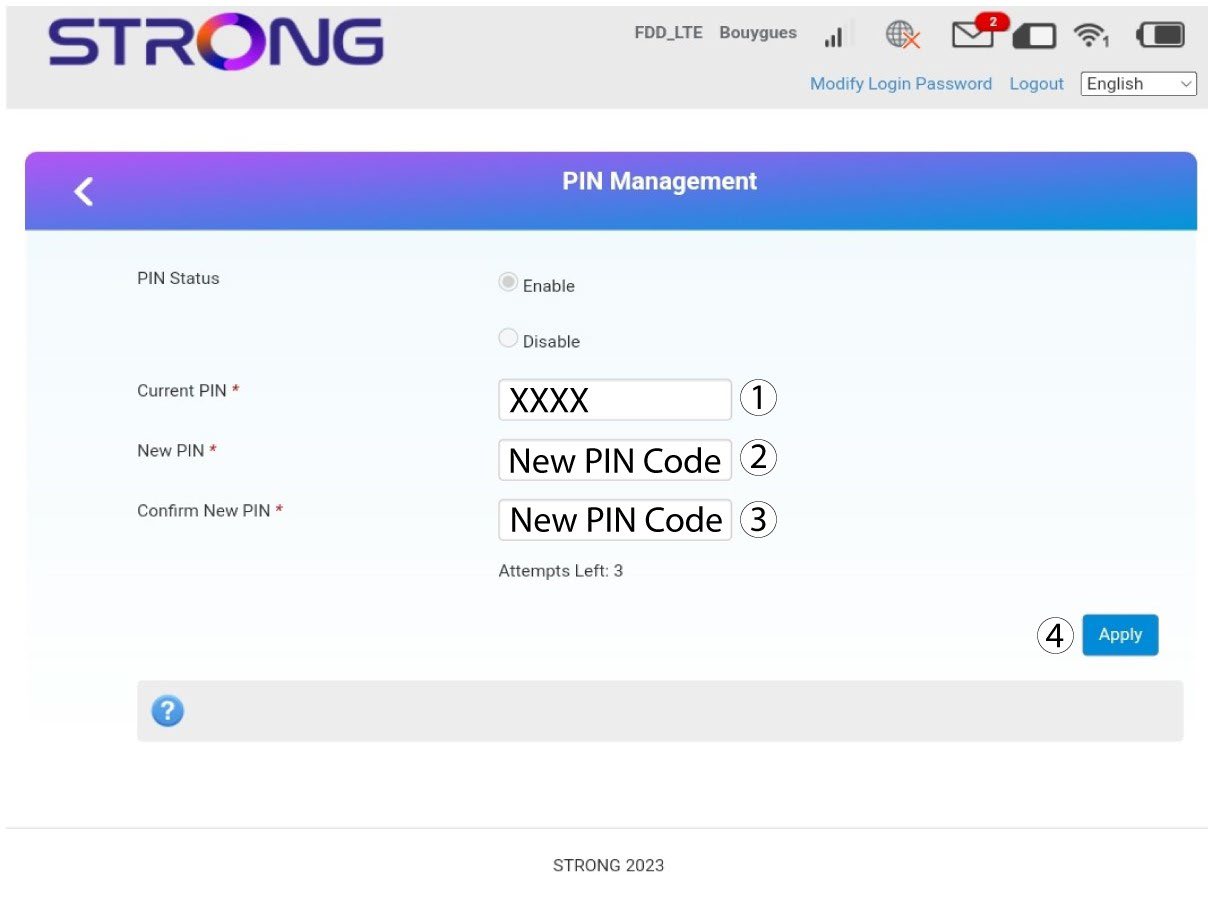
7. Saisissezle nouveau code PIN
Saisissez les informations suivantes avant de cliquer sur « Appliquer » :
· Code PIN actuel : saisissez votre code PIN actuel.
· Nouveau code PIN : saisissez votre nouveau code PIN.
· Confirmer le nouveau code PIN : saisissez le nouveau code PIN.