Point d'accès Wi-Fi 4G AIRSPOT 220 avec écran
Aucun élément n'a été trouvé.
Aucun élément n'a été trouvé.
Toutes les questions
Point d'accès Wi-Fi 4G AIRSPOT 220 avec écran
Aucun élément n'a été trouvé.
Aucun élément n'a été trouvé.
Comment allumer et éteindre l'appareil ?
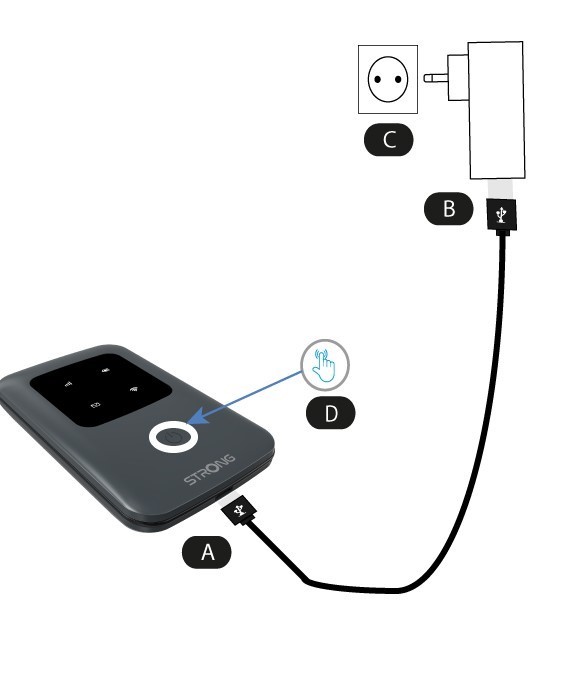
Pour allumer l'appareil, vous devez le recharger avant de l'utiliser. Pour ce faire, branchez le câble USB sur l'appareil (A) et la prise (B).
1 Bouton d'alimentation
Branchez le câble USB reliant l'appareil (A) au bloc d'alimentation (B). Branchez ensuite ce dernier à la prise (C), puis maintenez le bouton d'alimentation enfoncé pendant cinq secondes (D).
Au bout de quelques secondes, les LED de l'appareil s'allument.
Pour l'éteindre, il suffit d'appuyer sur le bouton d'alimentation et de le maintenir enfoncé pendant 5 secondes.