Point d'accès Wi-Fi 4G AIRSPOT 220 avec écran
Toutes les questions
Point d'accès Wi-Fi 4G AIRSPOT 220 avec écran
Comment puis-je vérifier et modifier les paramètres APN de mon opérateur ?
Si votre carte SIM n'est pas reconnue automatiquement par l'appareil, vous
devez vous connecter à l'interface utilisateur Web pour vérifier les paramètres APN et les modifier, si nécessaire.
Vous trouverez les paramètres APN de votre opérateur directement sur son site Web,
ou vous pouvez les demander au service d'assistance de votre opérateur.
1. Connectez-vousau réseau Wi-Fi du routeur
Vous
devez vous connecter à l'interface utilisateur Web. Pour ce faire, saisissez le SSID (nom du réseau Wi-Fi) et
le mot de passe Wi-Fi du routeur sur votre appareil.

2Accédezà l'interface utilisateur Web via l'adresse IP
Ensuite, saisissez l'adresse IP suivante dans votre navigateur : 192.168.188.1

3. Saisissezvos identifiants
Toi vous devez saisir le Mot de passe. Ensuite, cliquez sur Connexion.
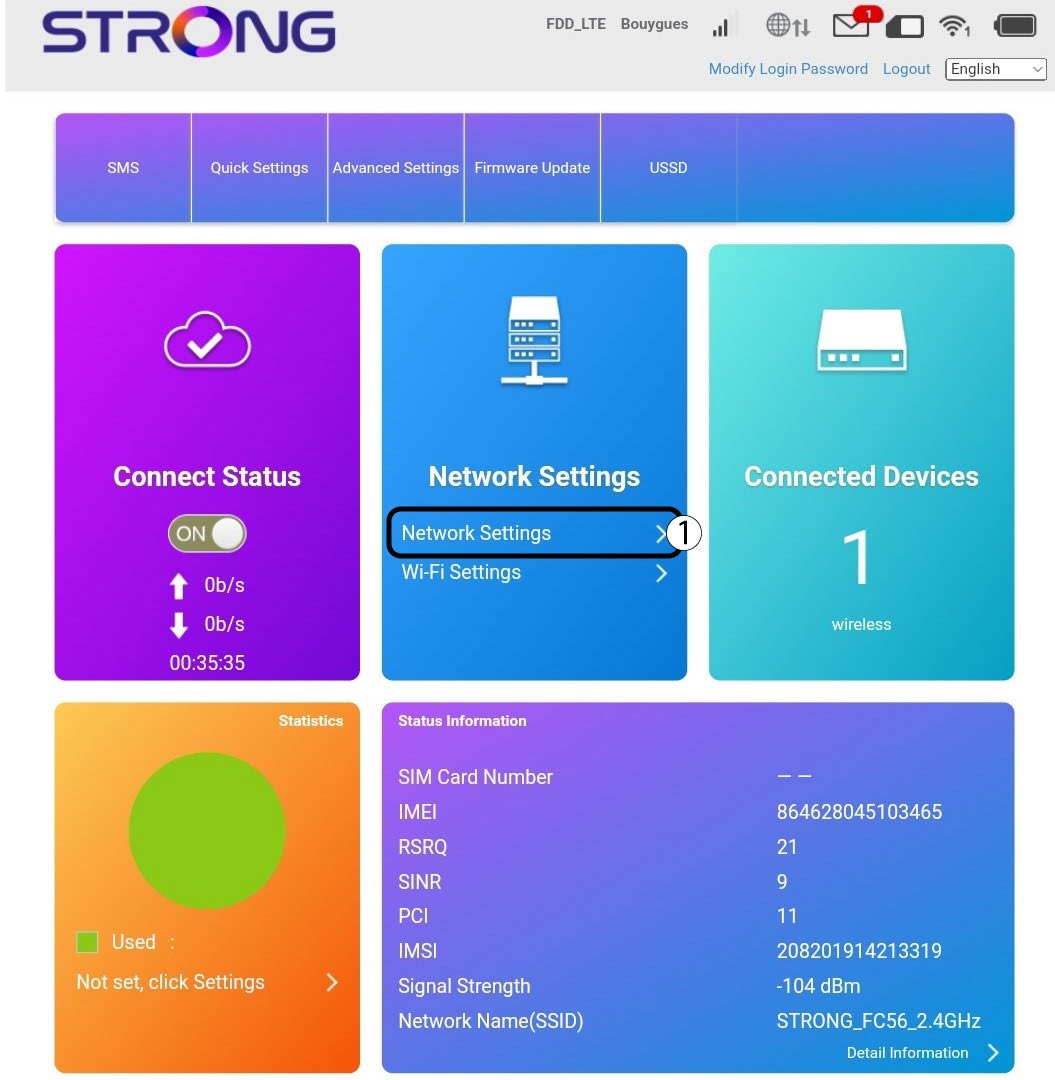
4. Paramètres Internet
Cliquez sur « Paramètres réseau ».
5Recherchezles paramètres APN de votre opérateur
- Recherchez les paramètres APN sur le site Web de votre opérateur. Vous devez noter les informations suivantes :
- Nom
- APN
- Nom d'utilisateur
- Mot de passe
- Type d'authentification
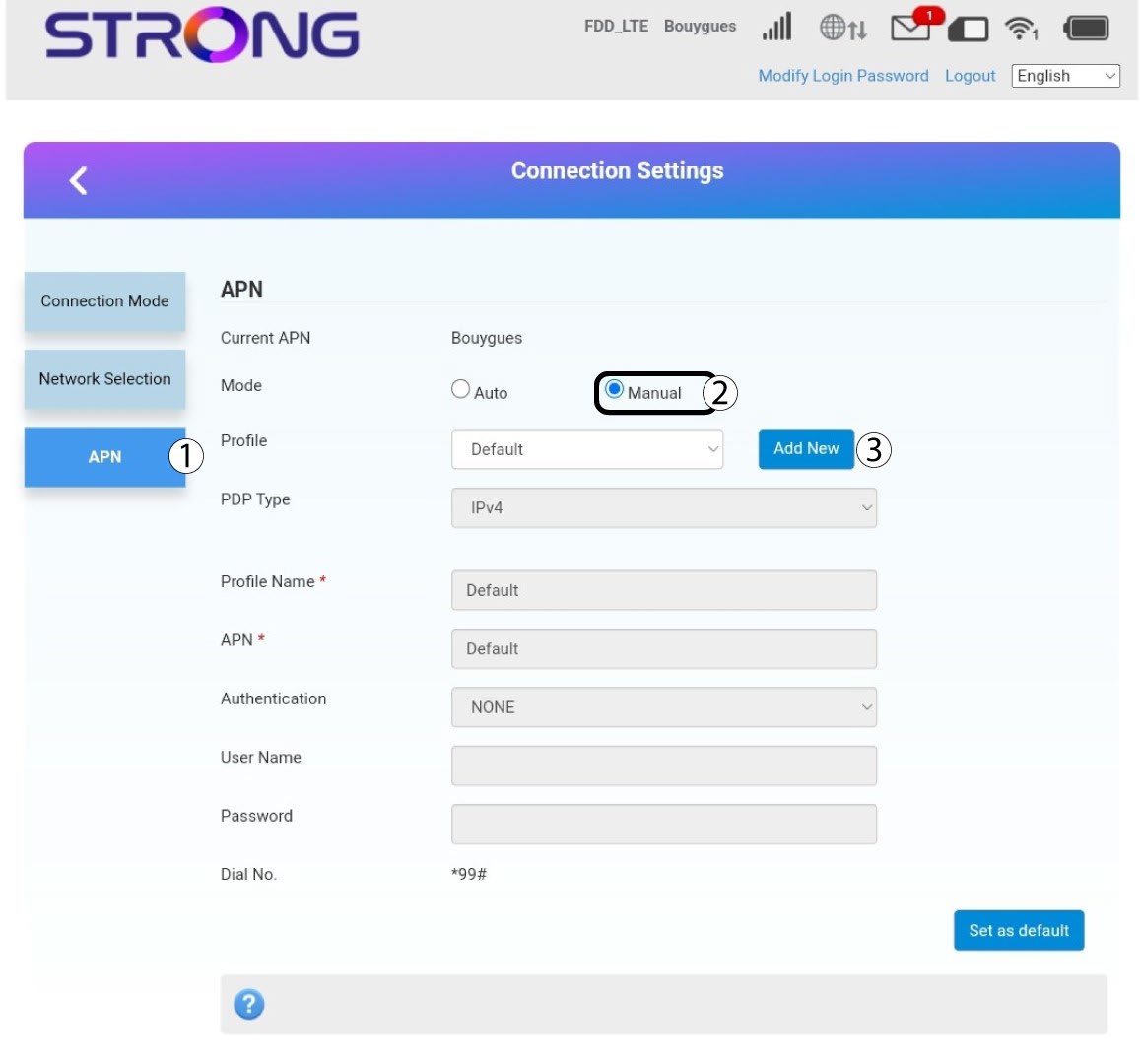
6. Modifiezles informations si la configuration n'est pas correcte
Si les informations sont incorrectes, cliquez sur « APN », puis sur « Manuel » et enfin sur « Ajouter un nouvel APN ».
Type 7PDP
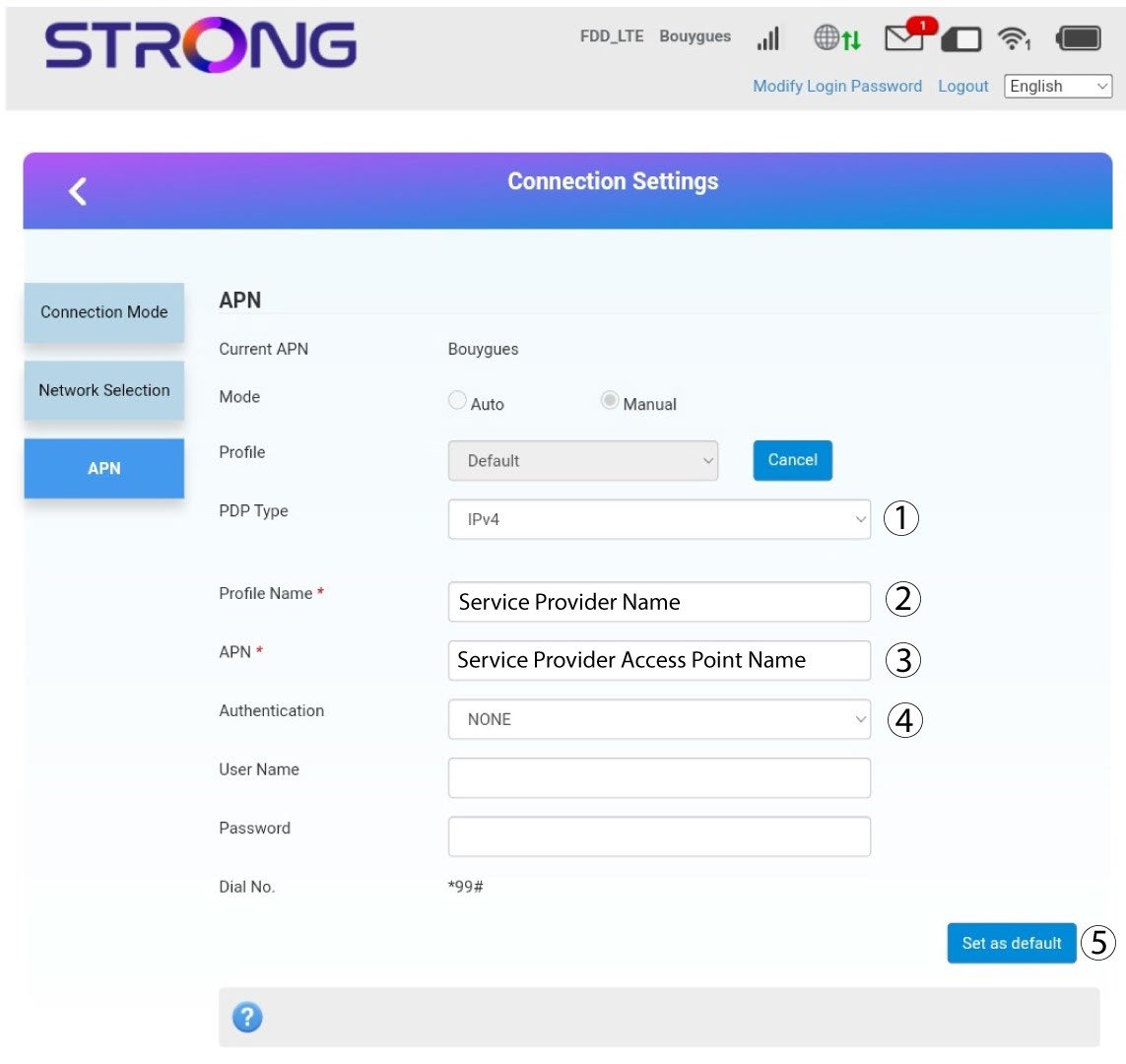
Saisissez les informations suivantes avant de cliquer sur « Définir comme valeur par défaut » :
· Type de PDP: sélectionnez « IPv4 » comme valeur du type de PDP.
· Nom du profil: saisissez le nom de votre fournisseur de services.
· APN: saisissez l'adresse APN.
· Type d'authentification: sélectionnez le type d'authentification défini par votre fournisseur pour votre APN parmi les valeurs suivantes (NONE, CHAP, PAP)