
Point d'accès Wi-Fi 4G AIRSPOT 220 avec écran
Toutes les questions
Point d'accès Wi-Fi 4G AIRSPOT 220 avec écran
Comment puis-je modifier le SSID (nom du réseau Wi-Fi) et le mot de passe Wi-Fi ?
Dans l'interface utilisateur Web, vous disposez de deux méthodes pour modifier le SSID (nom du réseau Wi-Fi) et le mot de passe Wi-Fi de votre routeur :
• En utilisant les réglages rapides
• Ou en utilisant les paramètres Wi-Fi
1 CASN° 1 : Réglages rapides
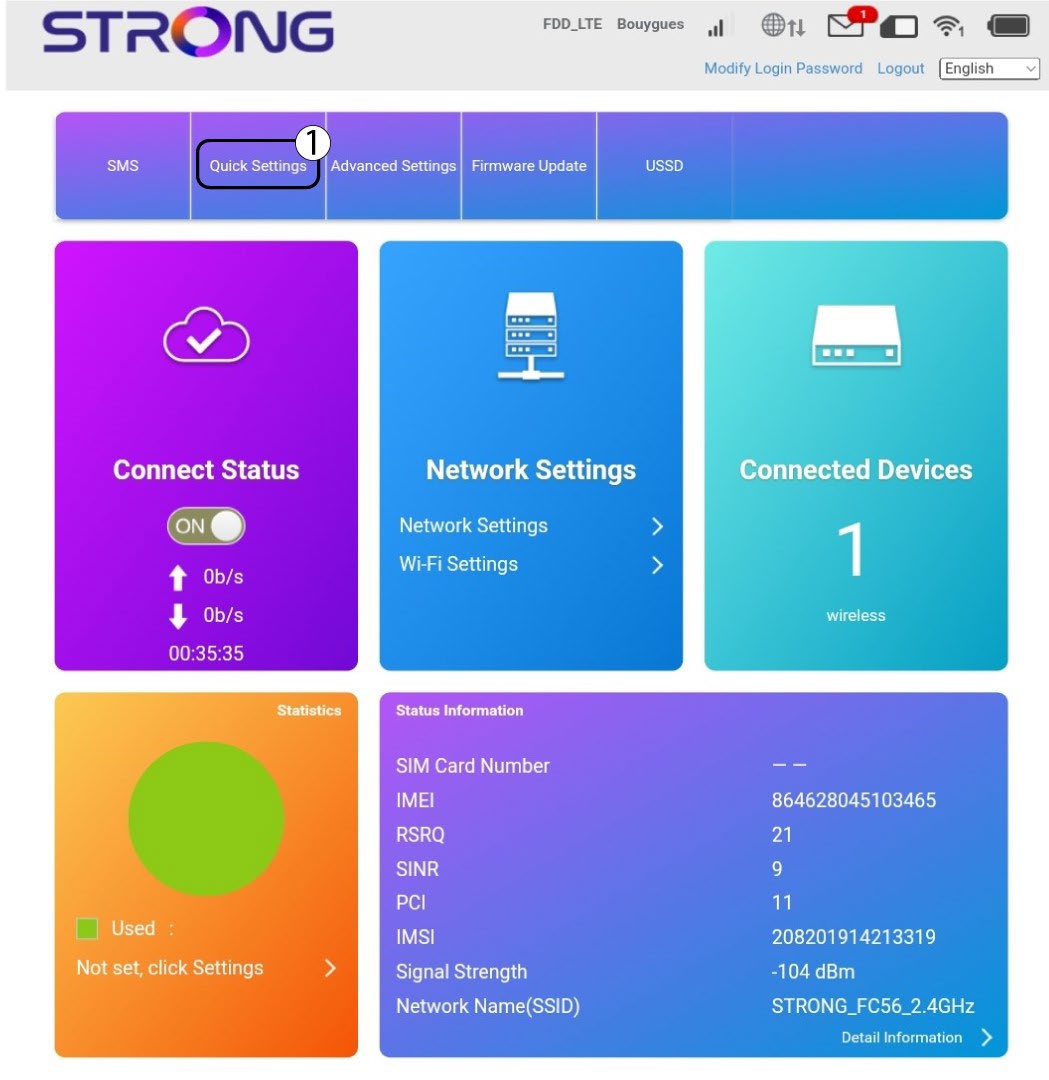
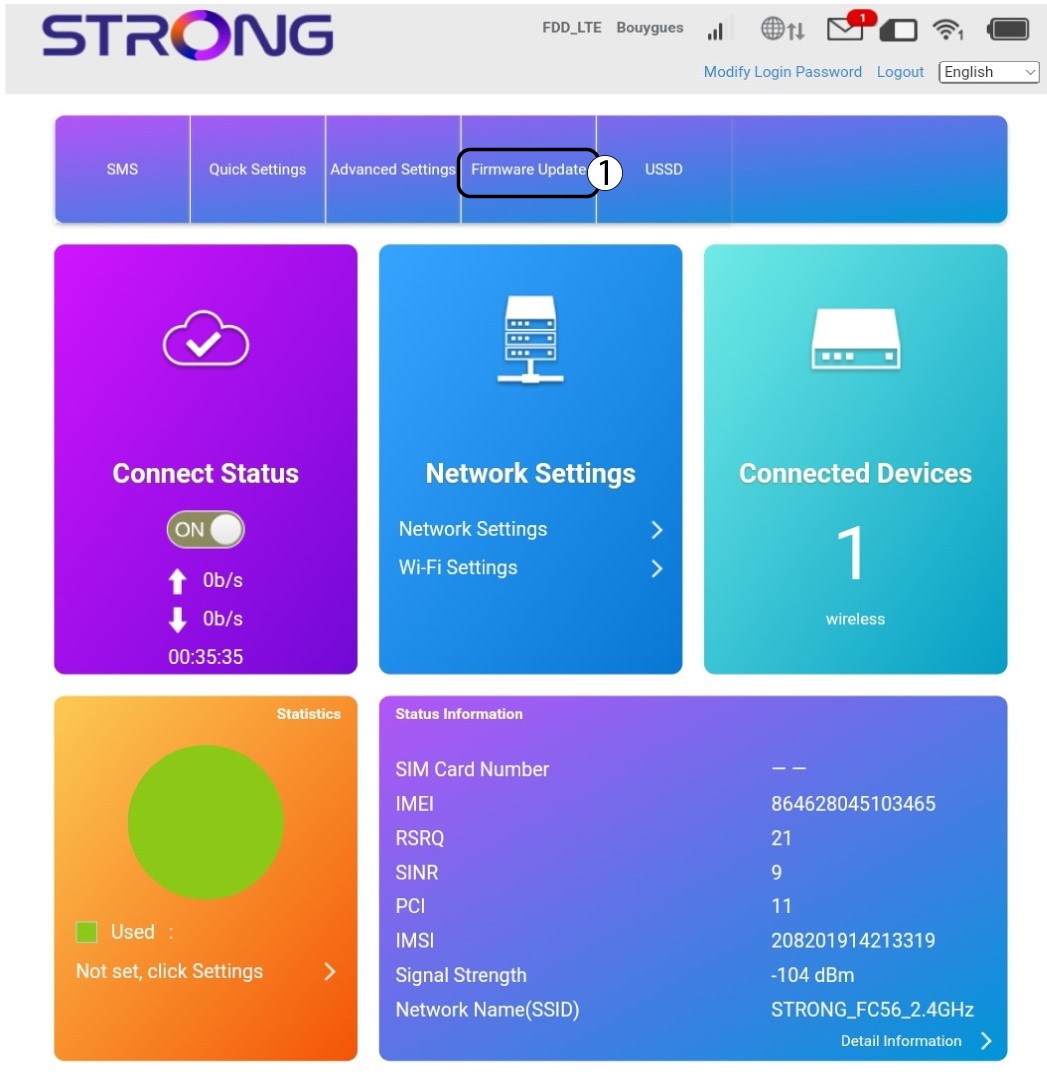
Dans l'interface utilisateur Web, les « Paramètres rapides » vous permettent de modifier les informations relatives à votre réseau : son SSID (nom du réseau Wi-Fi) et son mot de passe Wi-Fi.
Pour cela, cliquez sur « Paramètres rapides » dans la barre supérieure.
Paramétrage 2APN
Cliquez sur « Suivant ».

3SSID
Saisissez le nom du nouveau réseau, puis cliquez sur « Suivant ».

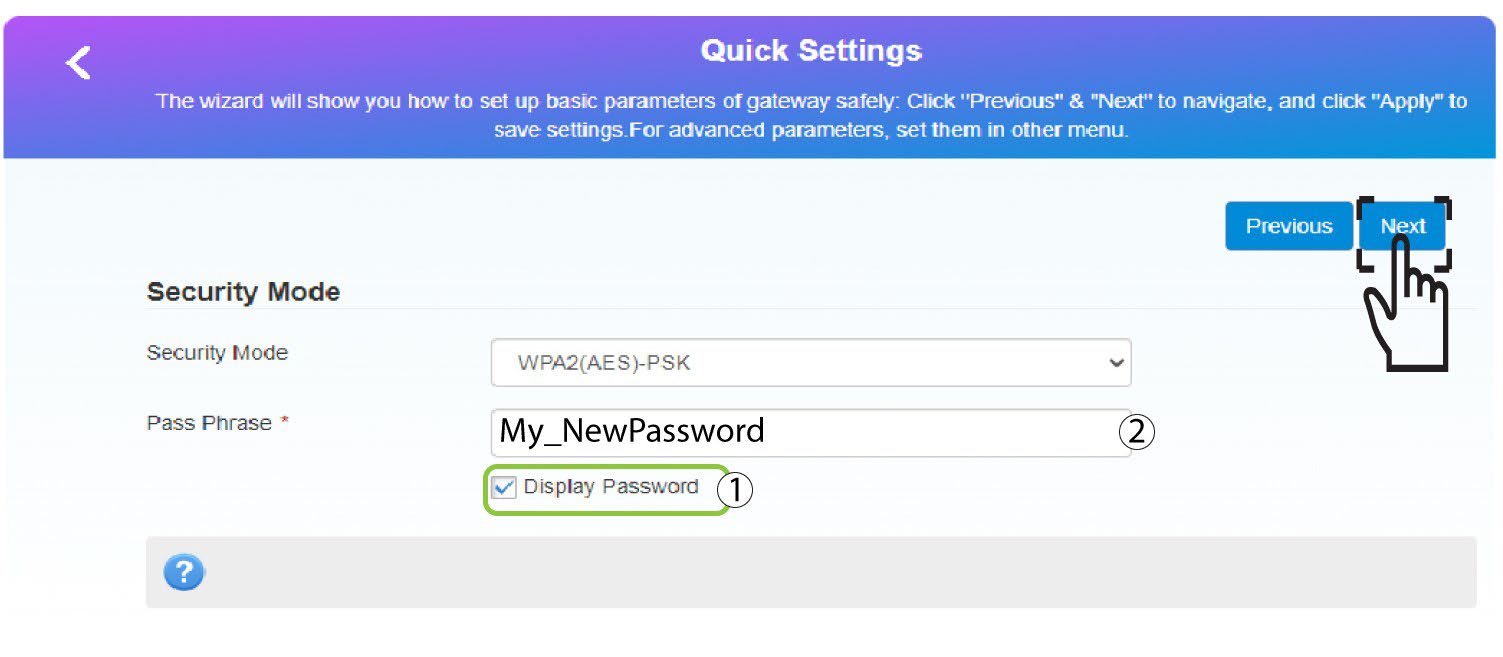
4. Saisissezle nouveau mot de passe
Cliquez sur « Afficher
le mot de passe », saisissez le nouveau mot de passe du réseau Wi-Fi, puis cliquez sur « Suivant ».
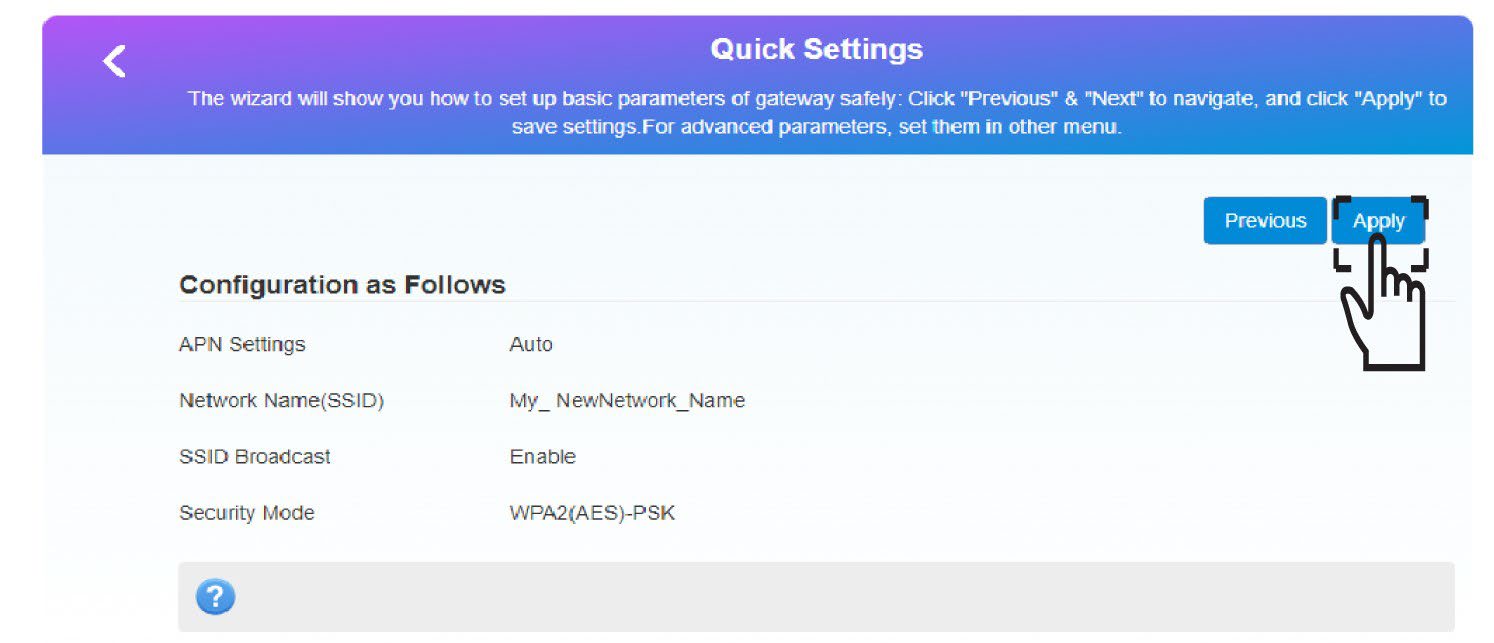
5. Enregistrerles nouvelles informations réseau
Cliquez sur « Appliquer » pour enregistrer les modifications.
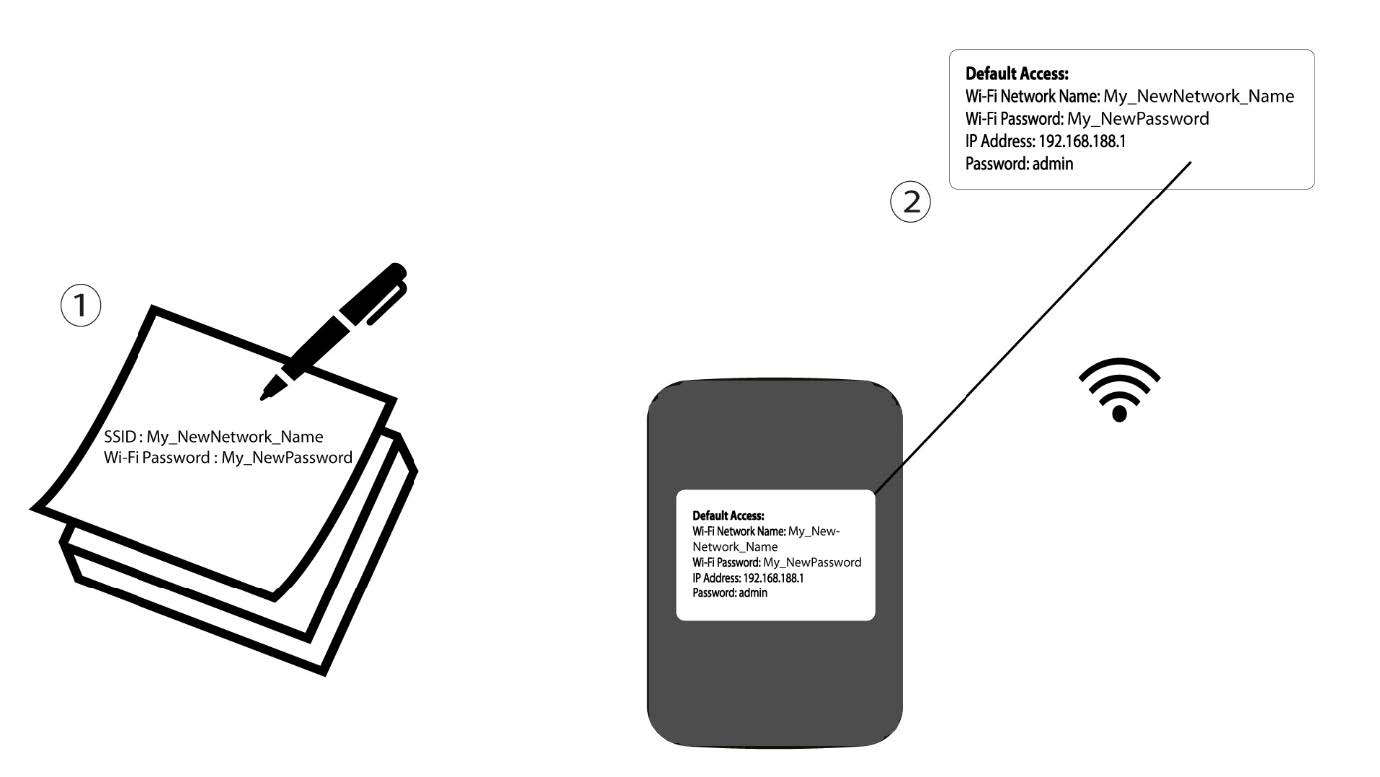
6. Notezles nouvelles informations relatives au réseau
Notez les nouvelles informations relatives au réseau sur une feuille de papier.
1 CASN° 2 : Paramètres Wi-Fi
Connectez-vous au réseau Wi-Fi de votre routeur.

2Accédezà l'adresse IP de l'interface utilisateur Web
Ensuite, saisissez l'adresse IP suivante : 192.168.188.1 dans votre navigateur.

3Connexion
Vous devez saisir le mot de passe.

4. Paramètres Wi-Fi
Cliquez sur « Paramètres Wi-Fi » dans la section « Paramètres réseau ».
5Modifierle mot de passe
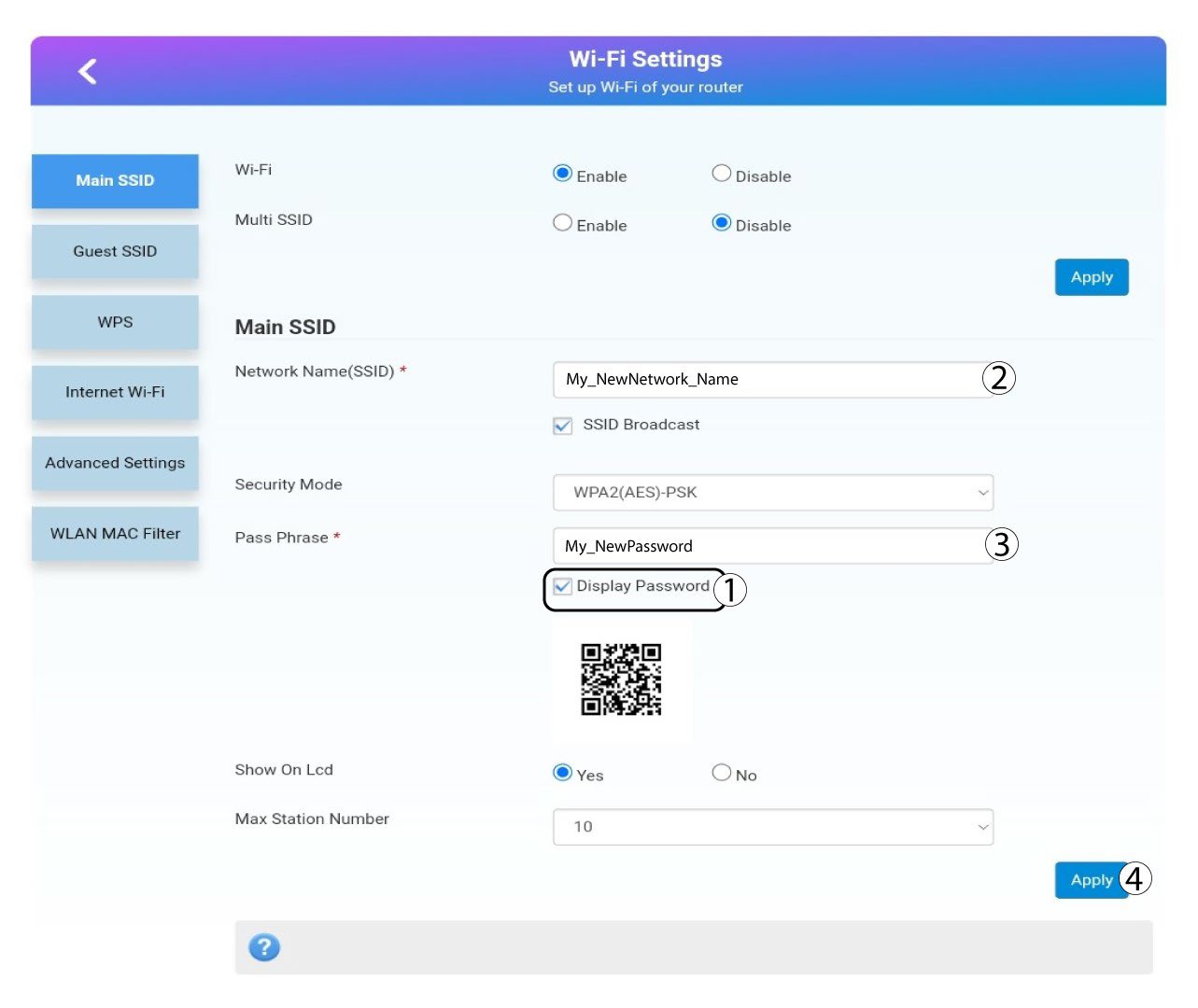
Cliquez afficher le mot de passe et saisissez les informations suivantes avant de cliquer sur Appliquer:a. Saisissez le nouveau nom du réseau.b. Saisissez le nouveau mot de passe Wi-Fi.
6. Confirmation
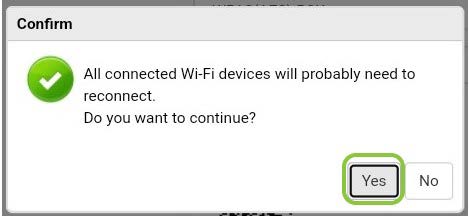
Dans la fenêtre contextuelle, cliquez sur « Oui » pour valider vos modifications.
7. Notezles nouvelles informations relatives au réseau
Notez les nouvelles informations relatives au réseau sur une feuille de papier.
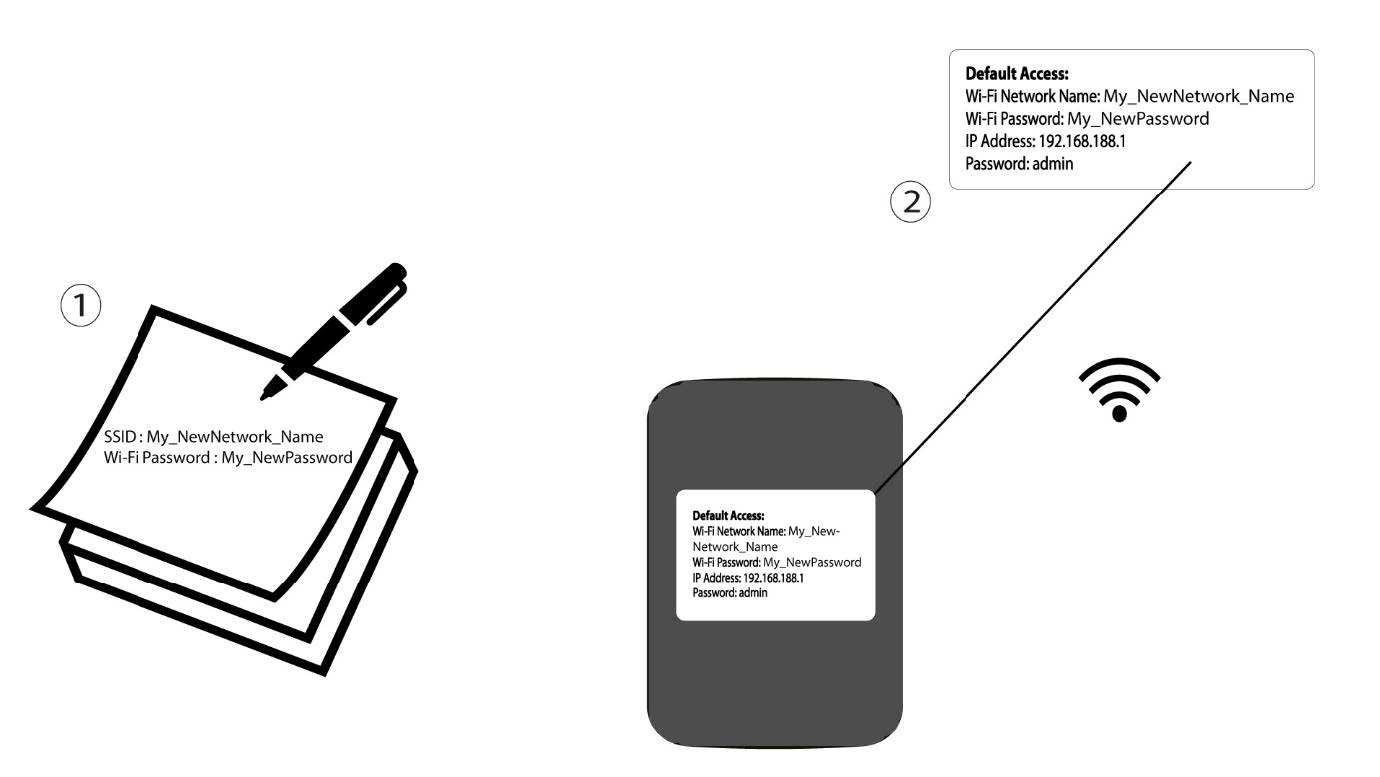

Avertissement : une fois les informations du réseau Wi-Fi modifiées, tous les appareils qui étaient connectés au réseau seront automatiquement déconnectés.