
Point d'accès Wi-Fi 4G AIRSPOT 220 avec écran
Toutes les questions
Point d'accès Wi-Fi 4G AIRSPOT 220 avec écran
Quel type de carte SIM puis-je insérer dans mon routeur ?
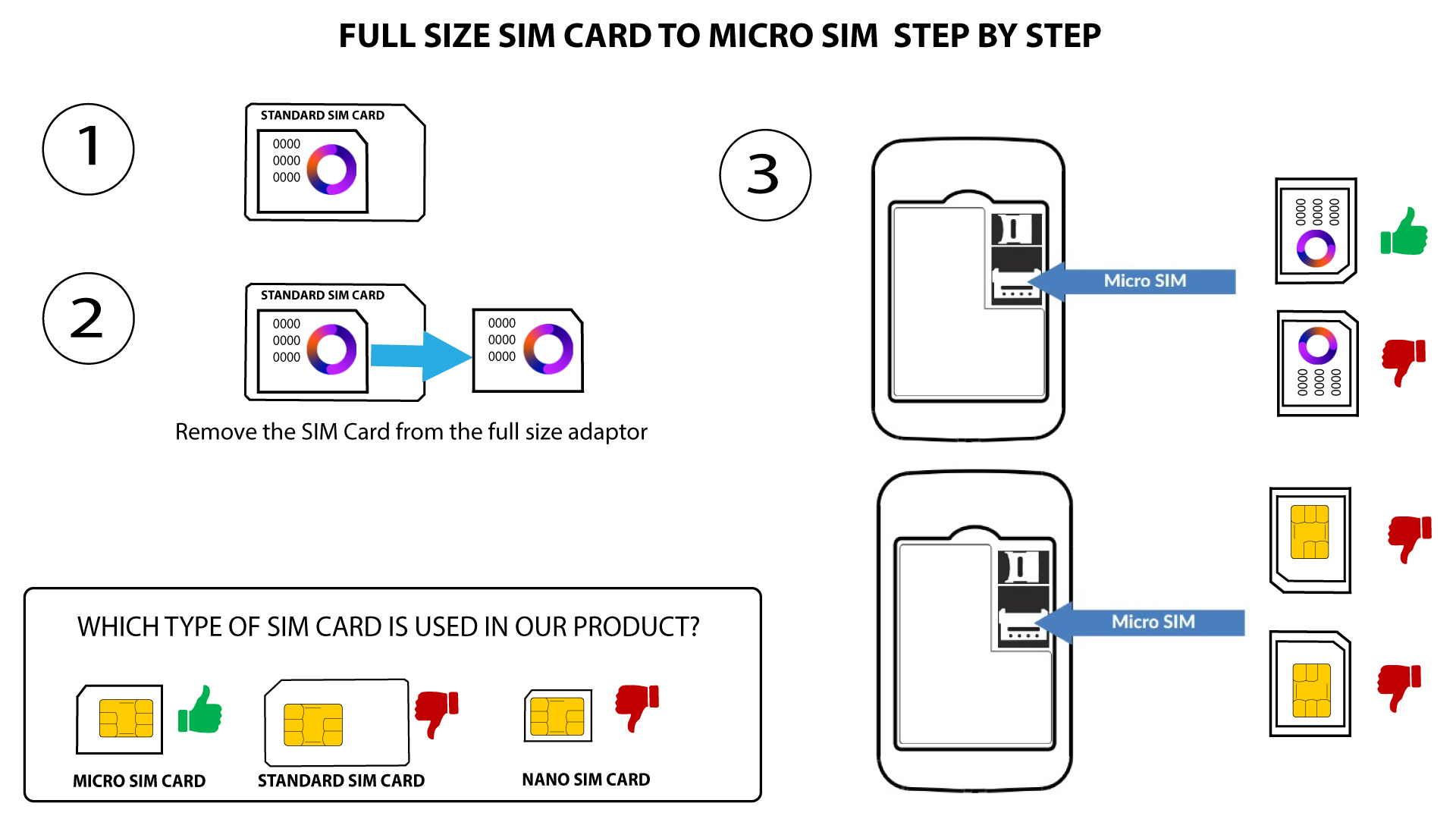
Une carte micro-SIM doit être insérée dans le logement pour carte SIM du routeur 4G PORTABLE HOTSPOT 150/4G PORTABLE HOTSPOT 150 AVEC ÉCRAN. Vous n'avez pas à vous soucier de la taille de votre carte SIM, car des adaptateurs sont fournis dans l'emballage du routeur pour vous permettre d'utiliser la bonne taille. Vous devez insérer votre carte SIM avant de mettre l'appareil sous tension.
1Casn° 1 : conversion d'une carte SIM standard en carte micro-SIM
Une fois la carte SIM insérée dans l'adaptateur, appuyez fermement sur celle-ci pour la maintenir en place. Prenez l'appareil en main et insérez la carte SIM dans la fente en respectant la position indiquée sur le schéma ci-dessous.
2Casn° 2 : conversion d'une carte Nano SIM en carte Micro SIM
Une fois la carte SIM insérée dans l'adaptateur, appuyez fermement sur la carte SIM pour la maintenir en place. Prenez l'appareil en main et insérez la carte SIM dans la fente en respectant la même position que sur le schéma ci-dessous.
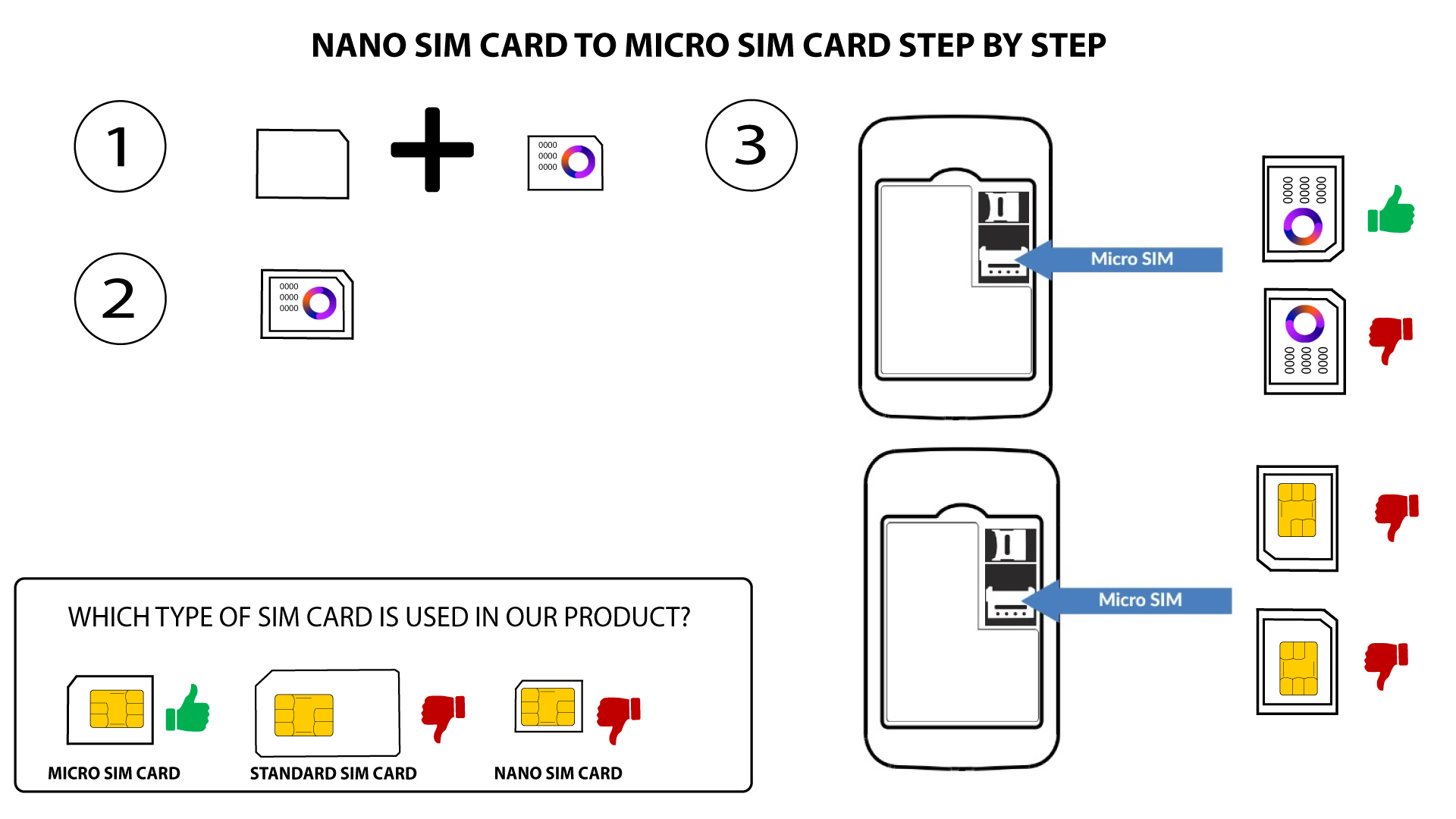

Avertissement : assurez-vous que votre carte SIM est correctement positionnée dans l'adaptateur avant de l'insérer dans le logement.
- Si votre carte SIM n'est pas détectée par l'appareil, veuillez vérifier qu'elle est bien en place et que vous avez inséré l'adaptateur dans le bon sens.