4G AIRHOME 300 Mini ruter s odvojivim 4G antenama
Nema pronađenih stavki.
Nema pronađenih stavki.
Sva pitanja
4G AIRHOME 300 Mini ruter s odvojivim 4G antenama
Nema pronađenih stavki.
Nema pronađenih stavki.
Kako mogu promijeniti administratorsku lozinku i korisničko ime?
Za povezivanje s web-sučeljem slijedite upute navedene u: Kako pristupiti web-sučelju?.
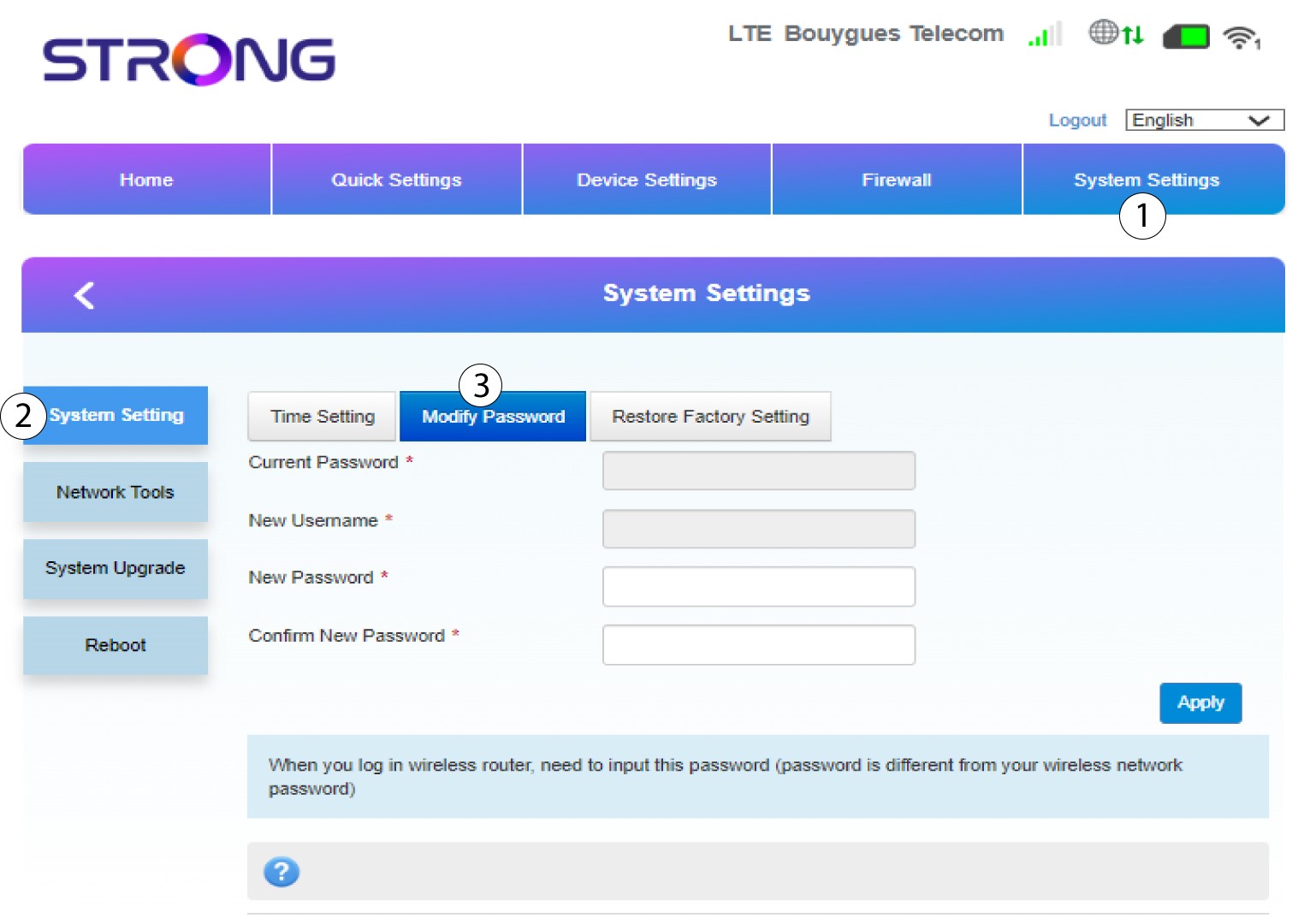
1 Postavka sustava
Nakon što to učinite, kliknite karticu Postavke sustava i odaberite Postavke sustava . Zatim kliknite Izmijeni lozinku .
2 Drugi korak
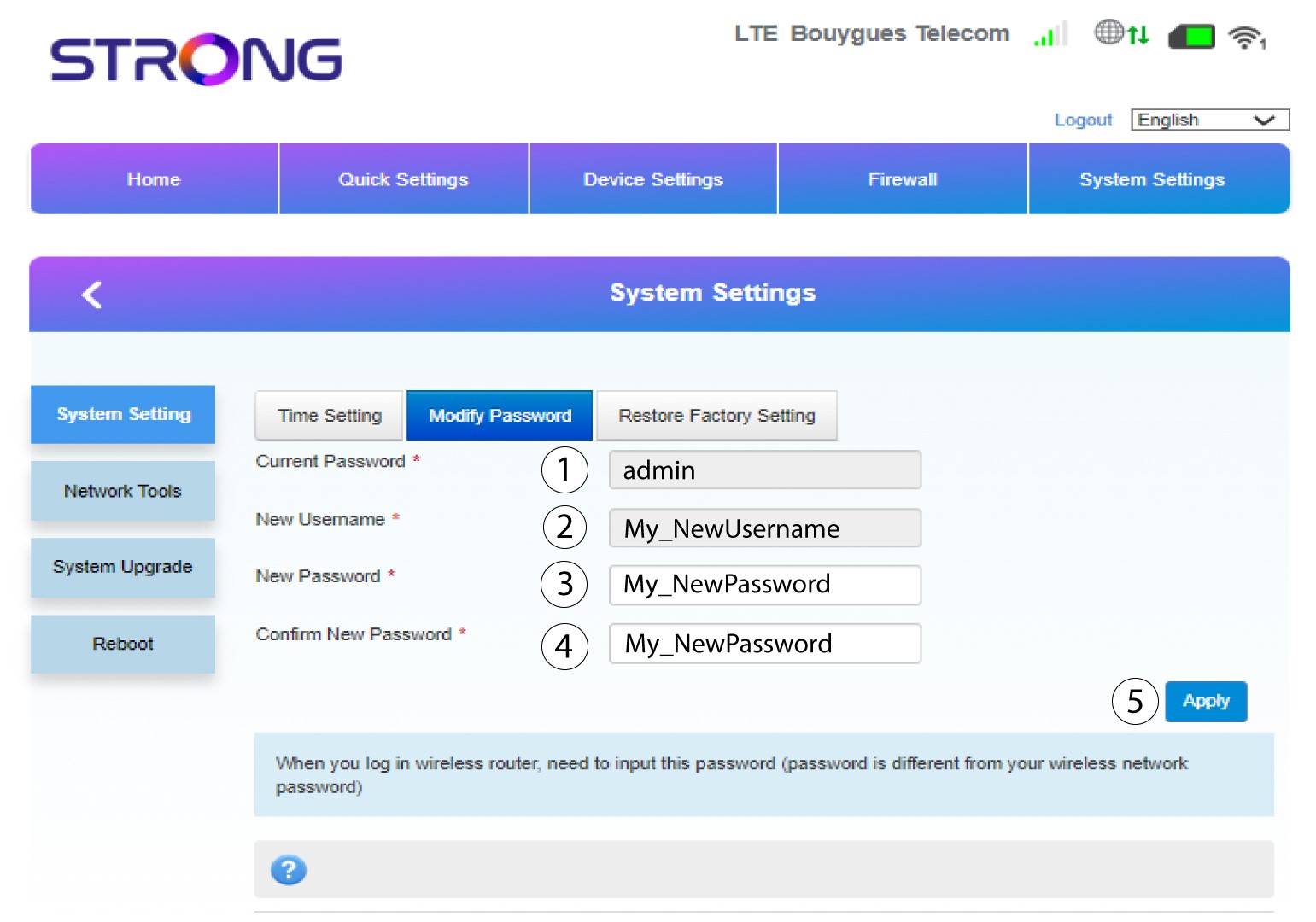
Prije nego što kliknete Primijeni , unesite sljedeće podatke:
• Trenutna lozinka : Unesite trenutnu lozinku.
• Novo korisničko ime : Unesite novo korisničko ime.
• Nova lozinka : Unesite novu lozinku.
• Potvrdite novu lozinku: Unesite istu lozinku kao u prethodno polje.
3 Spremi promjene
Nakon što se podaci spreme, pojavit će se sljedeća skočna poruka: