4G AIRHOME 300 Mini ruter s odvojivim 4G antenama
Sva pitanja
4G AIRHOME 300 Mini ruter s odvojivim 4G antenama
Kako mogu provjeriti i urediti postavke APN-a svog davatelja usluga?
Kada uređaj ne prepoznaje vašu SIM karticu automatski, morate se prijaviti u web sučelje kako biste provjerili postavke APN-a i uredili ih po potrebi. Postavke APN-a vašeg davatelja usluga možete pronaći izravno na njegovoj web stranici ili ih možete zatražiti od službe za podršku vašeg davatelja usluga.
1. Spojite se na Wi-Fi mrežu svog usmjerivača
Morate se povezati s web sučeljem. Da biste to učinili, unesite SSID i lozinku usmjerivača u svoj uređaj:

2. Pregledajte IP adresu web sučelja
Zatim u preglednik unesite sljedeću IP adresu: 192.168.0.1

3 Stranica za prijavu
Nakon što ste pronašli IP adresu, kliknite Prijava .

4 Unesite svoje vjerodajnice
Morate unijeti korisničko ime i lozinku. Zatim kliknite Prijava .

5 internetskih postavki
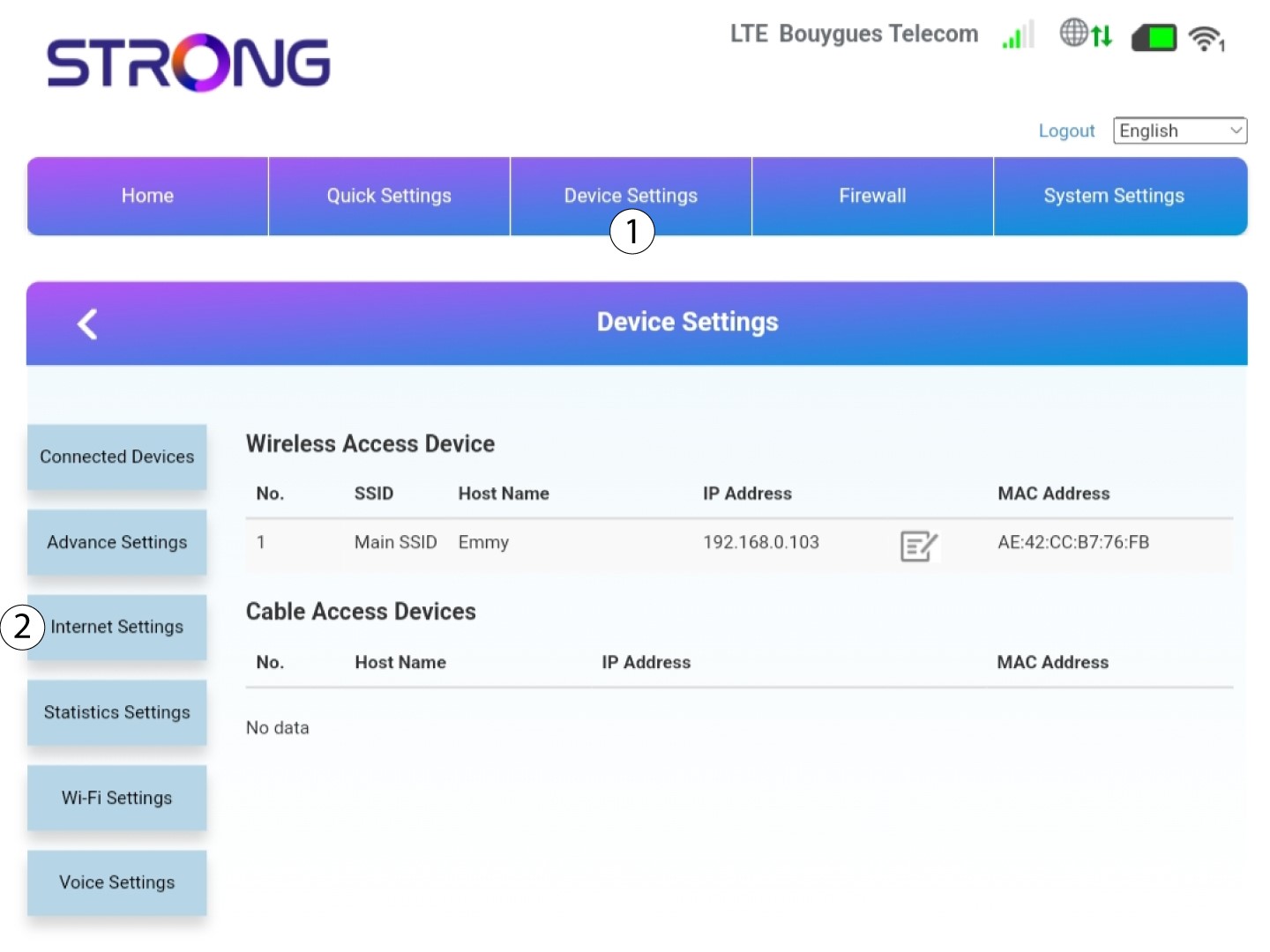
Kliknite Postavke uređaja , a zatim Postavke interneta .
6. Provjerite postavke APN-a svog davatelja usluga
Potražite postavke APN-a na web stranici svog davatelja usluga. Morate zapisati sljedeće podatke:
- Ime
- APN
- Korisničko ime
- Lozinka
- Vrsta autentifikacije
7 postavki APN-a
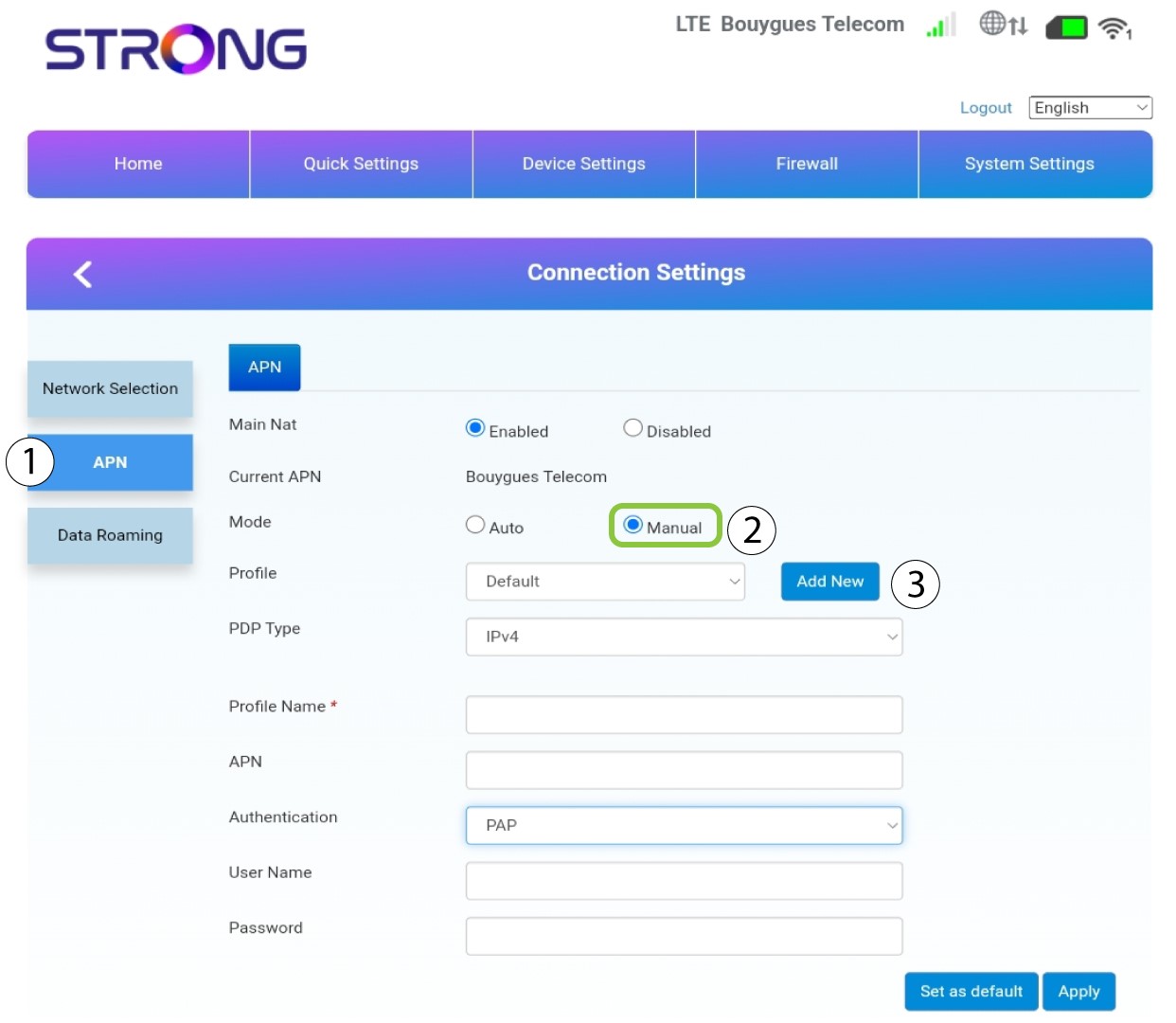
Uredite postavke APN-a ako su informacije netočne. Da biste to učinili, kliknite APN . Zatim kliknite Ručno i Dodaj novo.
8 Odaberite vrstu PDP-a
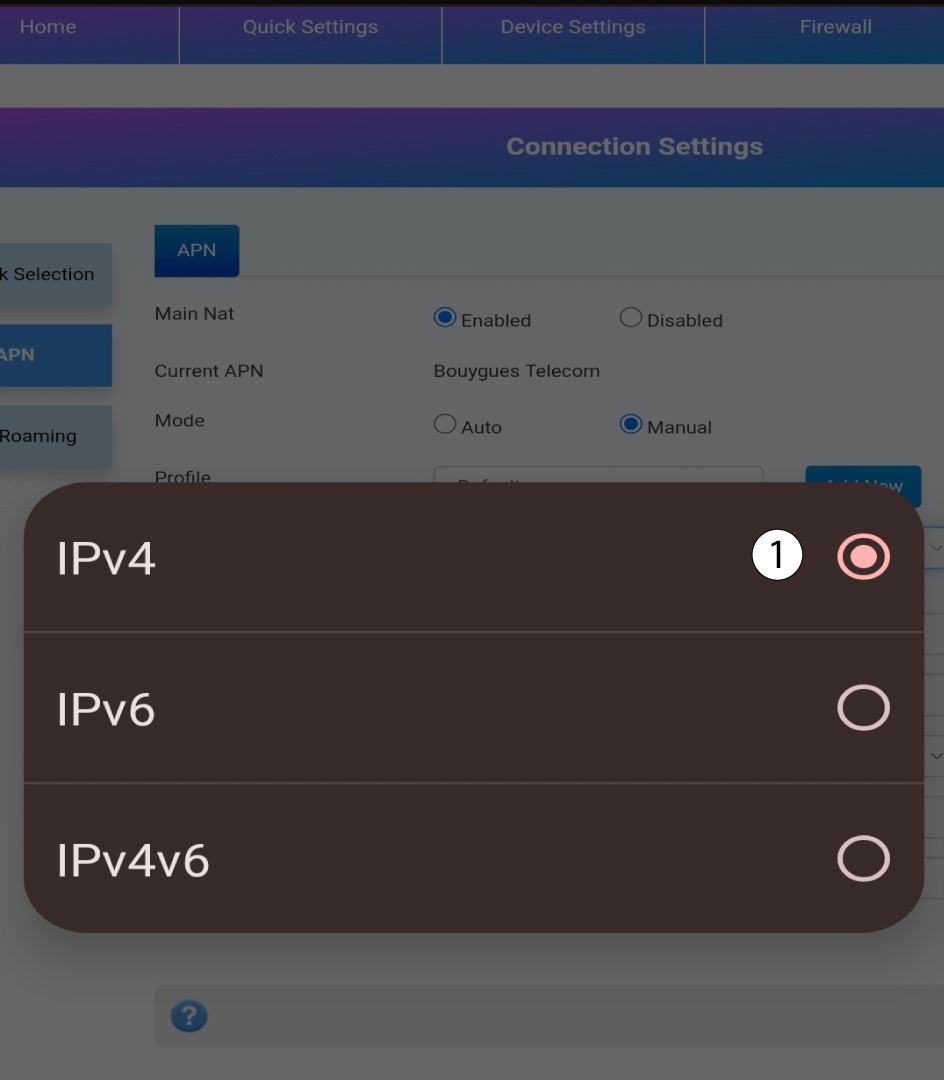
U polju Vrsta PDP-a odaberite ispravnu vrstu APN-a između IPv4, IPv6 ili IPv4v6 . U našem slučaju, vrsta PDP-a je IPv4 .
9 Unesite podatke o svom davatelju usluga
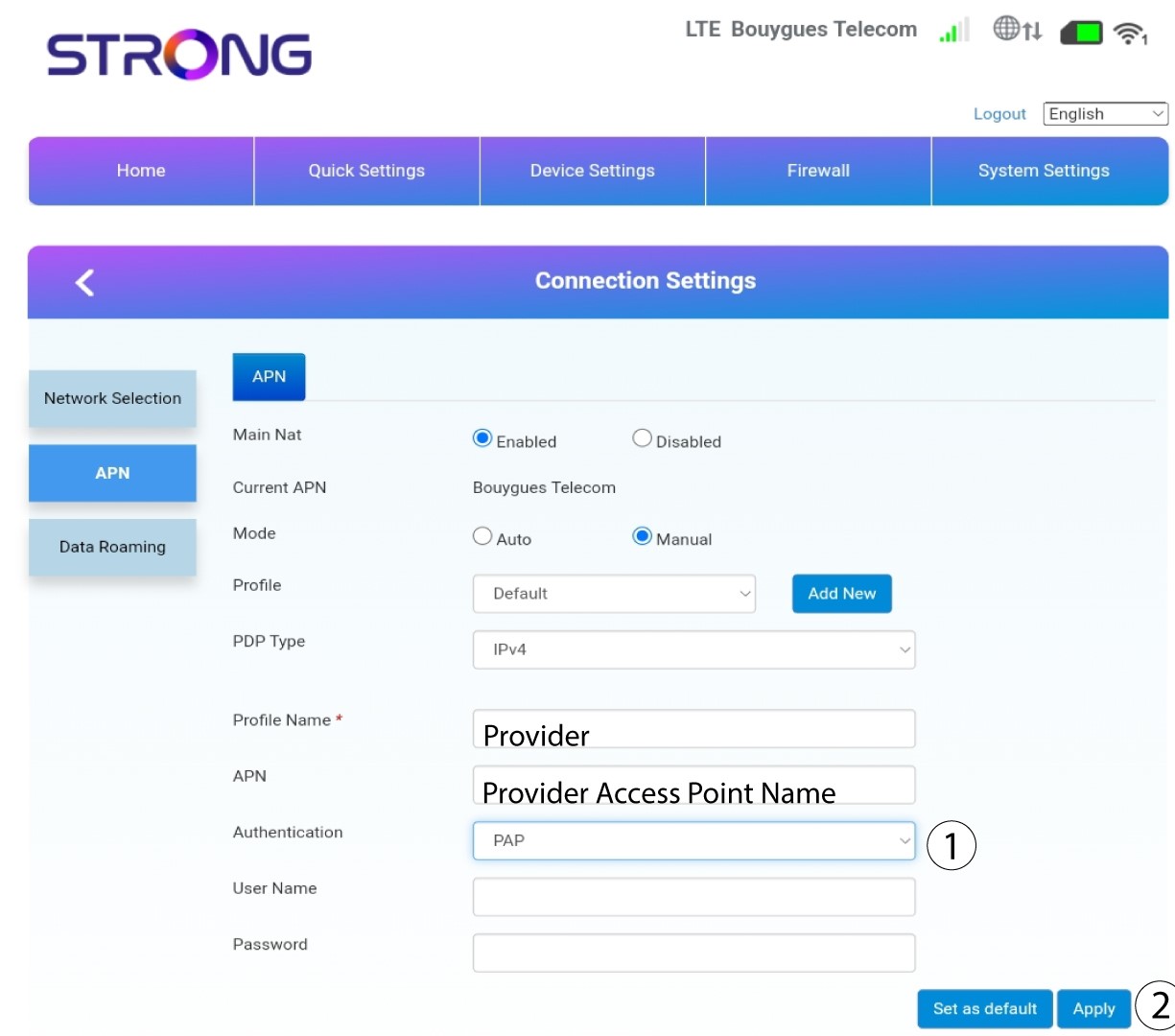
Unesite naziv svog davatelja usluga u Naziv profila (ograničeno na 14 znakova, uključujući razmake). Zatim unesite APN adresu u polje APN .
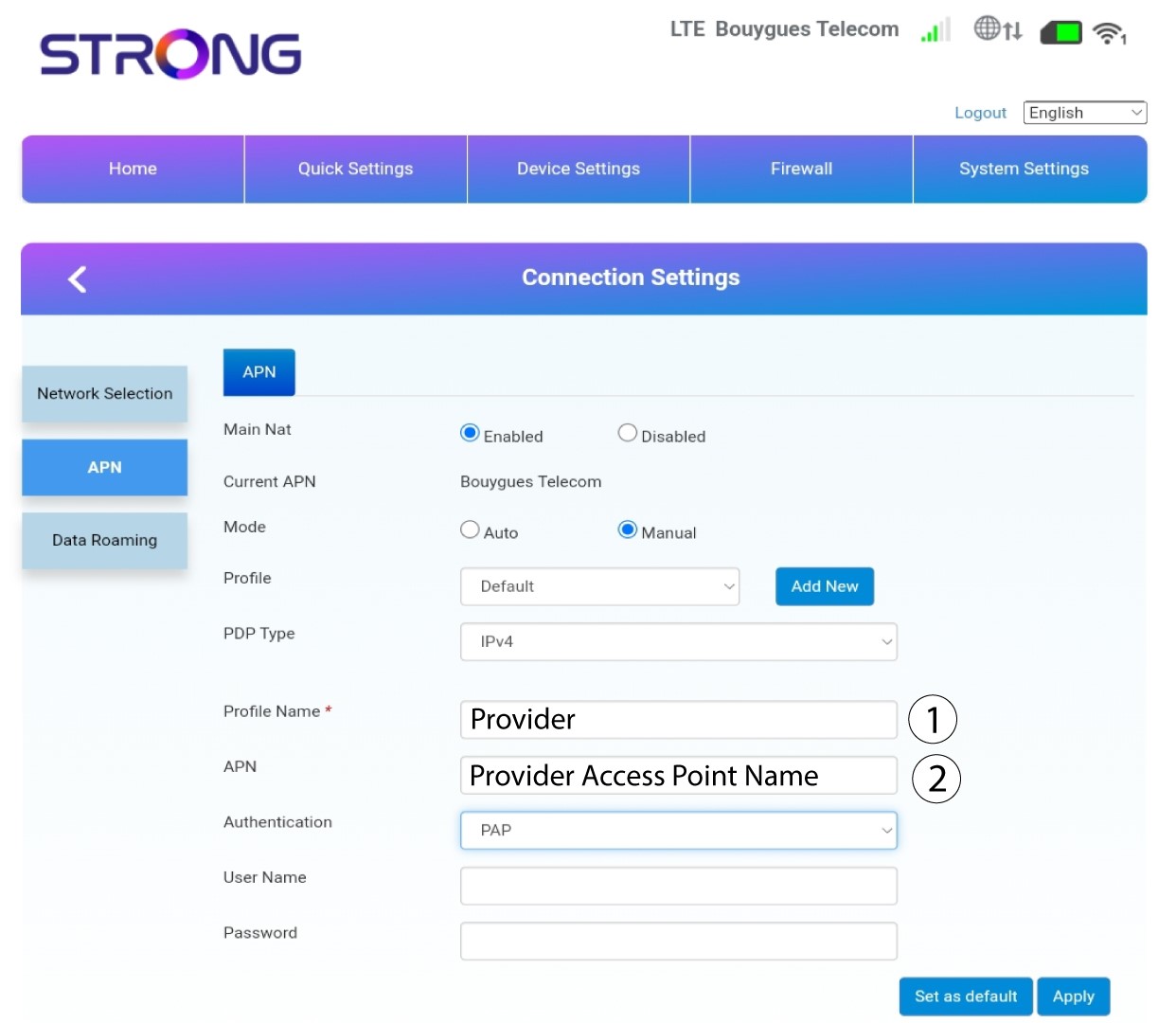
10. Navedite vrstu autentifikacije
Odaberite vrstu autentifikacije koju je definirao vaš davatelj usluga za vaš APN između sljedećih vrijednosti i kliknite Primijeni :
• NIJEDAN,
• POGLAVLJE
• PAP