
4G AIRHOME 300 Mini ruter s odvojivim 4G antenama
Sva pitanja
4G AIRHOME 300 Mini ruter s odvojivim 4G antenama
Kako mogu promijeniti SSID i lozinku? (Wi-Fi postavke)

Nakon što promijenite mrežni naziv i lozinku usmjerivača, QR kod više neće raditi jer će se podaci o povezivanju usmjerivača promijeniti.
Molimo vas da zapišete nove podatke o mreži na komad papira.
1. Spojite se na Wi-Fi mrežu usmjerivača
Za promjenu SSID- a i lozinke morate se povezati s Wi-Fi mrežom svog uređaja.

2. Pregledajte IP adresu web sučelja
Zatim unesite sljedeću IP adresu: 192.168.0.1 u svoj preglednik.

3 Stranica za prijavu
Zatim kliknite Prijava .

4 Unesite svoje vjerodajnice
Morate unijeti Korisničko ime i Lozinku .

5 Wi-Fi postavki
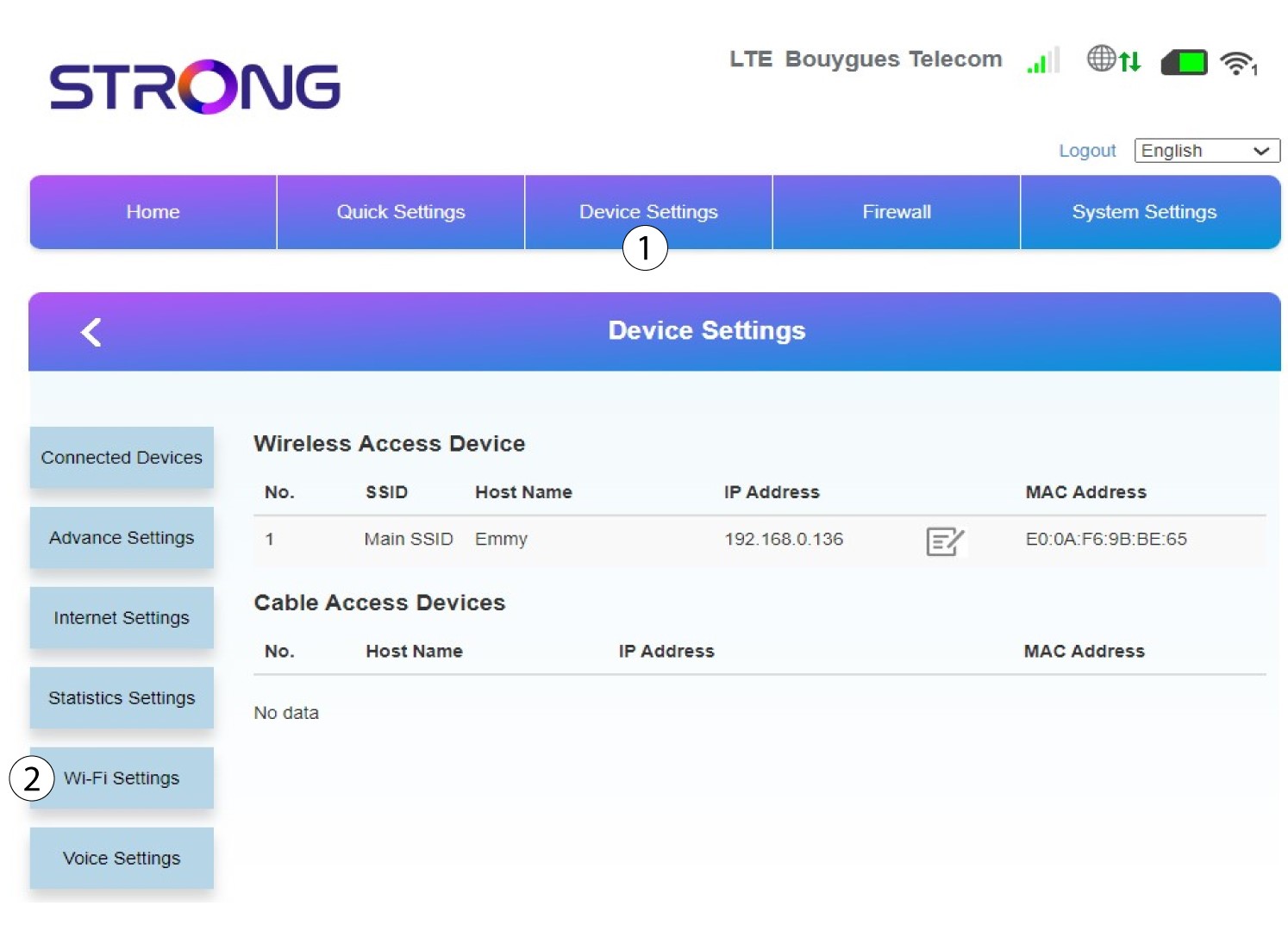
Kliknite Postavke uređaja i odaberite Postavke Wi-Fi-ja .
6 Glavni SSID
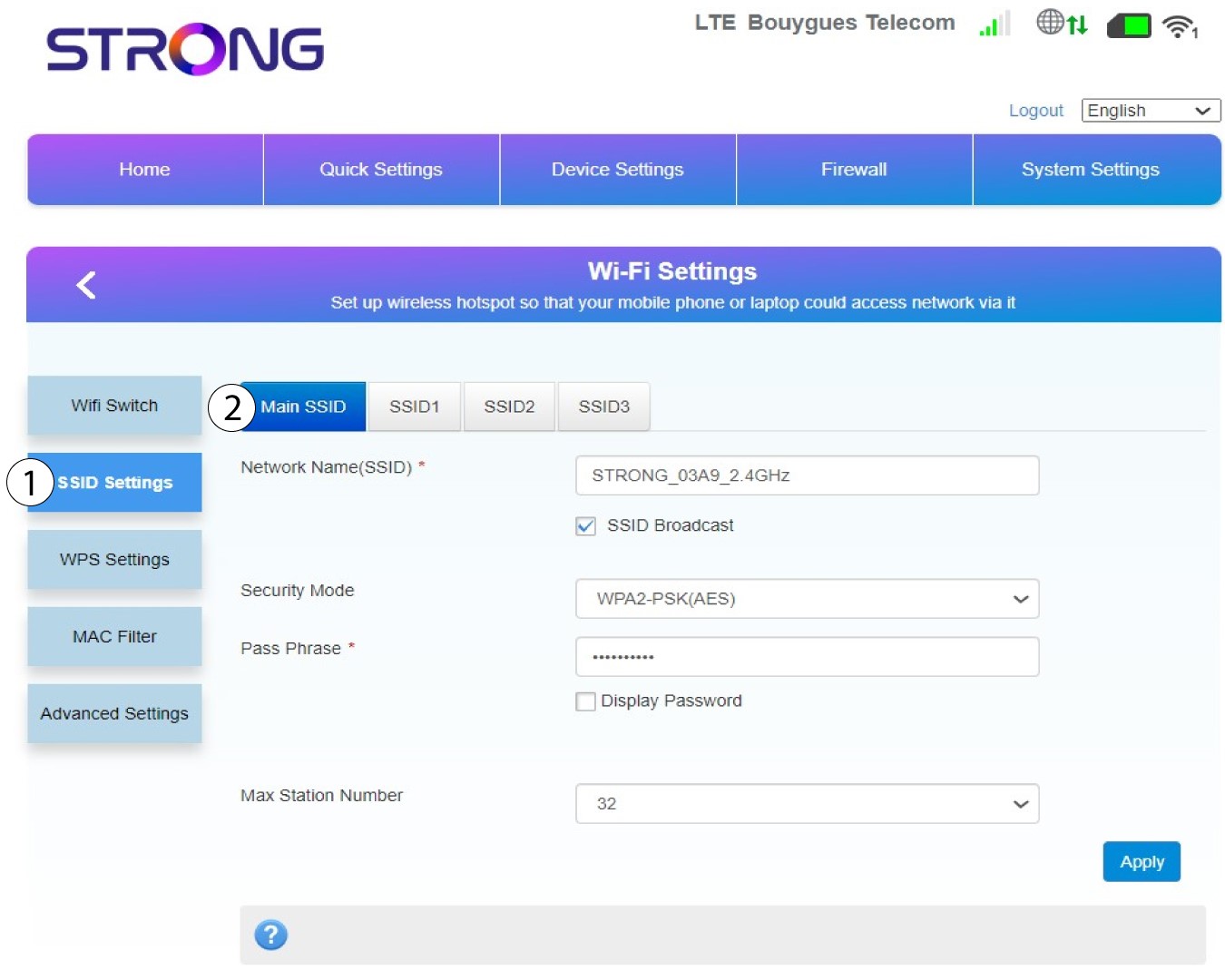
Zatim odaberite SSID postavke i odaberite Glavni SSID .
7 Unesite novi naziv mreže i lozinku
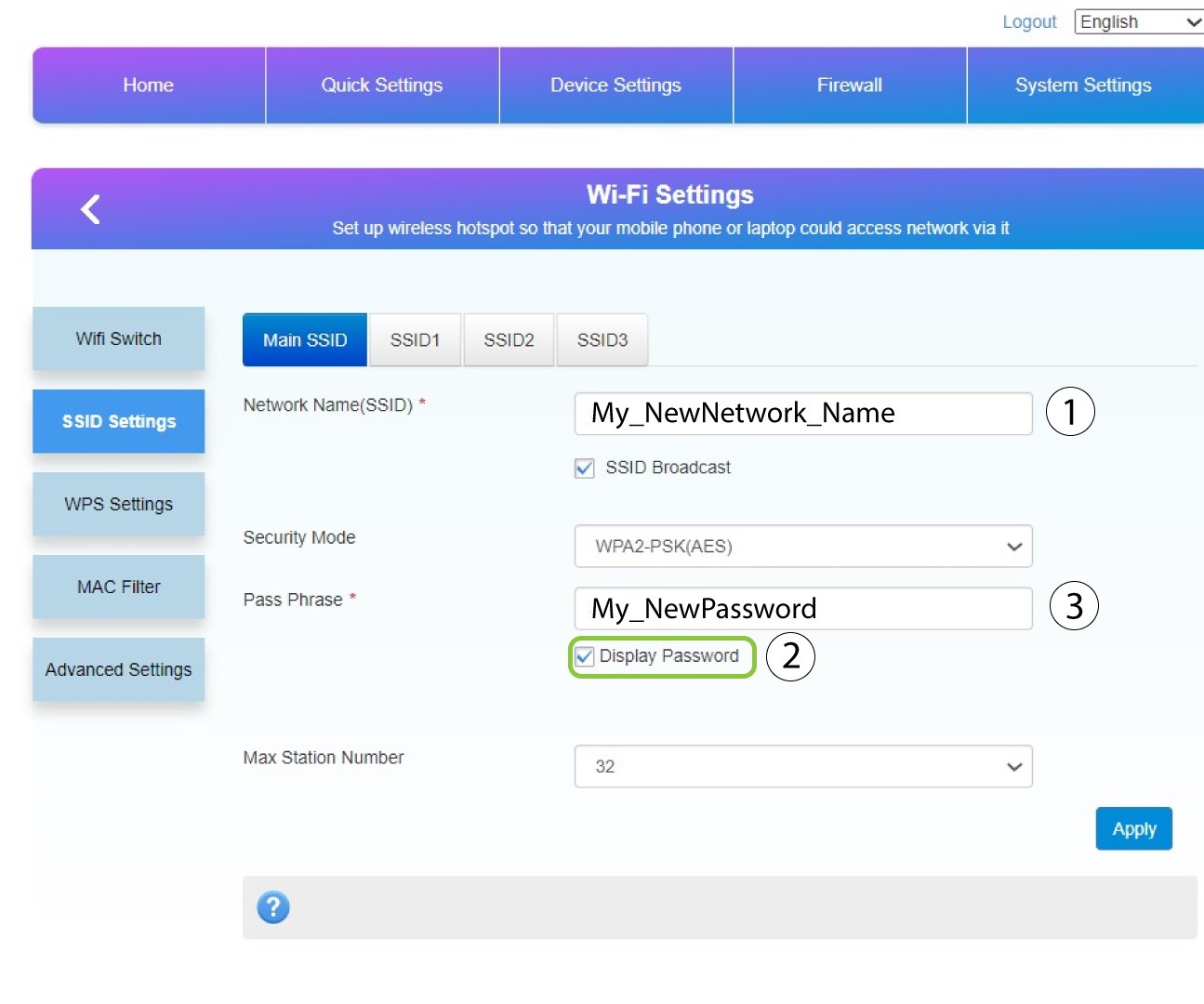
Promijenite naziv unesen u polje Naziv mreže (SSID) i označite okvir Prikaži lozinku. Zatim promijenite lozinku unesenu u polje Lozinka .
8 Spremite promjene
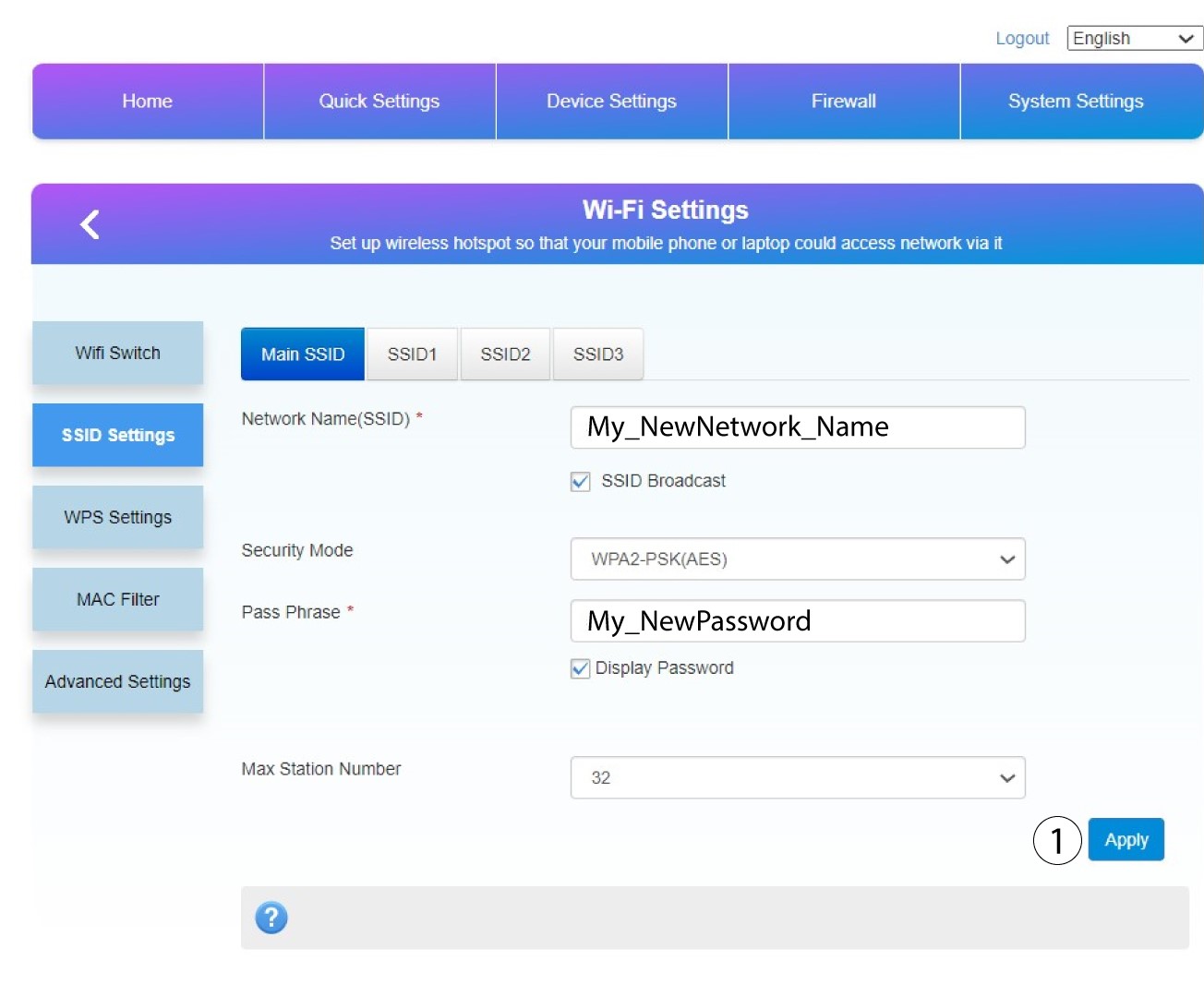
Kliknite Primijeni za spremanje promjena.
9 Zapišite svoje nove informacije
Napišite svoj novi SSID i lozinku na papir i zalijepite ga na ruter.
