4G AIRHOME 300 Mini ruter s odvojivim 4G antenama
Nema pronađenih stavki.
Nema pronađenih stavki.
Sva pitanja
4G AIRHOME 300 Mini ruter s odvojivim 4G antenama
Nema pronađenih stavki.
Nema pronađenih stavki.
Kako mogu resetirati ruter na tvorničke postavke? (Web sučelje)
Ponekad je moguće da vaš uređaj ne radi ispravno i da nemate pristup internetu. U tom slučaju predlažemo da vratite uređaj na tvorničke postavke i nakon toga ponovno ažurirate firmver ako je potrebno.
Imate dva načina za to, možete resetirati uređaj pritiskom na gumb za resetiranje ili to učiniti putem web sučelja.
1. Spojite se na Wi-Fi mrežu svog usmjerivača
Morate se povezati s Wi-Fi mrežom svog uređaja.

2. Pregledajte IP adresu web sučelja
Zatim unesite sljedeću IP adresu: 192.168.0.1 u svoj preglednik

3 Stranica za prijavu
Zatim kliknite Prijava .

4 Unesite svoje vjerodajnice
Prije nego što kliknete Prijava , morate unijeti korisničko ime i lozinku .

5 Postavke sustava
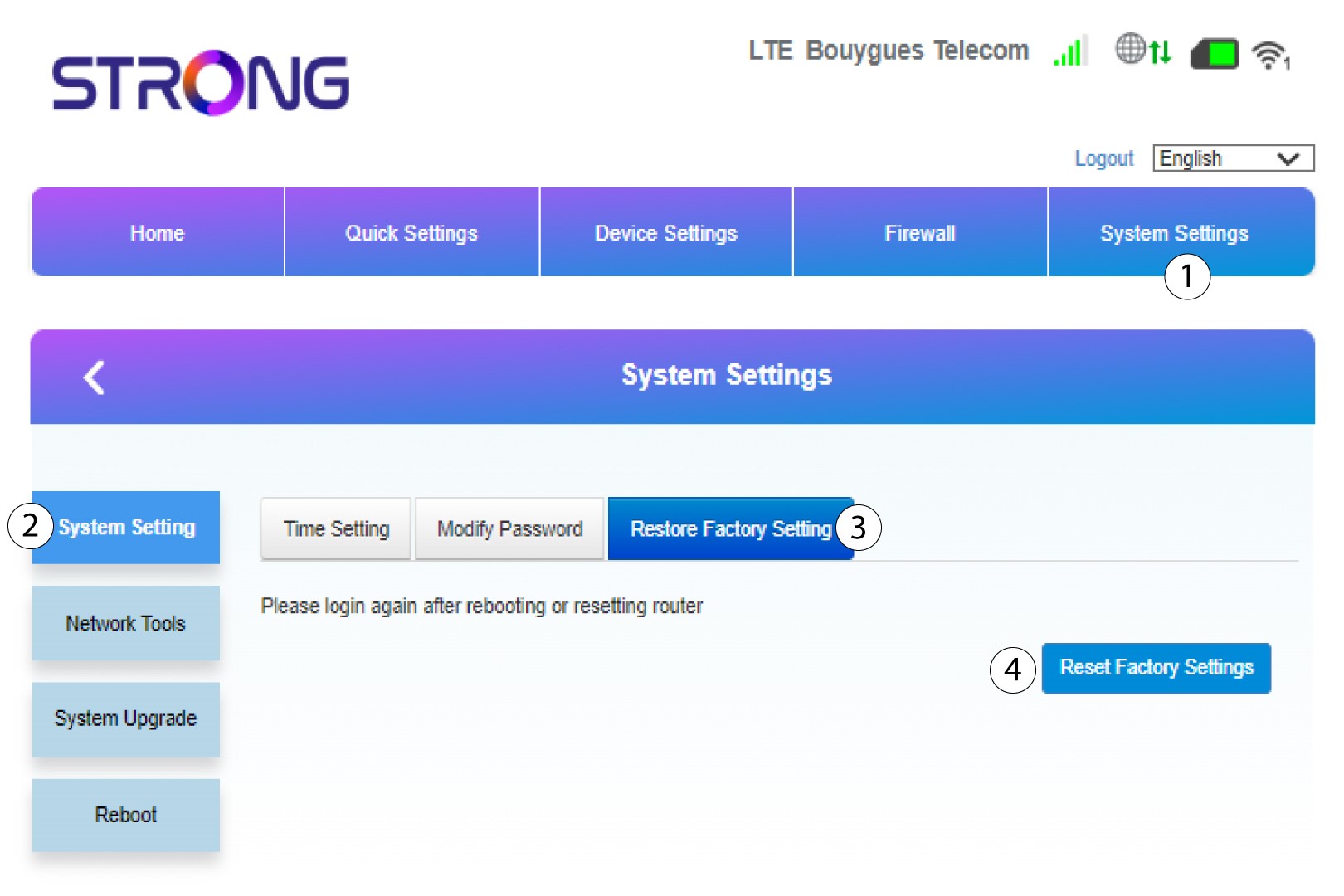
Zatim kliknite Postavke sustava i odaberite Postavke sustava . Nakon toga kliknite Vrati na tvorničke postavke i odaberite Vrati na tvorničke postavke .
6 Potvrdite resetiranje
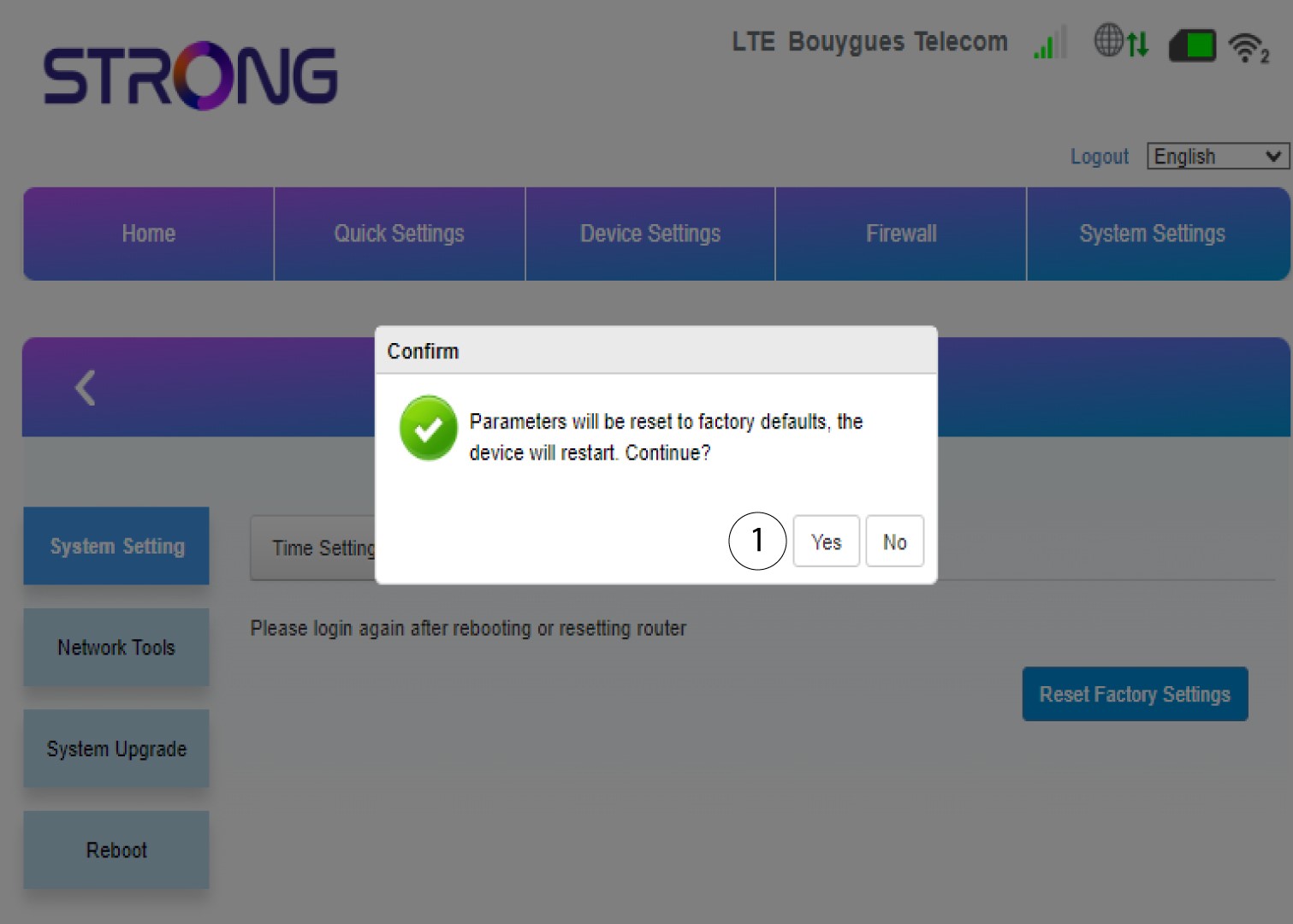
Kliknite Da na skočnom prozoru koji se pojavi.