5G AIRHOME 1050 | Wi-Fi 6
Sva pitanja
5G AIRHOME 1050 | Wi-Fi 6
Kako mogu promijeniti SSID (naziv Wi-Fi mreže) i lozinku za Wi-Fi?
Kako mogu promijeniti SSID i lozinku?
5G ruter AX 3000 je dvopojasni ruter, možete uređivati podatke o svojoj Wi-Fi mreži od 2,4 GHz i 5 GHz. Mesh mreža.
1. Spojite se s uređajem
Za promjenu SSID-a (naziva Wi-Fi mreže) i lozinke za Wi-Fi, morate biti povezani s Wi-Fi mrežom svog uređaja.

2 Pristup web sučelju
Zatim unesite sljedeću IP adresu: 192.168.0.1 u svoj preglednik.

3 Prijava
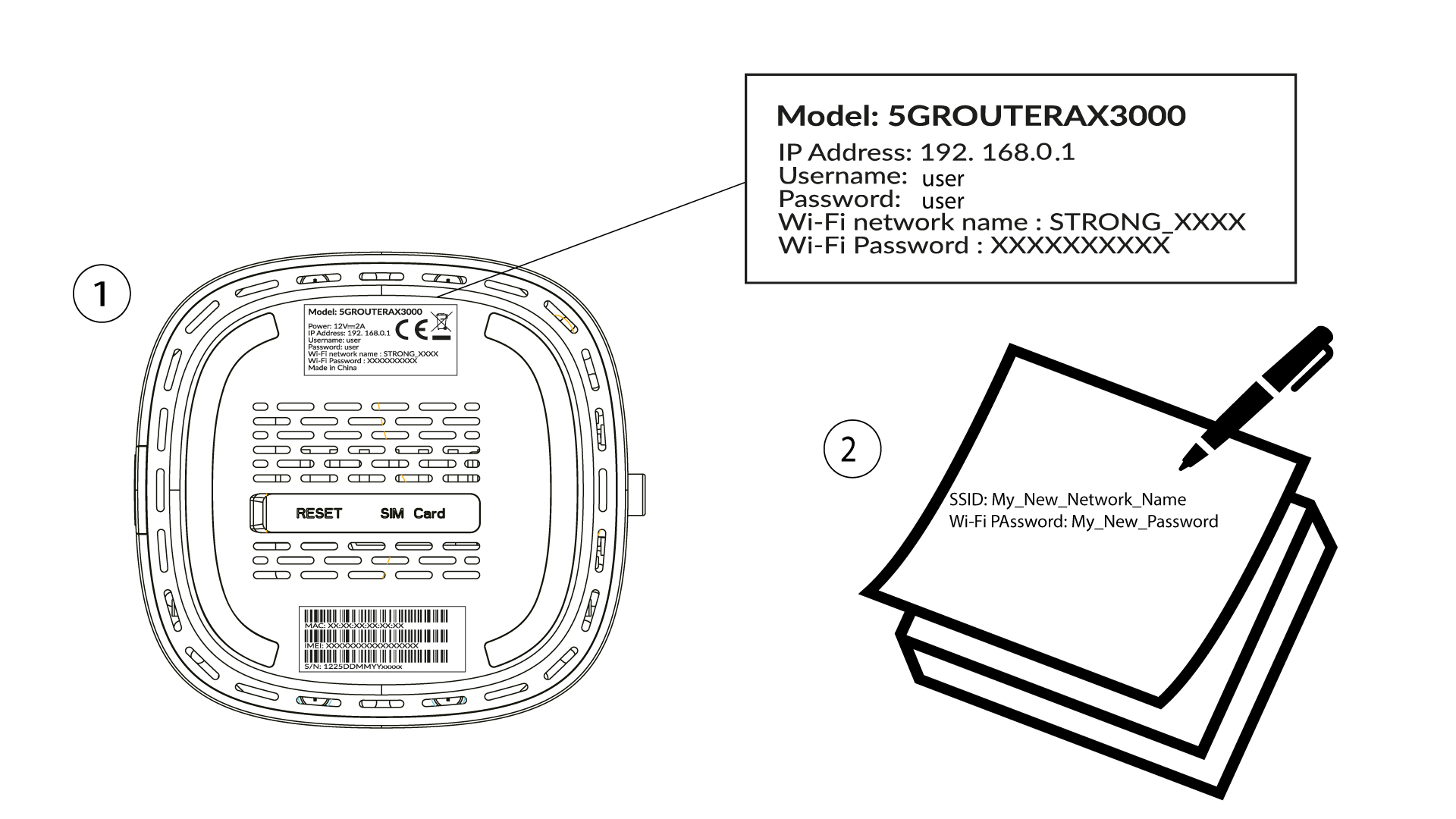
Morate unijeti korisničko ime i lozinku (imajte na umu da ćete nakon prvog povezivanja kreirati svoju osobnu administratorsku lozinku, što znači da lozinka napisana na naljepnici proizvoda više neće raditi). Zatim kliknite Prijava .

4 Wi-Fi konfiguracija
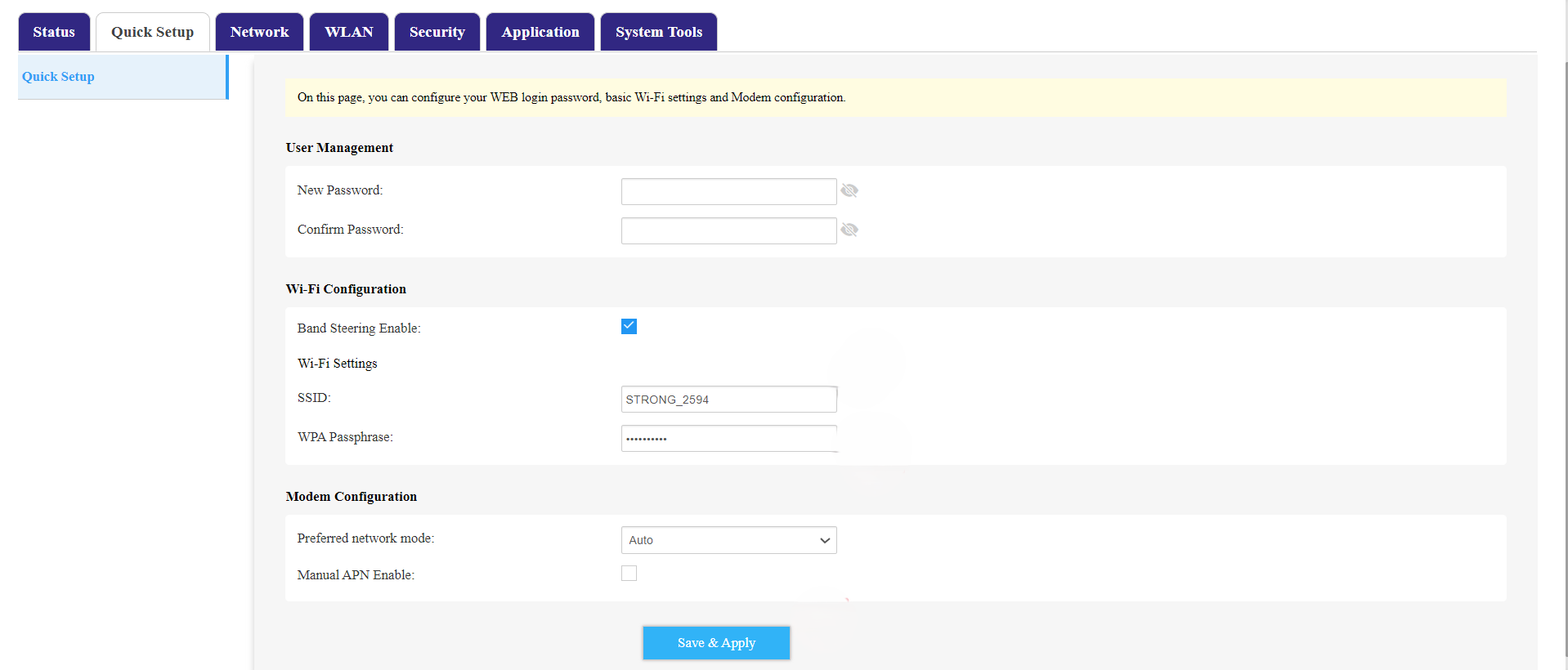
Kliknite Brzo postavljanje u gornjoj traci i idite na Wi-Fi konfiguraciju.
5 Promijenite SSID i lozinku
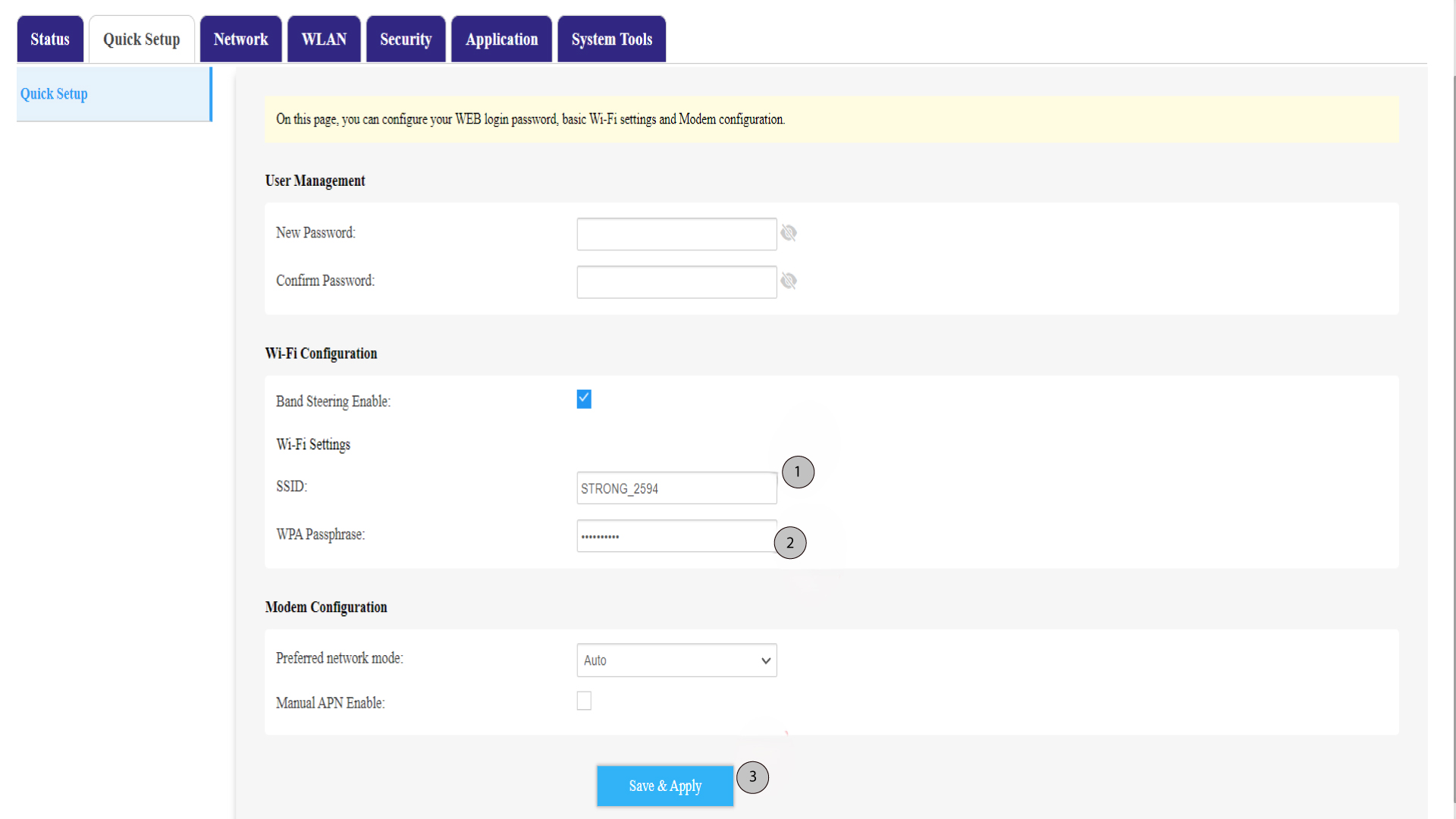
Promijenite ime uneseno u polje SSID . Zatim kliknite ikonu oka za prikaz lozinke i promijenite lozinku unesenu u polje WPA lozinka. Zatim kliknite Spremi i primijeni za spremanje promjena.
6 Zapišite novo mrežno ime i lozinku
Napišite svoj novi SSID (naziv Wi-Fi mreže) i lozinku za Wi-Fi na komad papira i zalijepite ga na ruter.