Mesh Wi-Fi 6 ATRIA 3000 (confezione da 2)
Tutte le domande
Mesh Wi-Fi 6 ATRIA 3000 (confezione da 2)
Come posso configurare la mia rete Wi-Fi mesh ?

Avviso: per configurare la rete “ Mesh ”, fare riferimento alla Guida rapida all’installazione (QIG) disponibile nella sezione “ box ” del proprio prodotto.
Si prega di notare che è necessario ripetere questa operazione per ogni unità Mesh che si desidera aggiungere alla propria rete Mesh .
1. Caso1: Pulsante WPS
Prima di premere il pulsante di accensione, è necessario collegare l'unità "Mesh " alla presa di corrente e collegarla al modem tramite un cavo RJ45.
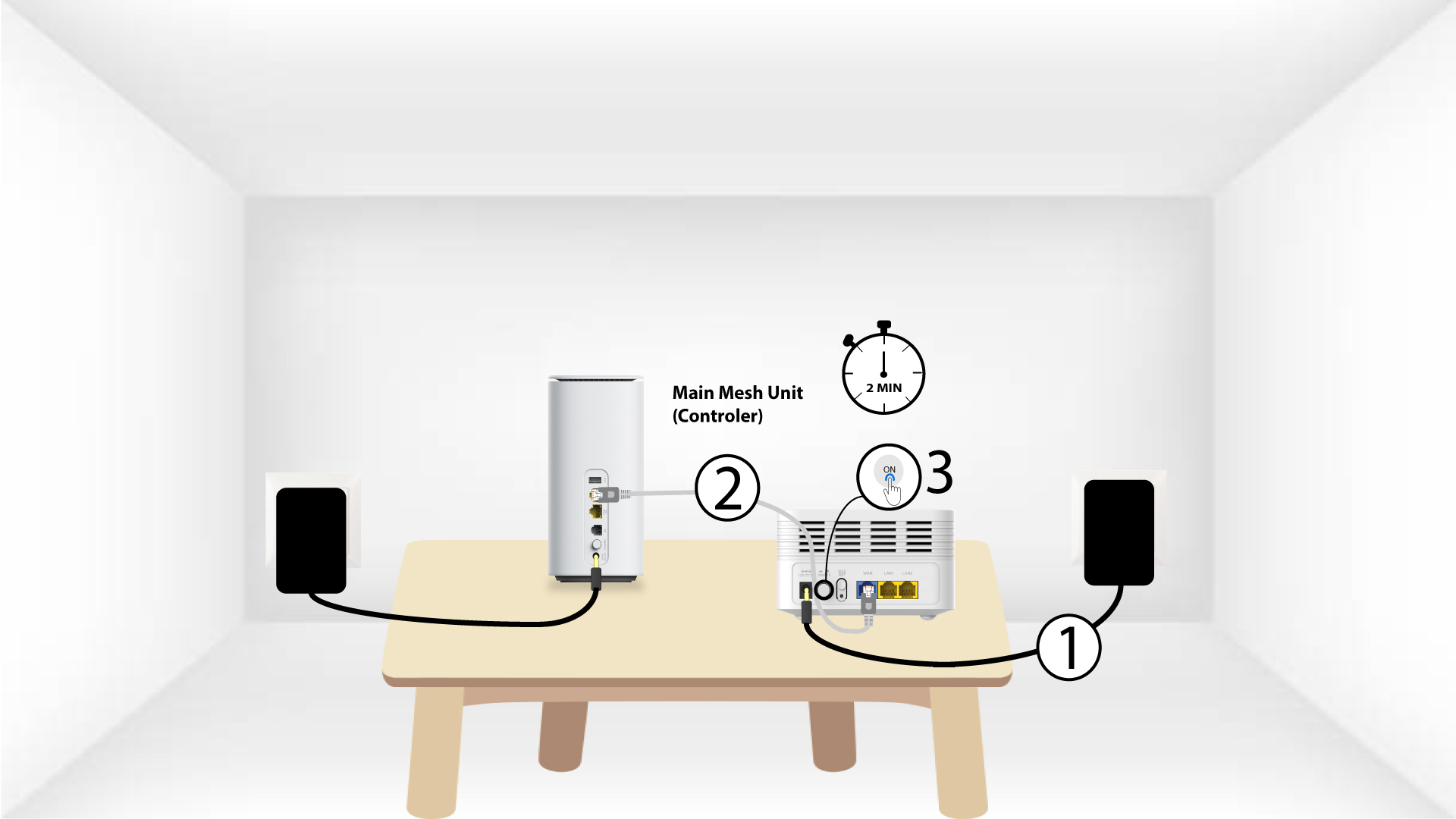
2 Mesh e principaleWPS
Premere il pulsante WPS presente sull’ mesh , collegato al modem, per 5 secondi.
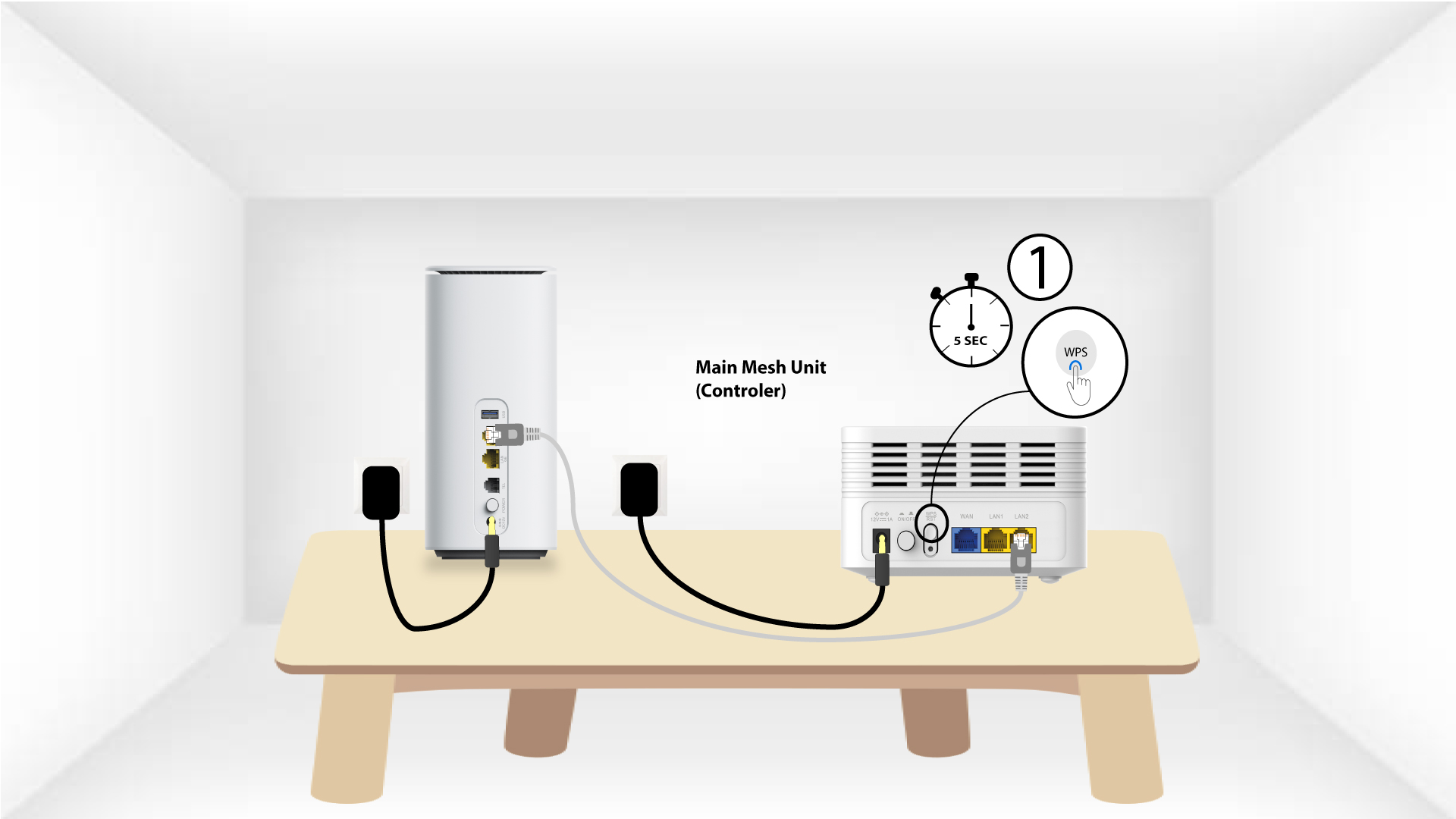
Unità 3Second Mesh WPS
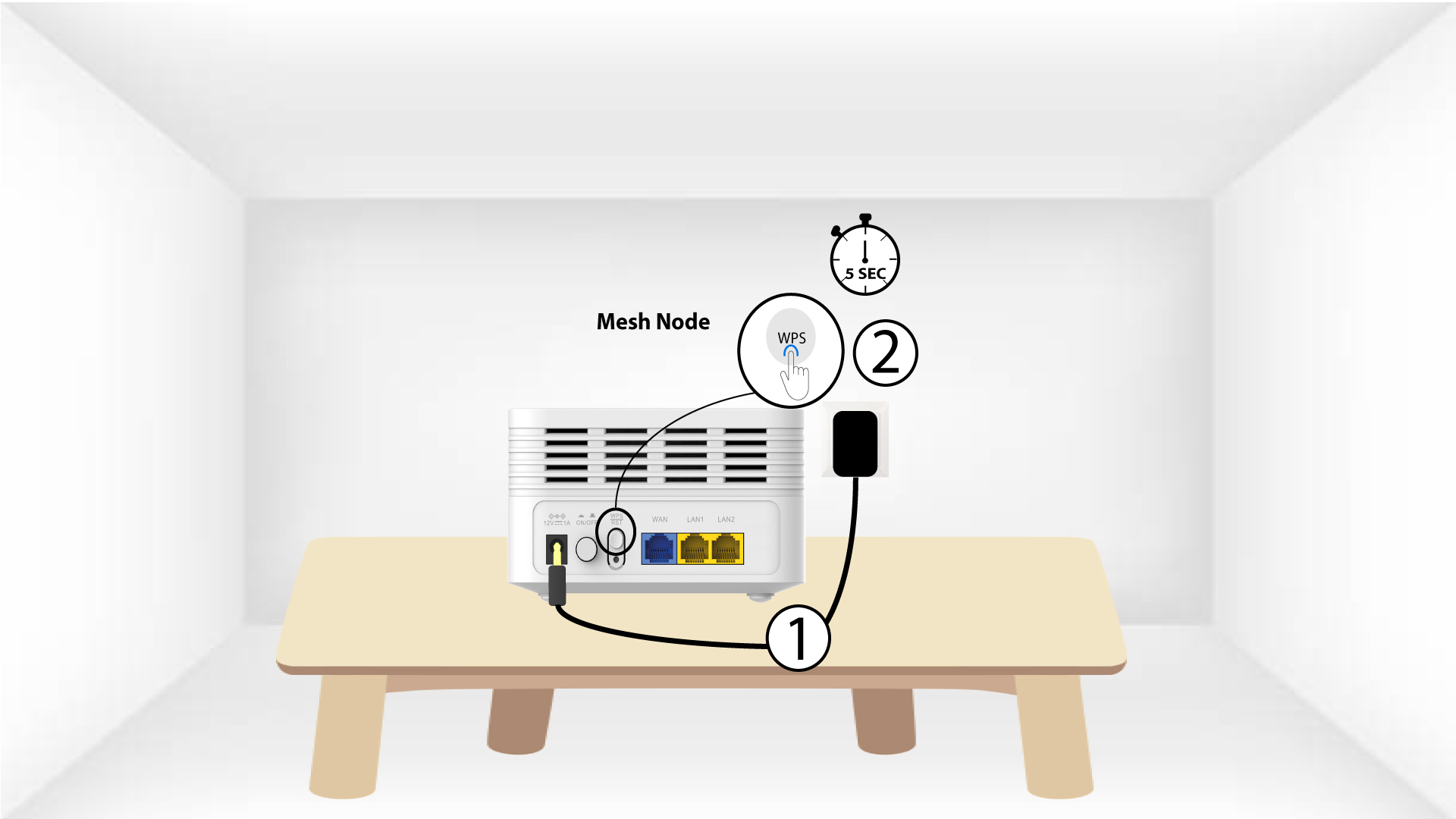
Collegare la seconda unità “ Mesh ” a una presa di corrente e premere il pulsante WPS per 5 secondi.
1 Caso2: cavo Ethernet (RJ45)
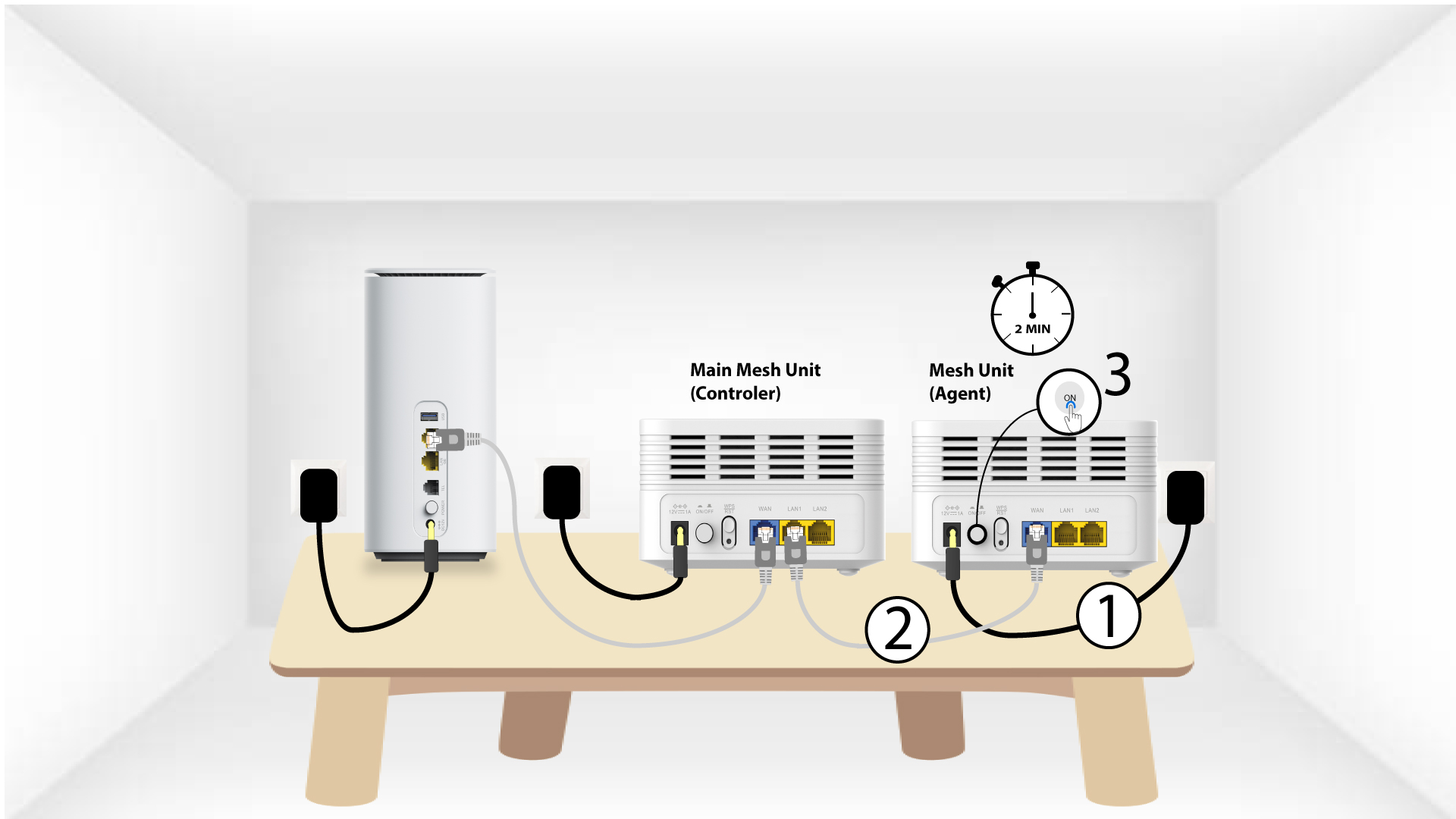
Prima di premere il pulsante di accensione, è necessario collegare l’unitàMesh alla presa di corrente e collegarla al modem tramite un cavo RJ45 inserito nella porta WLAN .
2. Cavo Ethernetnelle porte LAN di entrambi Mesh
Collegare l'unità principale " Mesh " (controller) all'unità " Mesh " (agent) tramite cavo RJ45 nelle due porte LAN di entrambe le unità " Mesh".