Mesh Wi-Fi 6 ATRIA 3000 (confezione da 2)
Tutte le domande
Mesh Wi-Fi 6 ATRIA 3000 (confezione da 2)
Come si aggiorna il firmware dell'unità Mesh ?
Potrebbe essere necessario aggiornare il firmware del dispositivo per risolvere alcuni problemi o per disporre della versione più recente del software.
Per aggiornare il firmware del dispositivo, è necessario accedere a questa pagina. Qui troverai il file del firmware: clicca sul nome per scaricarlo.
1. Connettitialla rete Wi-Fi del dispositivo
Per continuare, collegati all'interfaccia utente web. Segui questa procedura: Collegamento al Wi-Fi e accesso all'interfaccia utente web
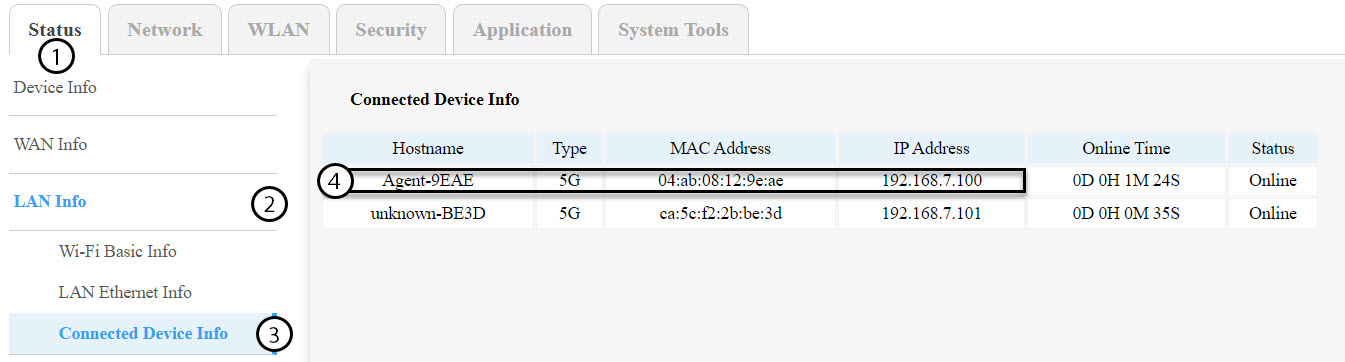
2. Identificaregli indirizzi IP dei nodi dell'Mesh
È necessario identificare gli indirizzi IP degli altri nodi mesh accedendo alla sezione Stato > Informazioni LAN > Informazioni sui dispositivi connessi.
SUGGERIMENTI: Il nome delle seconde unità mesh sarà Agent-XXXX.
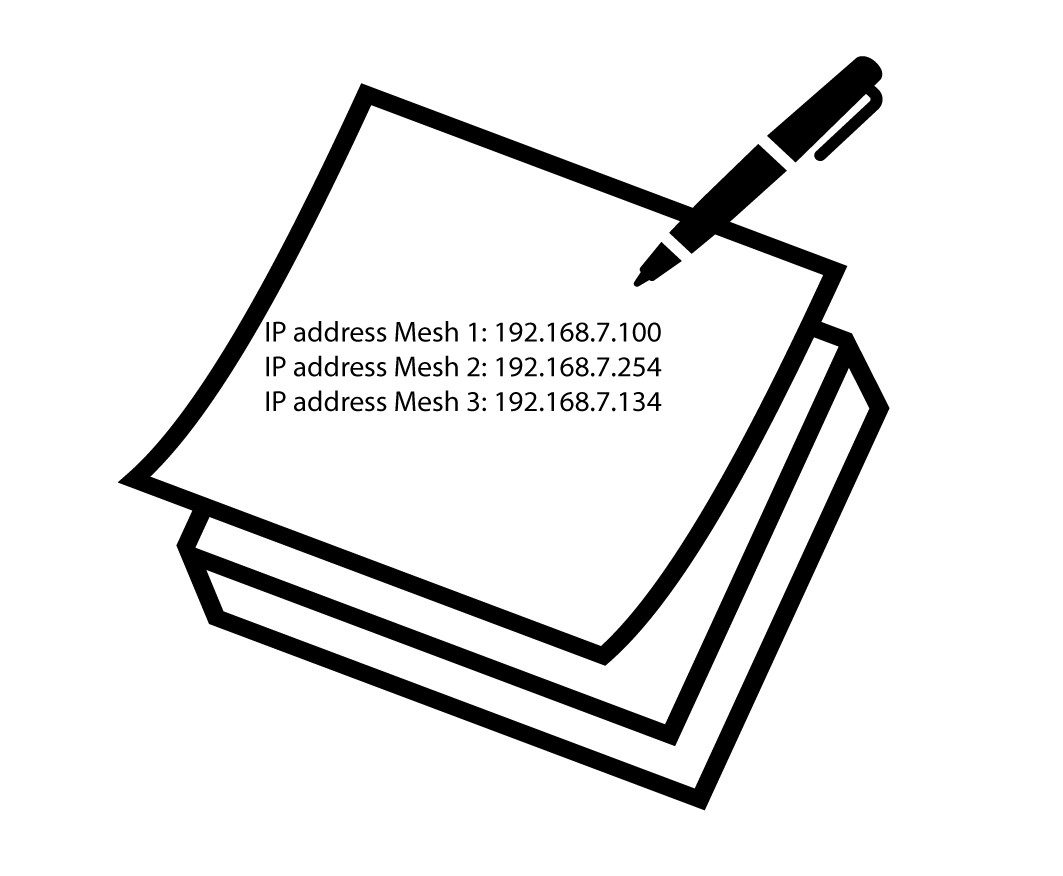
3. Registrarel'indirizzo IP di ciascun dispositivo
Annotare gli indirizzi IP sia del nodo agente che del nodo master per un uso futuro.
Avvertenza: aggiornare sempre prima i nodi agent e per ultimi il nodo master. Sarà necessario ripetere questa procedura per ogni unità mesh .
4. Accedereall'interfaccia utente web di ciascun nodo Mesh
Accedi all'interfaccia utente web di ciascun nodo mesh utilizzando l'indirizzo IP che hai annotato in precedenza. Puoi seguire questa procedura:
Come posso accedere all'interfaccia utente web?
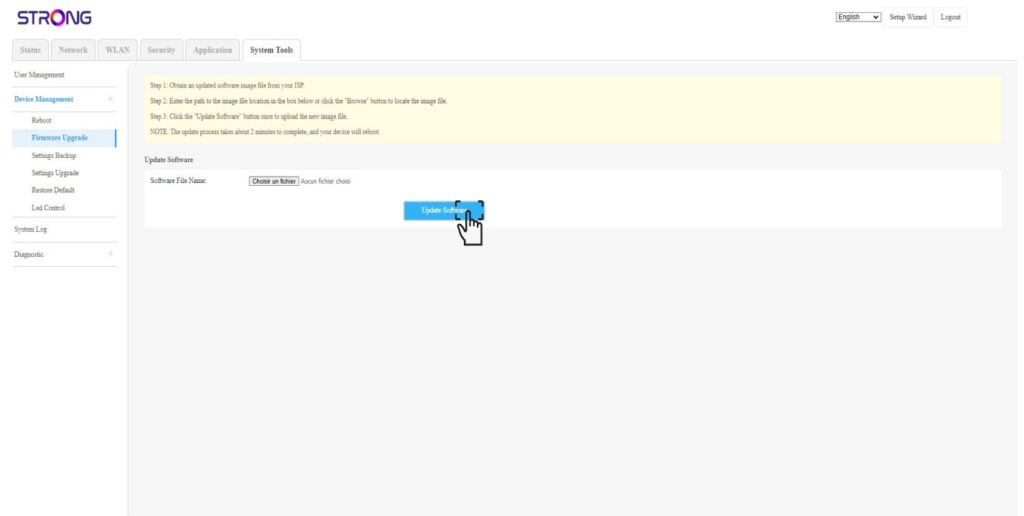
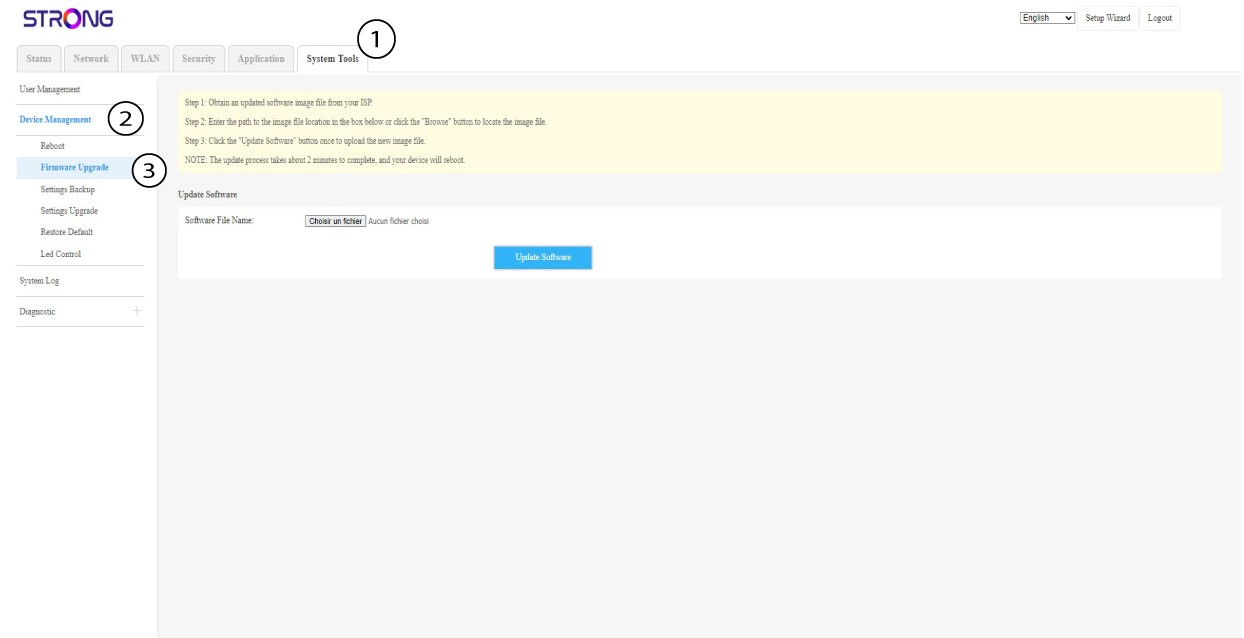
5. Accedereal menu di aggiornamento del firmware
Per ogni dispositivo, fare clic su “Strumenti di sistema”, selezionare “Gestione dispositivi” e poi “Aggiornamento firmware”.
6. Caricaree installare il firmware
Seleziona il file cliccando su "Scegli file",quindi clicca su " Aggiorna software".