4G AIRHOME 310 met afneembare 4G-antennes
Alle vragen
4G AIRHOME 310 met afneembare 4G-antennes
Hoe wijzig ik de SSID (naam van het wifi-netwerk) en het wachtwoord? (Geval 2: wifi-instellingen)
Hoe wijzig ik de SSID (de naam van het wifi-netwerk) en het wachtwoord? (Geval 1: Snelle instellingen)
In de webinterface kun je op twee manieren de SSID en het wachtwoord van je router wijzigen:
• Via de snelle instellingen
• Of via de wifi-instellingen.
1. Maak verbindingmet het wifi-netwerk van de router
Om de SSID en het wachtwoord te wijzigen, moet u verbinding maken met het wifi-netwerk van uw apparaat. Maak vervolgens verbinding met de webinterface door de volgende stappen te volgen:

2. Wi-Fi-instellingen
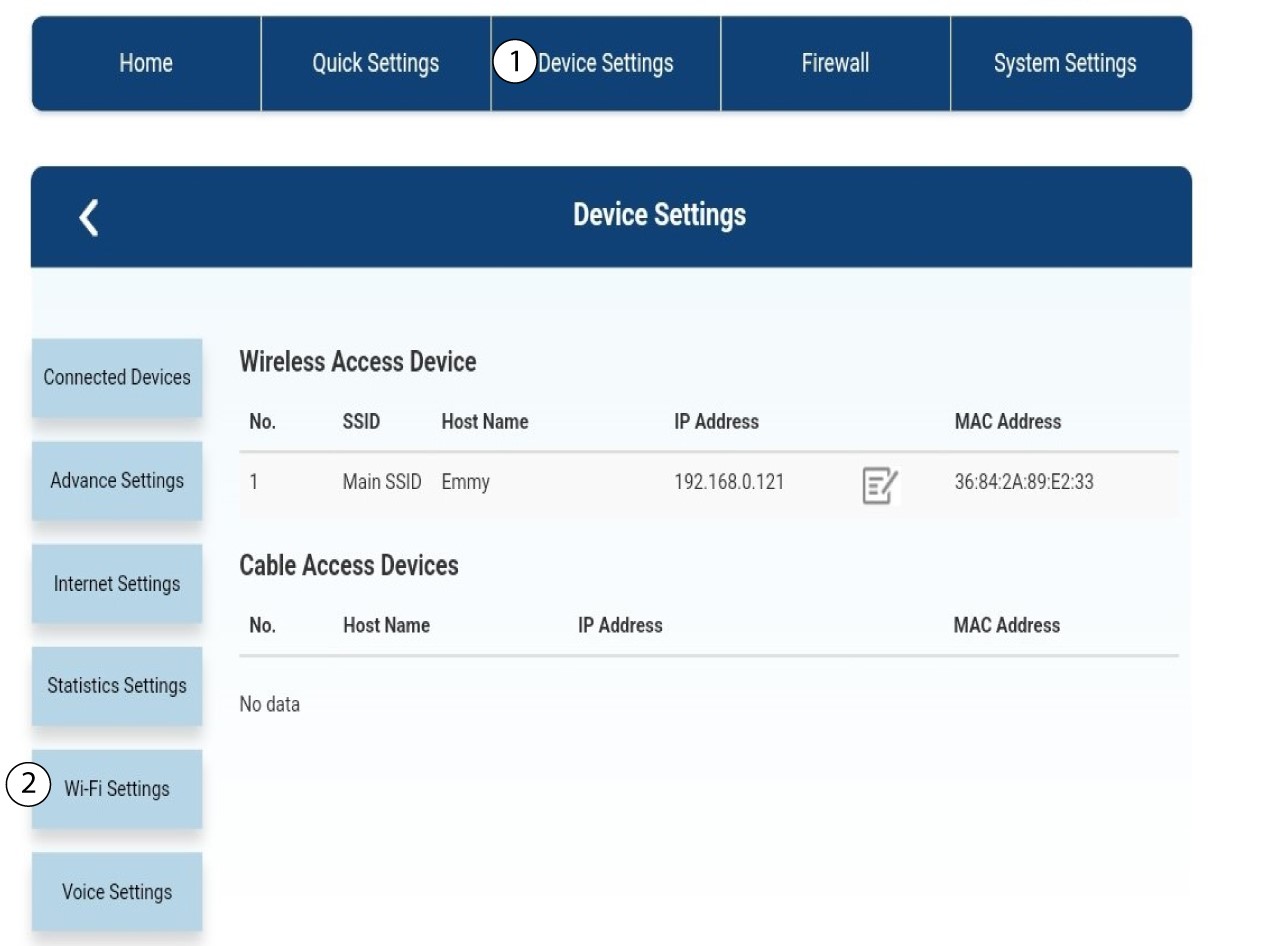
Klik op ‘Apparaatinstellingen ’ en selecteer ‘Wifi-instellingen’.
3SSID-instellingen
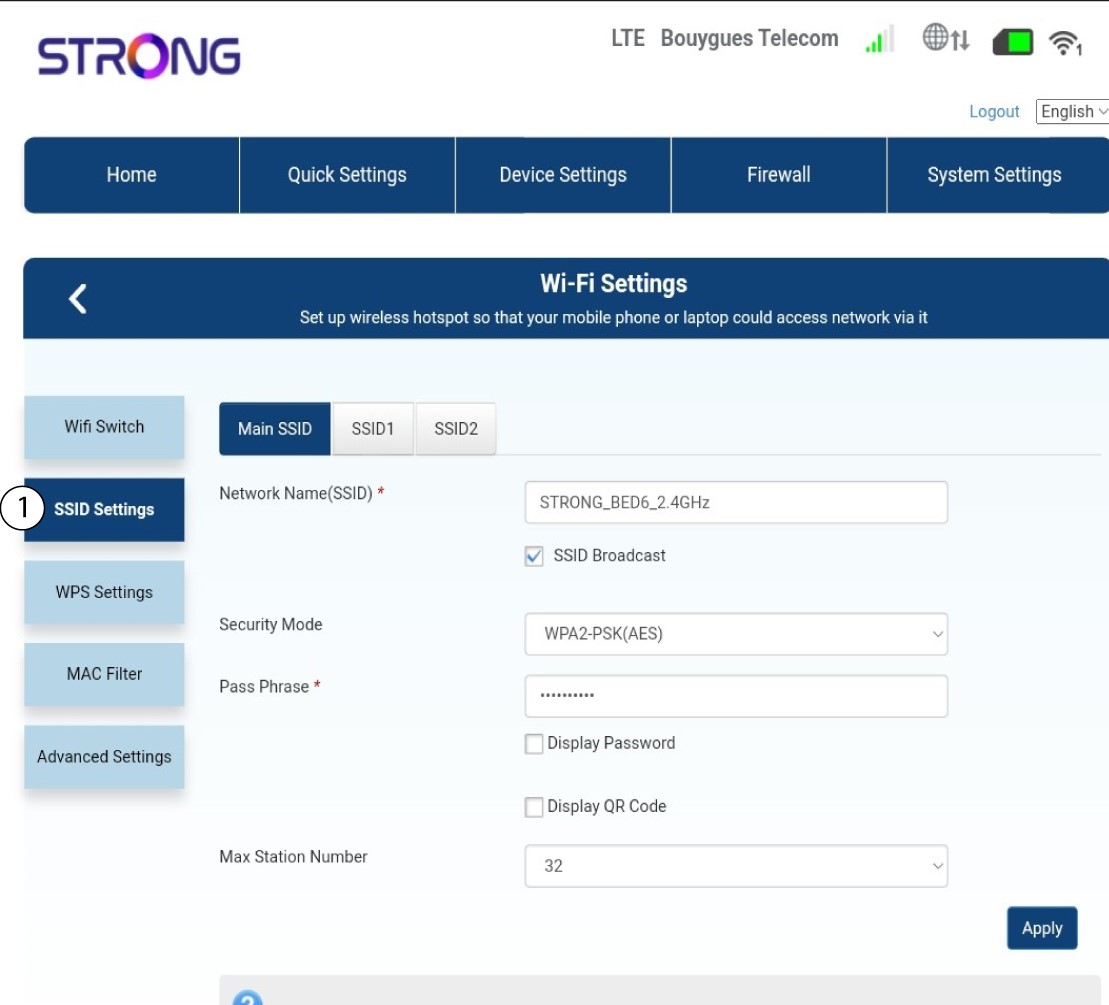
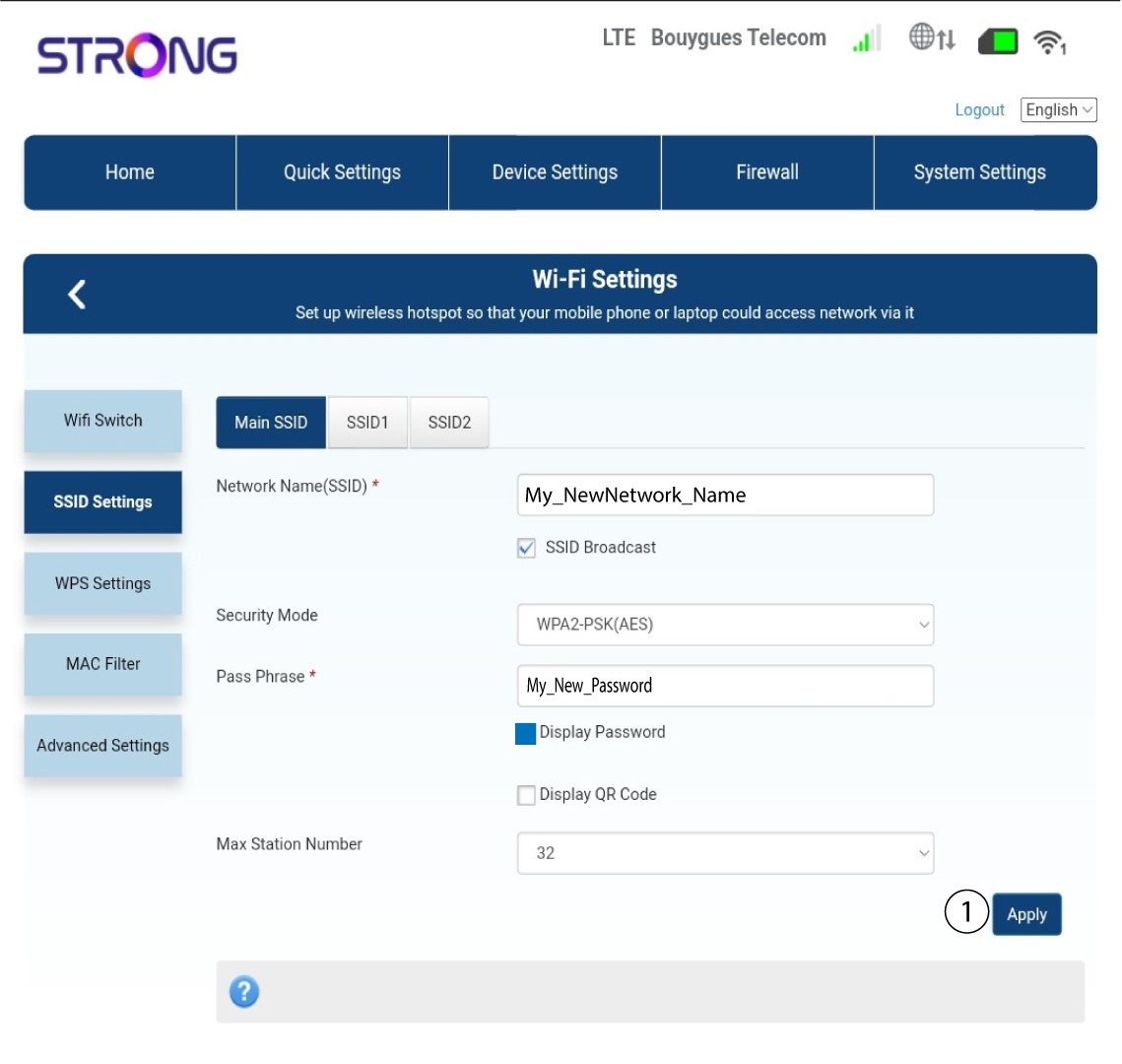
Selecteer vervolgens ‘SSID-instellingen’.
4. Voerje nieuwe netwerkgegevens in
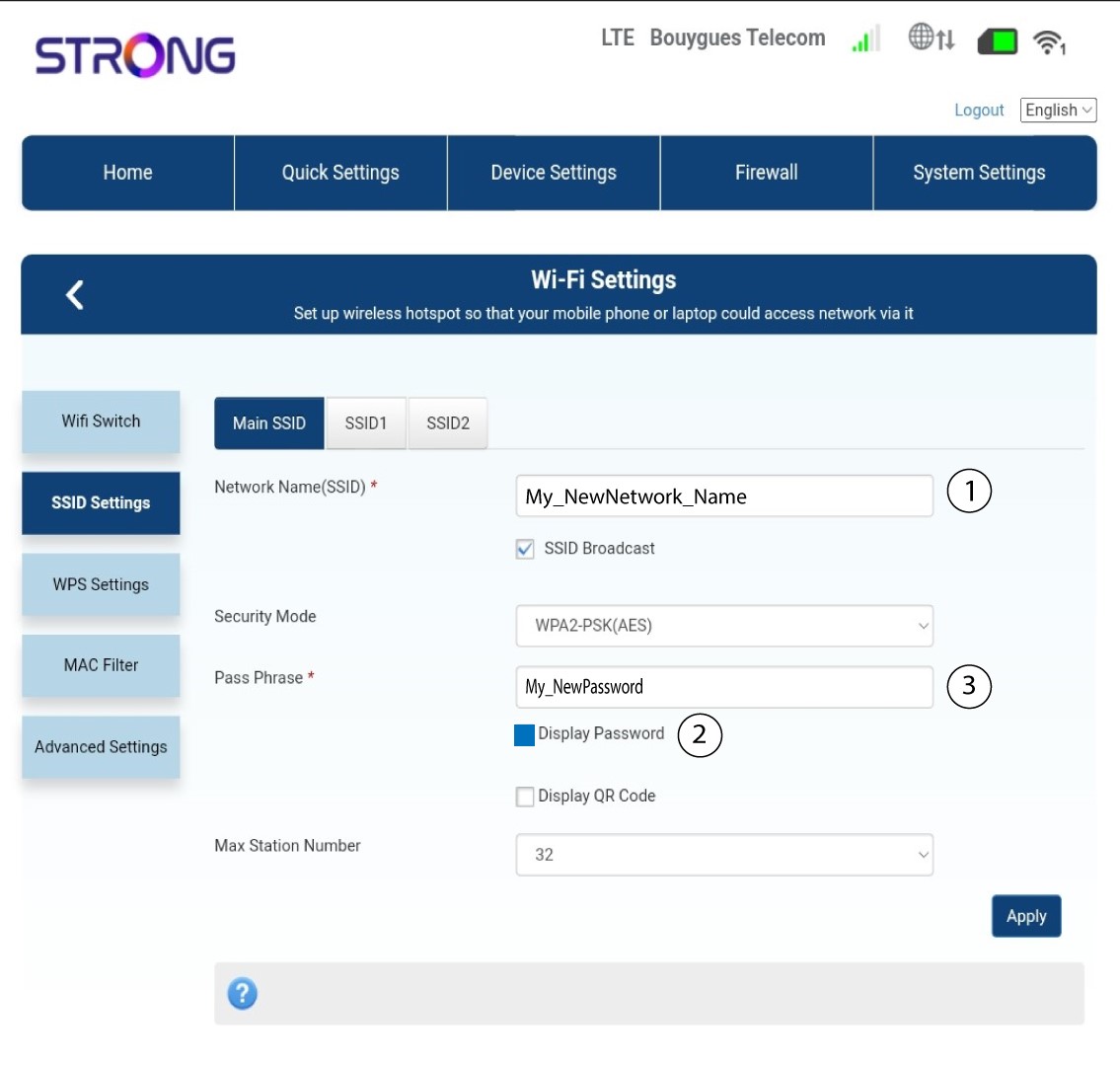
Wijzig de naam die is ingevoerd in het veld ‘Netwerknaam (SSID)’ en vink het vakje ‘Wachtwoord weergeven ’ aan. Wijzig vervolgens het wachtwoord dat is ingevoerd in het veld ‘Wachtwoordzin ’.
5. Slade nieuwe netwerkinformatie op
Klik op ‘Toepassen’ om de wijzigingen op te slaan.
6. Noteerde nieuwe netwerkgegevens
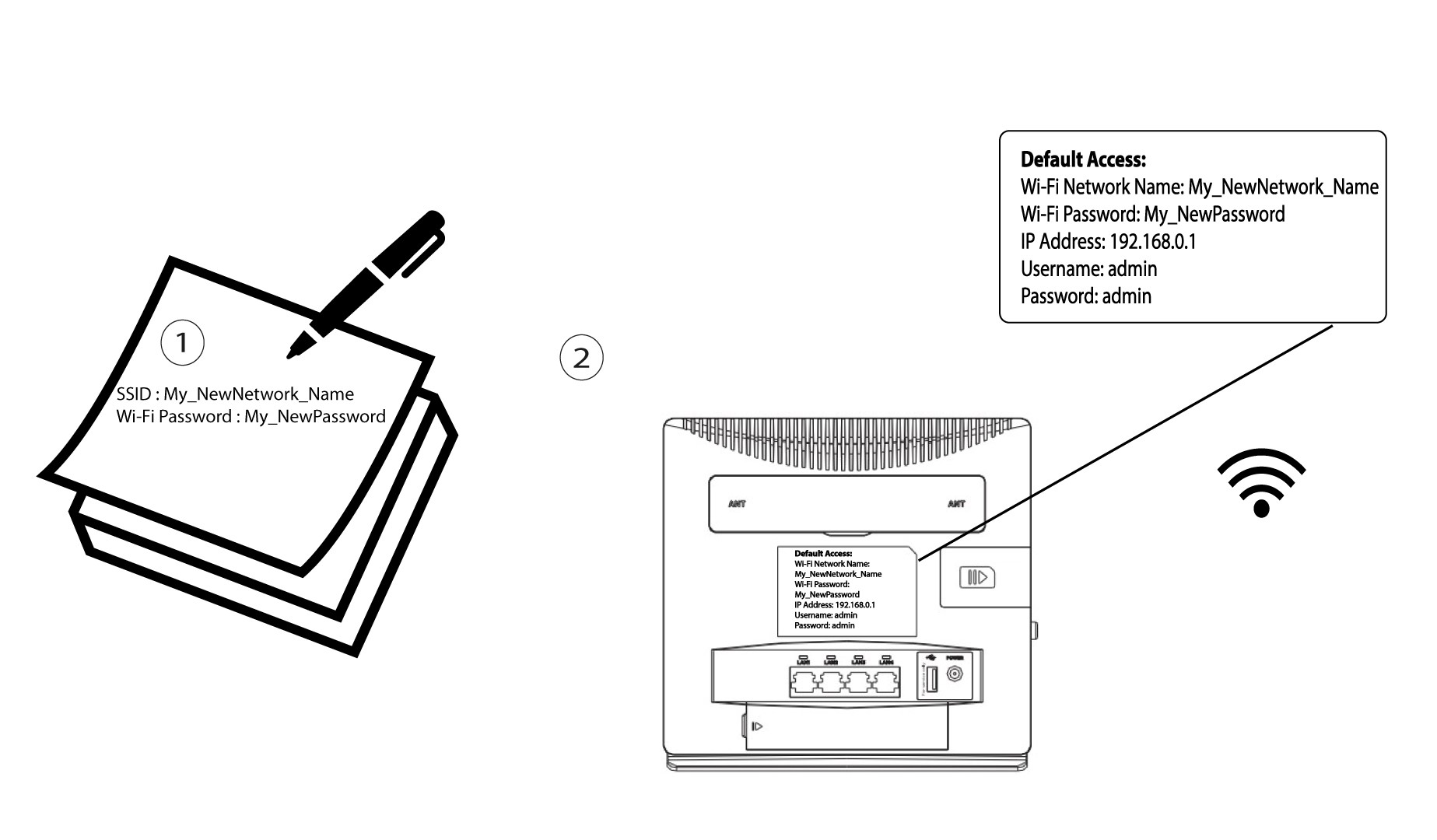
Schrijf je nieuwe SSID en wachtwoord op een papiertje en plak dat op de router.