
4G AIRHOME 310 met afneembare 4G-antennes
Alle vragen
4G AIRHOME 310 met afneembare 4G-antennes
Hoe schakel ik de wifi uit?
Als je je router liever gebruikt door hem rechtstreeks via een ethernetkabel op je apparaat aan te sluiten, kun je de wifi uitschakelen.
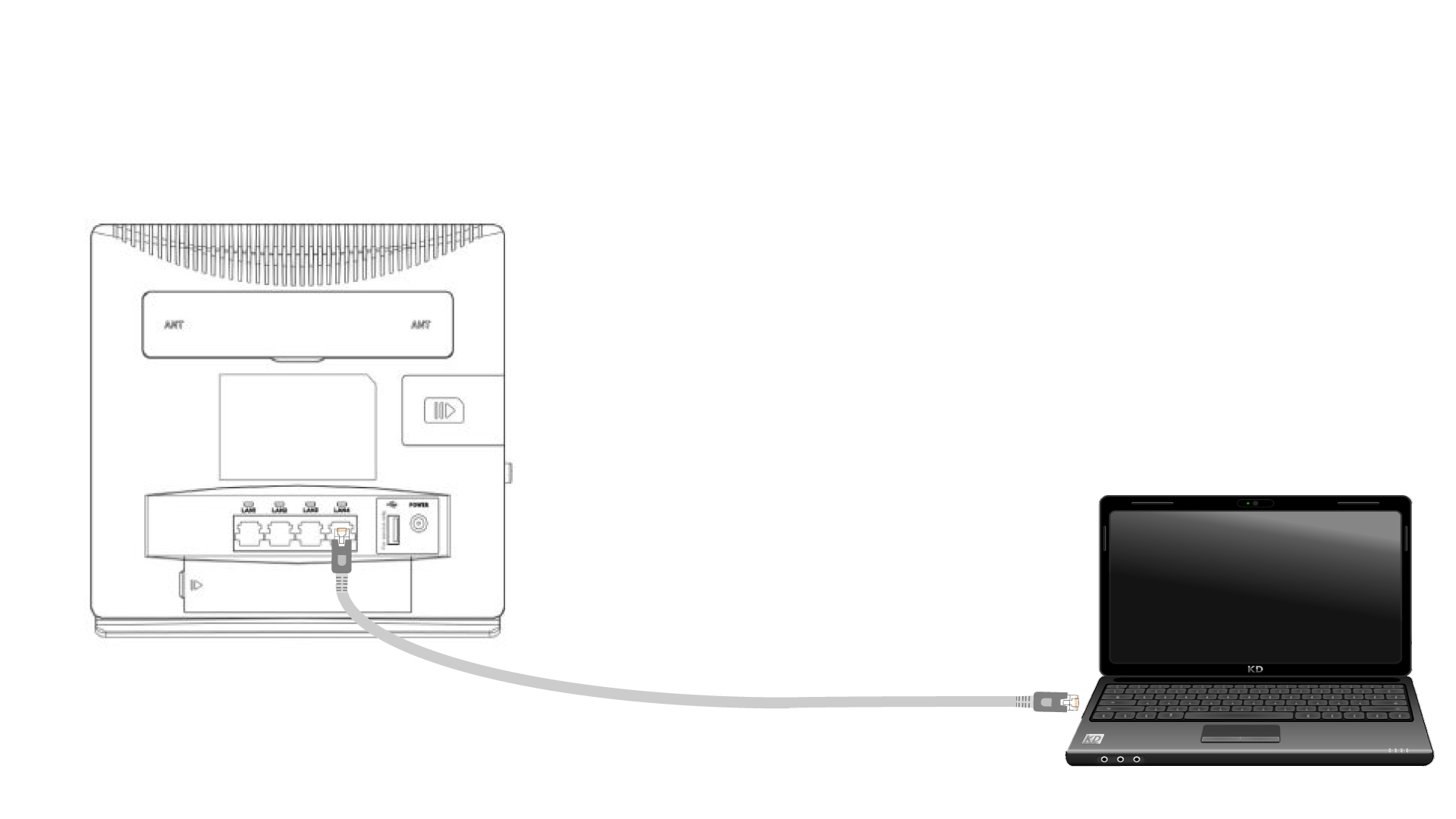
1. Sluitde router aan met een ethernetkabel
Sluit een RJ45-kabel aan op de router om toegang te krijgen tot de webinterface. Volg de onderstaande procedure om verbinding te maken met de webinterface (na stap 2):
2. Wi-Fi-instellingen
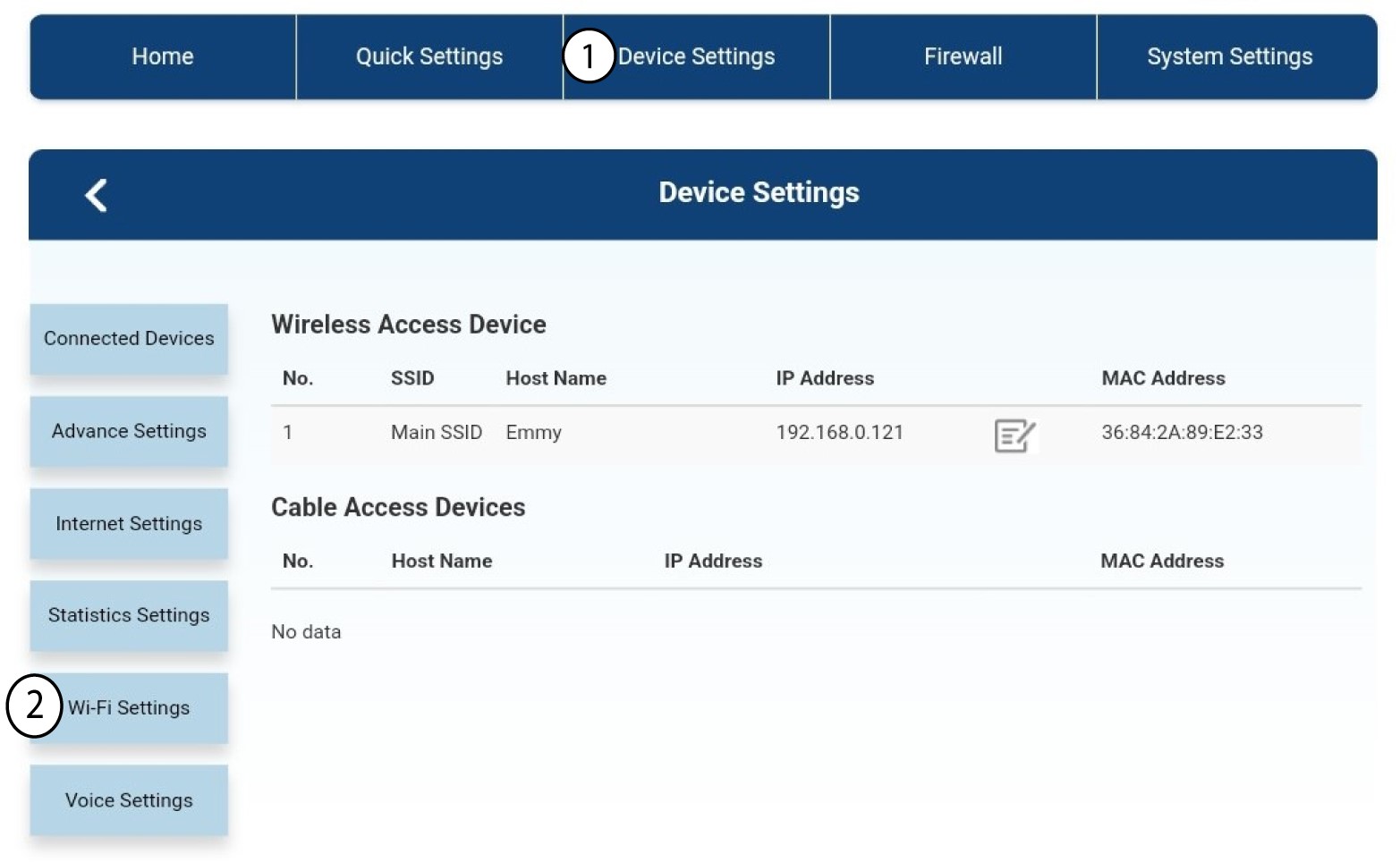
Klik vervolgens op 'Apparaatinstellingen ' en selecteer daarna 'Wifi-instellingen'.
3. Schakelwifi uit
Selecteer in de Wi-Fi-instellingen de optie ‘Wi-Fi- Switch ’. Vink vervolgens het vakje ‘Uitgeschakeld ’ aan en klik op de knop ‘Toepassen ’.
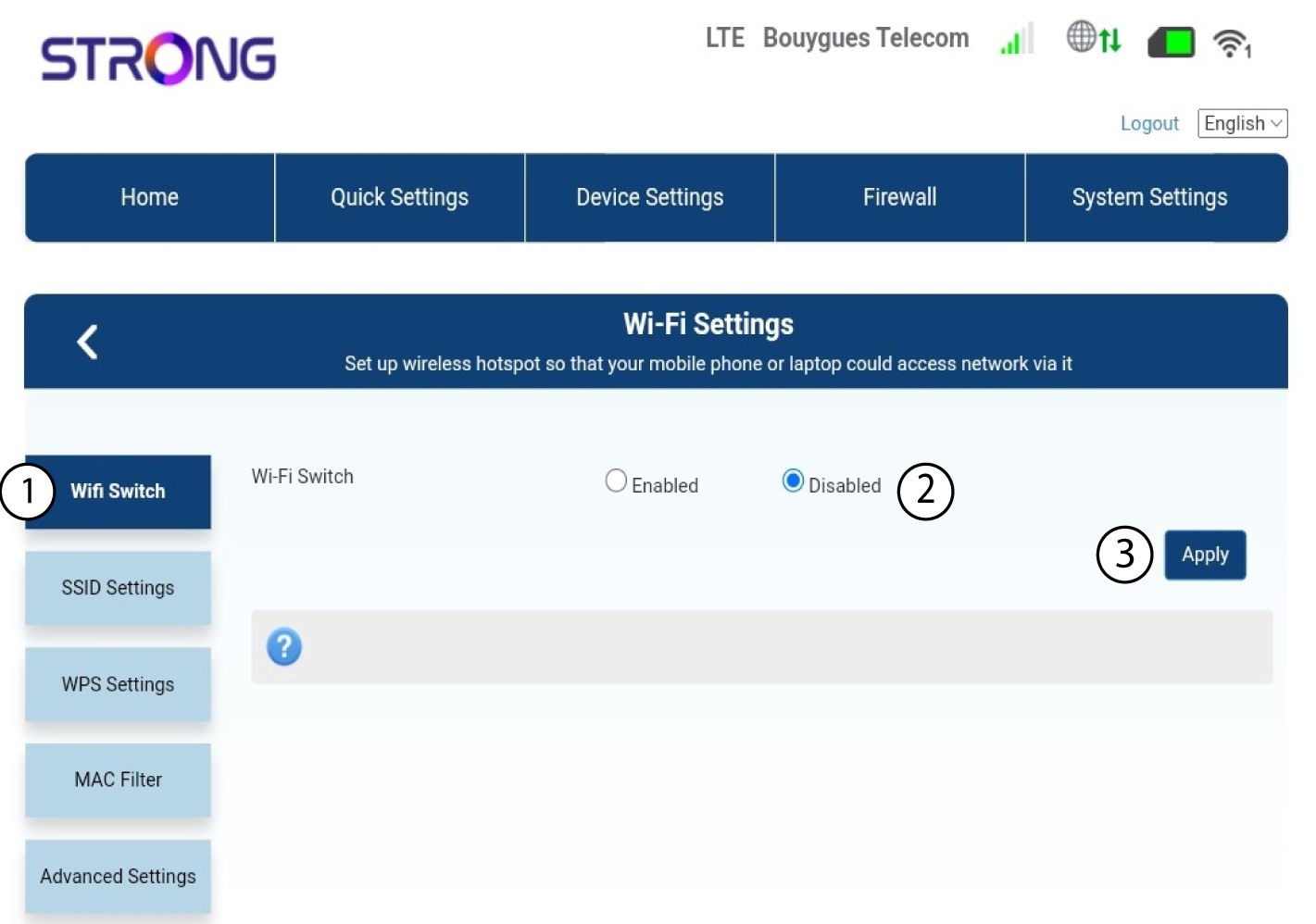

Het wifi-netwerk van de router is uitgeschakeld. Alle apparaten die eerder met het netwerk waren verbonden, worden automatisch losgekoppeld. Om de wifi weer in te schakelen, moet u naar de webinterface gaan of de router terugzetten naar de fabrieksinstellingen.