
Wi-Fi 4G+ AIRSPOT 510
Nenašli sa žiadne položky.
Nenašli sa žiadne položky.
Všetky otázky
Wi-Fi 4G+ AIRSPOT 510
Nenašli sa žiadne položky.
Nenašli sa žiadne položky.
Ako môžem zmeniť heslo správcu?
1. Otvortewebové používateľské rozhranie
Informácie o prístupe k webovému používateľskému rozhraniu nájdete v článku „Ako sa prihlásiť do webového používateľského rozhrania?“.
2Prejditedo nastavení hesla
V časti Správa kliknite na položky Nastavenia systému a Zmeniť heslo.
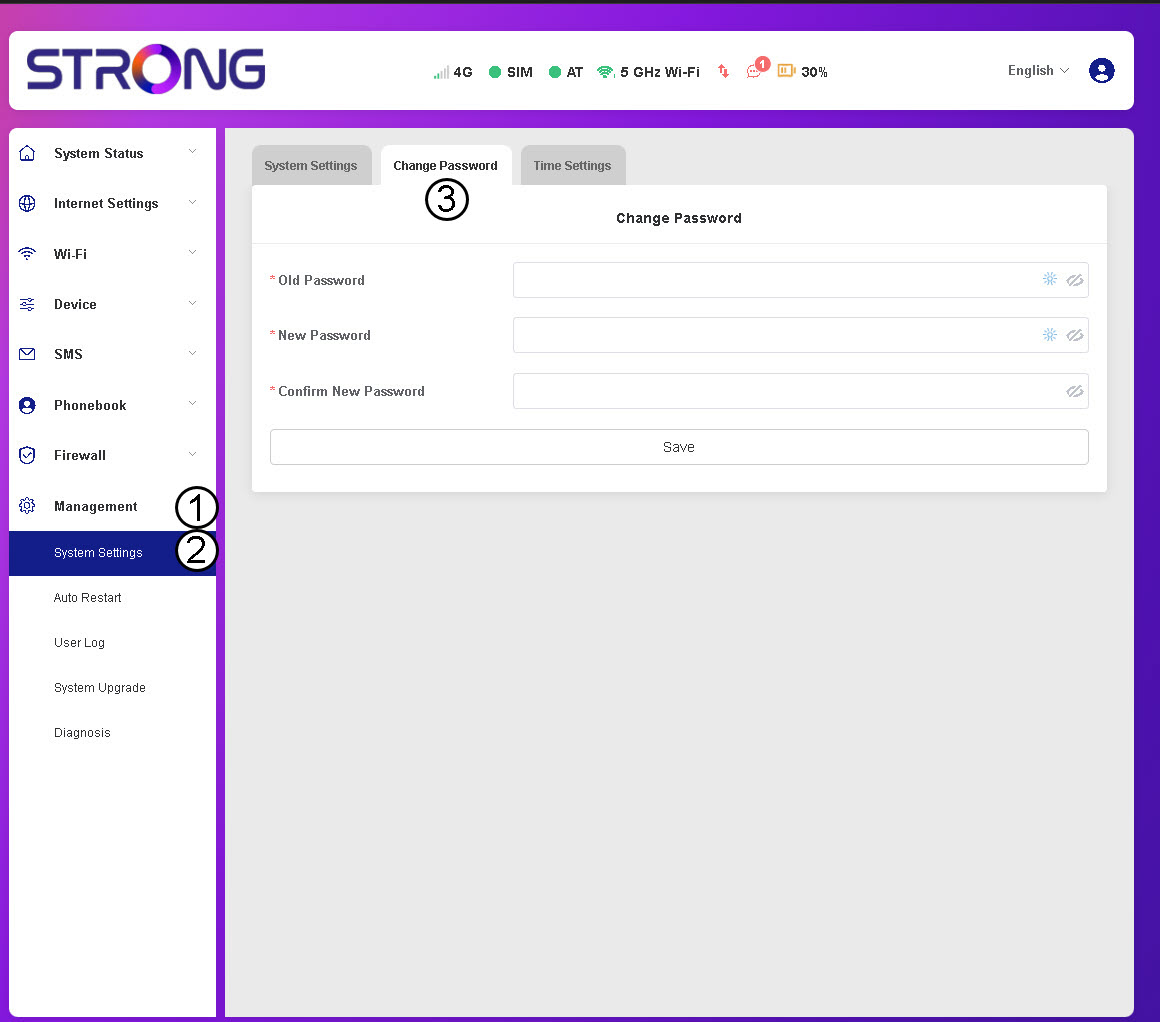
3. Zadajteúdaje o hesle
Potom zadajte nasledujúce informácie a kliknite na Uložiť:
- Staré heslo: Zadajte svoje súčasné heslo.
- Nové heslo: Zadajte heslo, ktoré obsahuje aspoň 8 znakov a kombináciu veľkých a malých písmen, číslic a špeciálnych znakov. Povolené sú iba tieto špeciálne znaky: @$%*&.
- Potvrďte nové heslo: Zadajte rovnaké heslo ako v predchádzajúcom poli.


UPOZORNENIE: Ak ste zabudli svoje aktuálne heslo, budete musieť zariadenie obnoviť na továrenské nastavenia.