
Wi-Fi 4G+ AIRSPOT 510
Nenašli sa žiadne položky.
Nenašli sa žiadne položky.
Všetky otázky
Wi-Fi 4G+ AIRSPOT 510
Nenašli sa žiadne položky.
Nenašli sa žiadne položky.
Ako môžem deaktivovať svoj PIN kód?
Po vložení SIM karty a zadaní PIN kódu prostredníctvom LCD displeja zariadenia Mi-Fi sa tento PIN kód automaticky deaktivuje.
Pomocou nasledujúcich krokov si môžete overiť, či je PIN kód deaktivovaný:
1. Otvortewebové rozhranie
Pripojte sa k webovému používateľskému rozhraniu.
2Prejditedo nastavení PIN kódu SIM karty
Kliknite na položku „Nastavenia internetu“ a potom vyberte možnosť „PIN kód SIM karty“.
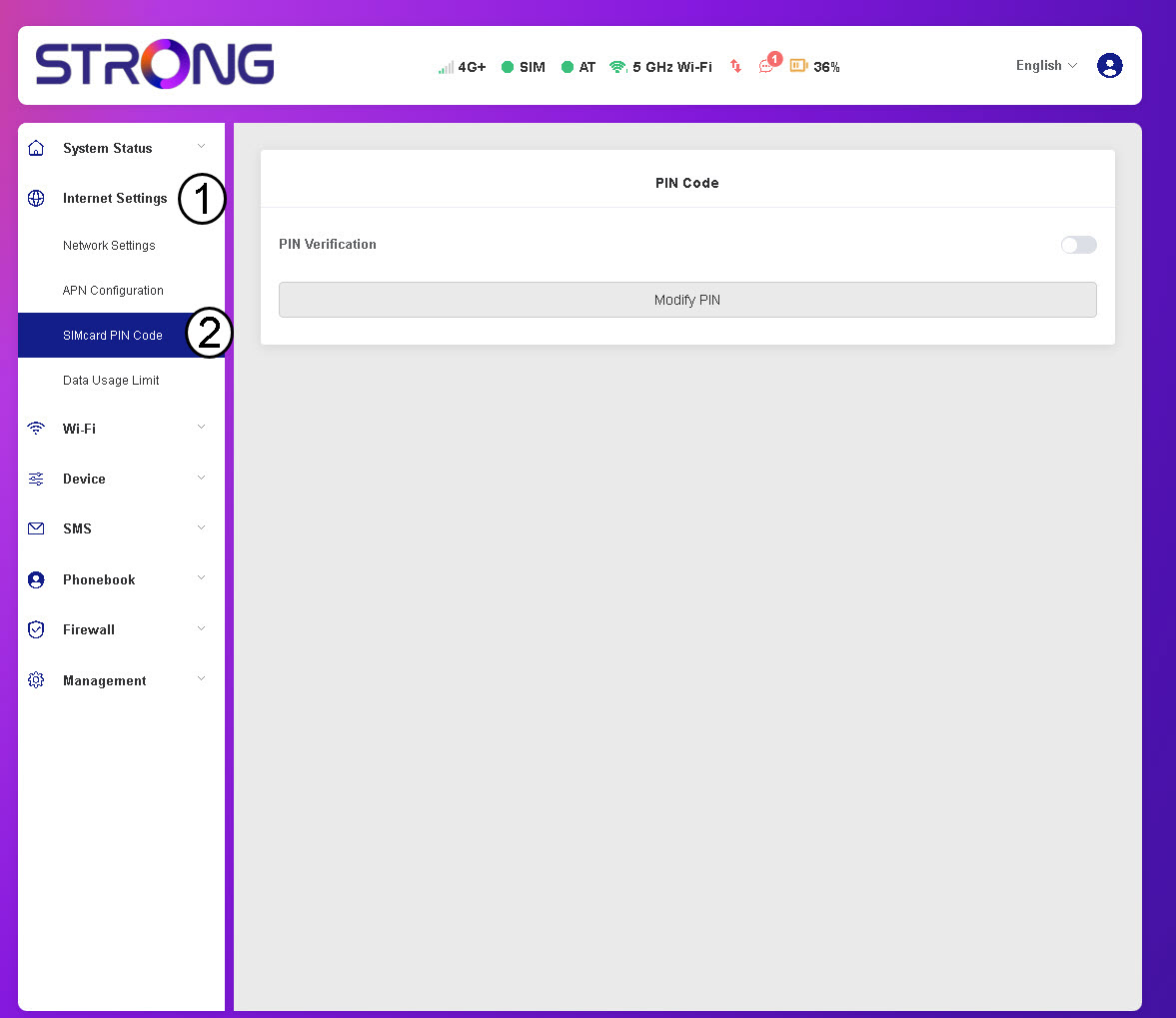
3Skontrolujtestav PIN kódu
Skontrolujte, či je prepínač overovania PIN-kódu sivý, čo znamená, že PIN-kód je deaktivovaný.
