4G+ AIRHOME 710 s odnímateľnými 4G+ anténami
Všetky otázky
4G+ AIRHOME 710 s odnímateľnými 4G+ anténami
Ako môžem zmeniť SSID (názov siete Wi-Fi) a heslo k Wi-Fi?
Router 4G+ 1200 je dvojpásmový router, v ktorom môžete upravovať nastavenia vašej Wi-Fi siete v pásmach 2,4 GHz a 5 GHz.
1. Pripojte sak Wi-Fi sieti vášho routera
Ak chcete zmeniť SSID (názov siete Wi-Fi) a heslo k Wi-Fi, musíte byť pripojení k sieti Wi-Fi prostredníctvom svojho zariadenia.

2Prejditena IP adresu webového rozhrania
Potom do prehliadača zadajte nasledujúcu IP adresu: 192.168.188.1.

3. Zistitesi prihlasovacie údaje pre webové používateľské rozhranie
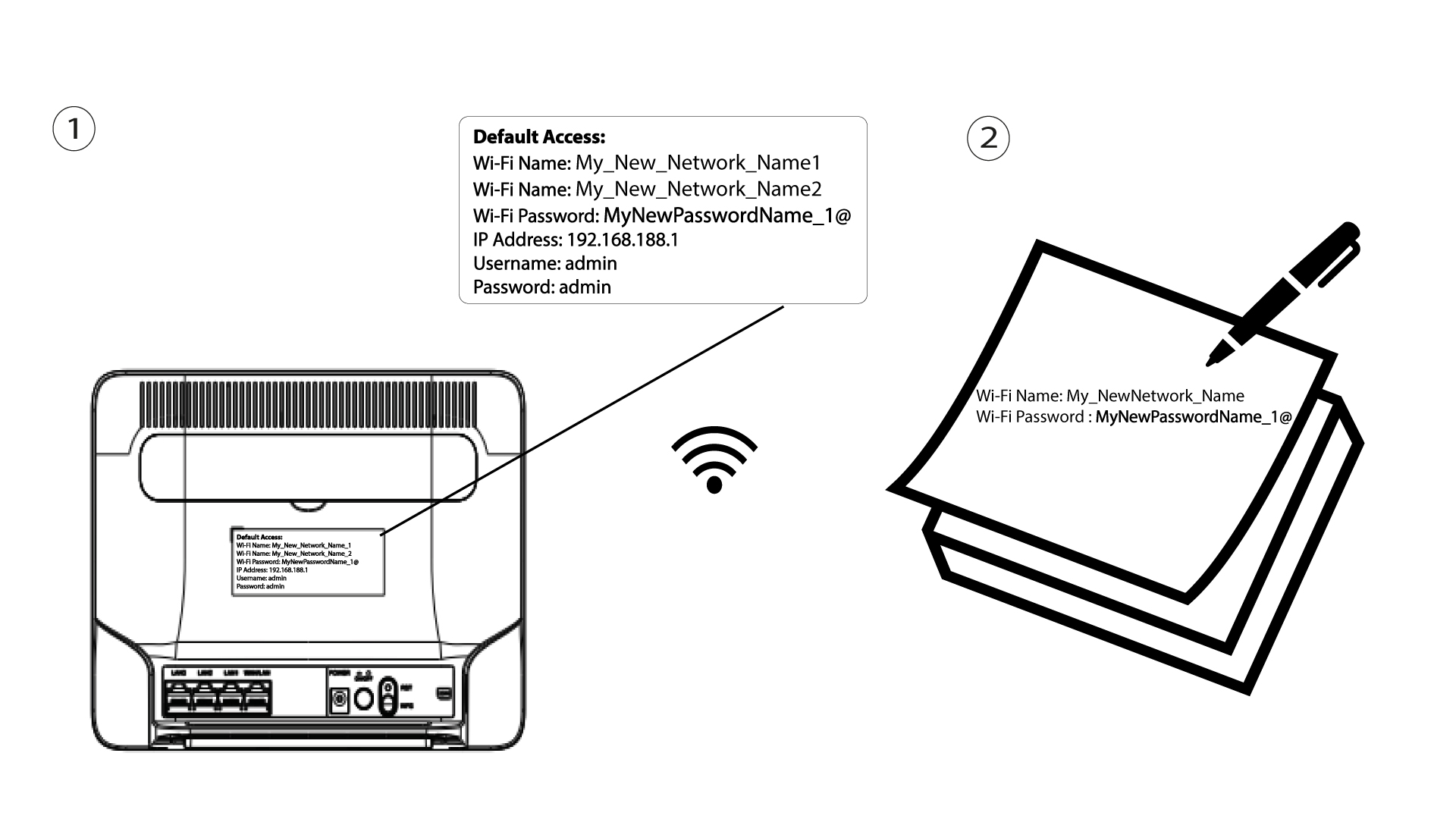
Prihlasovacie údaje nájdete na štítku umiestnenom na zadnej strane vášho zariadenia.

4Zadajtesvoje prihlasovacie údaje
Musíte zadať používateľské meno a heslo. Potom kliknite na „Prihlásiť sa“.

5. Nastavenia Wi-Fi
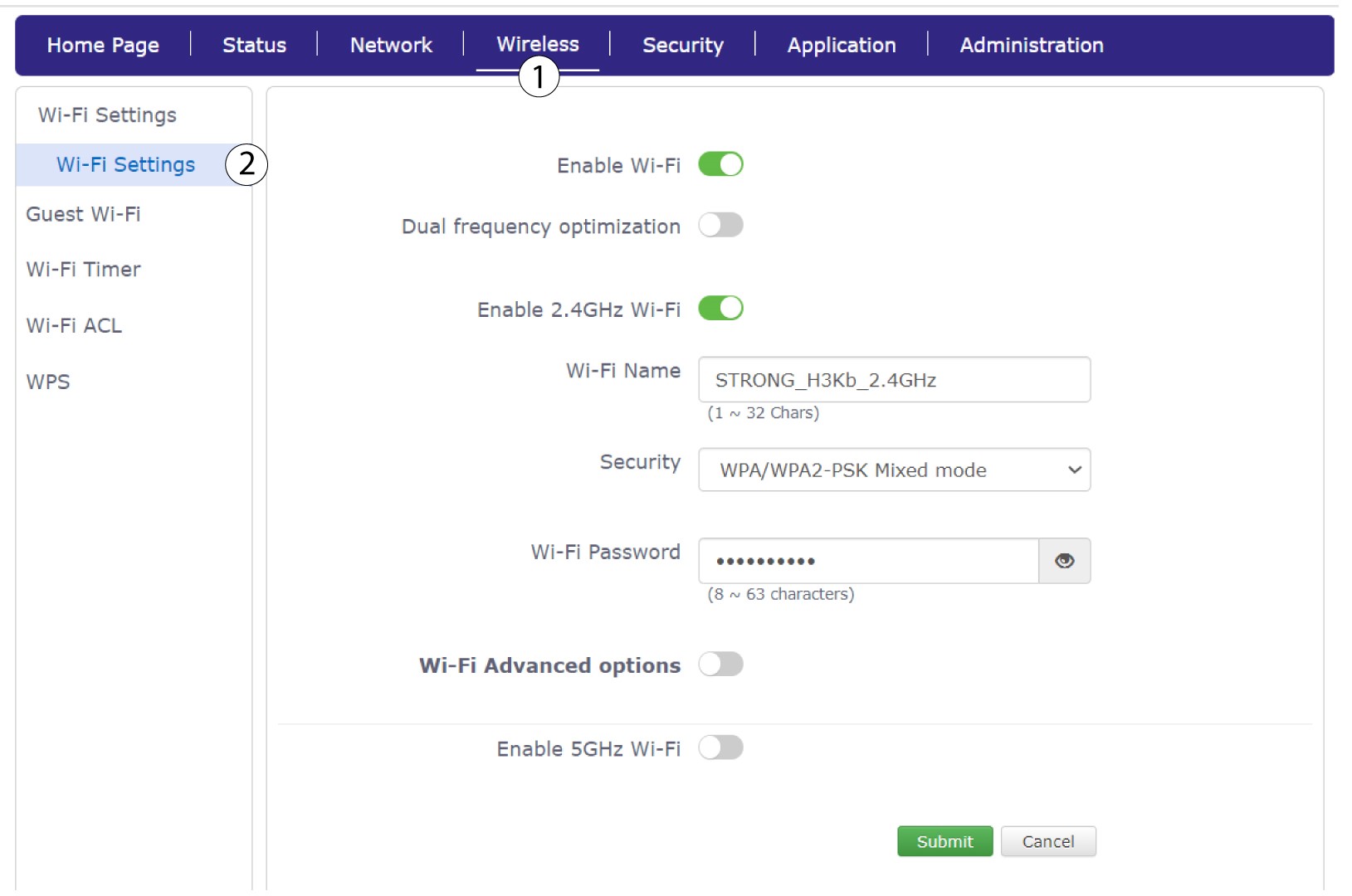
Kliknite na položku „Bezdrôtové pripojenie “ a vyberte možnosť „Nastavenia Wi-Fi“.
6Zadajtenové informácie o sieti
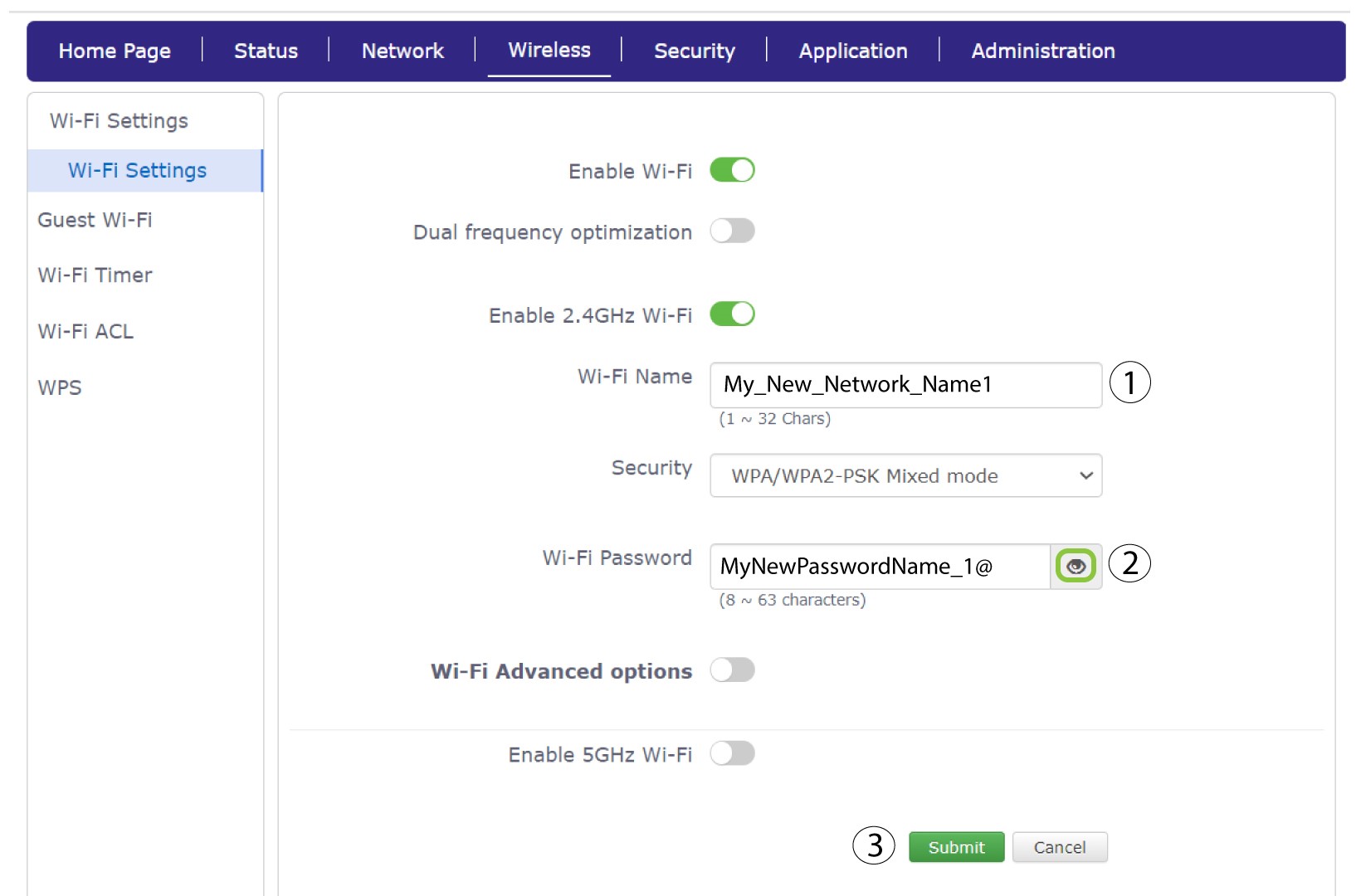
Zmeňte názov zadaný v poli „Názov Wi-Fi“a kliknite na ikonu oka vedľa poľa „Heslo Wi-Fi“. Následne zmeňte heslo zadané v poli „Heslo Wi-Fi“ a kliknutím na tlačidlo „Odoslať“ uložte zmeny.
7. Zapíštesi nové sieťové údaje
Zapíšte si nové SSID (názov siete Wi-Fi) a heslo k Wi-Fi na papier a prilepte ho na router.