4G+ AIRHOME 710 s odnímateľnými 4G+ anténami
Všetky otázky
4G+ AIRHOME 710 s odnímateľnými 4G+ anténami
Ako zadám PIN kód svojej SIM karty?
1. Pripojte sak Wi-Fi sieti vášho routera
Na zadanie PIN kódu SIM karty sa musíte pripojiť k webovému rozhraniu. Na to zadajte do svojho zariadenia SSID (názov siete Wi-Fi) a heslo Wi-Fi routera.

2Prejditena IP adresu webového rozhrania
Potom zadajte do prehliadača nasledujúcu IP adresu: 192.168.188.1

3. Zistitesi prihlasovacie údaje pre webové používateľské rozhranie
Vaše používateľské meno a heslo nájdete na štítku s informáciami o produkte, ktorý sa nachádza na zadnej strane zariadenia.

4Zadajtesvoje prihlasovacie údaje
Musíte zadať používateľské meno a heslo. Potom kliknite na „Prihlásiť sa“.

5Prejditedo ponuky pripojenia
Keď sa po prvýkrát prihlásite do webového používateľského rozhrania, zobrazí sa vám varovná správa, ktorá vás vyzve na zadanie PIN kódu kliknutím na tlačidlo pripojenia.

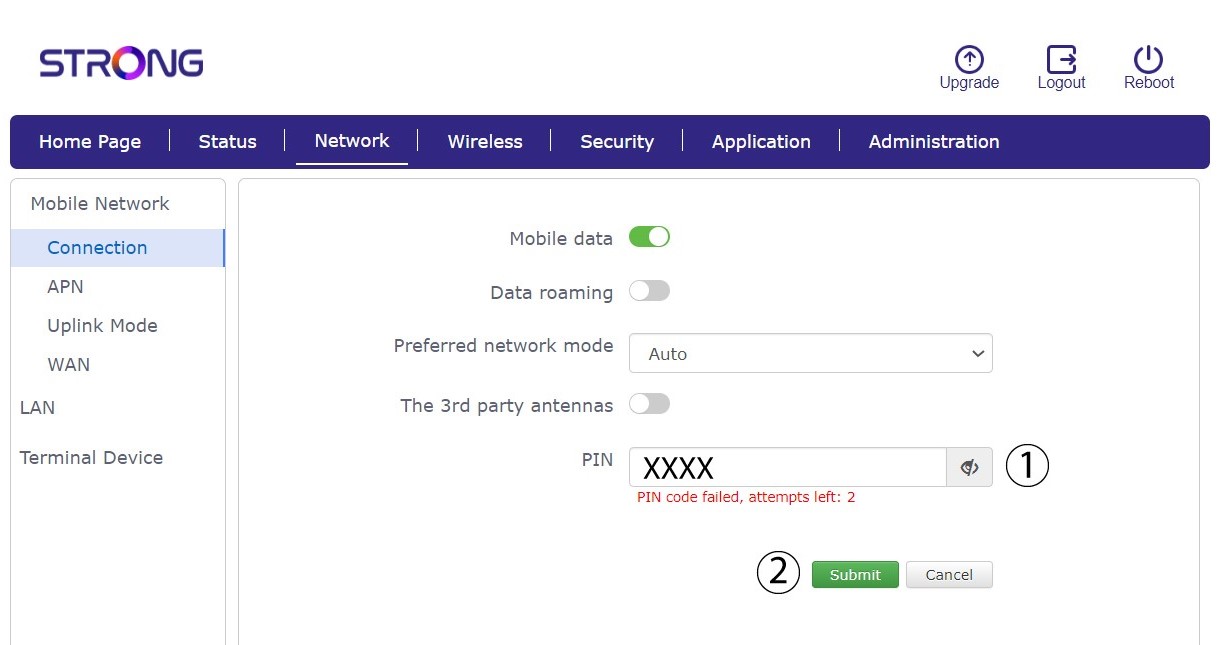
6ZadajtePIN kód vašej SIM karty
Do poľa zadajte svoj PIN kód a kliknite na tlačidlo „Odoslať“.
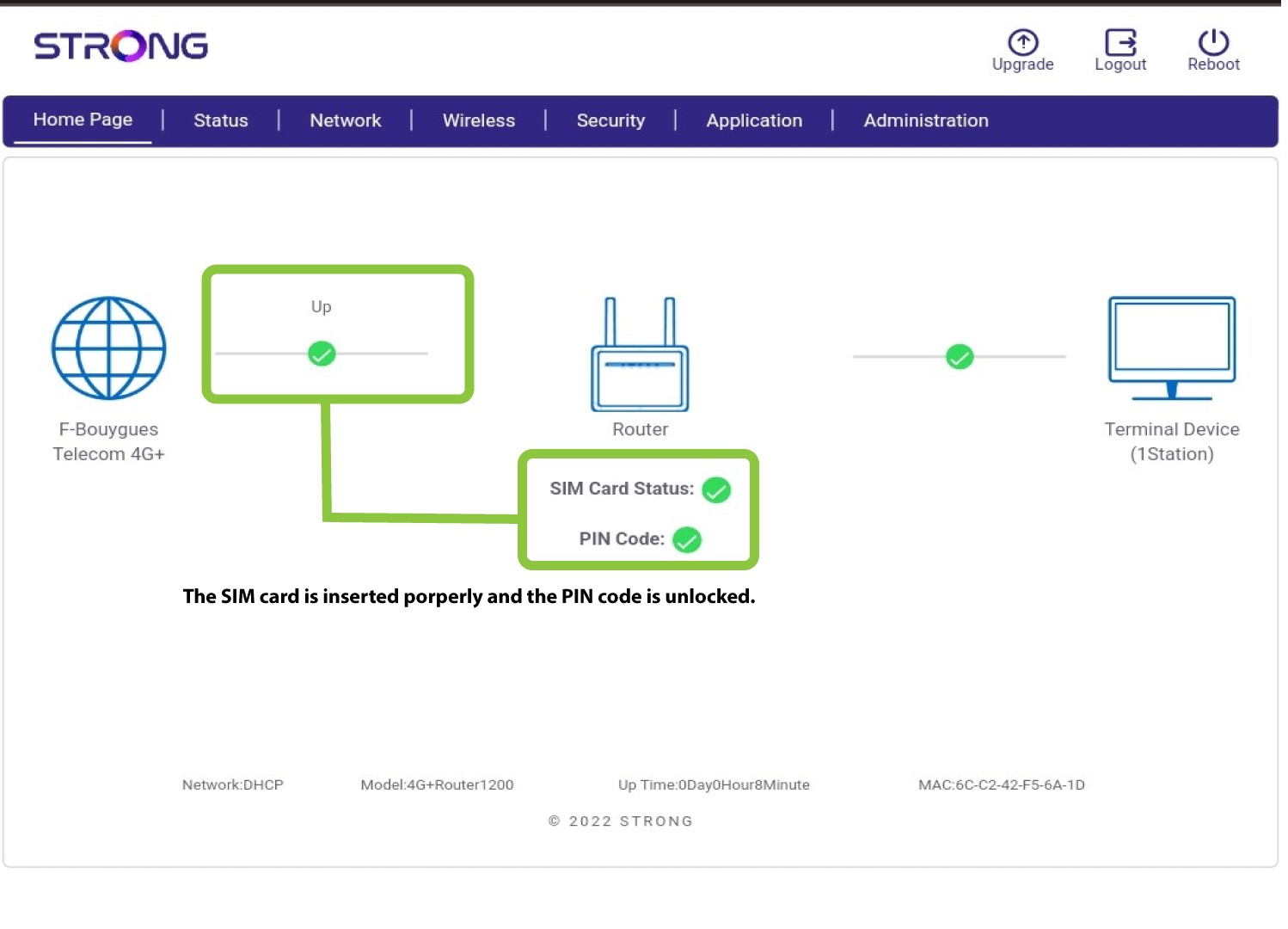
7 SIMkarta je odblokovaná
SIM karta je odblokovaná a jej ikona sa teraz zafarbí na zeleno, pričom vedľa nej sa zobrazí názov siete.