
4G+ AIRHOME 710 s odnímateľnými 4G+ anténami
Všetky otázky
4G+ AIRHOME 710 s odnímateľnými 4G+ anténami
Ako môžem obnoviť továrenské nastavenia svojho routera? (Webové rozhranie)
Niekedy sa môže stať, že vaše zariadenie nefunguje správne a nemáte prístup k internetu. V takom prípade odporúčame obnoviť továrenské nastavenia zariadenia a v prípade potreby ho následne aktualizovať.
Máte na to dva spôsoby: zariadenie môžete obnoviť stlačením tlačidla reset alebo cez webové rozhranie.
1. Pripojte sak Wi-Fi sieti svojho zariadenia
Musíte sa pripojiť k sieti Wi-Fi vášho zariadenia.

2Prejditena IP adresu webového rozhrania
Potom do prehliadača zadajte túto IP adresu: 192.168.188.1

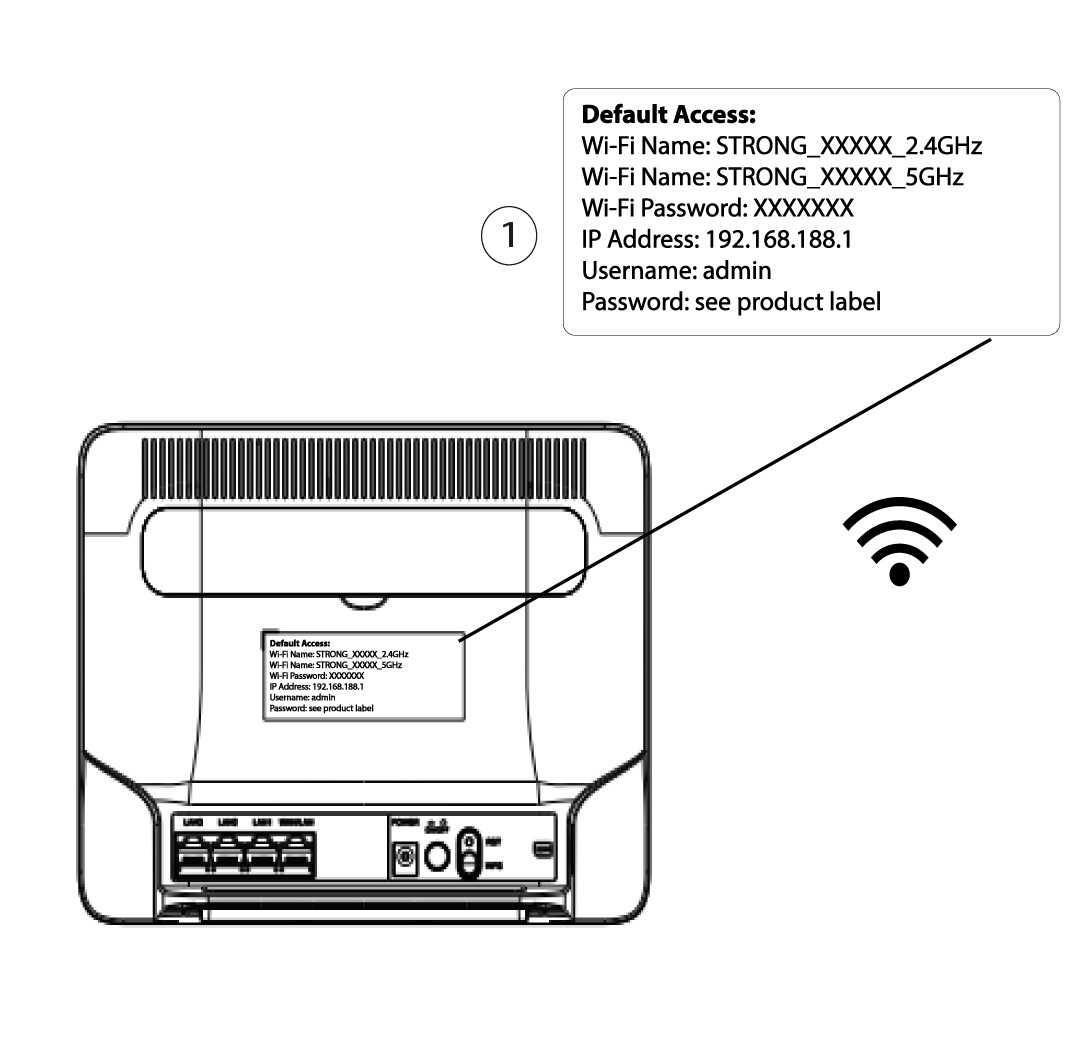
3. Zistitesi prihlasovacie údaje pre webové používateľské rozhranie
Prihlasovacie údaje nájdete na štítku umiestnenom na zadnej strane vášho zariadenia.
4Zadajtesvoje prihlasovacie údaje
Pred kliknutím na tlačidlo „Prihlásiť sa“ musíte zadať používateľské meno a heslo.

5Resetovať
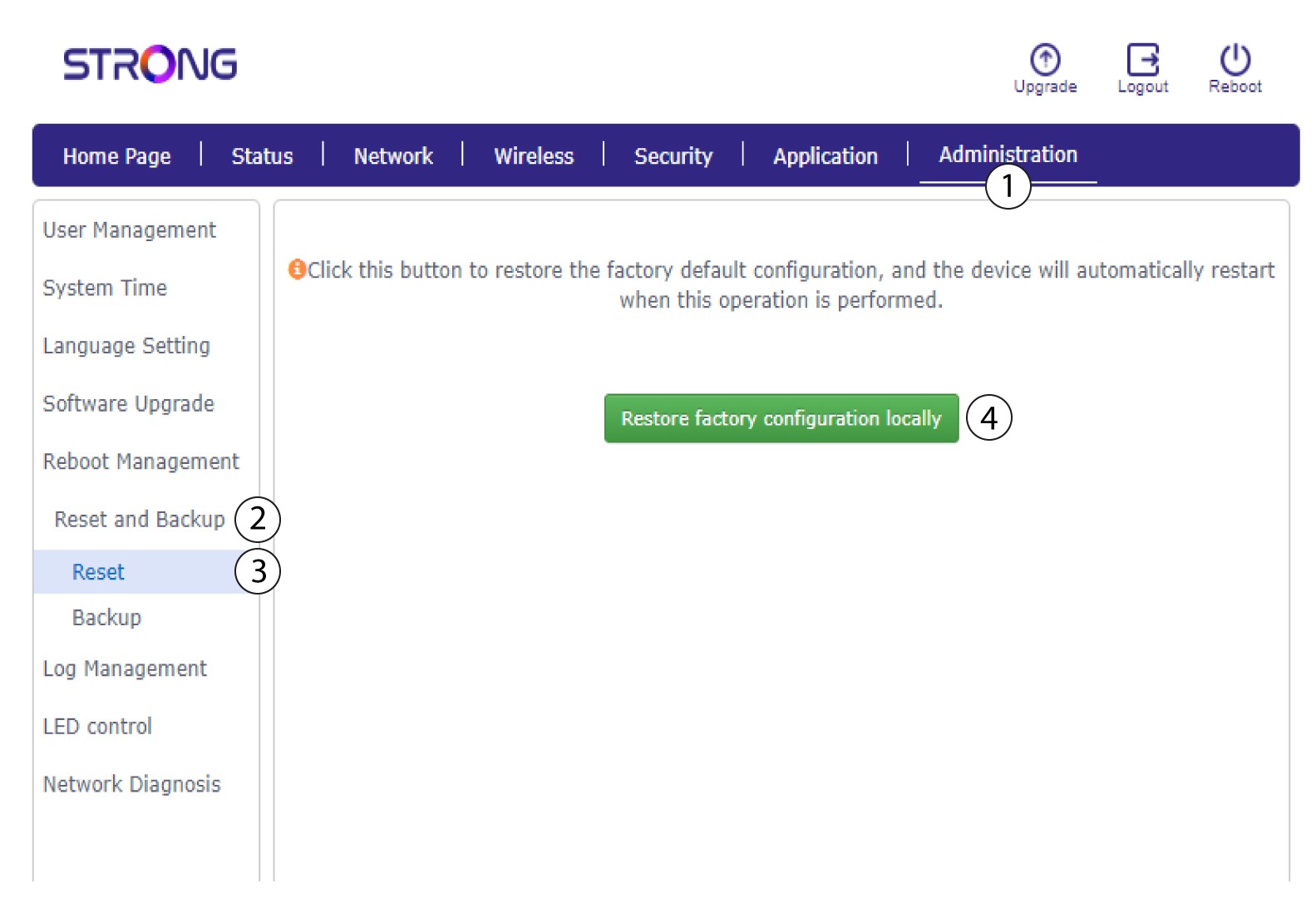
Potom kliknite na položku „Správa“ a „Obnovenie a zálohovanie“. Následne kliknite na položku „Obnovenie a obnovenie továrenského nastavenia lokálne“.
6Potvrďteobnovenie
V zobrazenom vyskakovacom okne kliknite na tlač idlo „Potvrdiť “.
