5G AIRHOME 1050 | Wi-Fi 6
Všetky otázky
5G AIRHOME 1050 | Wi-Fi 6
Ako môžem skontrolovať a upraviť nastavenia APN môjho poskytovateľa služieb?
Ak zariadenie automaticky nerozpozná vašu SIM kartu, musíte sa prihlásiť do webového rozhrania, skontrolovať nastavenia APN a v prípade potreby ich upraviť. Nastavenia APN vášho poskytovateľa služieb nájdete priamo na jeho webovej stránke alebo si ich môžete vyžiadať od zákazníckej podpory vášho poskytovateľa služieb.
1. Pripojte sak sieti Wi-Fi vášho routera
Musíte sa pripojiť k webovému používateľskému rozhraniu. Na to zadajte do svojho zariadenia SSID (názov siete Wi-Fi) a heslo k Wi-Fi routera:

2Prejditena IP adresu webového rozhrania
Potom zadajte do prehliadača nasledujúcu IP adresu: 192.168.0.1

3Stránka prihlásenia
Musíte zadať používateľské meno a heslo. Potom kliknite na „Prihlásiť sa“. Ďalšie informácie o prihlásení nájdete v postupe prihlásenia.

Konfigurácia 4APN
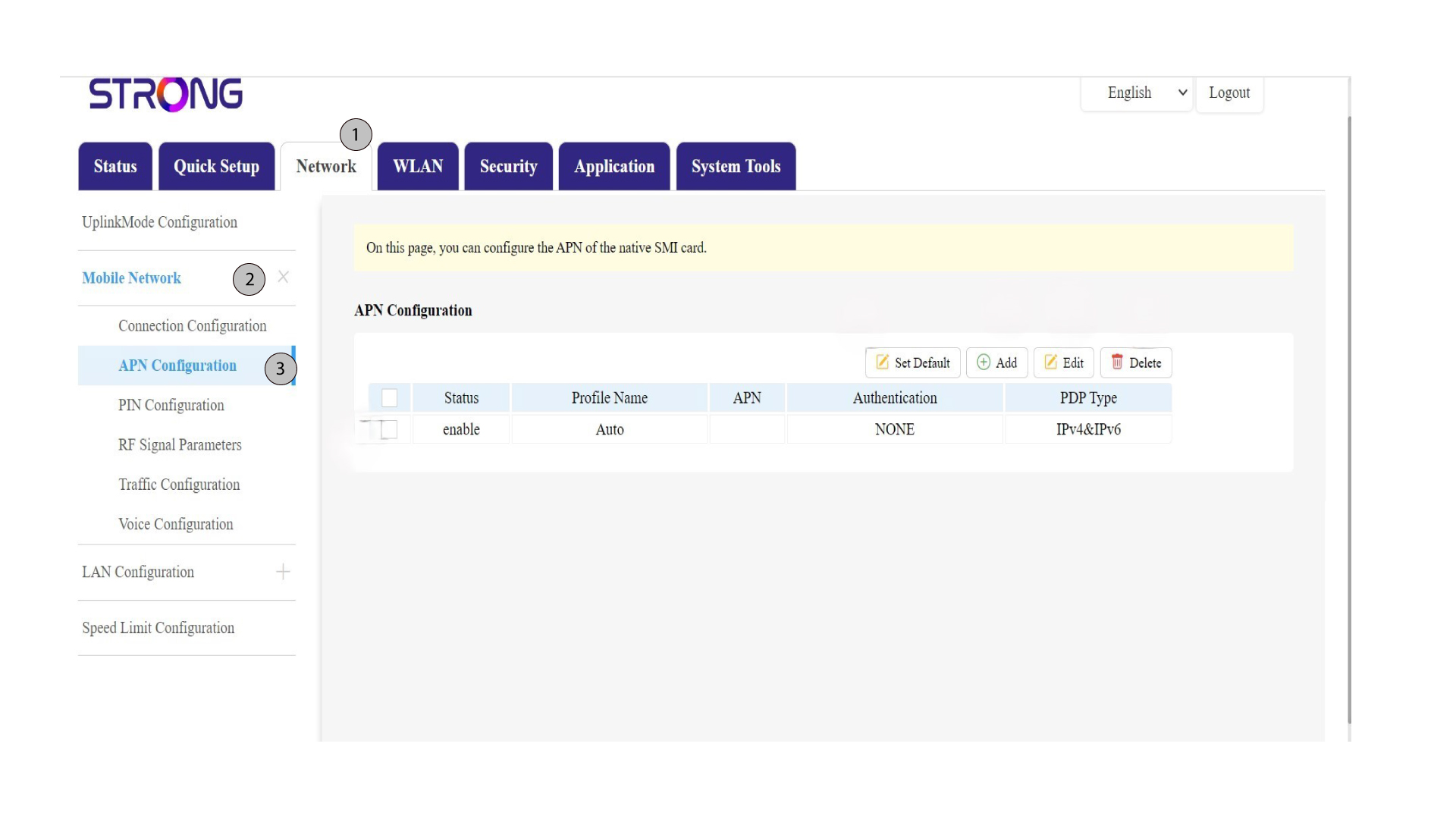
Kliknite na položku „Sieť“ v hornom paneli, potom na sekciu „Mobilná sieť “ a vyberte sekciu „Konfigurácia APN “.
5. Overtesi informácie
Skontrolujte nasledujúce informácie:
Stav |
Názov profilu |
APN |
Overenie identity |
Typ PDP |
6Skontrolujtenastavenia APN u svojho operátora
Nastavenia APN nájdete na webovej stránke vášho poskytovateľa služieb. Musíte si zapísať nasledujúce informácie:
- Meno
- APN
- Používateľské meno
- Heslo
- Typ overovania
7. Pridaťnový APN
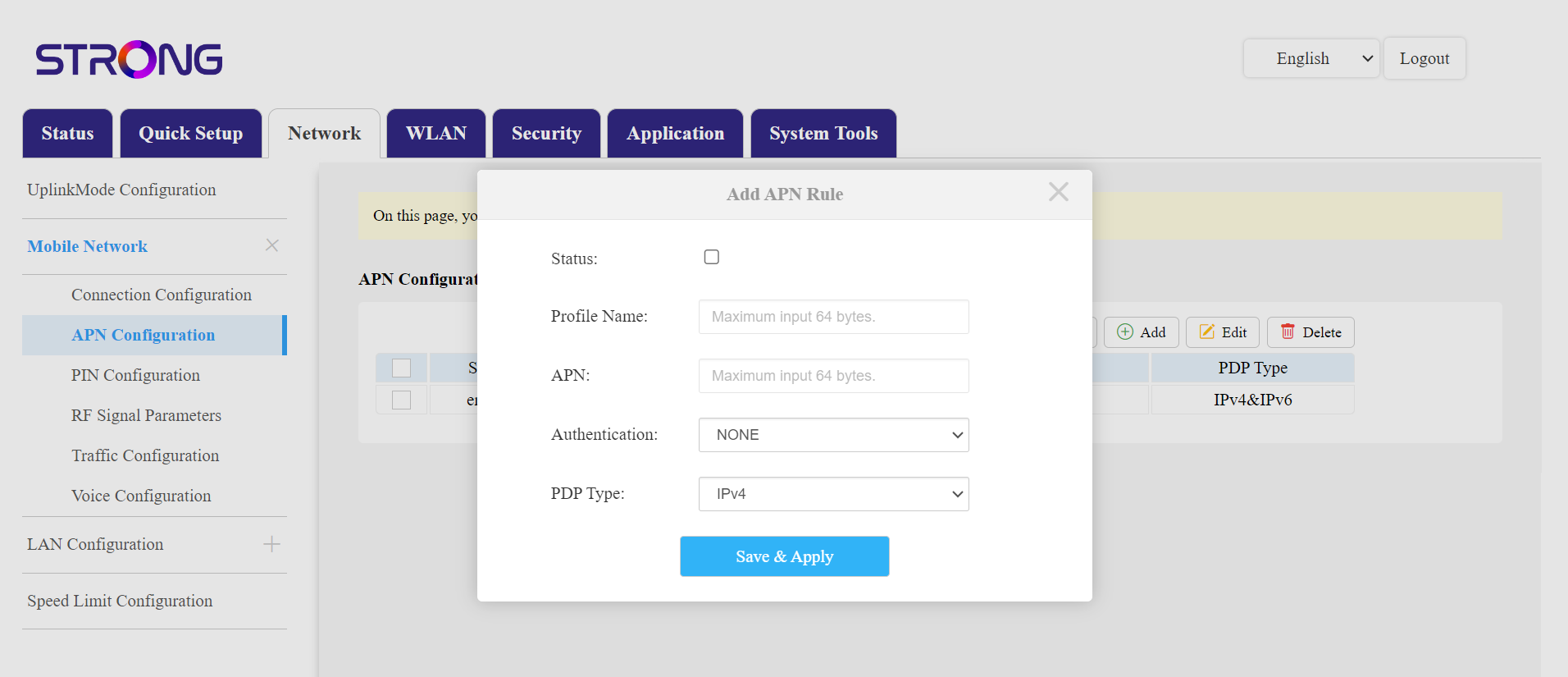
Ak sú údaje nesprávne, kliknite na prepínač „Pridať“ a pred kliknutím na „Uložiť a použiť“ zadajte nasledujúce údaje:
- Typ overovania: Vyberte možnosť ŽIADNE, CHAP, PAP alebo PAP&CHAP
- Názov profilu: Zadajte názov svojho poskytovateľa služieb (maximálne 14 znakov vrátane medzier).
- APN: Zadajte adresu APN.
- Typ PDP – vyberte typ APN: IPv4, IPv6 alebo IPv4 a IPv6.
- Pozrite si štatút box.
Pomocou možnosti „Nastaviť predvolené“ môžete obnoviť konfiguráciu APN , pomocou príslušných možností môžete upraviť existujúcu konfiguráciu alebo ju odstrániť.