4G AIRHOME 310 са одвојивим 4G антенама
Нема пронађених ставки.
Нема пронађених ставки.
Сва питања
4G AIRHOME 310 са одвојивим 4G антенама
Нема пронађених ставки.
Нема пронађених ставки.
Како да променим SSID (назив Wi-Fi мреже) и лозинку? (Случај 2: Wi-Fi подешавања)
Како да променим SSID (назив Wi-Fi мреже) и лозинку? (Случај 1: Брза подешавања)
У веб интерфејсу имате два начина да промените SSID и лозинку вашег рутера:
• Коришћењем Брзих подешавања
• Или коришћењем подешавања Wi-Fi мреже.
1 Повежите се са Wi-Fi мрежом рутера
Да бисте променили SSID и лозинку, морате се повезати на Wi-Fi мрежу вашег уређаја. И повезати се са веб интерфејсом пратећи ову процедуру:

2 подешавања Wi-Fi мреже
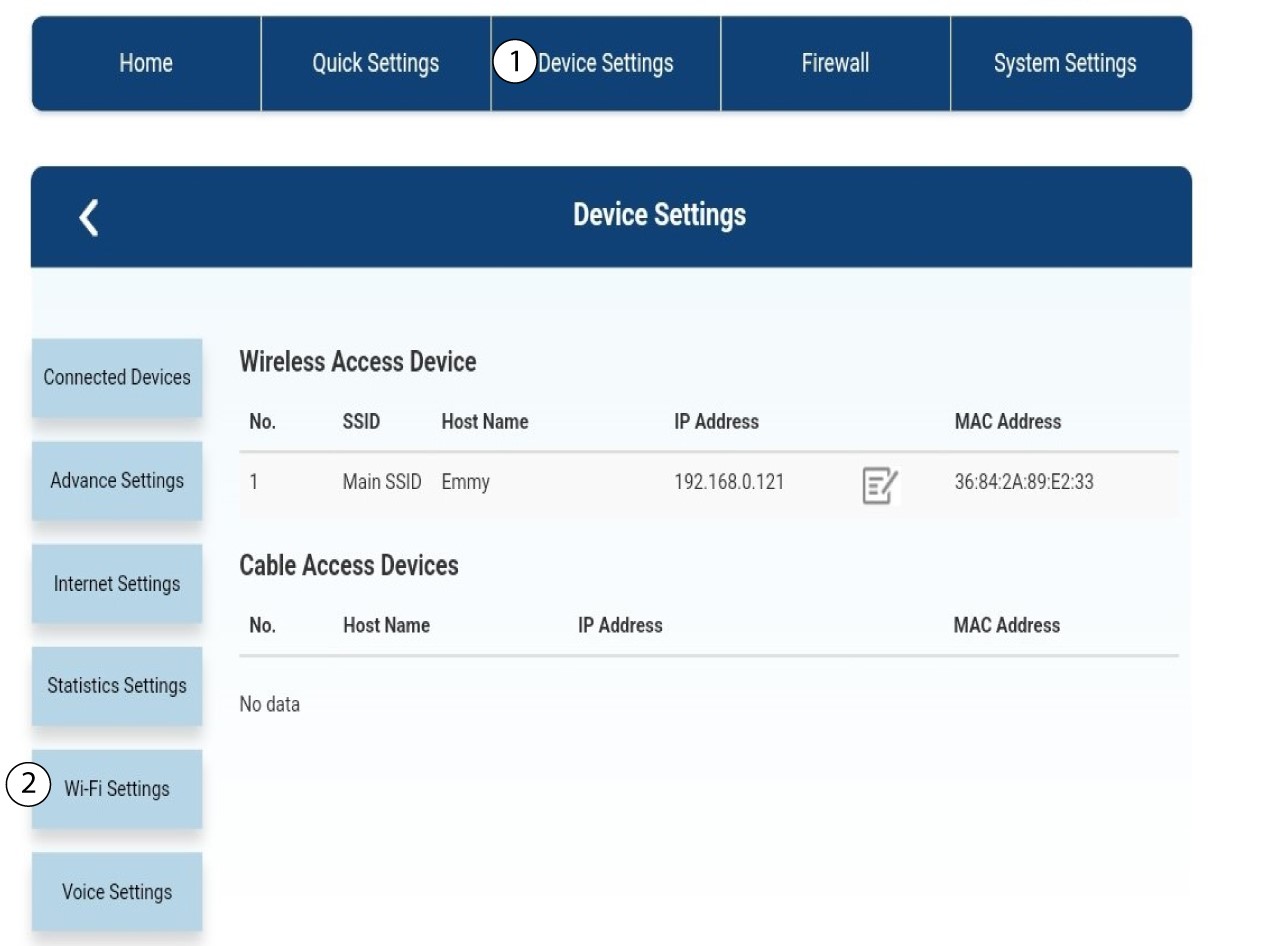
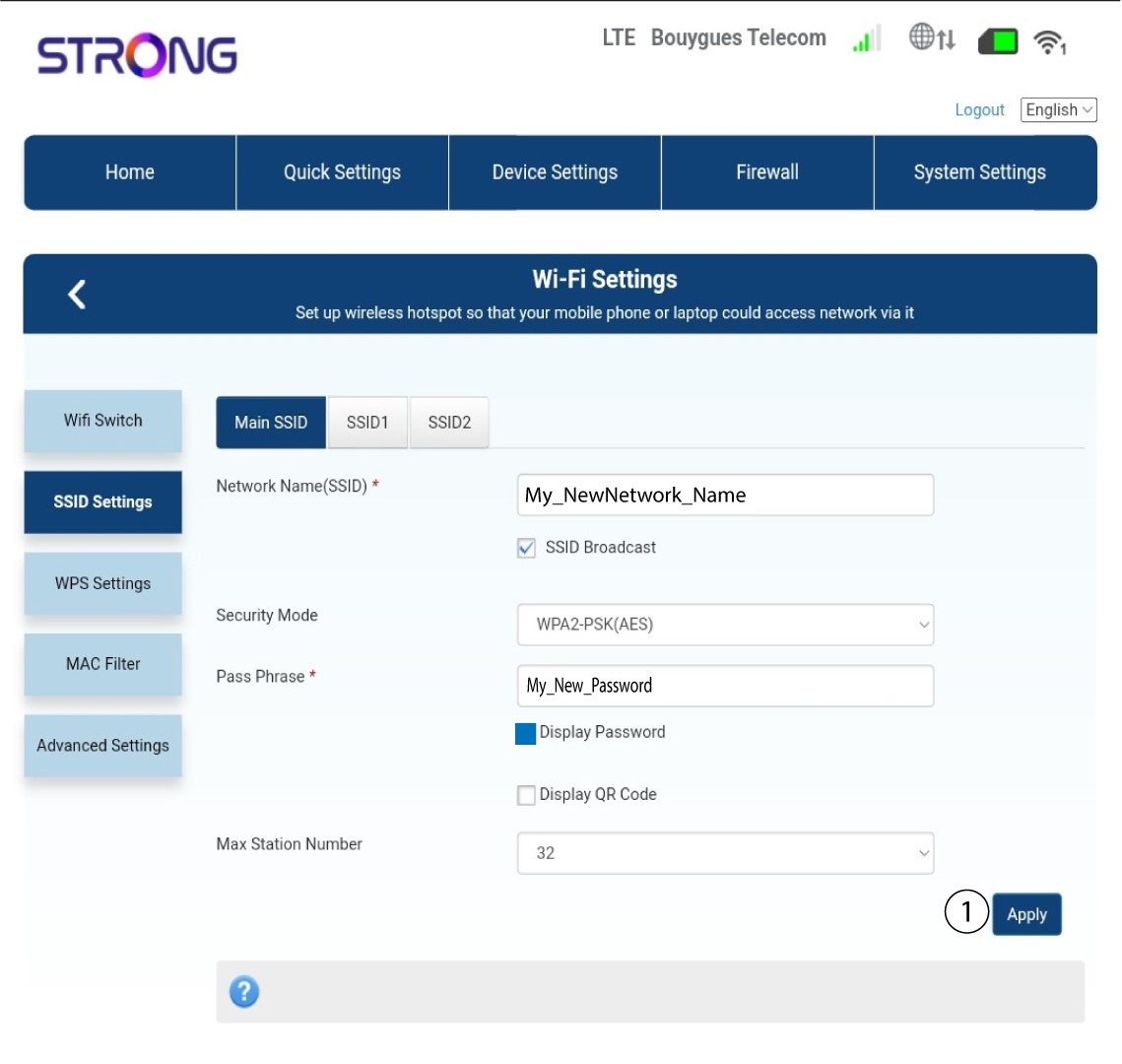
Кликните на Подешавања уређаја и изаберите Подешавања Wi-Fi мреже .
3 подешавања SSID-а
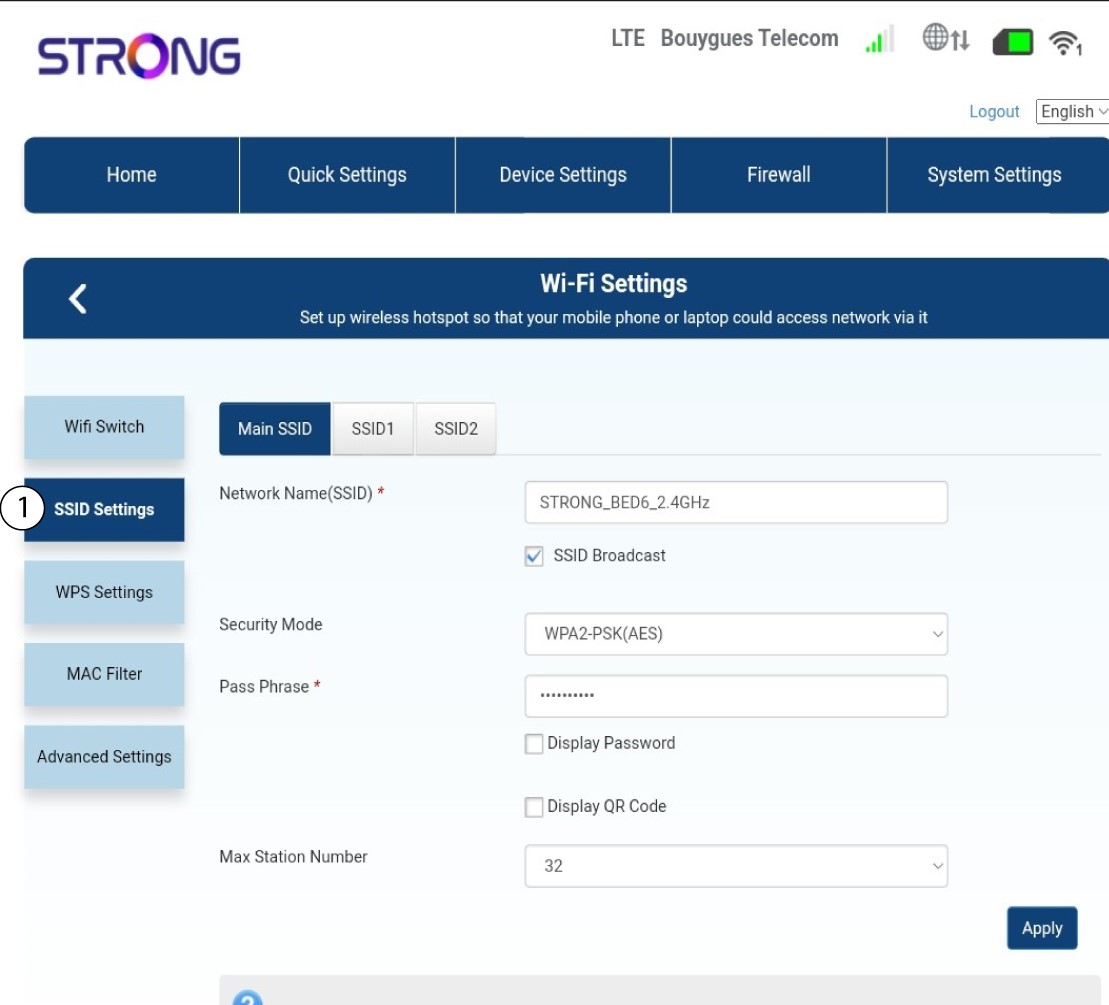
Затим изаберите Подешавања SSID-а .
4 Унесите информације о вашој новој мрежи
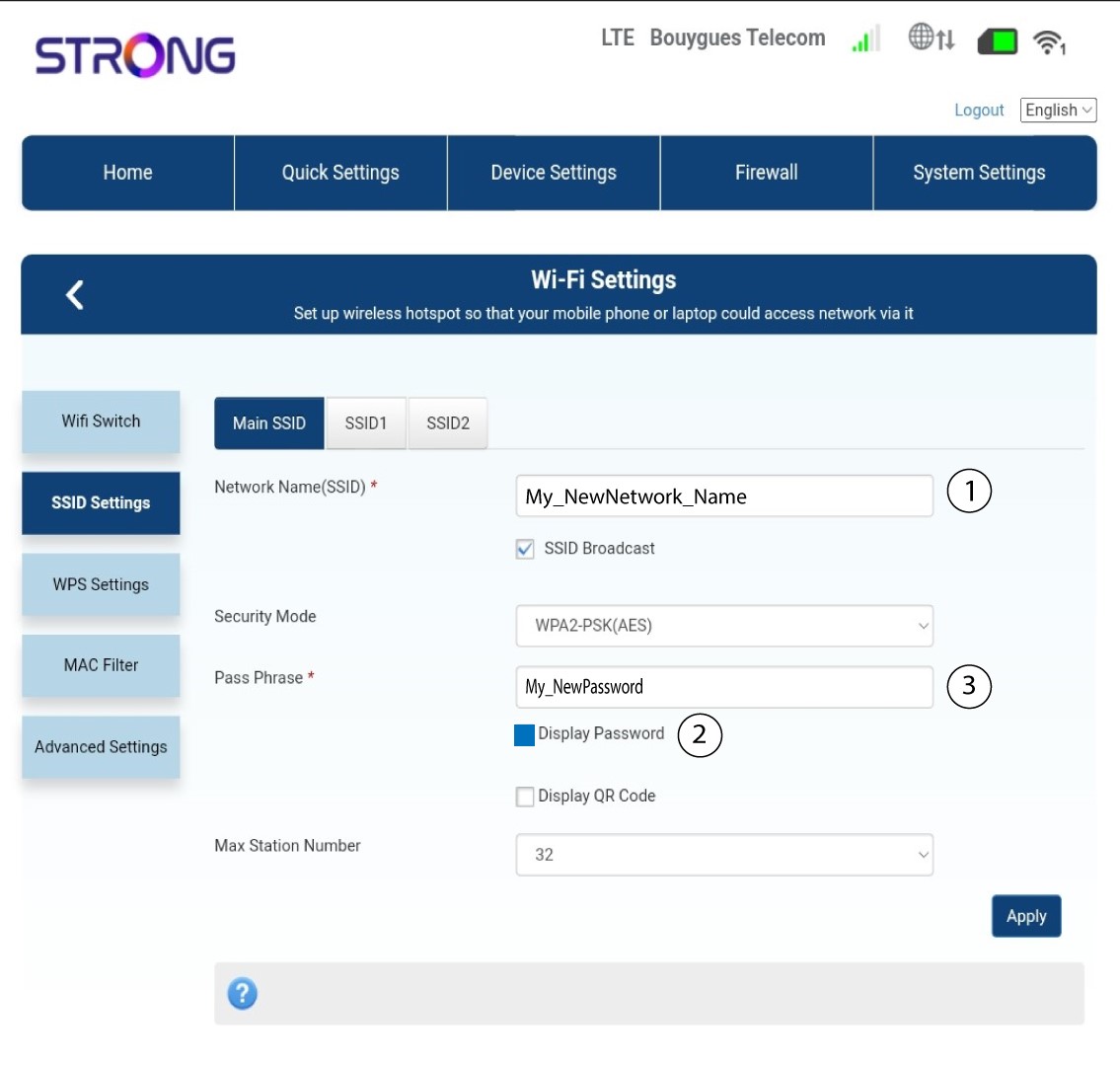
Промените име унето у поље Име мреже (SSID) и означите поље Прикажи лозинку . Затим промените лозинку унето у поље Лозинка .
5 Сачувајте нове информације о мрежи
Кликните на Примени да бисте сачували измене.
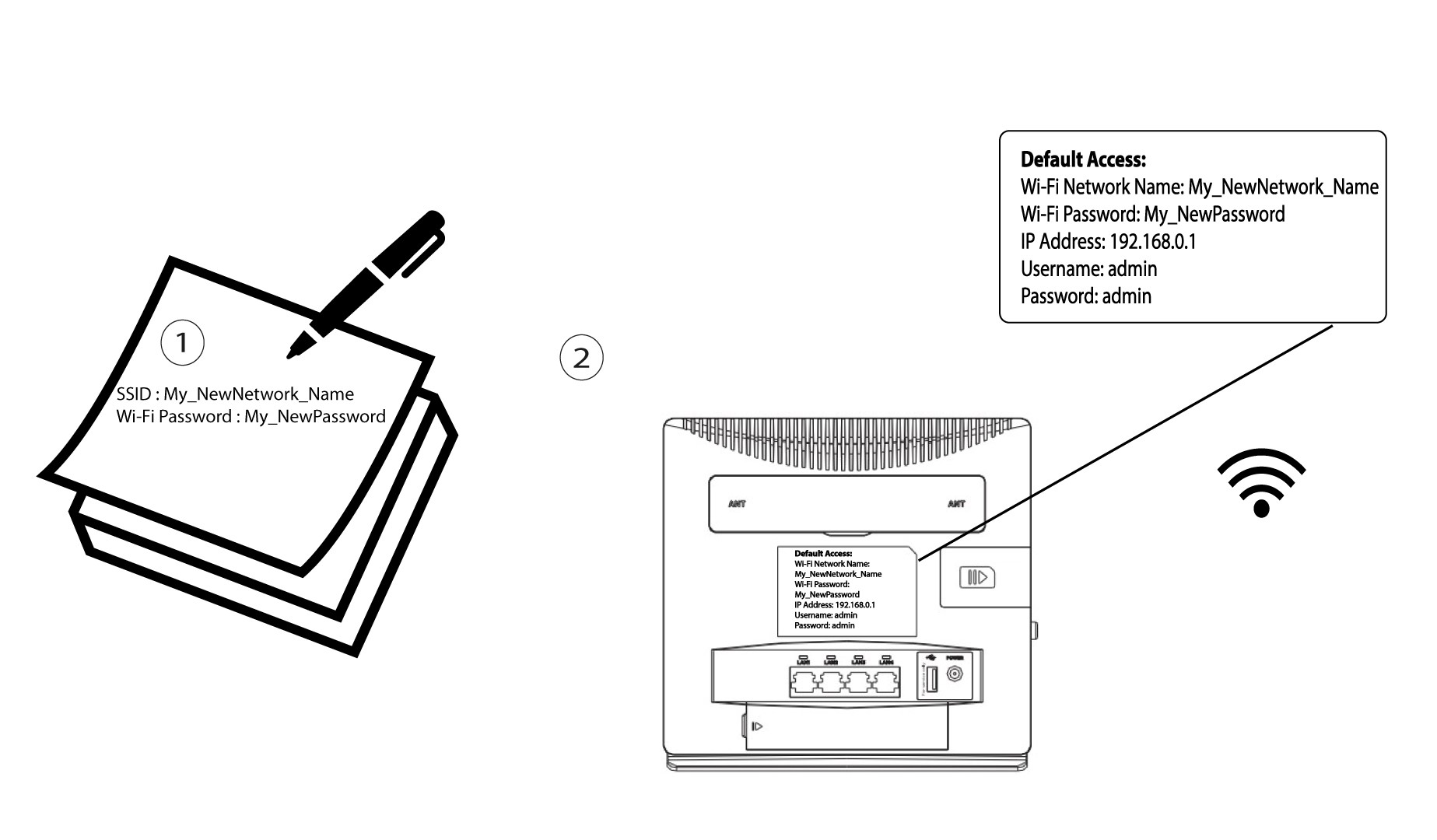
6 Запишите нове информације о мрежи
Напишите свој нови SSID и лозинку на папиру и залепите га на рутер.