
4G AIRHOME 310 са одвојивим 4G антенама
Нема пронађених ставки.
Нема пронађених ставки.
Сва питања
4G AIRHOME 310 са одвојивим 4G антенама
Нема пронађених ставки.
Нема пронађених ставки.
Коју врсту СИМ картице могу да убацим у рутер?
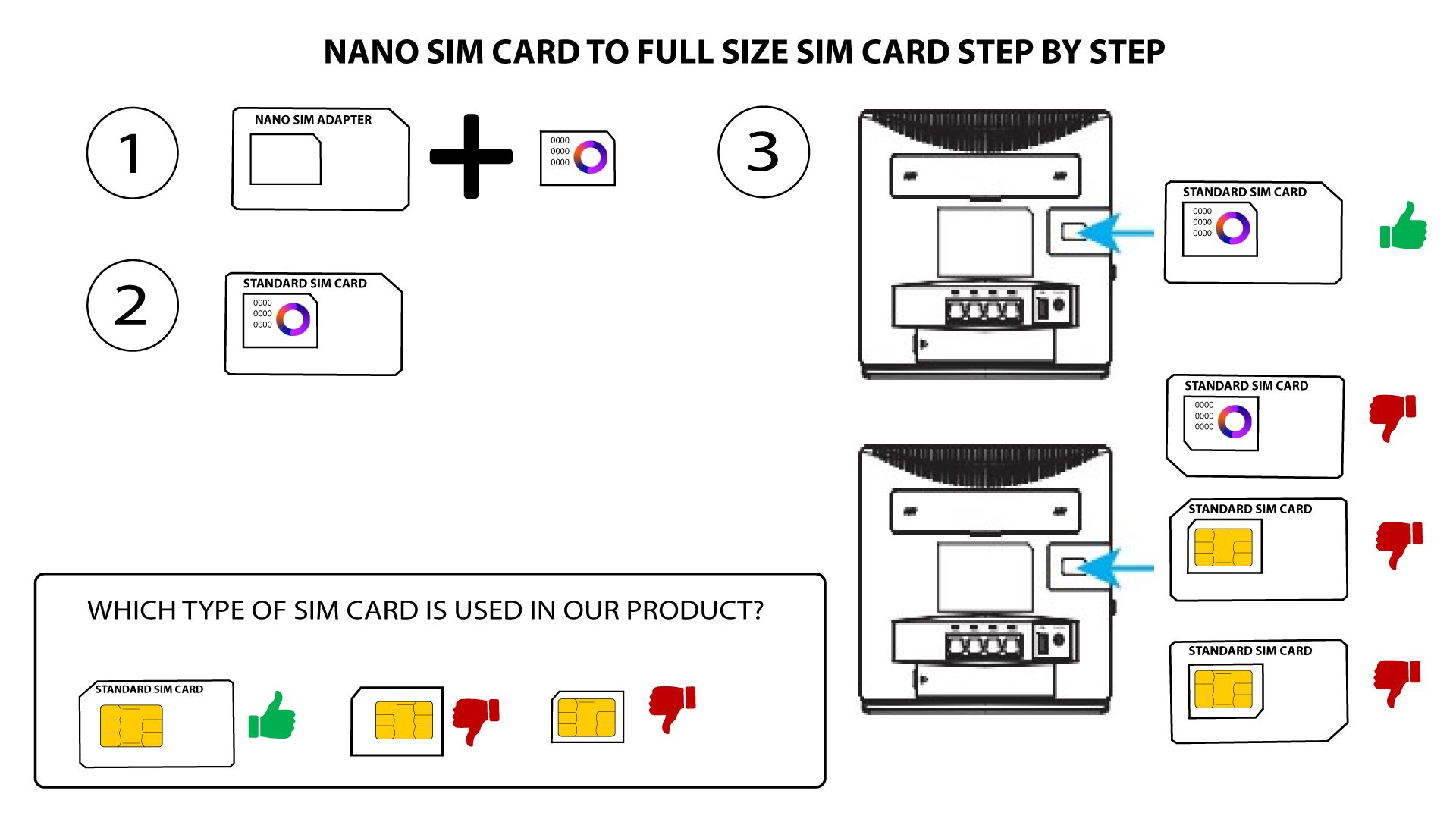
СИМ картица пуне величине мора бити уметнута у слот за СИМ картицу 4G LTE рутера 300. Не морате да бринете о величини ваше СИМ картице јер се у паковању рутера налазе адаптери који одговарају величини. Морате уметнути СИМ картицу пре укључивања уређаја.
1 Кутија 1: Нано СИМ картица
Када ставите СИМ картицу у адаптер, наставите да је притискате у адаптеру да бисте је задржали. Узмите уређај у руку и уметните СИМ картицу у слот на исти начин као што је приказано на шеми испод.
2 СЛУЧАЈ 2: Микро СИМ картица
Када ставите СИМ картицу у адаптер, наставите да је притискате у адаптеру да бисте је задржали. Узмите уређај у руку и уметните СИМ картицу у слот на исти начин као што је приказано на шеми испод.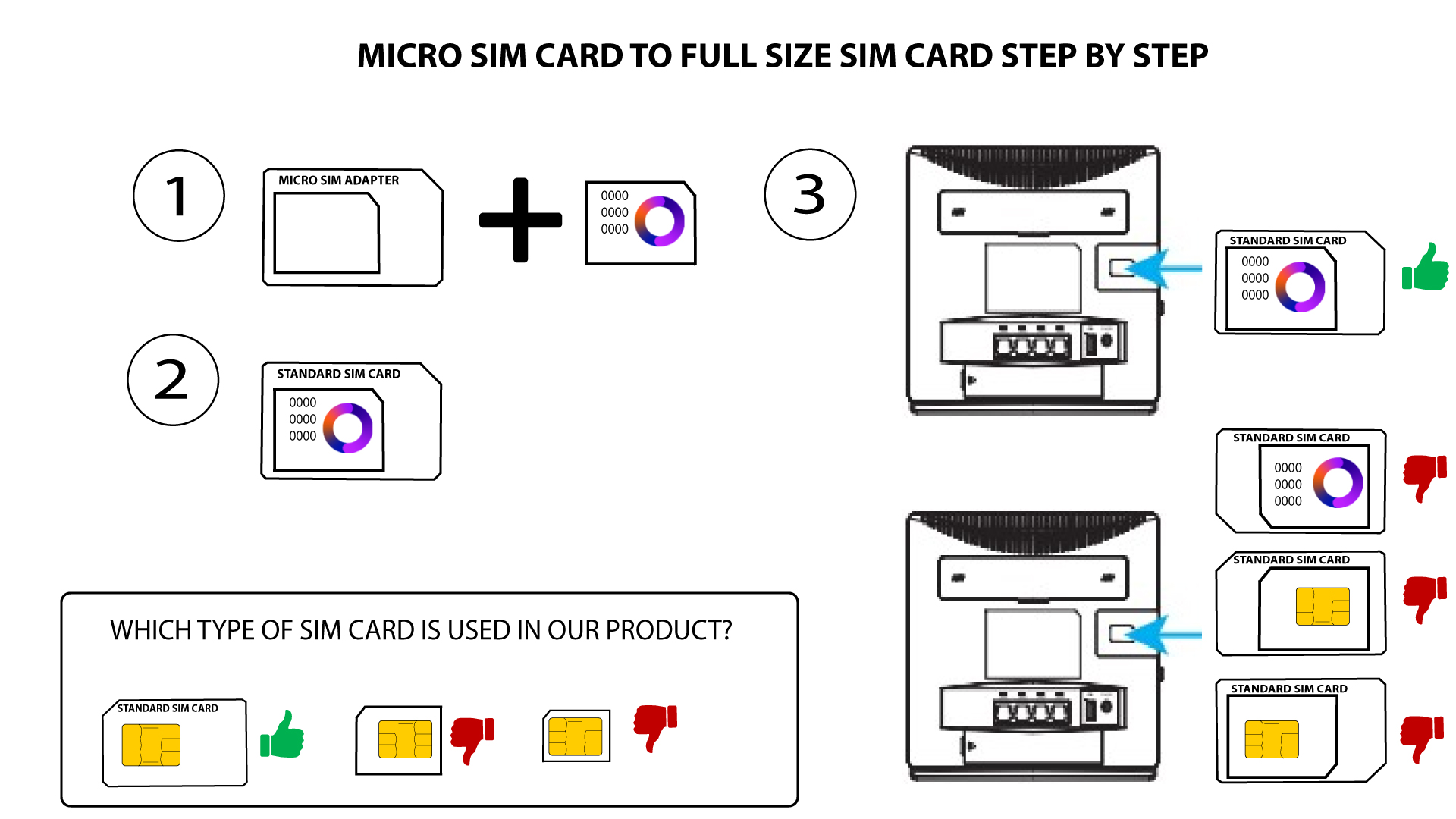

Уверите се да је ваша СИМ картица правилно постављена у адаптеру пре него што је уметнете у слот.
• Ако уређај не детектује вашу SIM картицу, проверите њен положај и да ли сте исправно уметнули адаптер.