
4G AIRHOME 310 са одвојивим 4G антенама
Сва питања
4G AIRHOME 310 са одвојивим 4G антенама
Како да ажурирам фирмвер уређаја?
Када сте повезани на веб интерфејс, морате проверити верзију фирмвера коју користи ваш уређај користећи опцију за онлајн надоградњу у веб интерфејсу. На тај начин ће бити инсталирана најновија верзија фирмвера.
Ако имате другу верзију, погледајте поступак испод да бисте ажурирали фирмвер.
1 Повезивање са веб интерфејсом
Да бисте се повезали са веб интерфејсом, погледајте следећу процедуру:
2 Напредна подешавања
Кликните на Подешавања уређаја и изаберите Напредна подешавања .
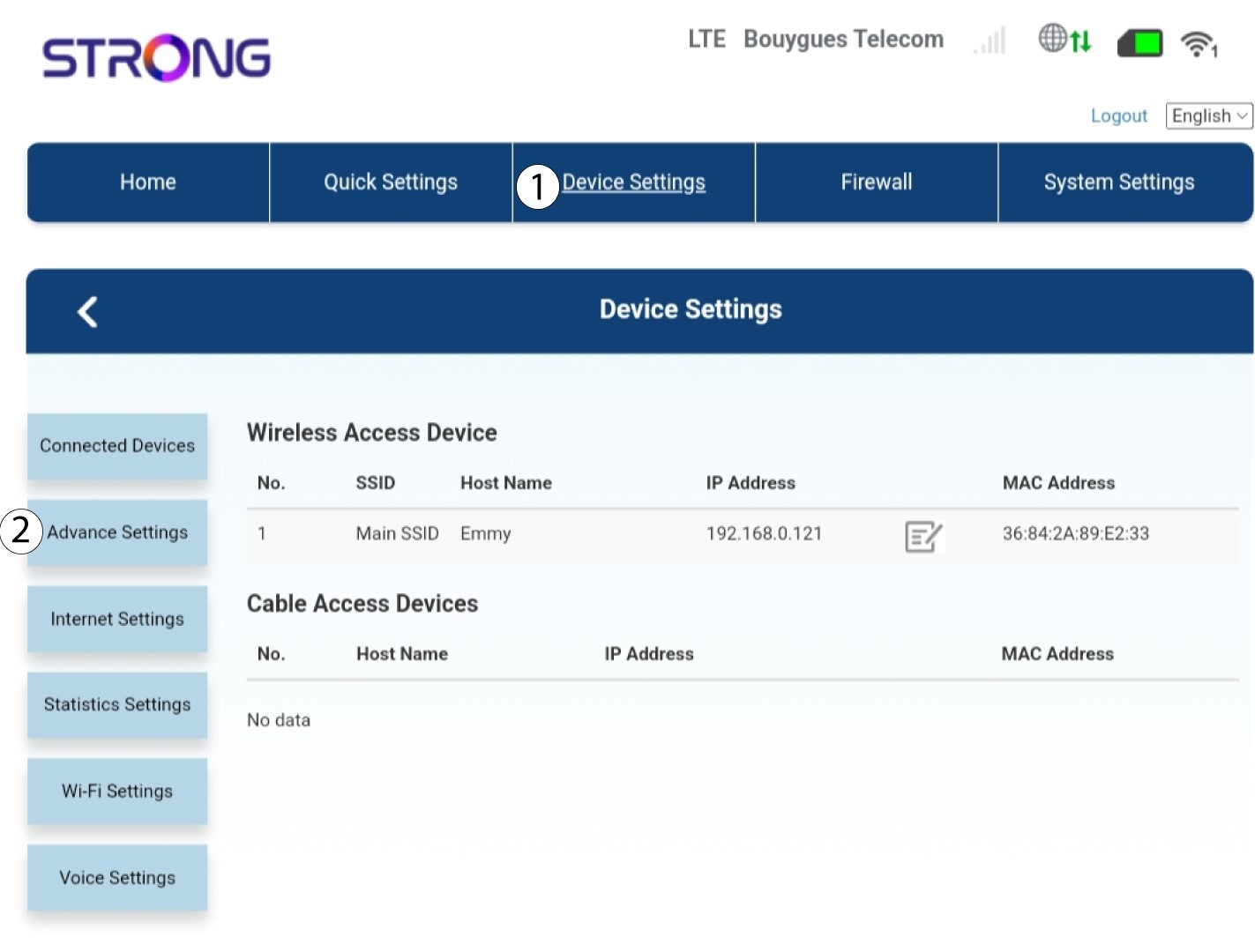
3 Надоградња FOTA-е
У Напредним подешавањима кликните на FOTA надоградња и провери .
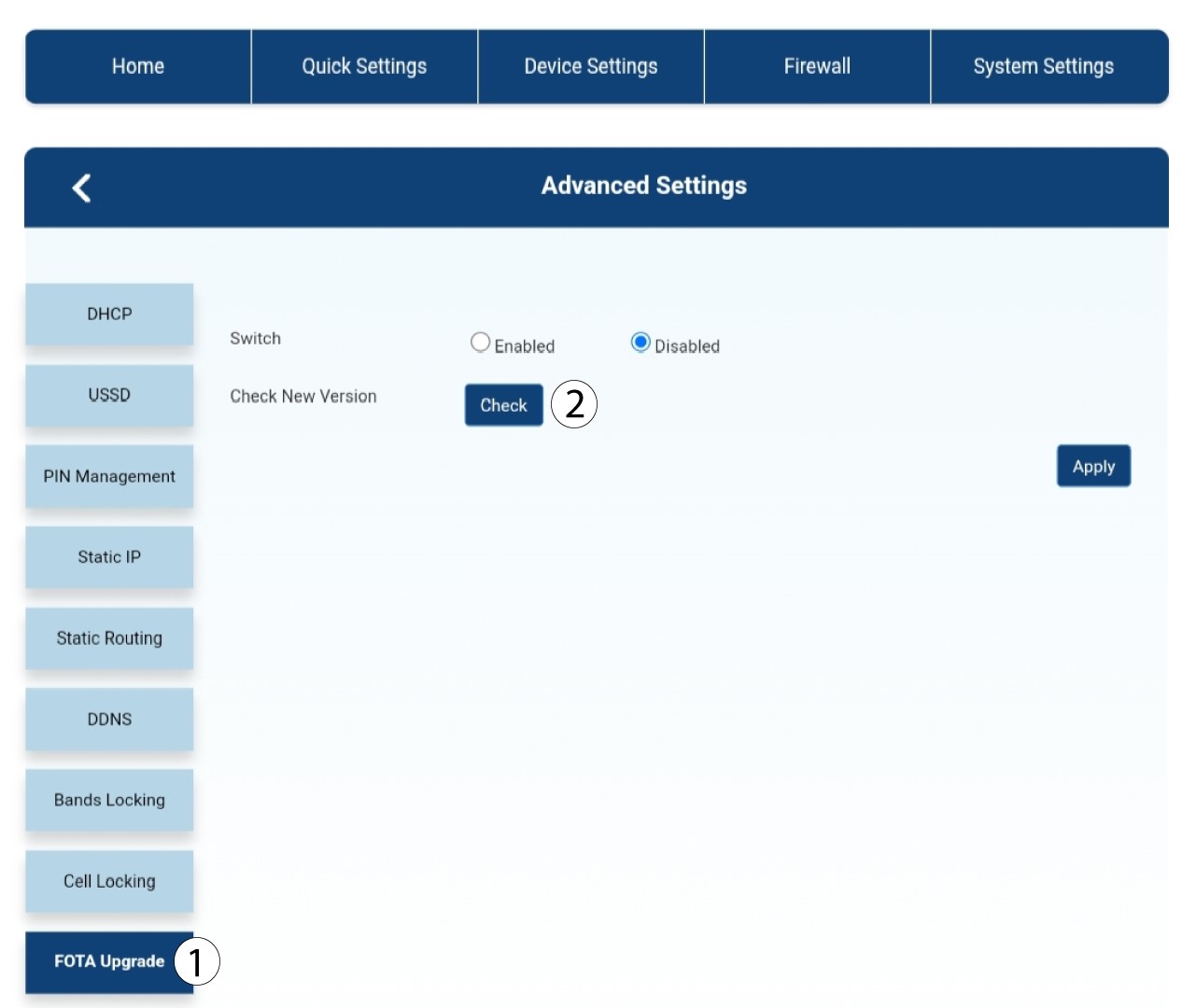
4 Порука са обавештењем о ажурирању
Појавиће се порука у искачућем прозору, кликните на Да .
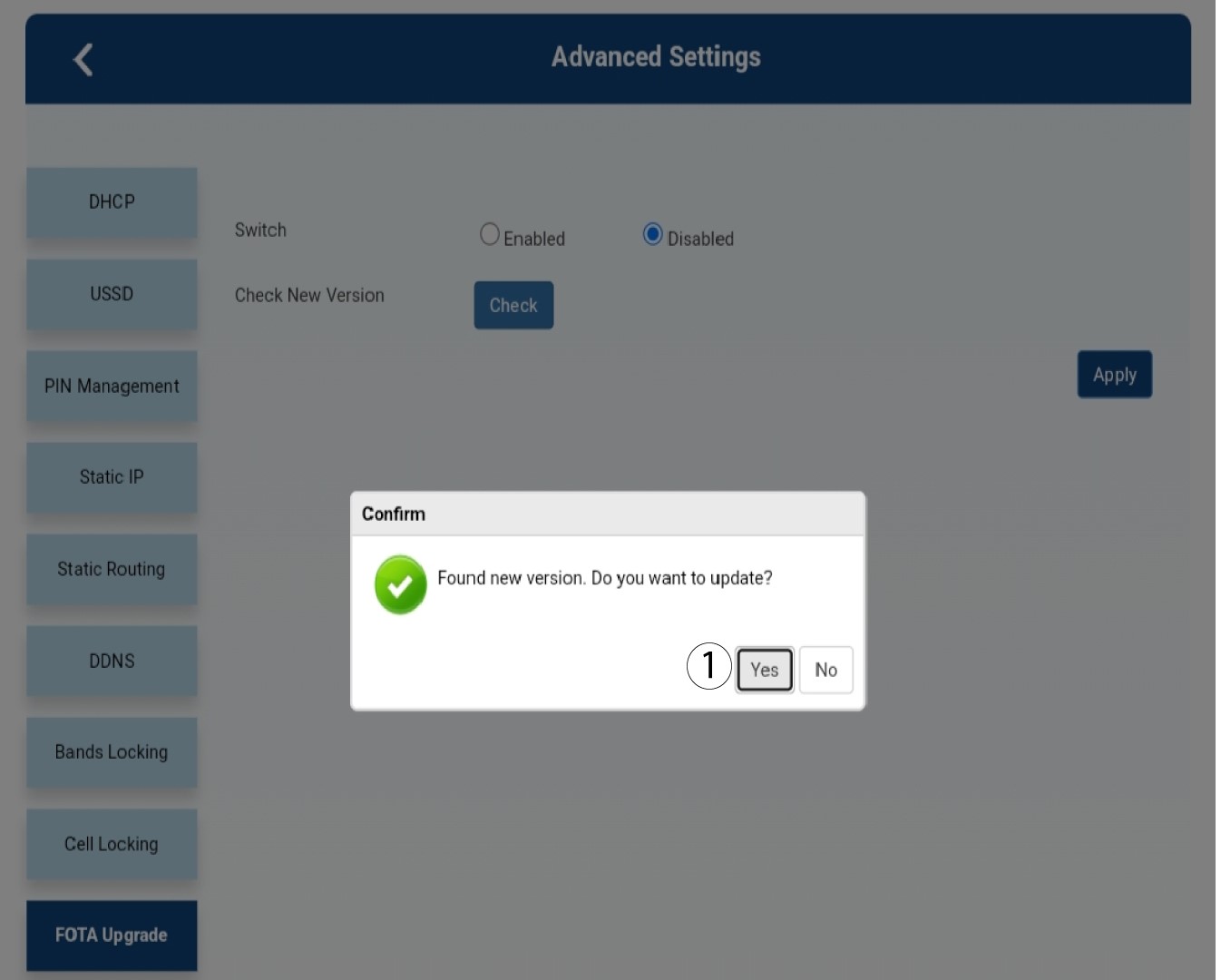

Морате сачекати док се ажурирање не заврши. Приликом надоградње, ЛЕД диоде уређаја постају плаве, а плаво светло иде с лева на десно од једне иконе до друге. Када се ажурирање заврши, иконе се враћају у претходну боју. Ажурирање може трајати до 5 минута.