
4G AIRHOME 310 са одвојивим 4G антенама
Нема пронађених ставки.
Нема пронађених ставки.
Сва питања
4G AIRHOME 310 са одвојивим 4G антенама
Нема пронађених ставки.
Нема пронађених ставки.
Како да деактивирам Wi-Fi?
Ако више волите да користите рутер тако што га директно повежете са уређајем помоћу Етернет кабла, могуће је деактивирати Ви-Фи.
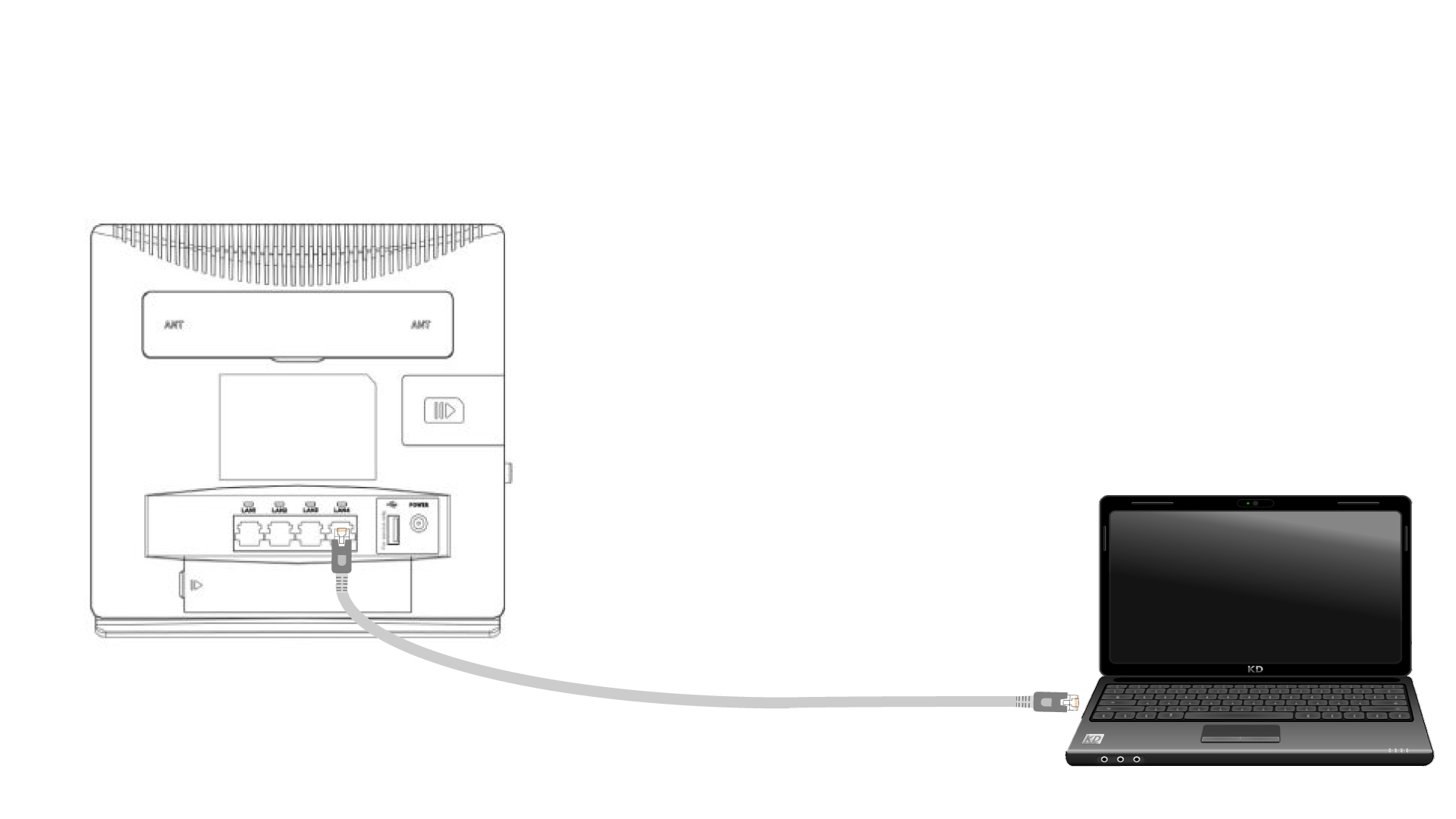
1 Повежите се са рутером помоћу етернет кабла
Прикључите RJ45 кабл на рутер да бисте приступили веб интерфејсу, пратите доленаведену процедуру да бисте се повезали са веб интерфејсом (након корака 2):
2 подешавања Wi-Fi мреже
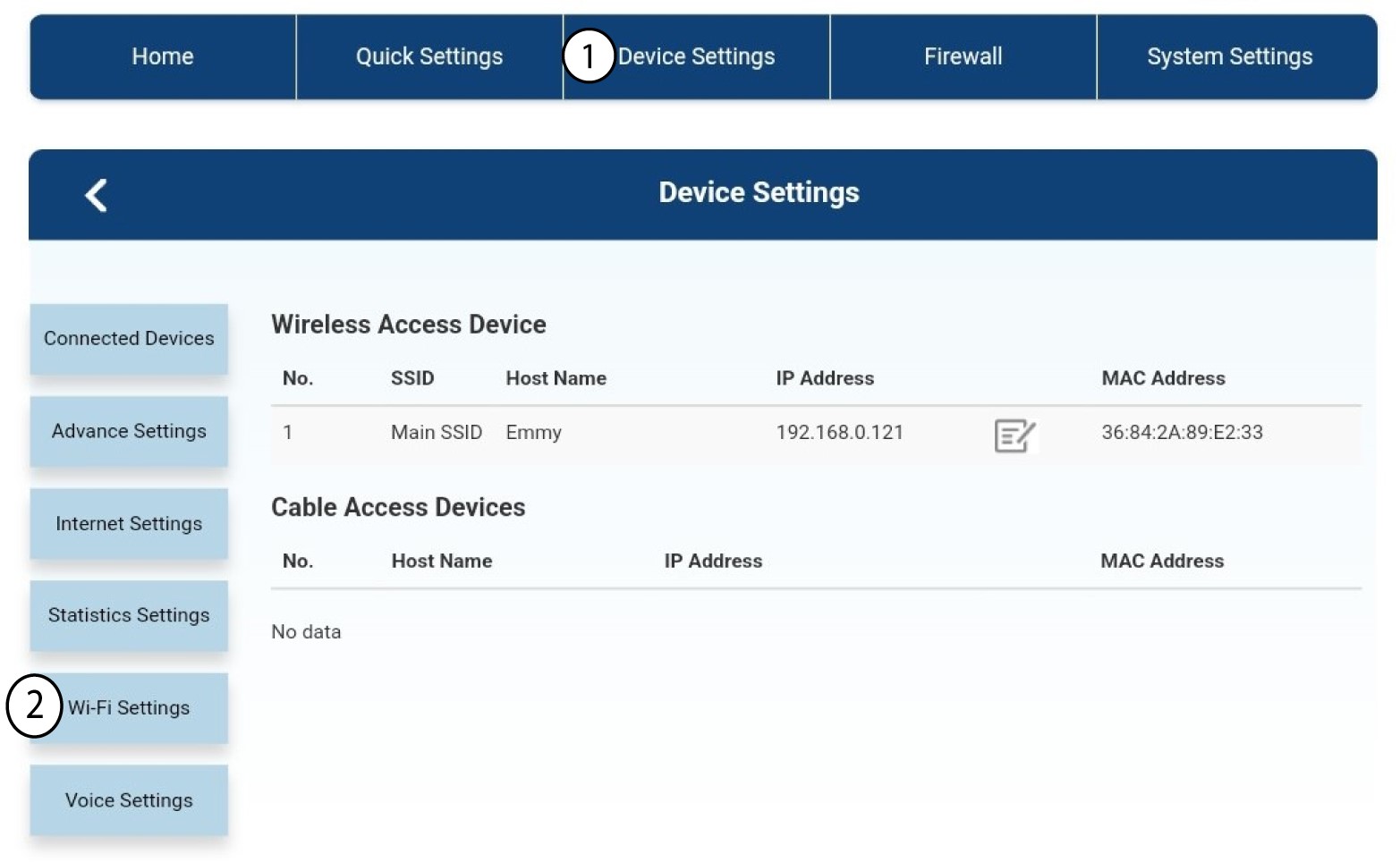
Затим кликните на Подешавања уређаја , а након тога изаберите Подешавања Ви-Фи мреже .
3 Деактивирајте Wi-Fi
У подешавањима Wi-Fi -ја изаберите Wi-Fi Switch Затим кликните на поље Онемогућено и дугме Примени .
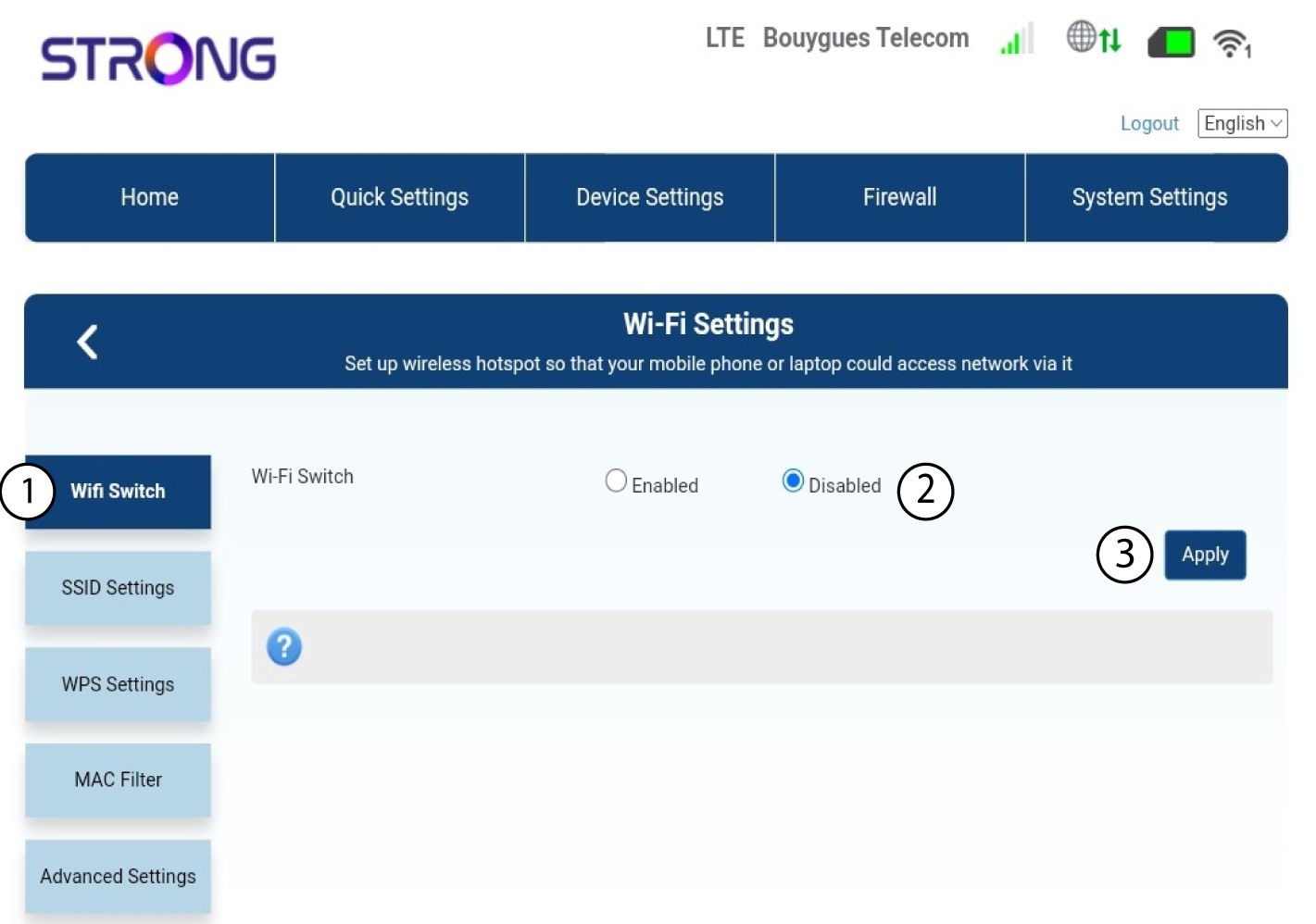

Wi-Fi мрежа рутера је деактивирана. Сви уређаји који су претходно били повезани на мрежу биће аутоматски искључени. Да бисте поново активирали Wi-Fi, морате да одете у веб интерфејс или можете да вратите рутер на фабричка подешавања.