4G AIRHOME 310 med avtagbara 4G-antenner
Inga föremål hittades.
Inga föremål hittades.
Alla frågor
4G AIRHOME 310 med avtagbara 4G-antenner
Inga föremål hittades.
Inga föremål hittades.
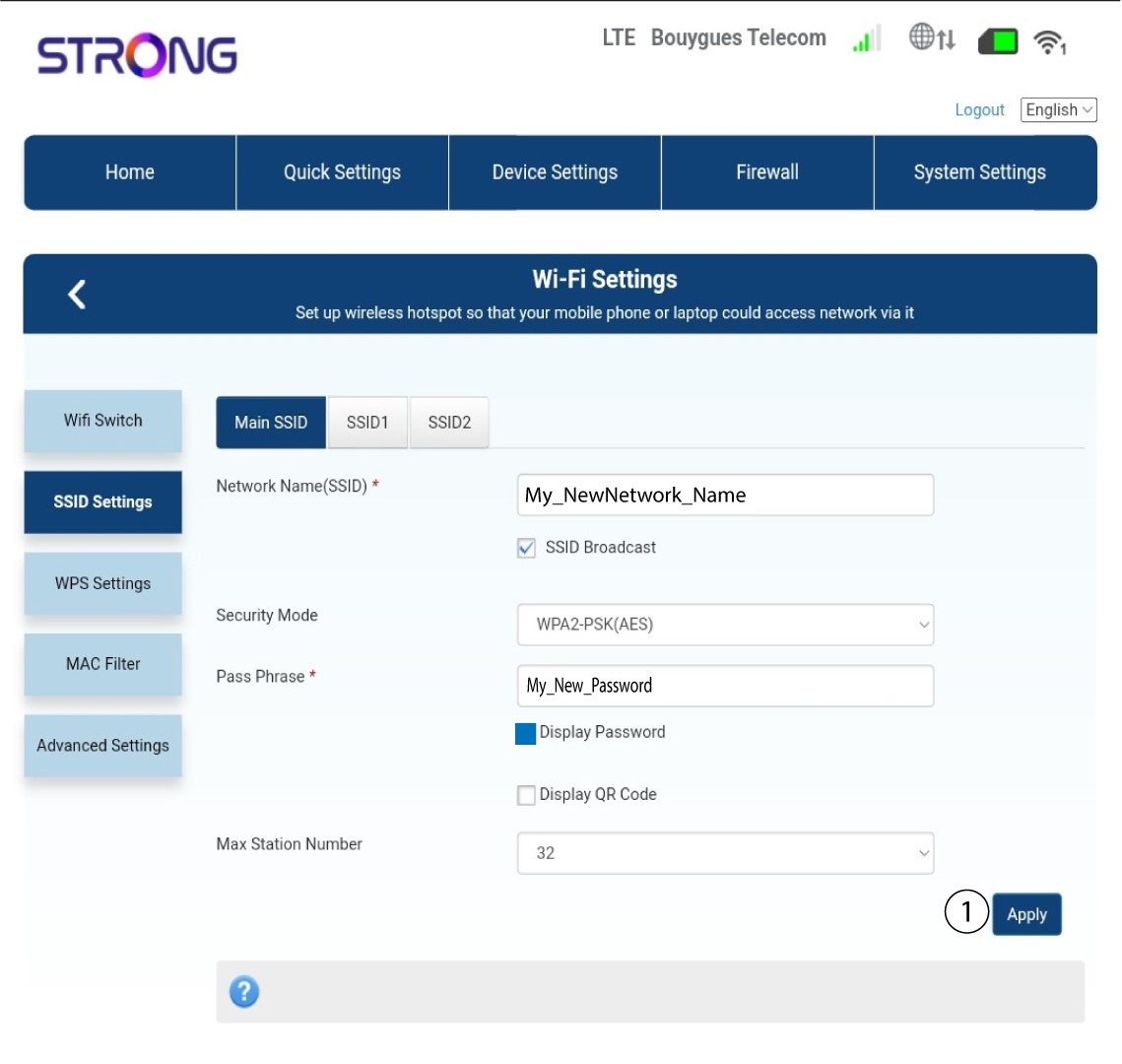
Hur ändrar jag SSID (Wi-Fi-nätverksnamn) och lösenord? (Fall 2: Wi-Fi-inställningar)
Hur ändrar jag SSID (Wi-Fi-nätverksnamn) och lösenord? (Fall 1: Snabbinställningar)
I webbgränssnittet finns det två sätt att ändra routerns SSID och lösenord:
• Genom att använda snabbinställningarna
• Eller genom att använda Wi-Fi-inställningarna.
1. Ansluttill routerns Wi-Fi-nätverk
För att ändra SSID och lösenord måste du ansluta till enhetens Wi-Fi-nätverk. Anslut sedan till webbgränssnittet genom att följa dessa steg:

2.Wi-Fi-inställningar
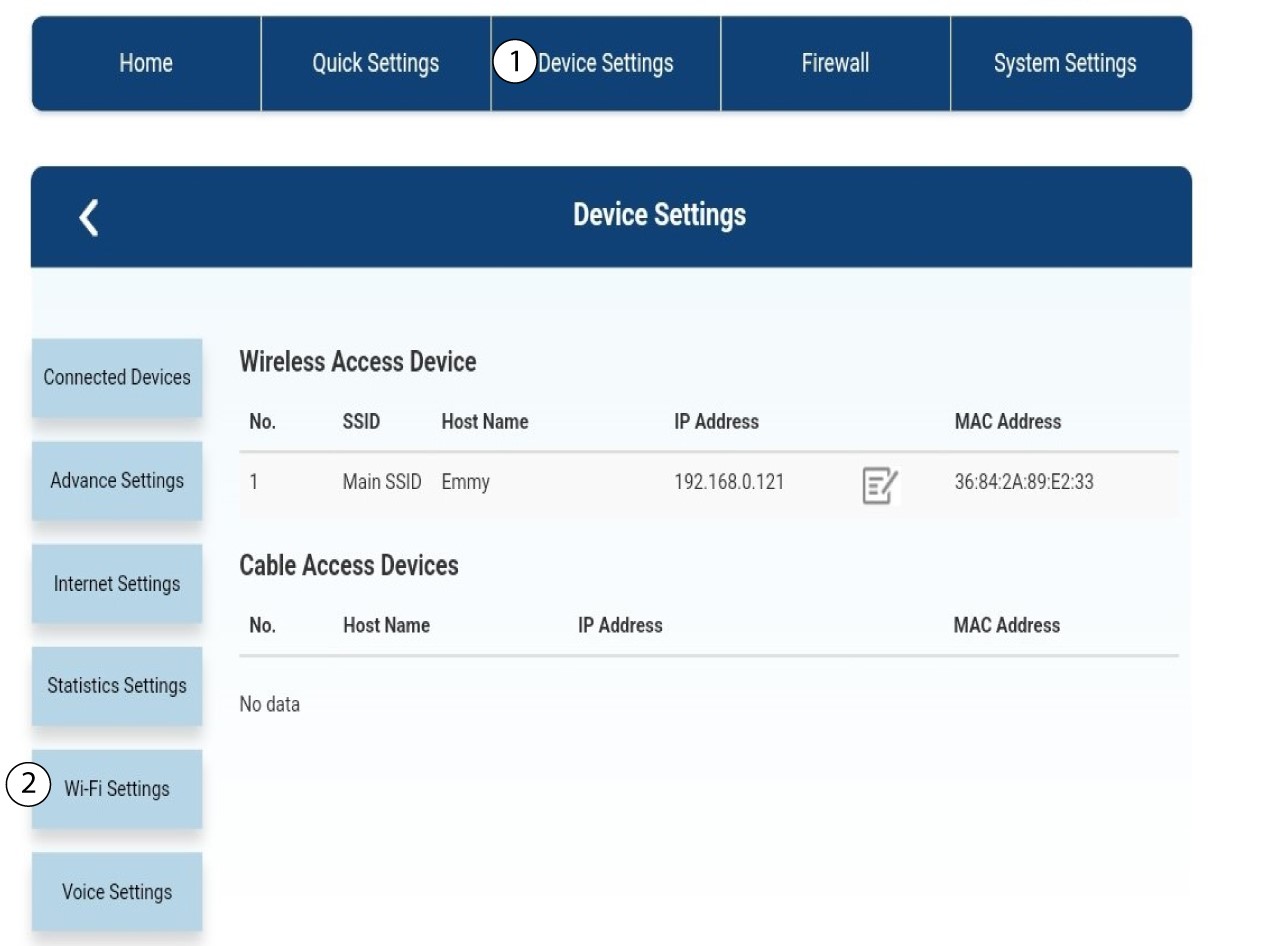
Klicka på Enhetsinställningar och välj Wi-Fi-inställningar.
3SSID-inställningar
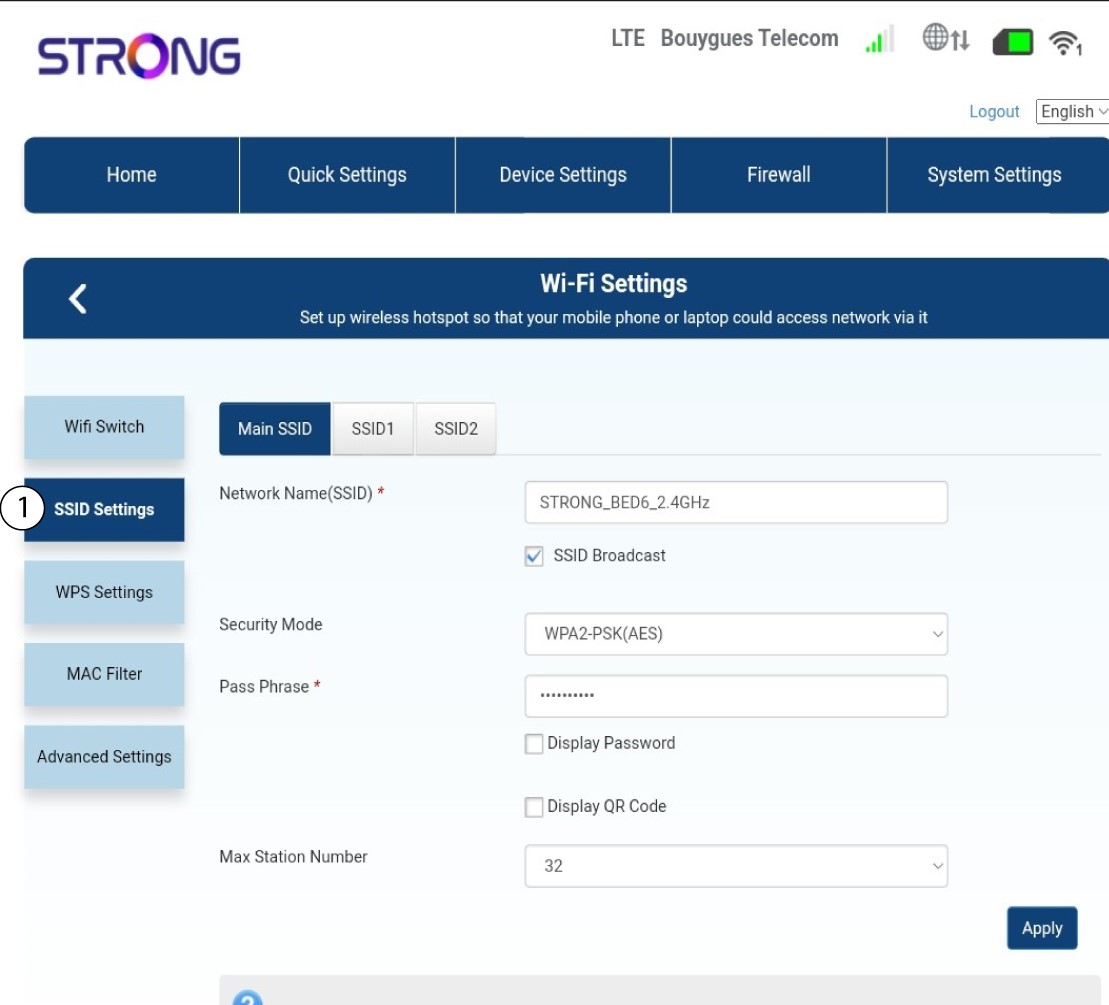
Välj sedan SSID-inställningar.
4Angedina nya nätverksuppgifter
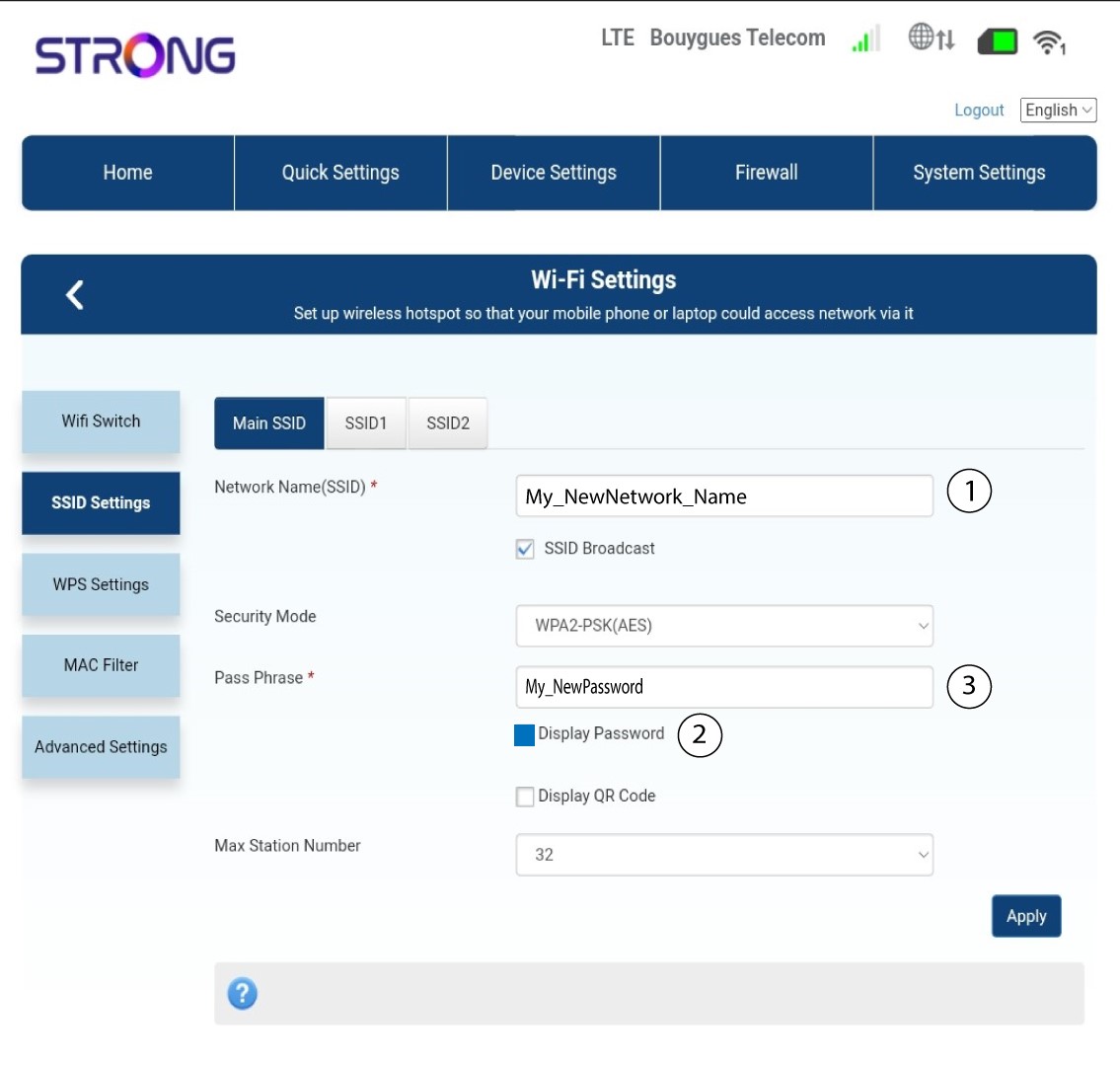
Ändra det namn som anges i fältet Nätverksnamn (SSID) och markera rutan Visa lösenord. Ändra sedan lösenordet som anges i fältet Lösenordsfras.
5Sparaden nya nätverksinformationen
Klicka på ”Apply” för att spara ändringarna.
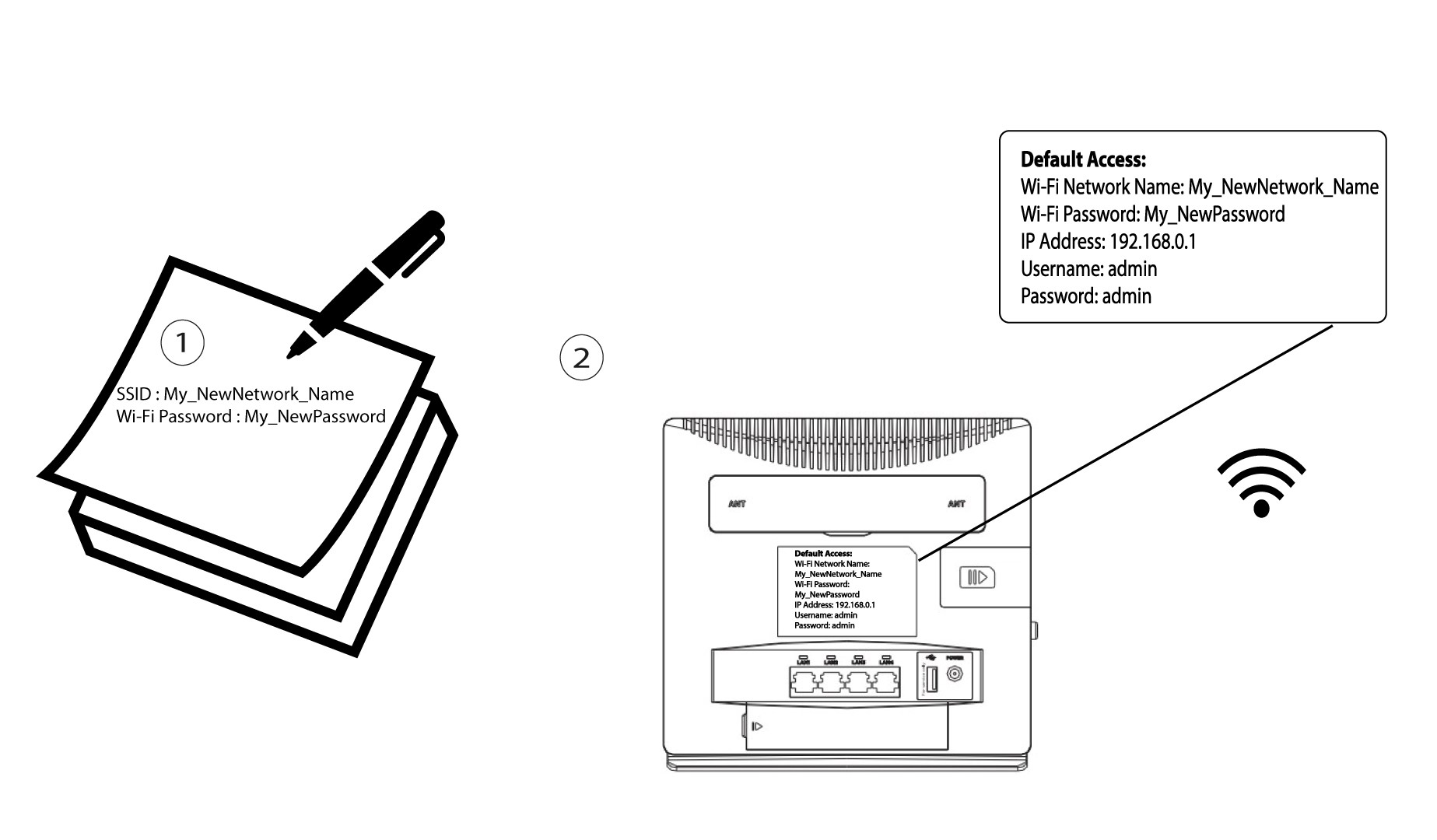
6. Skrivner de nya nätverksuppgifterna
Skriv ner ditt nya SSID och lösenord på ett papper och tejpa fast det på routern.