
4G AIRHOME 310 med avtagbara 4G-antenner
Inga föremål hittades.
Inga föremål hittades.
Alla frågor
4G AIRHOME 310 med avtagbara 4G-antenner
Inga föremål hittades.
Inga föremål hittades.
Hur stänger jag av Wi-Fi?
Om du föredrar att använda din router genom att ansluta den direkt till din enhet med en Ethernet-kabel kan du stänga av Wi-Fi.
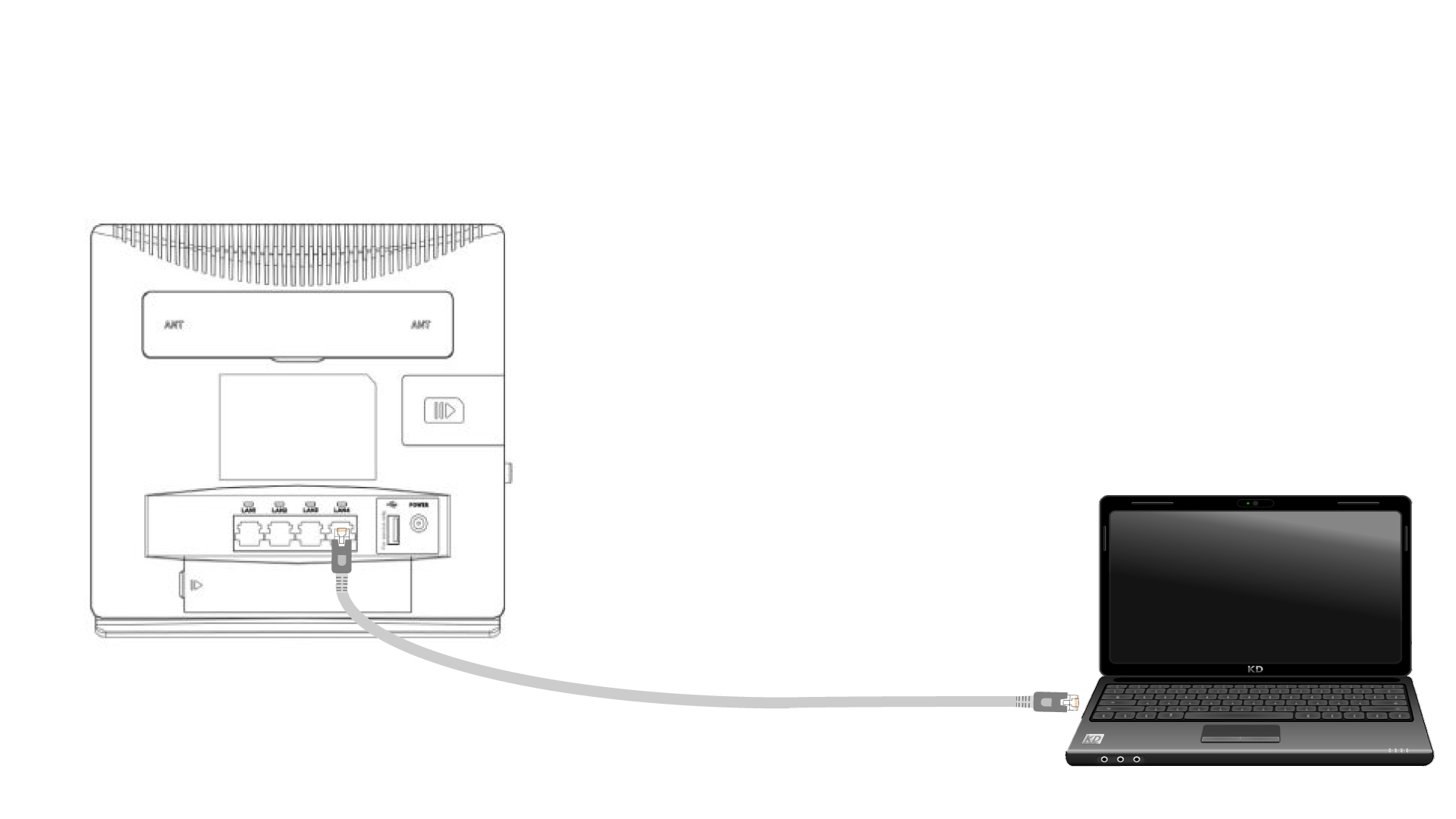
1. Ansluttill routern med en Ethernet-kabel
Anslut en RJ45-kabel till routern för att komma åt webbgränssnittet. Följ anvisningarna nedan för att ansluta till webbgränssnittet (efter steg 2):
2.Wi-Fi-inställningar
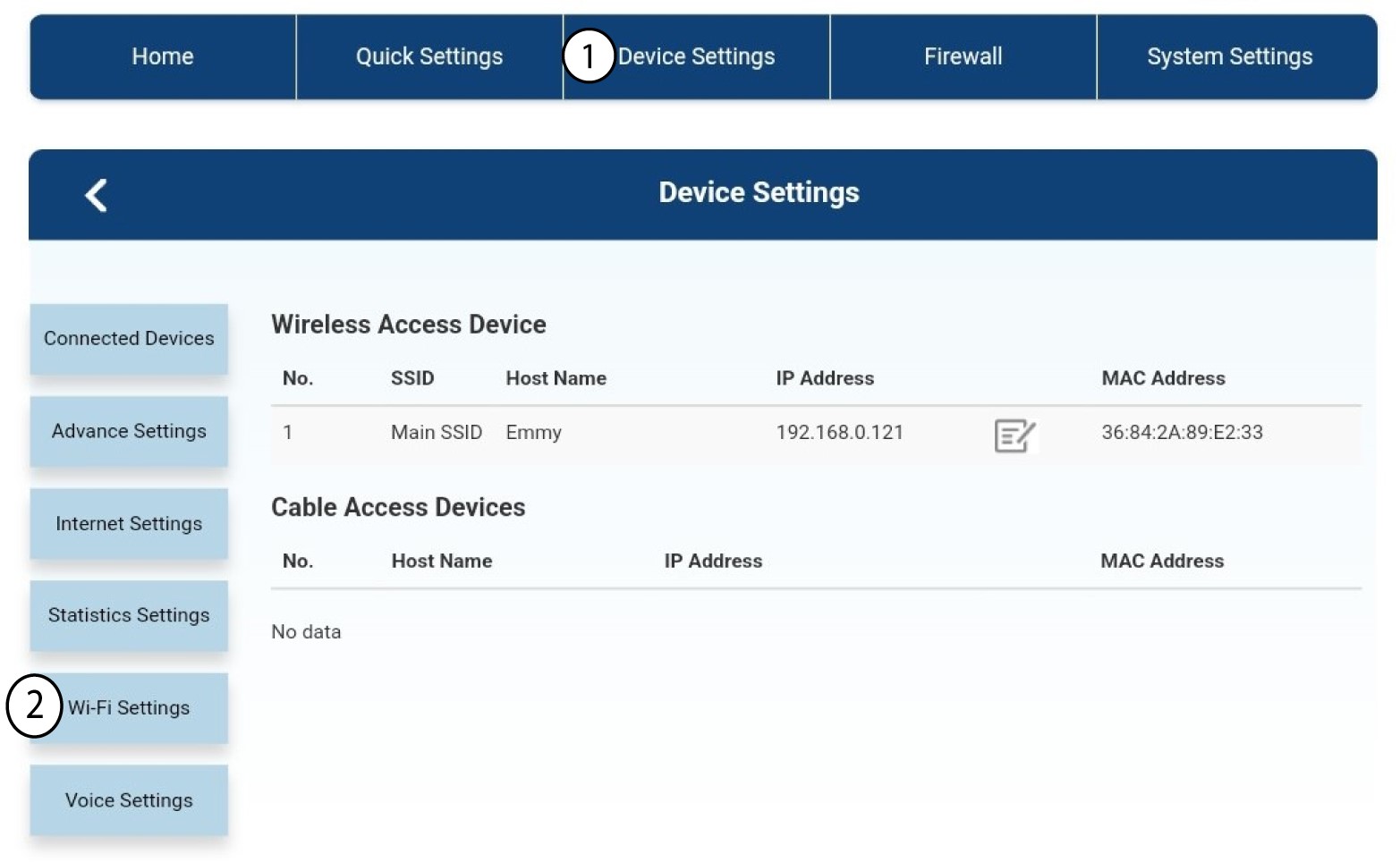
Klicka sedan på Enhetsinställningar och välj därefter Wi-Fi-inställningar.
3. Stäng avWi-Fi
I Wi-Fi-inställningarna väljer du ”Wi-Fi- Switch ”. Markera sedan rutan ”Inaktiverad ” och klicka på knappen ”Verkställ ”.
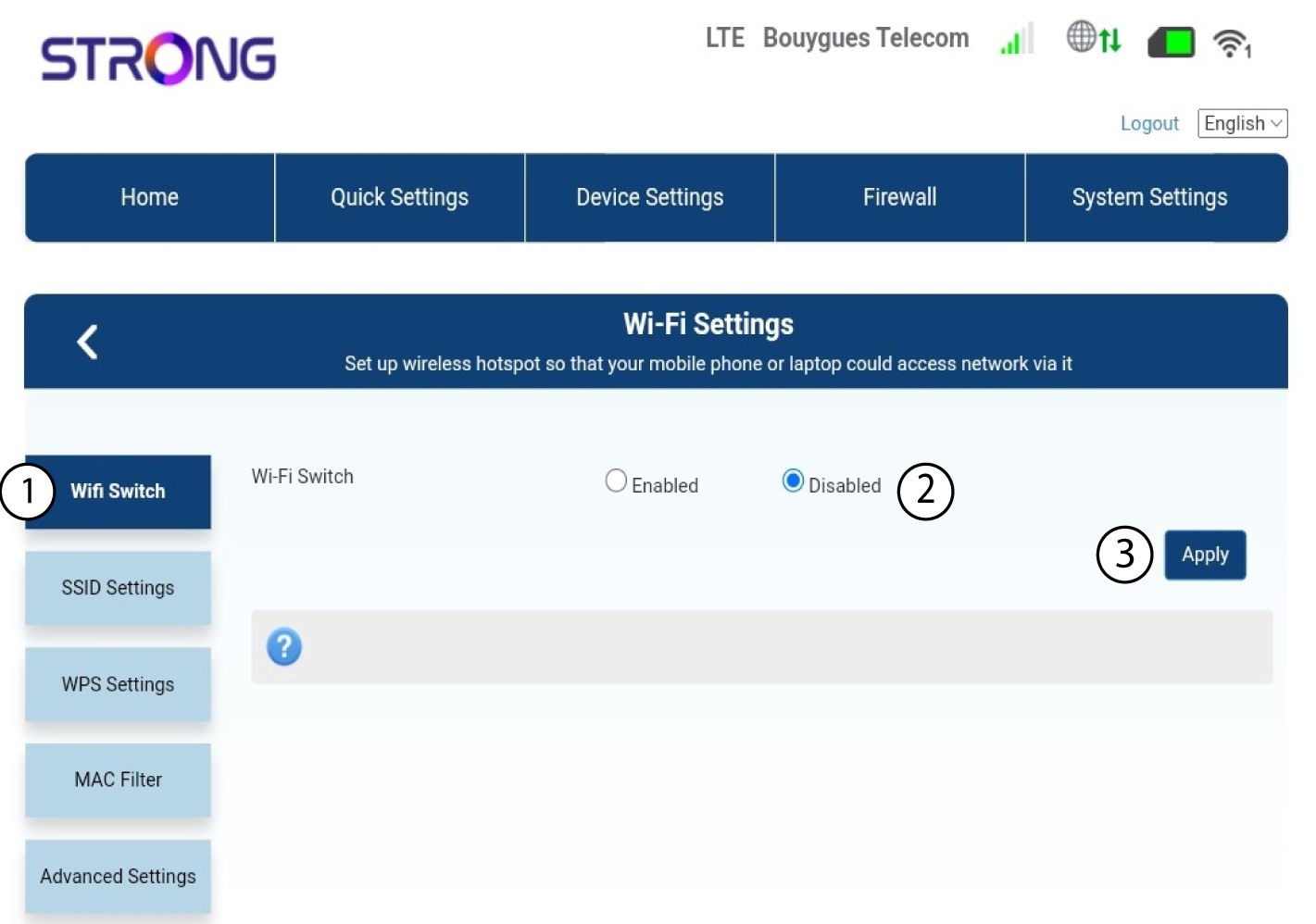

Routerns Wi-Fi-nätverk är inaktiverat. Alla enheter som tidigare var anslutna till nätverket kommer automatiskt att kopplas bort. För att återaktivera Wi-Fi måste du gå in i webbgränssnittet, eller så kan du återställa routern till fabriksinställningarna.