
4G AIRHOME 310 med avtagbara 4G-antenner
Alla frågor
4G AIRHOME 310 med avtagbara 4G-antenner
Hur uppdaterar jag enhetens firmware?
När du är ansluten till webbgränssnittet måste du kontrollera vilken firmwareversion som används av din enhet genom att använda alternativet för onlineuppgradering i webbgränssnittet. På så sätt installeras den senaste firmwareversionen.
Om du har en annan version, följ anvisningarna nedan för att uppdatera din firmware.
1Anslutatill webbgränssnittet
Följ nedanstående anvisningar för att ansluta till webbgränssnittet:
2 Avanceradeinställningar
Klicka på Enhetsinställningar och välj Avancerade inställningar.
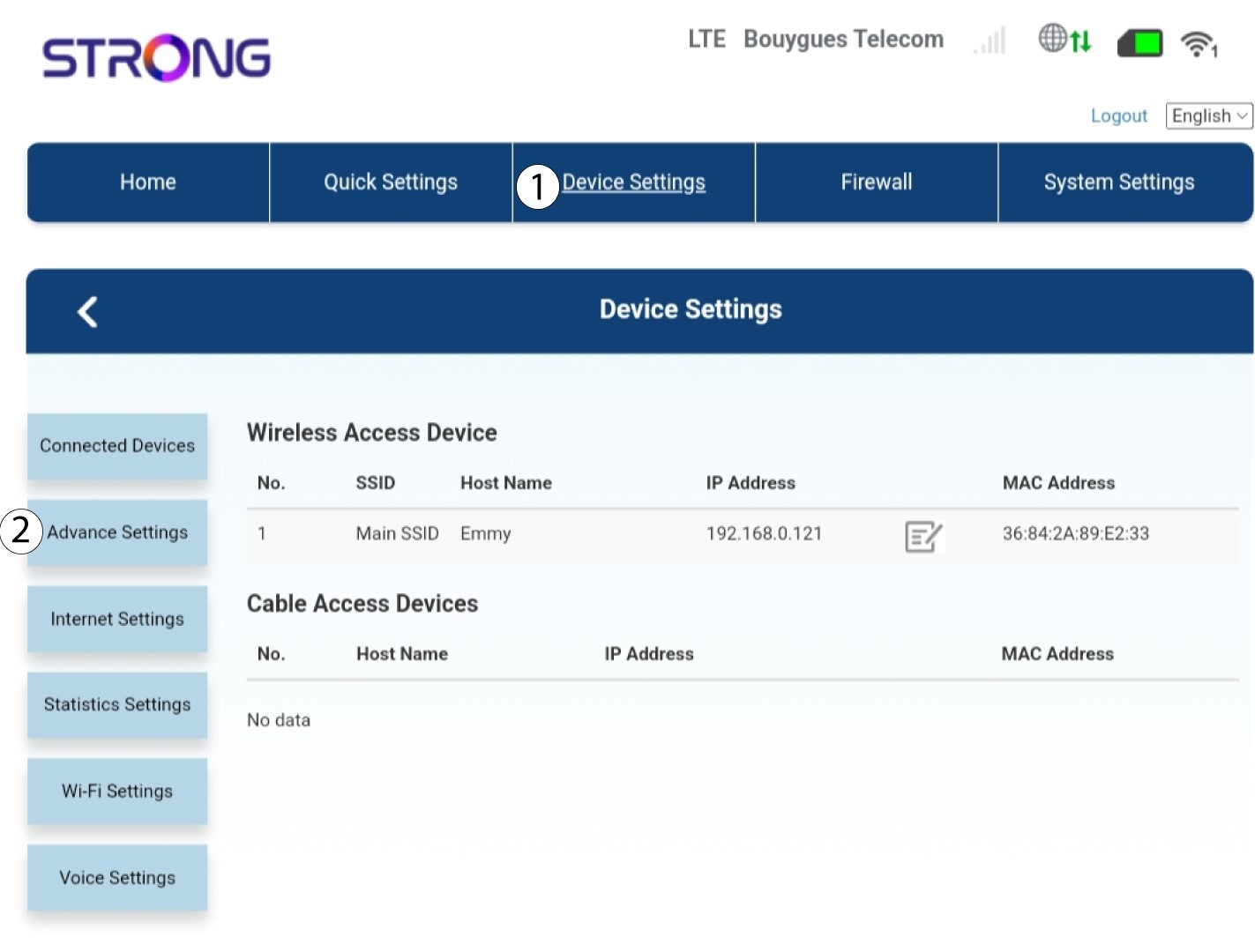
3FOTA-uppgradering
I ”Avancerade inställningar” klickar du på ”FOTA-uppgradering och kontroll”.
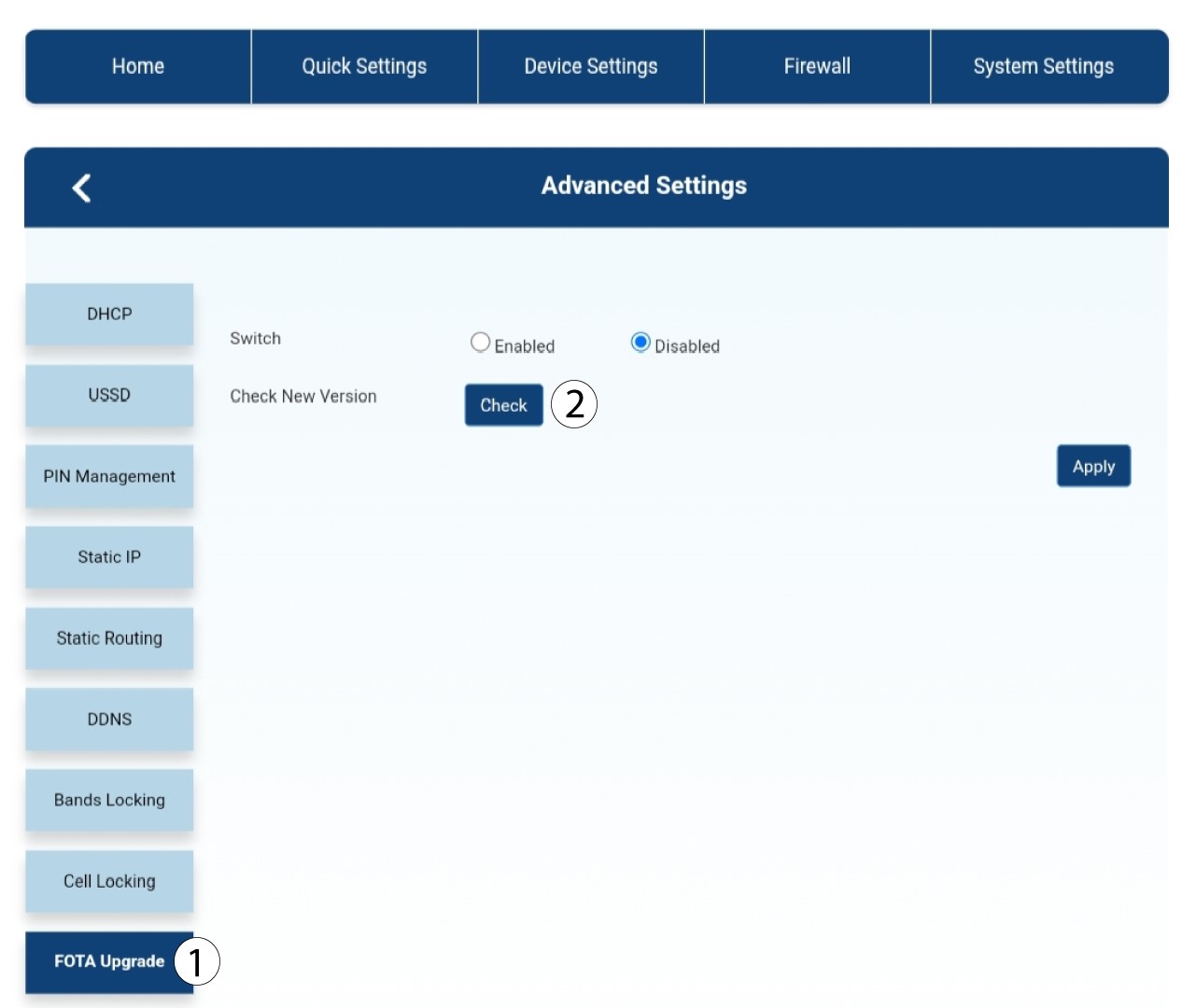
4Meddelande om uppdatering
Ett meddelande visas i ett popup-fönster. Klicka på Ja.
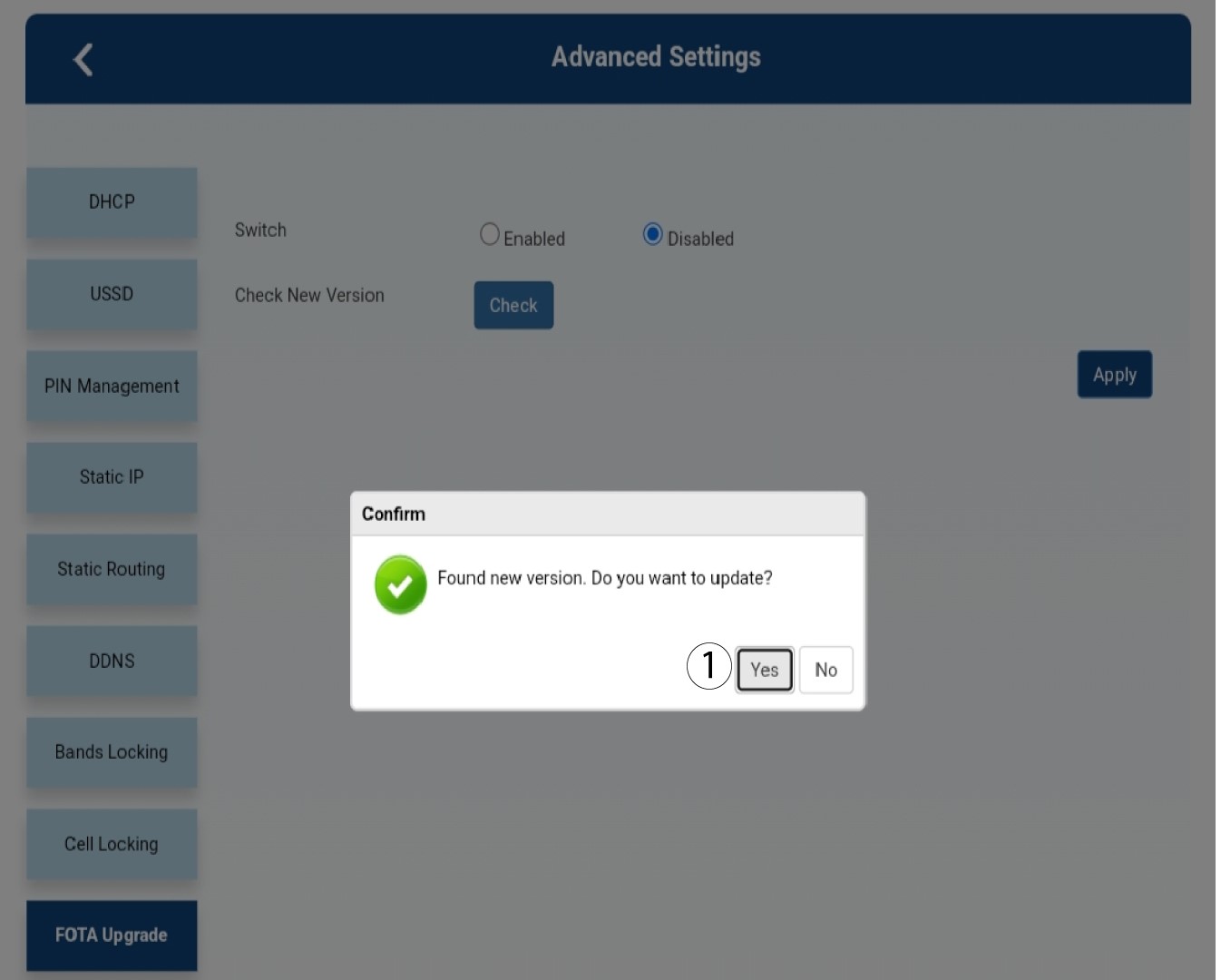

Du måste vänta tills uppdateringen är klar. Under uppdateringen lyser enheternas lysdioder blått och det blå ljuset rör sig från vänster till höger, från en ikon till nästa. När uppdateringen är klar återgår ikonerna till sin tidigare färg. Uppdateringen kan ta upp till 5 minuter.