Mobilní Wi-Fi 4G AIRSPOT 220 s displejem
Nebyly nalezeny žádné položky.
Nebyly nalezeny žádné položky.
Všechny otázky
Mobilní Wi-Fi 4G AIRSPOT 220 s displejem
Nebyly nalezeny žádné položky.
Nebyly nalezeny žádné položky.
Jak se zařízení zapíná a vypíná?
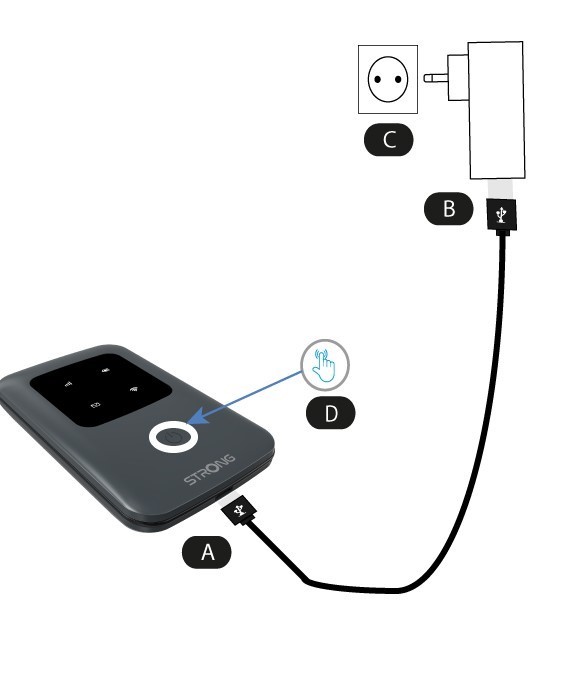
Chcete-li zařízení zapnout, musíte ho před použitím nabít. K tomu připojte USB kabel k zařízení (A) a zapojte zástrčku (B).
1. Tlačítko napájení
Připojte USB kabel ze zařízení (A) k napájecímu zdroji (B). Poté jej zapojte do zásuvky (C) a podržte tlačítko napájení stisknuté po dobu pěti sekund (D).
Po několika sekundách se rozsvítí LED diody na zařízení.
Chcete-li jej vypnout, stačí stisknout a podržet tlačítko napájení po dobu 5 sekund.