Mobilní Wi-Fi 4G AIRSPOT 220 s displejem
Nebyly nalezeny žádné položky.
Nebyly nalezeny žádné položky.
Všechny otázky
Mobilní Wi-Fi 4G AIRSPOT 220 s displejem
Nebyly nalezeny žádné položky.
Nebyly nalezeny žádné položky.
Jak aktualizuji firmware zařízení?
Jakmile se připojíte k webovému uživatelskému rozhraní, musíte zkontrolovat verzi firmwaru, kterou vaše zařízení používá, a to pomocí možnosti online aktualizace v tomto rozhraní. Tímto způsobem se nainstaluje nejnovější verze firmwaru.
Pokud váš router není aktualizován, postupujte podle níže uvedeného návodu k aktualizaci firmwaru.
1. Připojte sek Wi-Fi síti routeru
- Chcete-li aktualizovat firmware zařízení, musíte se připojit k síti Wi-Fi vašeho routeru.
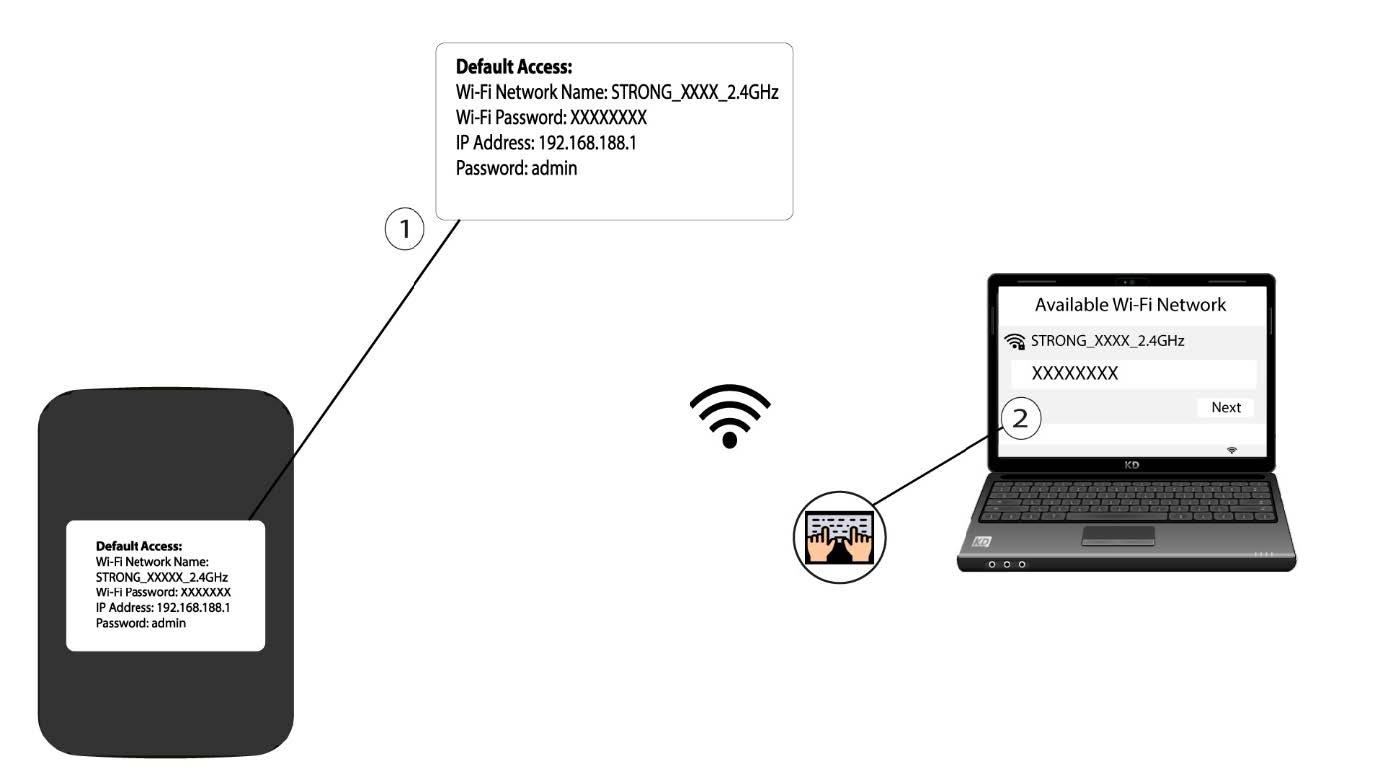
2. Přejdětena IP adresu webového uživatelského rozhraní
Poté zadejte do prohlížeče následující IP adresu: 192.168.188.1.

3Přejdětena přihlašovací stránku
Musíte zadat heslo.

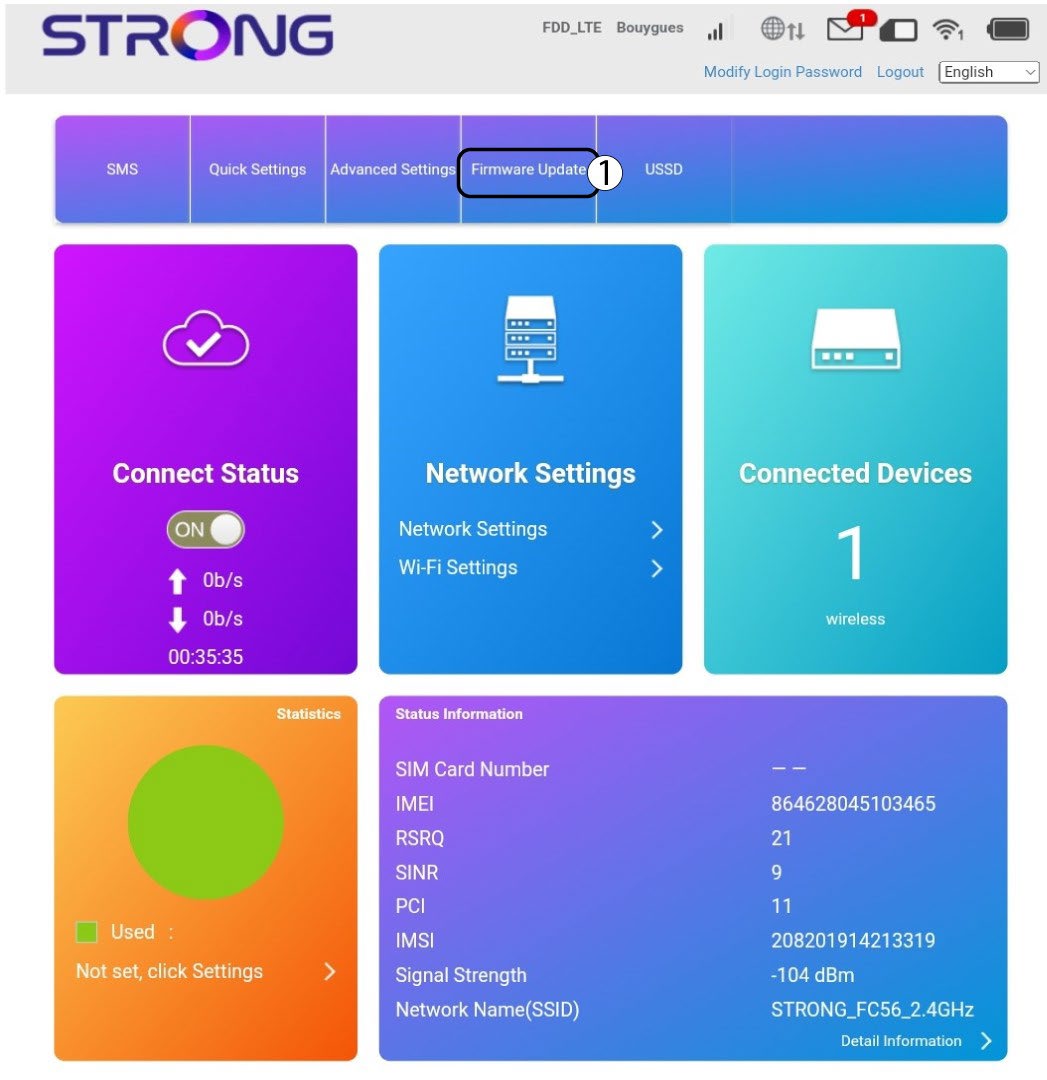
4. Aktualizace
Klikněte na „Aktualizace firmwaru“.
5Zkontrolujte, zda jsou k dispozici nové verze
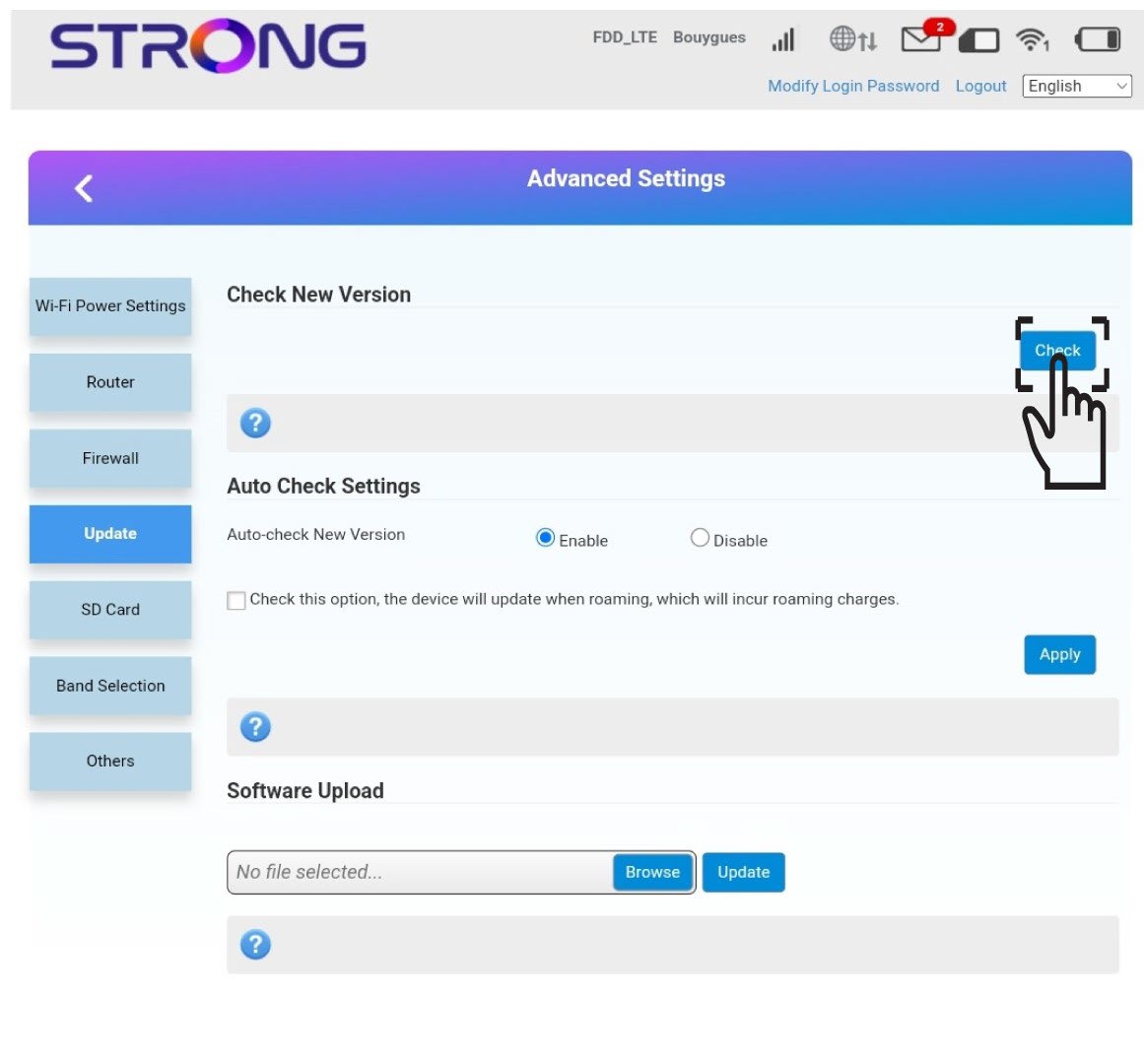
V části „Zkontrolovat novou verzi“ klikněte na tlačít ko „Zkontrolovat “. Nejnovější verze softwaru se automaticky stáhne a budete se muset znovu připojit k síti Wi-Fi, abyste mohli zadat svůj PIN kód.