
4G AIRSPOT 220 Wi-Fi με οθόνη
Όλες οι ερωτήσεις
4G AIRSPOT 220 Wi-Fi με οθόνη
Πώς μπορώ να αποκτήσω πρόσβαση στο περιβάλλον χρήστη του ιστού;
Για να αποκτήσετε πρόσβαση στο περιβάλλον χρήστη του ιστού, πρέπει να είστε συνδεδεμένοι στο Wi-Fi του 4G PORTABLE HOTSPOT 150 WITH A DISPLAY/4G PORTABLE HOTSPOT 150, αφού τοποθετήσετε την κάρτα SIM στην υποδοχή.
1. Συνδεθείτεστο δίκτυο Wi-Fi του δρομολογητή
Για να το κάνετε αυτό, εισάγετε το SSID και τον κωδικό πρόσβασης του δρομολογητή στη συσκευή σας.
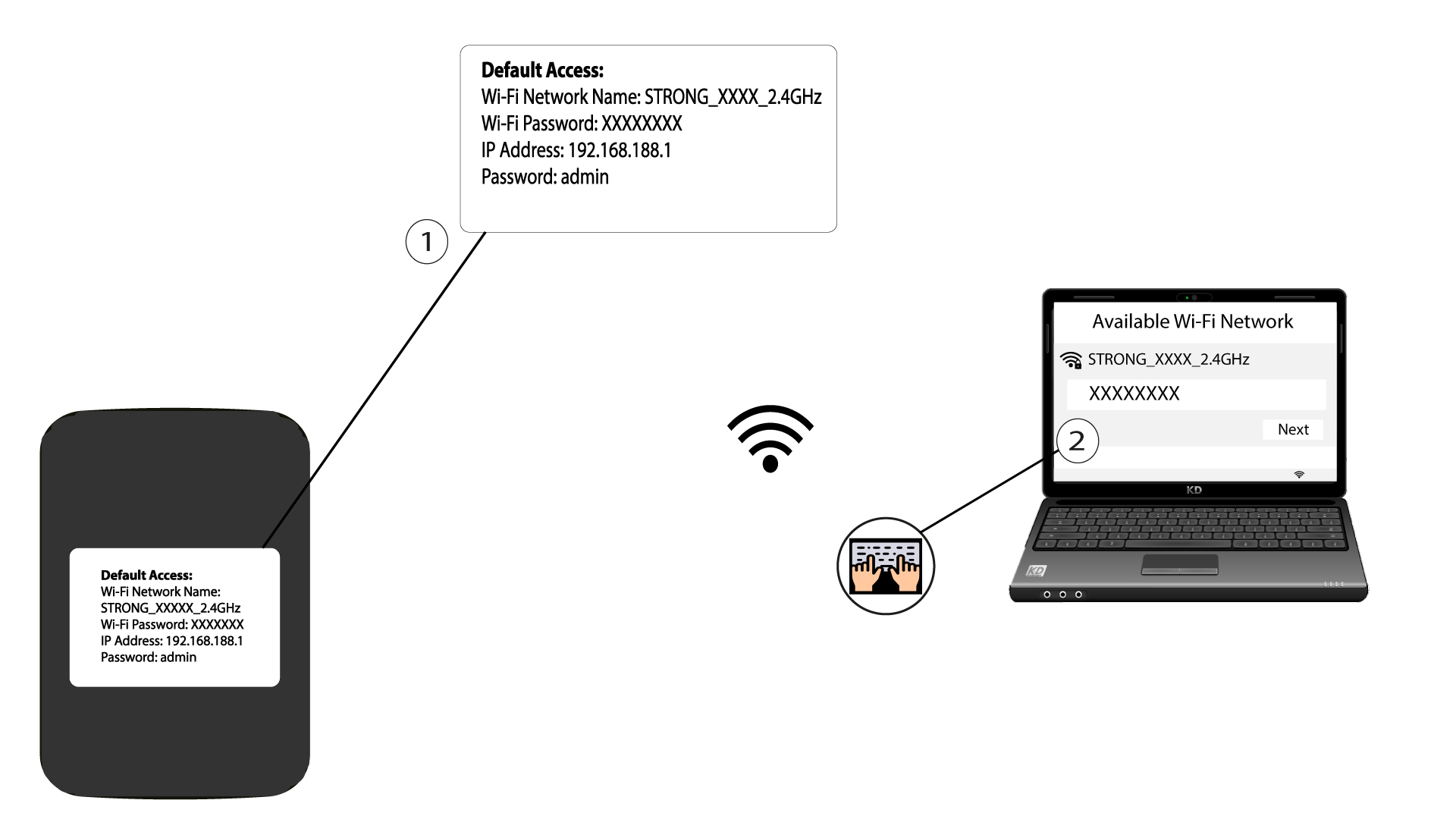
2. Μεταβείτεστη διεύθυνση IP του περιβάλλοντος χρήστη ιστού
Στη συνέχεια, πληκτρολογήστε την ακόλουθη διεύθυνση IP στον περιηγητή σας: 192.168.188.1

3Μεταβείτεστη σελίδα σύνδεσης
Αφού μεταβείτε στη διεύθυνση IP, πρέπει να εισαγάγετε τον κωδικό πρόσβασης και να κάνετε κλικ στο «Σύνδεση».

4Μήνυμα προειδοποίησης
Μόλις συνδεθείτε, θα εμφανιστεί ένα προειδοποιητικό μήνυμα σχετικά με τον κωδικό πρόσβασης διαχειριστή.


Προειδοποίηση: Μετά την πρώτη σύνδεση, σας συνιστούμε ανεπιφύλακτα να αλλάξετε τον κωδικό πρόσβασης διαχειριστή, προκειμένου να εξασφαλίσετε την πρόσβαση στο δρομολογητή και να αποτρέψετε τυχόν παραβιάσεις.