4G AIRSPOT 220 Wi-Fi με οθόνη
Όλες οι ερωτήσεις
4G AIRSPOT 220 Wi-Fi με οθόνη
Πώς μπορώ να ενημερώσω το firmware της συσκευής;
Όταν είστε συνδεδεμένοι στο περιβάλλον εργασίας χρήστη (Web UI), πρέπει να ελέγξετε την έκδοση του firmware που χρησιμοποιεί η συσκευή σας, χρησιμοποιώντας την επιλογή ηλεκτρονικής αναβάθμισης που διατίθεται στο Web UI. Με αυτόν τον τρόπο, θα εγκατασταθεί η πιο πρόσφατη έκδοση του firmware.
Εάν ο δρομολογητής σας δεν είναι ενημερωμένος, παρακαλούμε ακολουθήστε την παρακάτω διαδικασία για να ενημερώσετε το firmware του.
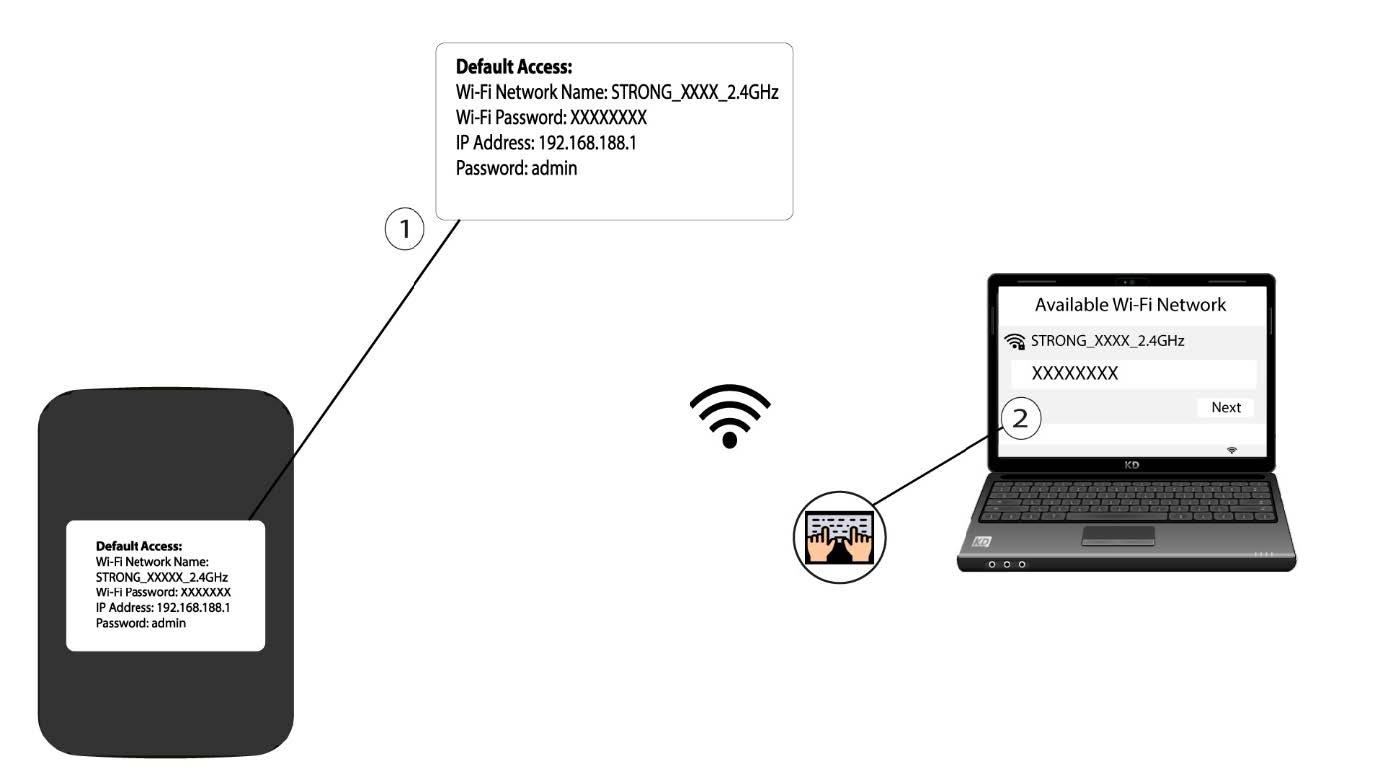
1. Συνδεθείτεστο δίκτυο Wi-Fi του δρομολογητή
- Για να ενημερώσετε το firmware της συσκευής, πρέπει να συνδεθείτε στο δίκτυο Wi-Fi του δρομολογητή σας.
2. Μεταβείτεστη διεύθυνση IP του περιβάλλοντος χρήστη ιστού
Στη συνέχεια, πληκτρολογήστε την ακόλουθη διεύθυνση IP στον περιηγητή σας: 192.168.188.1.

3Μεταβείτεστη σελίδα σύνδεσης
Πρέπει να εισαγάγετε τον κωδικό πρόσβασης.

4Ενημέρωση
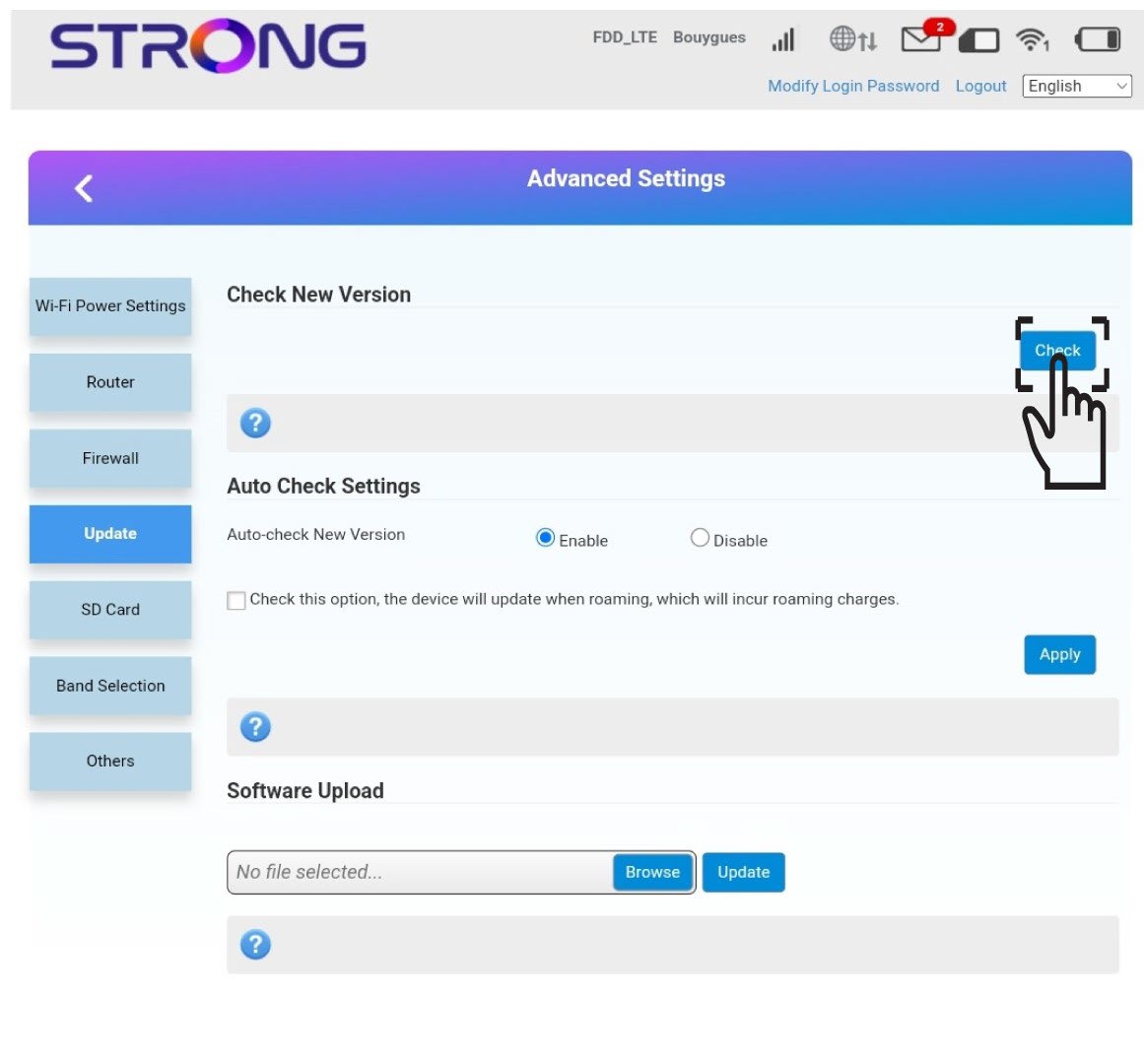
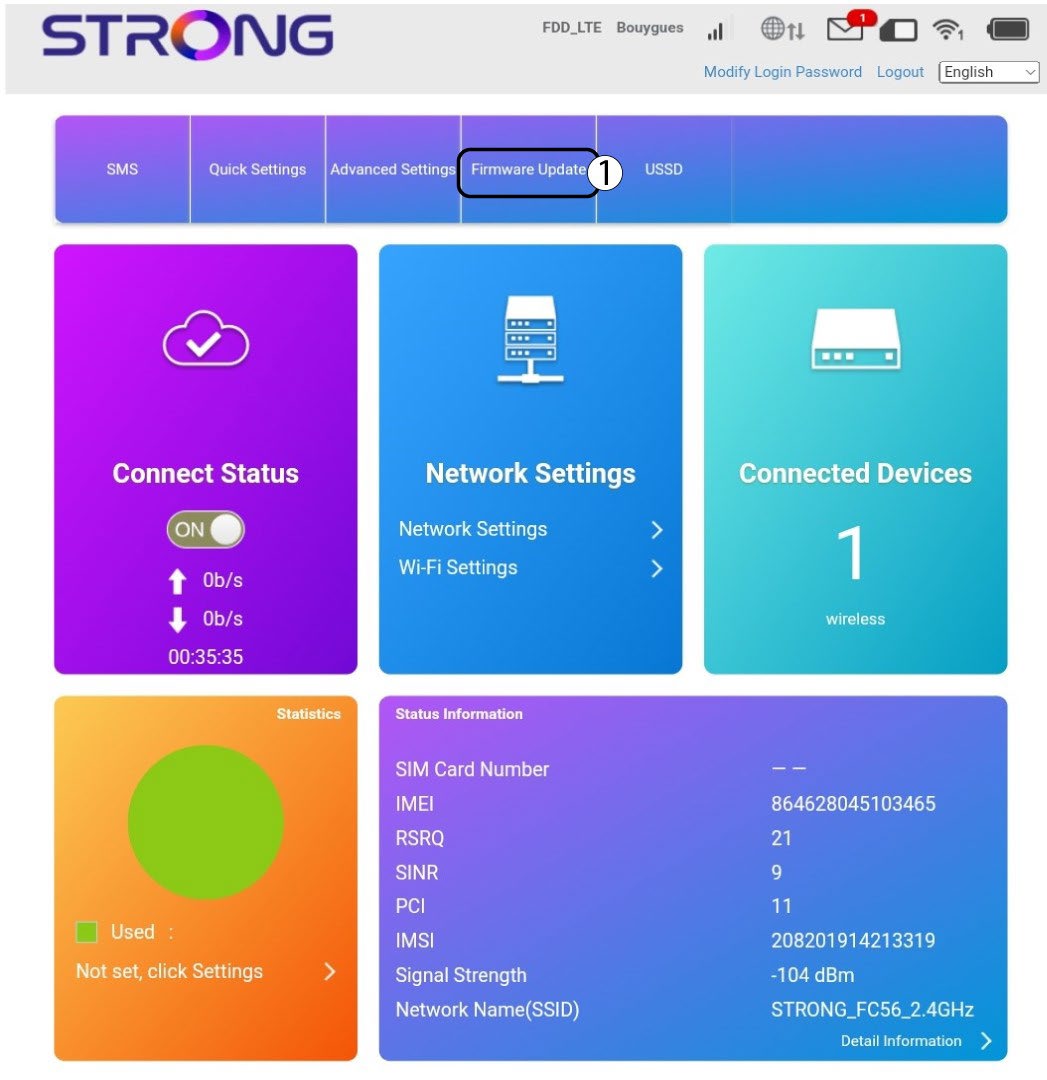
Κάντε κλικ στην επιλογή «Ενημέρωση υλικολογισμικού».
5. Ελέγξτεαν υπάρχουν νέες εκδόσεις
Κάντε κλικ στην επιλογή «Έλεγχος» στην ενότητα «Έλεγχος νέας έκδοσης». Η πιο πρόσφατη έκδοση του λογισμικού θα κατεβαστεί αυτόματα και θα πρέπει να συνδεθείτε ξανά στο δίκτυο Wi-Fi για να εισαγάγετε τον κωδικό PIN σας.