4G AIRSPOT 220 Wi-Fi με οθόνη
Δεν βρέθηκαν αντικείμενα.
Δεν βρέθηκαν αντικείμενα.
Όλες οι ερωτήσεις
4G AIRSPOT 220 Wi-Fi με οθόνη
Δεν βρέθηκαν αντικείμενα.
Δεν βρέθηκαν αντικείμενα.
Πώς να τοποθετήσετε την κάρτα SD στο Hotspot 150;
Πώς να τοποθετήσετε την κάρτα SD στο Hotspot 150;
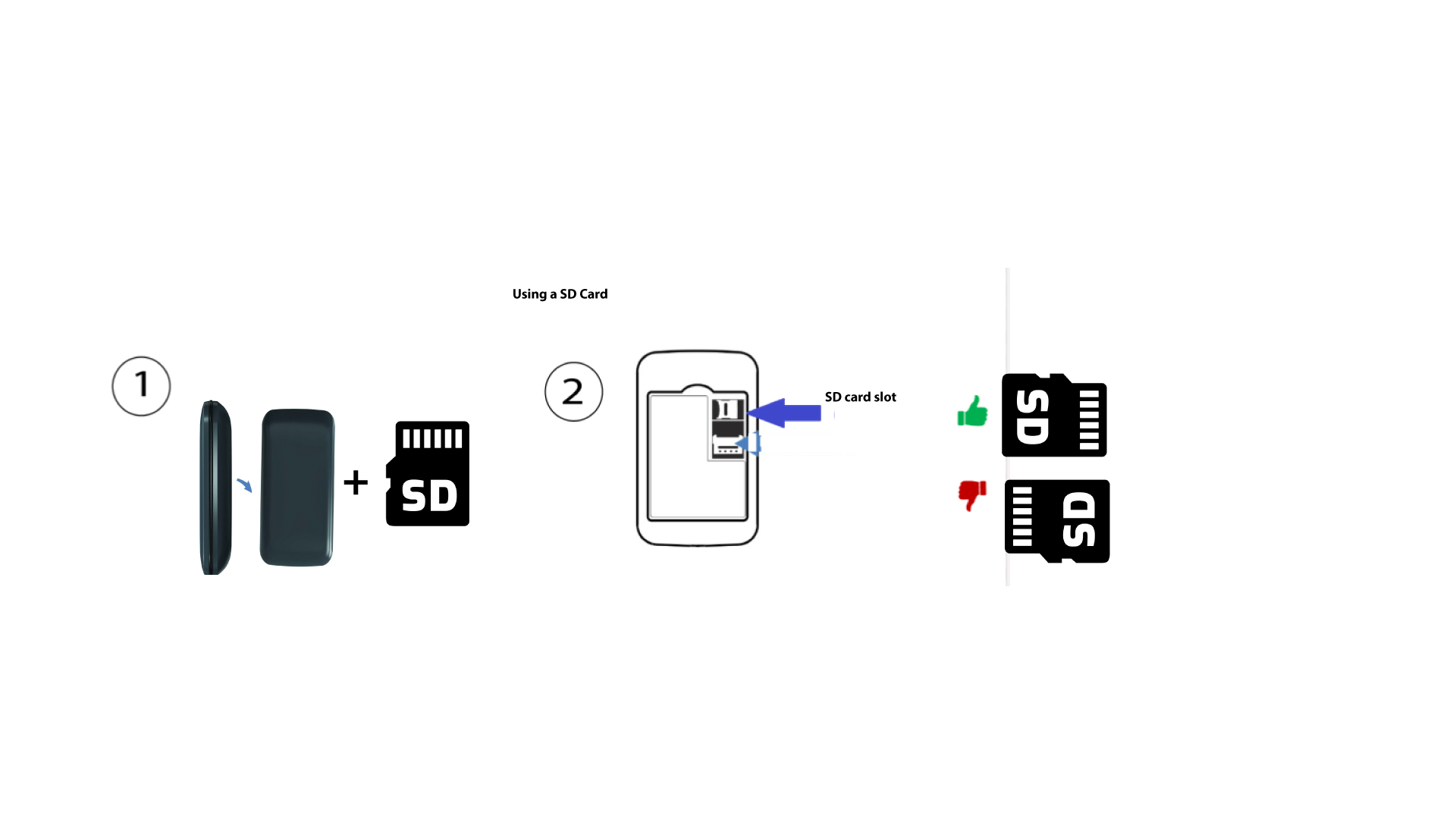
Για να τοποθετήσετε την κάρτα SD στο δρομολογητή, πρέπει πρώτα να απενεργοποιήσετε τη συσκευή πατώντας το κουμπί τροφοδοσίας για πέντε δευτερόλεπτα.
1
Τοποθετήστε την κάρτα SD
Στη συνέχεια, αφαιρέστε το κάλυμμα και τοποθετήστε την κάρτα SD στην υποδοχή που βρίσκεται στην επάνω δεξιά γωνία, στο πίσω μέρος της συσκευής.