
4G AIRSPOT 220 Wi-Fi με οθόνη
Δεν βρέθηκαν αντικείμενα.
Δεν βρέθηκαν αντικείμενα.
Όλες οι ερωτήσεις
4G AIRSPOT 220 Wi-Fi με οθόνη
Δεν βρέθηκαν αντικείμενα.
Δεν βρέθηκαν αντικείμενα.
Τι σημαίνουν οι διάφορες καταστάσεις της κάρτας SIM στο περιβάλλον χρήστη του διαδικτύου και στην οθόνη της συσκευής;

Προειδοποίηση: Πριν συνδεθείτε στο περιβάλλον χρήστη του διαδικτύου, βεβαιωθείτε ότι η κάρτα SIM σας έχει τοποθετηθεί σωστά και ότι ο κωδικός PIN έχει απενεργοποιηθεί ή έχει εισαχθεί.
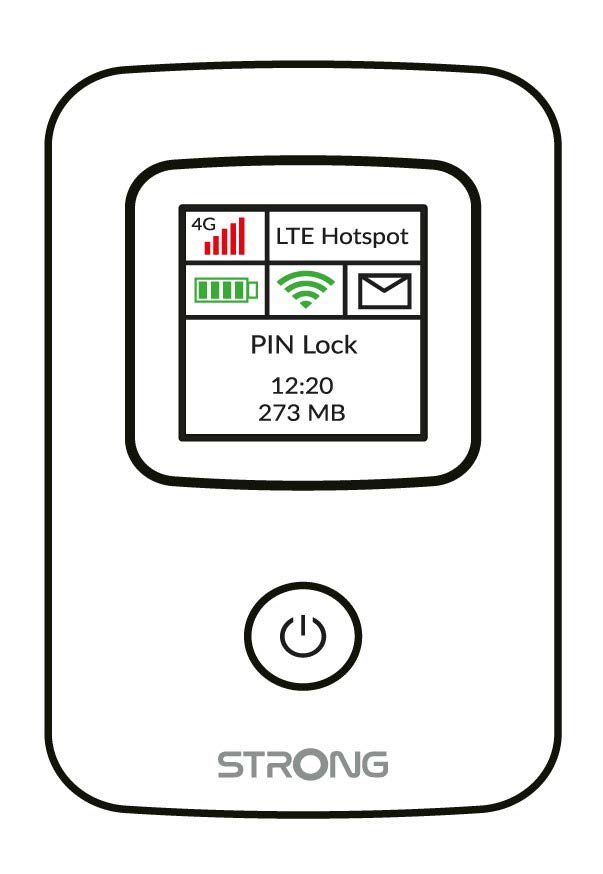
Μπορείτε να δείτε την κατάσταση της κάρτας SIM σας στην οθόνη του 4G PORTABLE HOTSPOT 150:
Τοποθέτηση κάρτας SIM: Η κάρτα SIM δεν έχει τοποθετηθεί σωστά στη συσκευή ή δεν έχει τοποθετηθεί κάρτα SIM στην υποδοχή.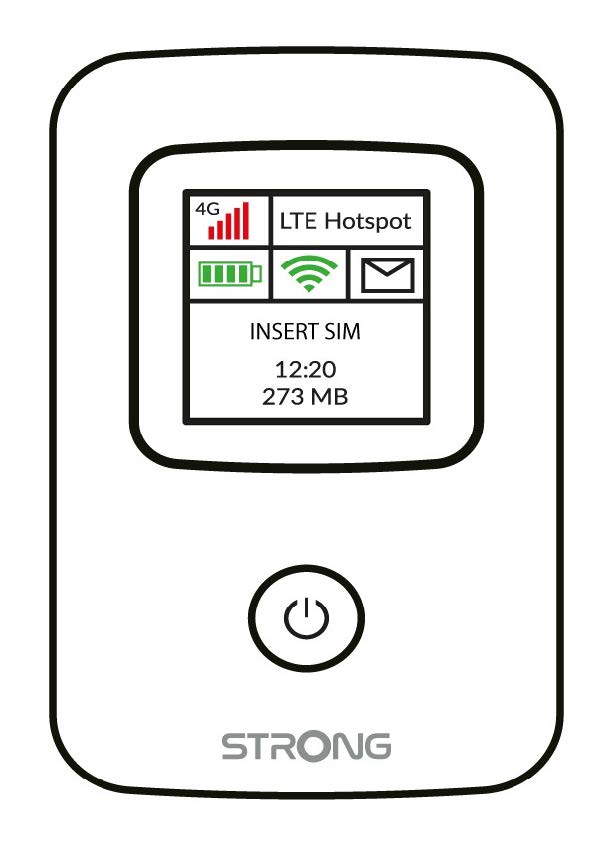
- Κλείδωμα με PIN: Η κάρτα SIM έχει τοποθετηθεί και έχει αναγνωριστεί, αλλά δεν λειτουργεί λόγω του κωδικού PIN.
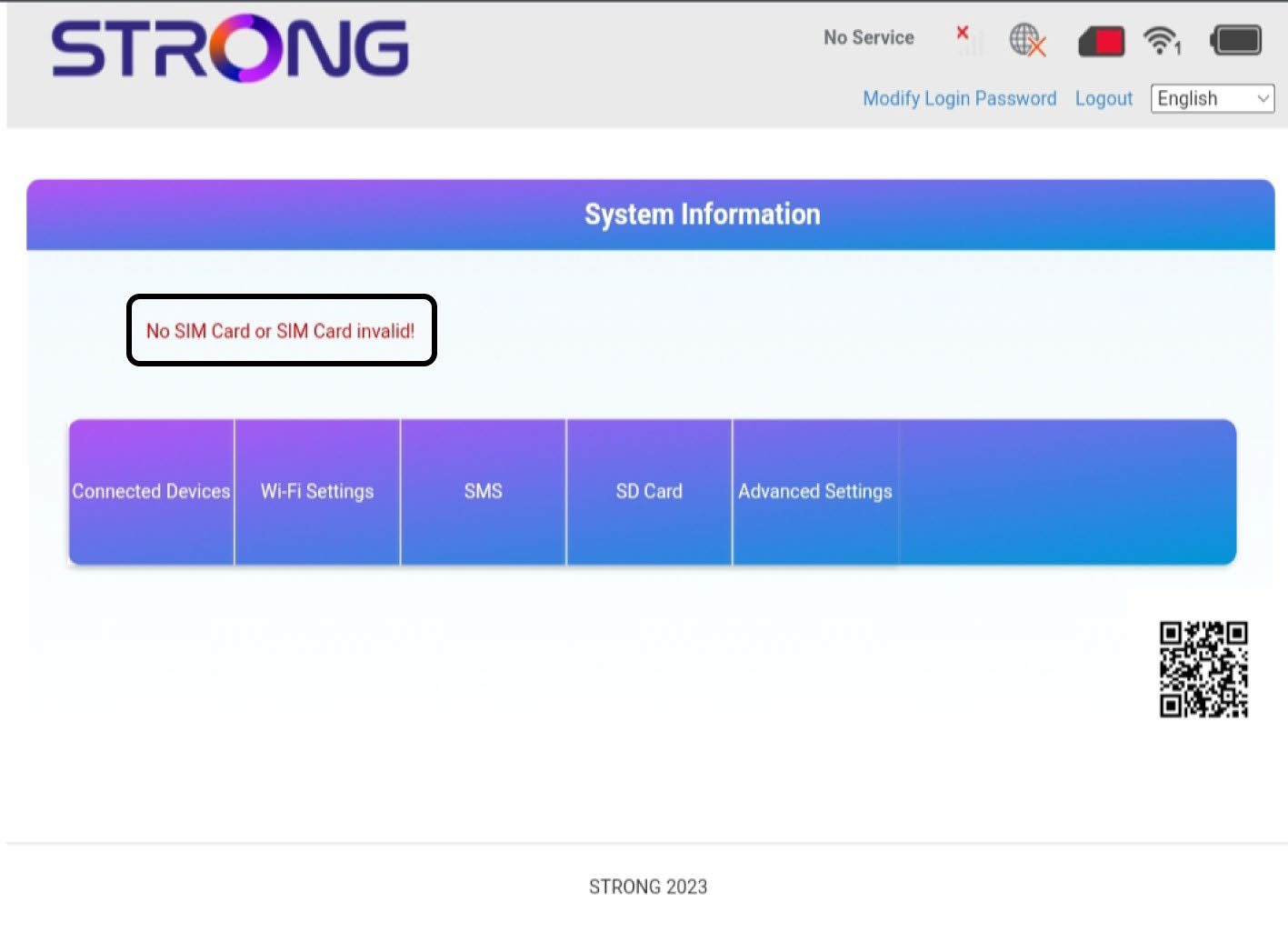
Μόλις μπείτε στο περιβάλλον χρήστη του ιστού, θα παρατηρήσετε ότι δίπλα στη γραμμή κατάστασης της κάρτας SIM μπορούν να εμφανίζονται διάφορες καταστάσεις:
Δεν υπάρχει κάρτα SIM ή η κάρτα SIM είναι άκυρη: Η κάρτα SIM έχει τοποθετηθεί και έχει αναγνωριστεί, αλλά δεν λειτουργεί λόγω του κωδικού PIN.  Η κάρτα SIM δεν έχει τοποθετηθεί σωστά στη συσκευή ή δεν έχει τοποθετηθεί κάρτα SIM στην υποδοχή.
Κανονική κατάσταση: Η κάρτα SIM έχει τοποθετηθεί σωστά στη συσκευή και είναι ξεκλείδωτη. Μπορείτε να δείτε την κύρια σελίδα του Web UI.

- Εάν η κάρτα SIM είναι κλειδωμένη με κωδικό PIN, πρέπει να συνδεθείτε στο περιβάλλον χρήστη μέσω διαδικτύου (Web UI) για να τον εισαγάγετε και να ξεκλειδώσετε την κάρτα SIM.
- Εάν η κάρτα SIM δεν αναγνωρίζεται, βεβαιωθείτε ότι η χρυσή πλευρά δεν είναι ορατή όταν η κάρτα SIM είναι τοποθετημένη στην υποδοχή.
- Εάν η κάρτα SIM δεν έχει τοποθετηθεί σωστά, τοποθετήστε την ξανά στην υποδοχή και βεβαιωθείτε ότι η κάρτα SIM βρίσκεται ακόμα μέσα στον προσαρμογέα.