4G AIRSPOT 220 Wi-Fi με οθόνη
Όλες οι ερωτήσεις
4G AIRSPOT 220 Wi-Fi με οθόνη
Πώς μπορώ να αλλάξω τον κωδικό PIN της κάρτας SIM;
Μπορείτε να αλλάξετε τον κωδικό PIN της κάρτας SIM σας μέσω του περιβάλλοντος χρήστη ιστού. Για να το κάνετε αυτό, ακολουθήστε την παρακάτω διαδικασία. Πρέπει να συνδεθείτε στο περιβάλλον χρήστη ιστού.
1. Συνδεθείτεστο δίκτυο Wi-Fi του δρομολογητή
1.
Για να το κάνετε αυτό, εισαγάγετε το SSID (όνομα δικτύου Wi-Fi
) και τον κωδικό πρόσβασης Wi-Fi του δρομολογητή στη συσκευή σας.

2. Μεταβείτεστη διεύθυνση IP του περιβάλλοντος χρήστη ιστού
Στη συνέχεια, πληκτρολογήστε την ακόλουθη διεύθυνση IP στον περιηγητή σας: 192.168.188.1

3Σύνδεση
Πρέπει να εισαγάγετε τον κωδικό πρόσβασης. Στη συνέχεια, κάντε κλικ στο «Σύνδεση».

4Κατάσταση σύνδεσης
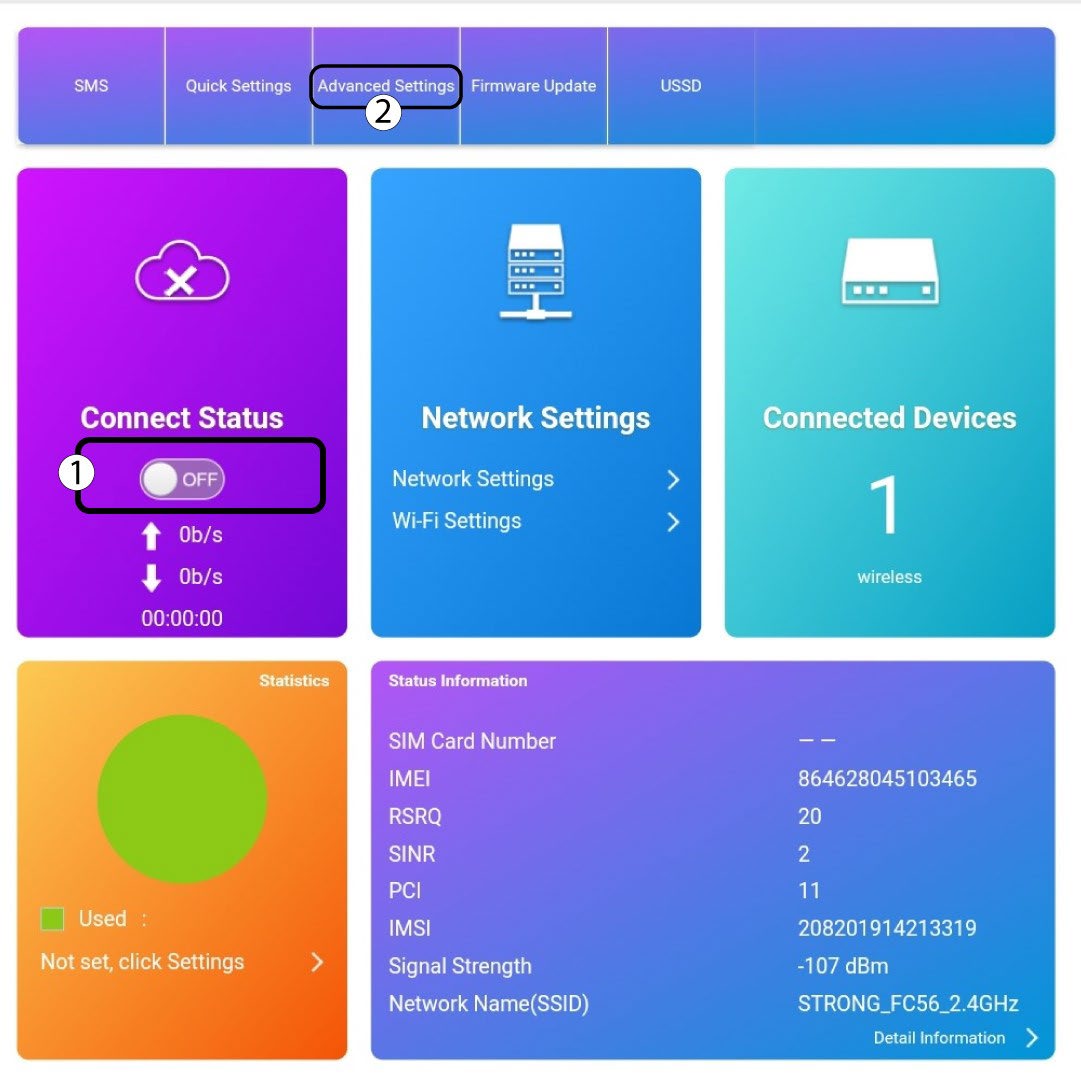
Κάντε κλικ στο κουμπί εναλλαγής στην ενότητα «Κατάσταση σύνδεσης» και, στη συνέχεια, κάντε κλικ στην επιλογή «Σύνθετες ρυθμίσεις»
5. Προηγμένεςρυθμίσεις
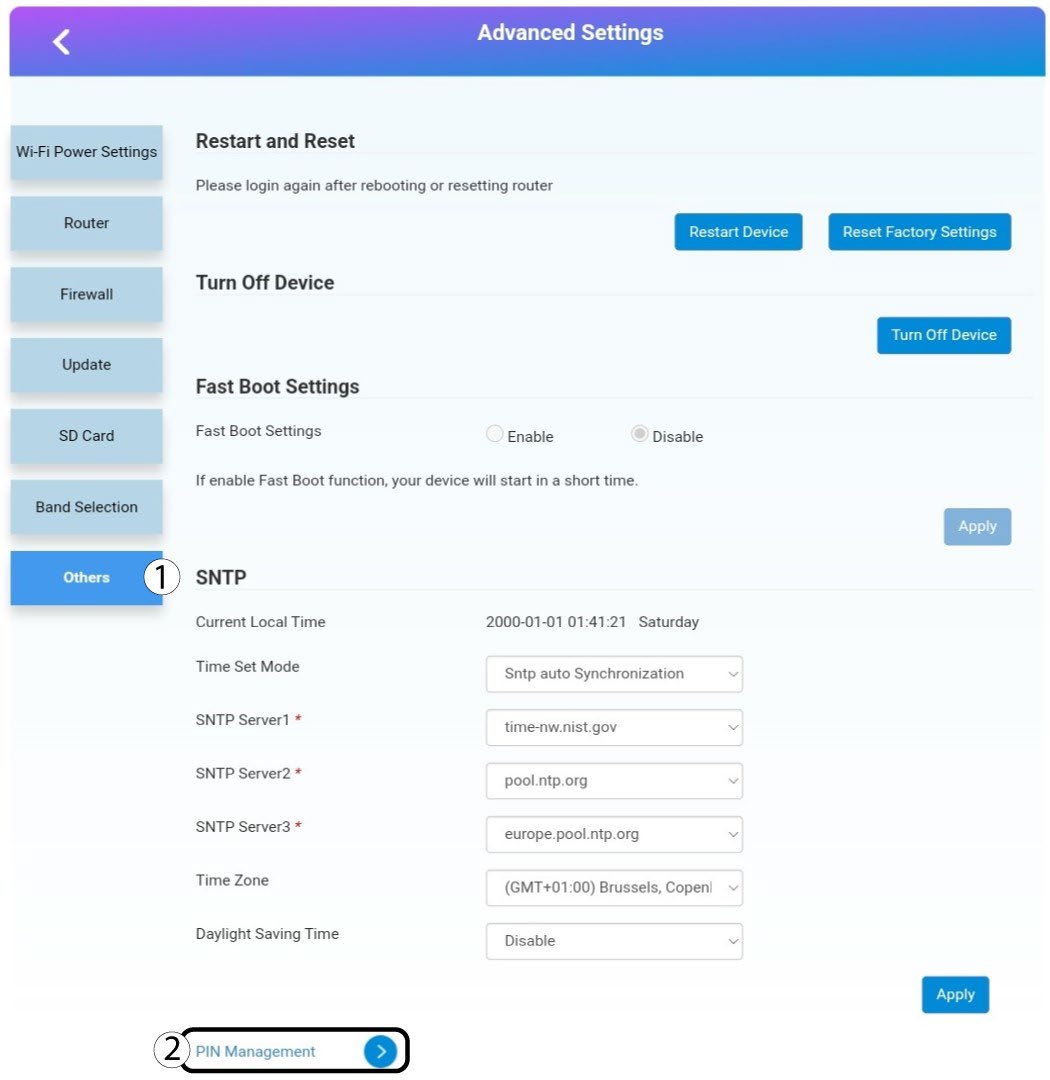
Κάντε κλικ στην επιλογή «Άλλα». Στη συνέχεια , κάντε κλικ στην επιλογή «Διαχείριση PIN ».
Διαχείριση 6Pin
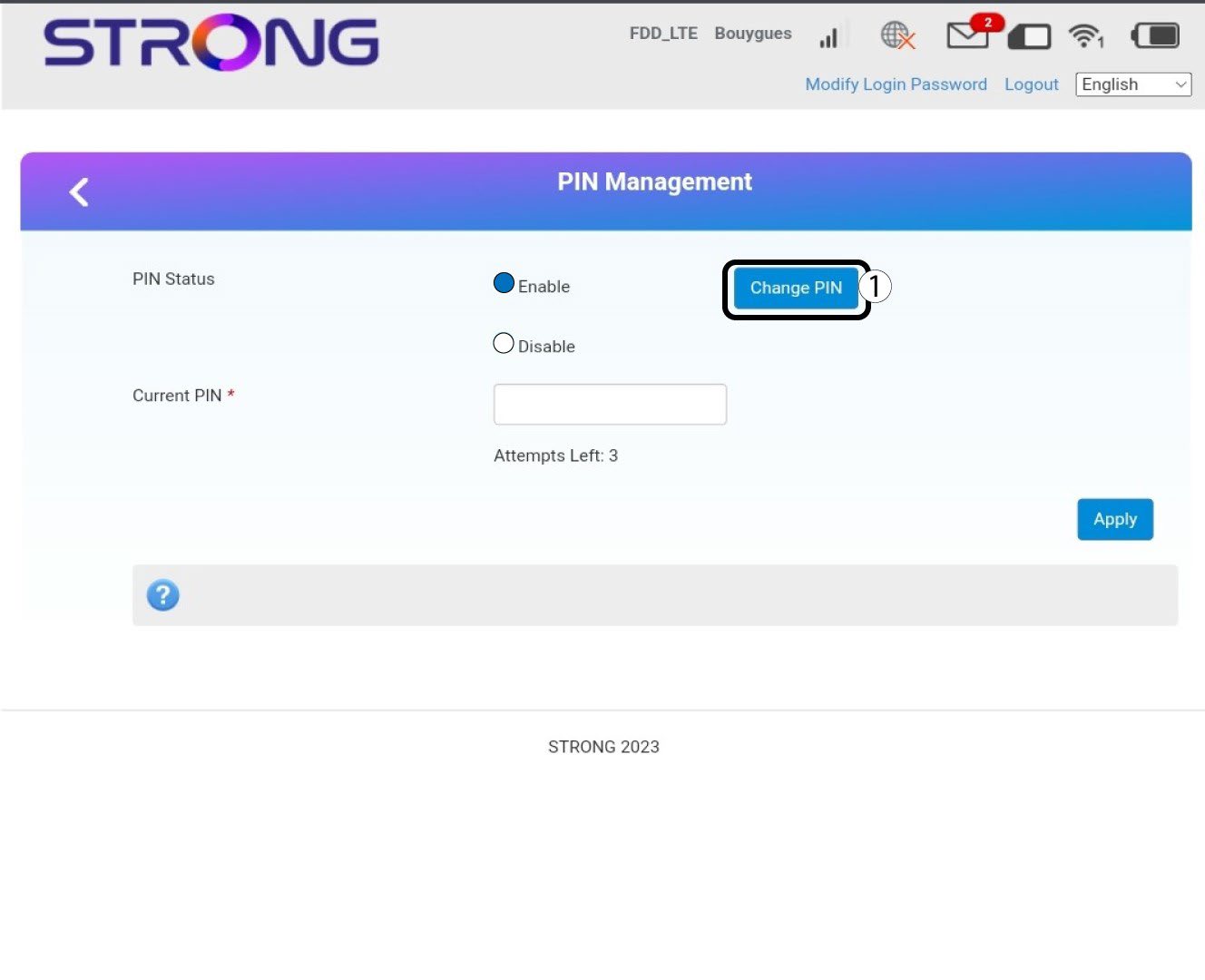
Κάντε κλικ στην επιλογή «Αλλαγή PIN».
7 Εισάγετετον νέο κωδικό PIN
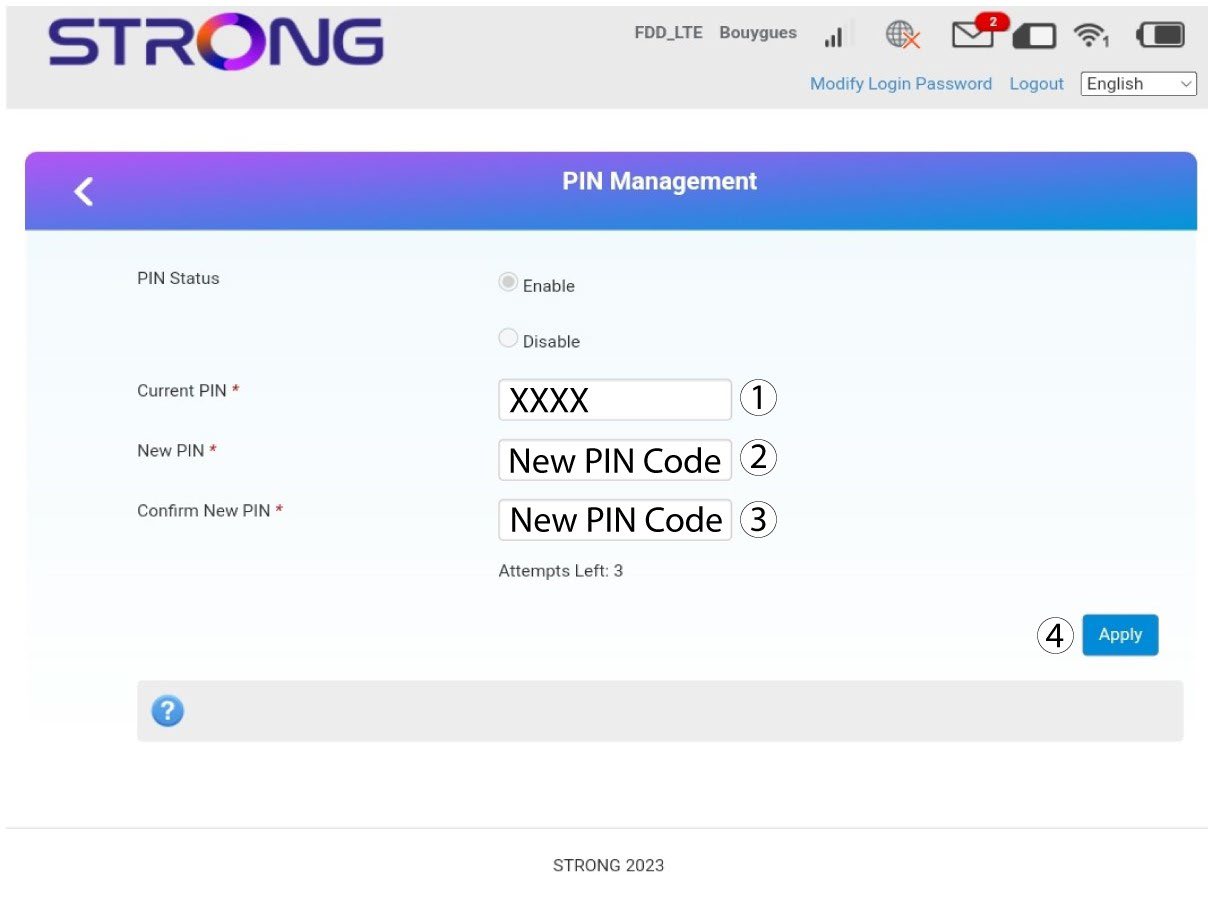
Εισάγετε τα παρακάτω στοιχεία πριν κάνετε κλικ στο κουμπί «Εφαρμογή»:
· Τρέχων κωδικός PIN: Εισάγετε τον τρέχοντα κωδικό PIN σας.
· Νέος κωδικός PIN: Εισάγετε τον νέο κωδικό PIN σας.
· Επιβεβαίωση νέου κωδικού PIN: Εισάγετε τον νέο κωδικό PIN.