
4G AIRSPOT 220 Wi-Fi με οθόνη
Όλες οι ερωτήσεις
4G AIRSPOT 220 Wi-Fi με οθόνη
Τι είδους κάρτα SIM μπορώ να τοποθετήσω στο δρομολογητή μου;
Πρέπει να τοποθετήσετε μια κάρτα micro-SIM στην υποδοχή κάρτας SIM του 4G PORTABLE HOTSPOT 150/4G PORTABLE HOTSPOT 150 WITH A DISPLAY. Δεν χρειάζεται να ανησυχείτε για το μέγεθος της κάρτας SIM σας, καθώς στο πακέτο του δρομολογητή περιλαμβάνονται προσαρμογείς για το σωστό μέγεθος. Πρέπει να τοποθετήσετε την κάρτα SIM πριν ενεργοποιήσετε τη συσκευή.
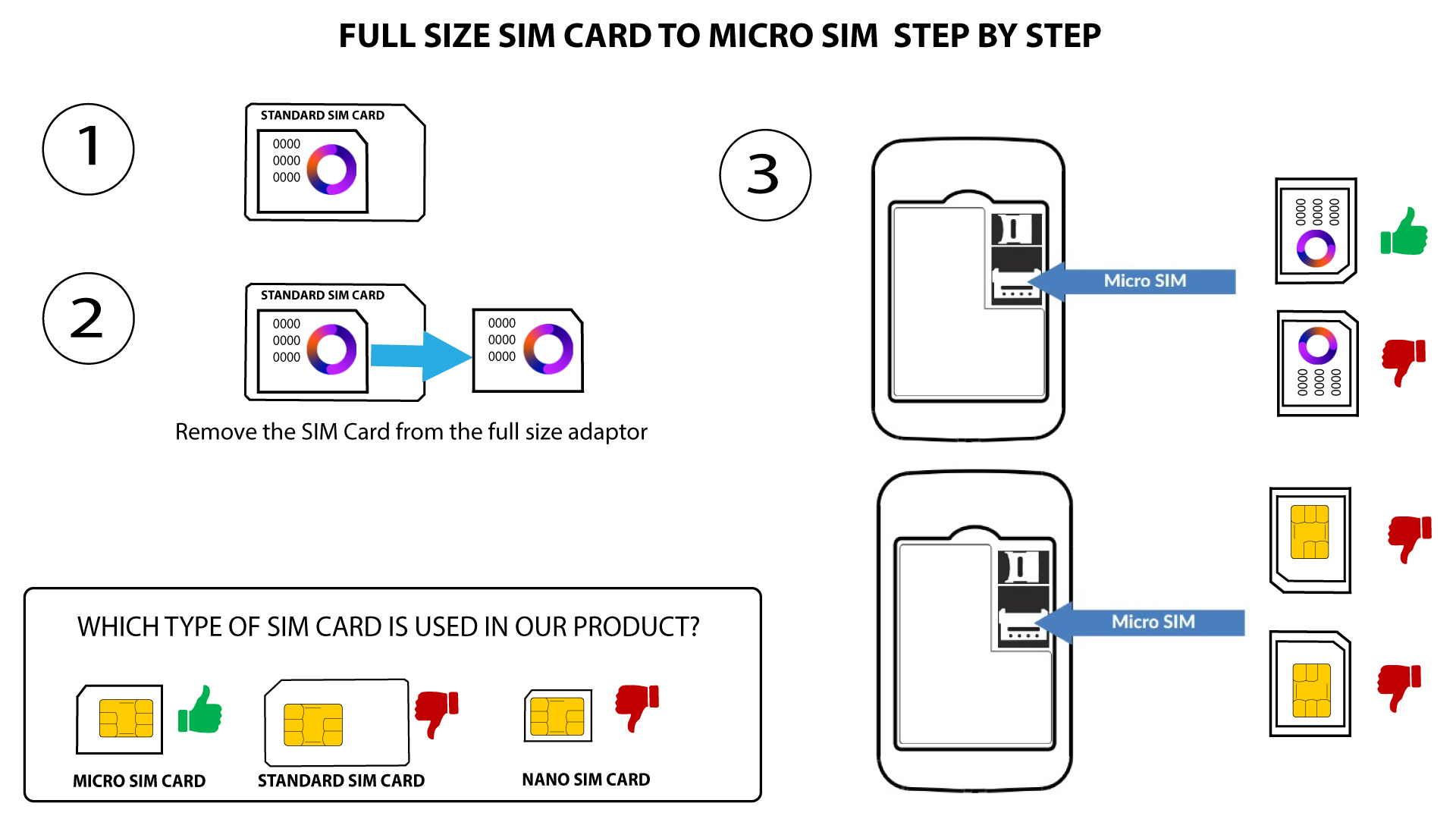
1. Περίπτωση1: Μετατροπή κάρτας SIM κανονικού μεγέθους σε κάρτα Micro SIM
Μόλις τοποθετήσετε την κάρτα SIM στον προσαρμογέα, πιέστε την κάρτα SIM προς τα μέσα για να σταθεροποιηθεί. Πάρτε τη συσκευή στο χέρι σας και τοποθετήστε την κάρτα SIM στην υποδοχή, ακολουθώντας την ίδια θέση όπως φαίνεται στο παρακάτω σχήμα.
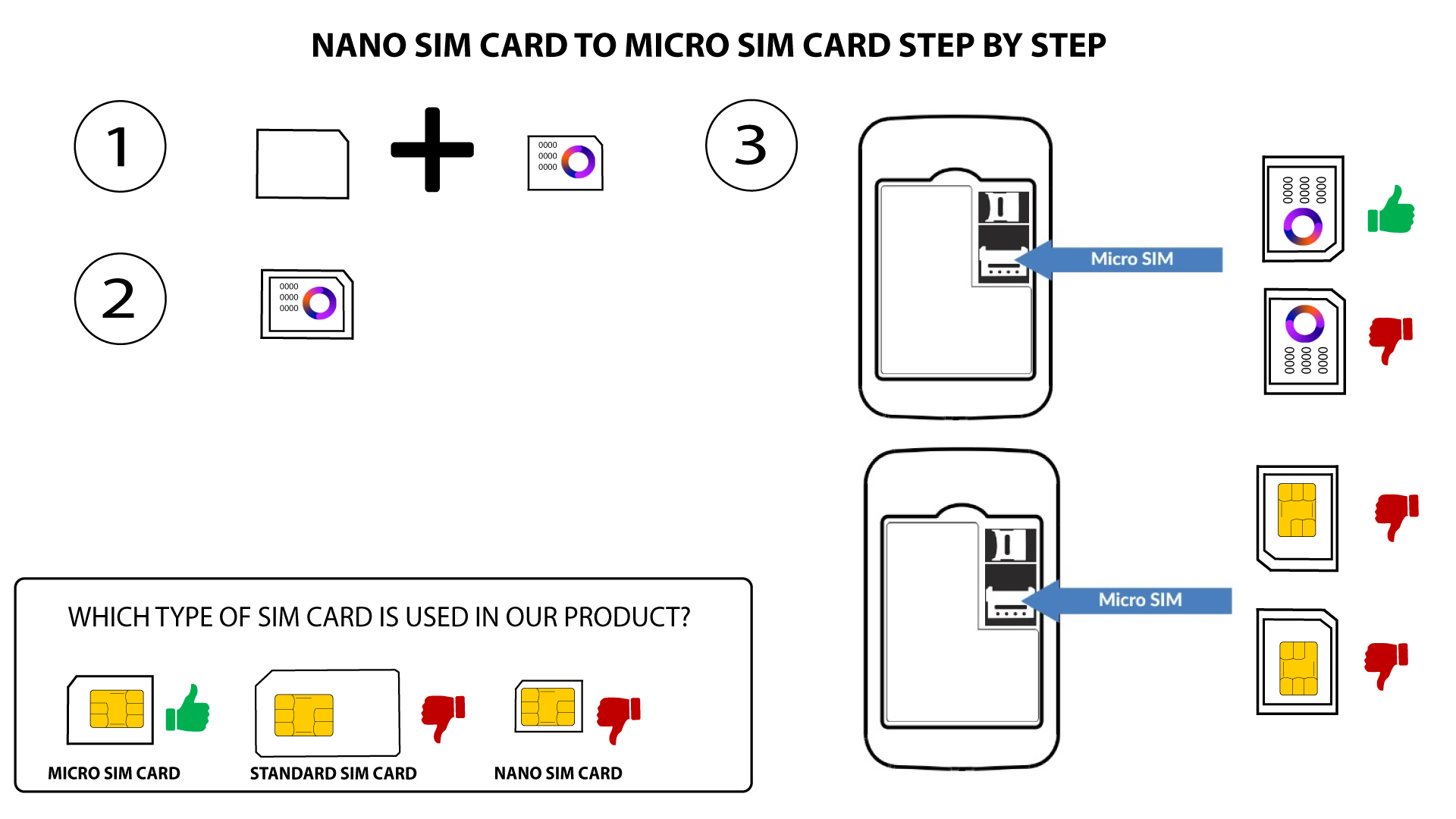
2Περίπτωση2: Μετατροπή κάρτας Nano SIM σε κάρτα Micro SIM
Μόλις τοποθετήσετε την κάρτα SIM στον προσαρμογέα, πιέστε την ελαφρά για να σταθεροποιηθεί. Πάρτε τη συσκευή στο χέρι σας και τοποθετήστε την κάρτα SIM στην υποδοχή, ακολουθώντας την ίδια θέση όπως φαίνεται στο παρακάτω σχήμα.

Προειδοποίηση: Βεβαιωθείτε ότι η κάρτα SIM σας έχει τοποθετηθεί σωστά στον προσαρμογέα πριν την τοποθετήσετε στην υποδοχή.
- Εάν η συσκευή δεν αναγνωρίζει την κάρτα SIM σας, παρακαλούμε ελέγξτε τη θέση της και αν έχετε τοποθετήσει σωστά τον προσαρμογέα