5G AIRHOME 1050 | Wi-Fi 6
Todas las preguntas
5G AIRHOME 1050 | Wi-Fi 6
¿Cómo puedo consultar y modificar la configuración del APN de mi operador?
Si el dispositivo no reconoce automáticamente tu tarjeta SIM, debes iniciar sesión en la interfaz de usuario web para comprobar la configuración del APN y modificarla, si es necesario. La configuración del APN de tu proveedor de servicios se puede consultar directamente en su página web, o bien puedes solicitarla al servicio de atención al cliente de tu proveedor de servicios.
1. Conéctatea la red Wi-Fi de tu router
Debes conectarte a la interfaz de usuario web. Para ello, introduce el SSID (nombre de la red Wi-Fi) y la contraseña Wi-Fi del router en tu dispositivo:

2. Accedea la dirección IP de la interfaz de usuario web
A continuación, introduce la siguiente dirección IP en tu navegador: 192.168.0.1

3. Página de inicio de sesión
Debes introducir el nombre de usuario y la contraseña. A continuación, haz clic en «Iniciar sesión». Para obtener más información sobre el inicio de sesión, consulta el procedimiento de inicio de sesión.

Configuración de 4APN
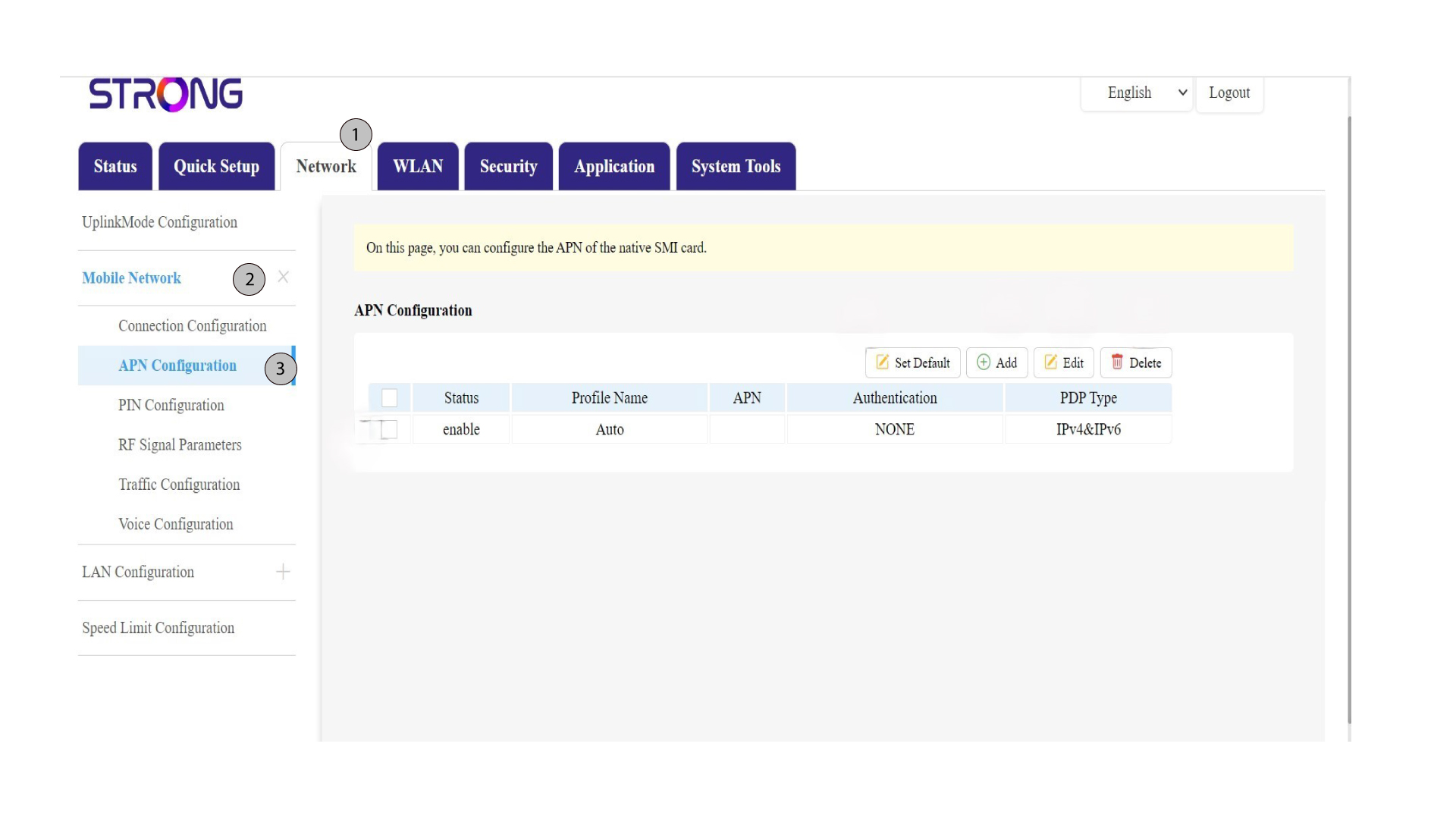
Haz clic en «Red» en la barra superior, luego en la sección «Red móvil » y selecciona la sección «Configuración del APN ».
5. Verificarla información
Consulta la siguiente información:
Estado |
Nombre del perfil |
APN |
Autenticación |
Tipo de PDP |
6. Compruebala configuración del APN de tu operador
Busca la configuración del APN en la página web de tu proveedor de servicios. Tienes que anotar la siguiente información:
- Nombre
- APN
- Nombre de usuario
- Contraseña
- Tipo de autenticación
7. Añadirun nuevo APN
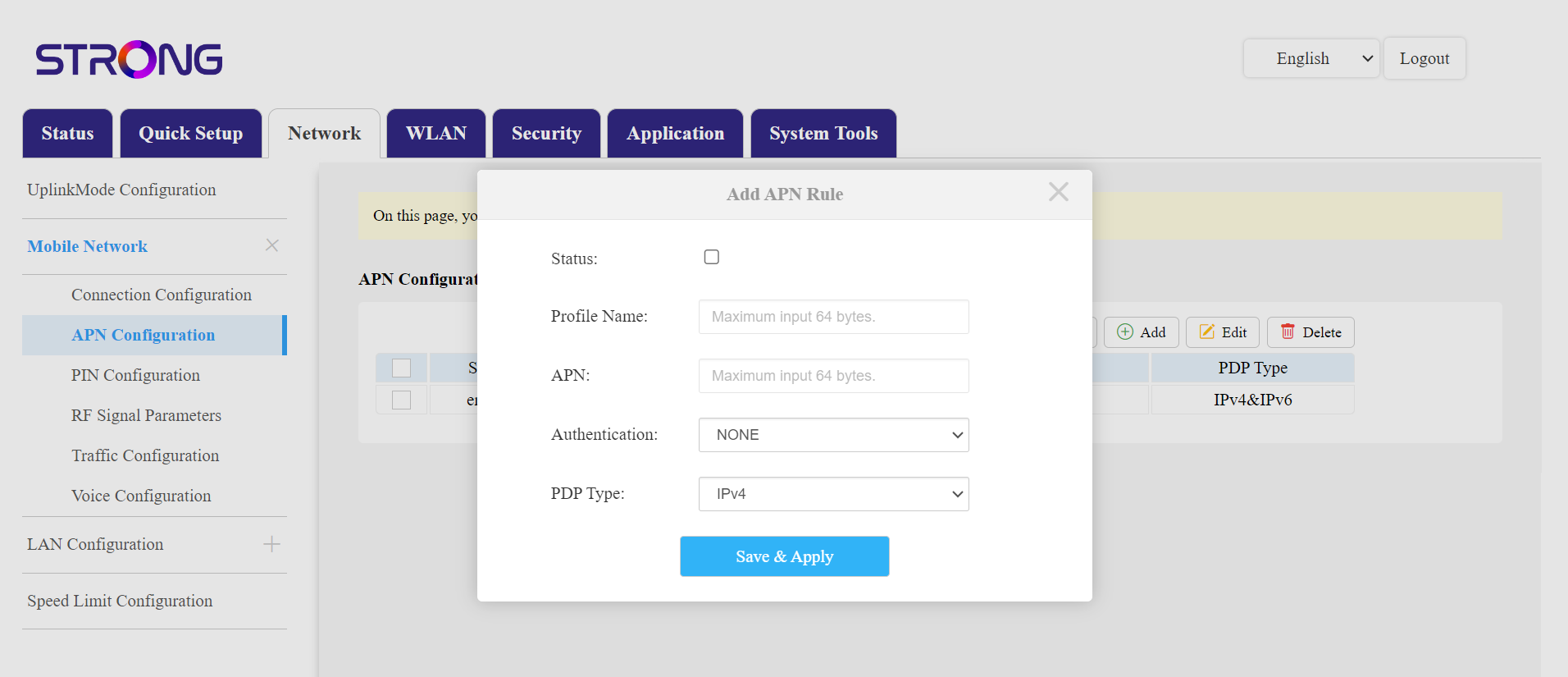
Si la información es incorrecta, haz clic en el botón «Añadir» e introduce los siguientes datos antes de hacer clic en «Guardar y aplicar»:
- Tipo de autenticación: Selecciona «NINGUNA», «CHAP», «PAP» o «PAP y CHAP»
- Nombre del perfil: Introduce el nombre de tu proveedor de servicios (máximo 14 caracteres, incluidos los espacios).
- APN: Introduce la dirección APN.
- Tipo de PDP: selecciona el tipo de APN: IPv4, IPv6 o IPv4 e IPv6.
- Consulta el Estatuto box.
Puedes restablecer la configuración del APN con la opción «Establecer valores predeterminados», editar una configuración existente y eliminar una configuración con las opciones correspondientes.