5G AIRHOME 1050 | Wi-Fi 6
No se han encontrado artículos.
No se han encontrado artículos.
Todas las preguntas
5G AIRHOME 1050 | Wi-Fi 6
No se han encontrado artículos.
No se han encontrado artículos.
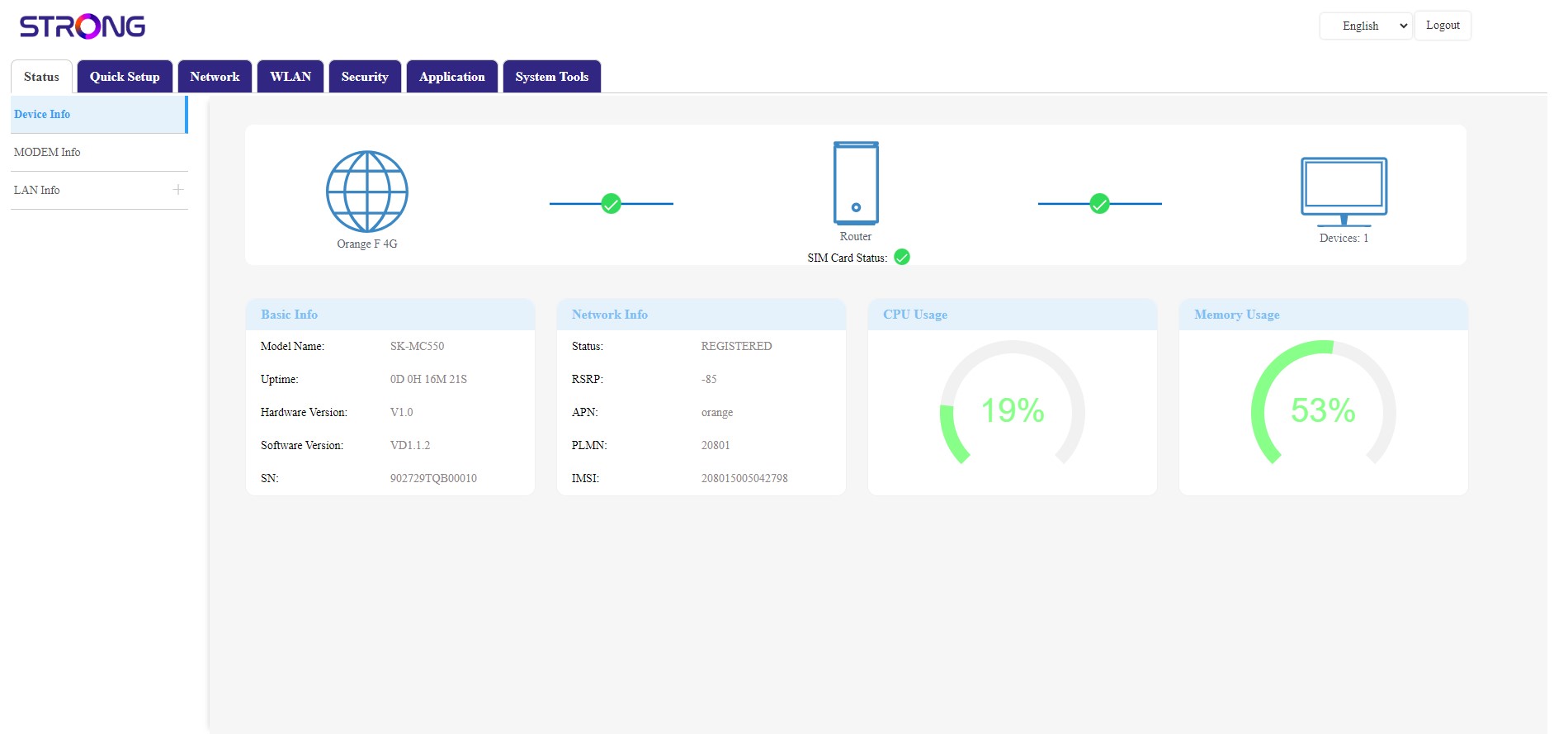
¿Qué puedo hacer en la interfaz de usuario web?
La interfaz de usuario web se divide en 7 secciones:
- Estado: aquí puedes consultar la información sobre el dispositivo, el código PIN y las conexiones a Internet, LAN e inalámbricas.
- Configuración rápida: aquí puedes modificar la contraseña del Wi-Fi, el nombre de la red y configurar el módem.
- Red: aquí puedes elegir el modo de enlace ascendente, configurar el APN, cambiar o introducir el código PIN, configurar la WAN y la LAN, gestionar el tráfico, configurar las opciones de voz y establecer el límite de velocidad.
- WLAN: aquí puedes elegir entre la red de 2,4 G y la de 5 G, configurar varias SSID, activar el WPS, gestionar el acceso a Internet de las diferentes direcciones MAC, programar la activación del Wi-Fi y configurar una red « Mesh ».
- Seguridad: aquí puedes configurar un cortafuegos, los ajustes de DoS, filtros de URL y MAC, filtros de IP y el control parental o de servicios.
- Aplicación: aquí puedes configurar DNZ, DDNS, una VPN, los ajustes de UPnP y los dispositivos USB.
- Herramientas del sistema: aquí puedes cambiar las credenciales de inicio de sesión, reiniciar el dispositivo, actualizar el firmware, guardar y restaurar una copia de seguridad, restablecer la configuración de fábrica, gestionar los LED, acceder a los registros y ejecutar pruebas de diagnóstico.