Punto de acceso Wi-Fi 4G AIRSPOT 220 con pantalla
No se han encontrado artículos.
No se han encontrado artículos.
Todas las preguntas
Punto de acceso Wi-Fi 4G AIRSPOT 220 con pantalla
No se han encontrado artículos.
No se han encontrado artículos.
¿Cómo se enciende y se apaga el dispositivo?
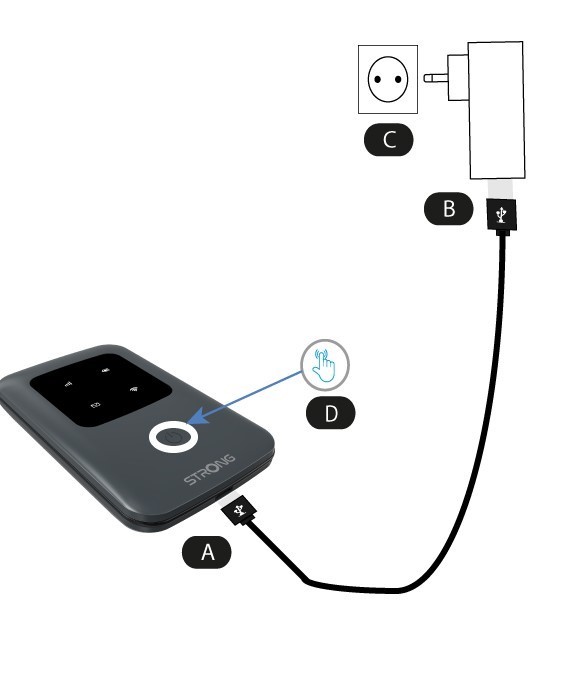
Para encender el dispositivo, debes cargarlo antes de utilizarlo. Para ello, conecta el cable USB al dispositivo (A) y enchúfalo (B).
1. Botón de encendido
Conecta el cable USB del dispositivo (A) a la fuente de alimentación (B). A continuación, enchúfalo a la toma de corriente (C) y mantén pulsado el botón de encendido durante cinco segundos (D).
Al cabo de unos segundos, se encenderán los LED del dispositivo.
Para apagarlo, solo tienes que mantener pulsado el botón de encendido durante 5 segundos.