Punto de acceso Wi-Fi 4G AIRSPOT 220 con pantalla
No se han encontrado artículos.
No se han encontrado artículos.
Todas las preguntas
Punto de acceso Wi-Fi 4G AIRSPOT 220 con pantalla
No se han encontrado artículos.
No se han encontrado artículos.
¿Cómo actualizo el firmware del dispositivo?
Cuando estés conectado a la interfaz de usuario web, debes comprobar la versión de firmware que utiliza tu dispositivo mediante la opción de actualización en línea de dicha interfaz. De este modo, se instalará la última versión de firmware.
Si tu router no está actualizado, sigue el procedimiento que se indica a continuación para actualizar el firmware.
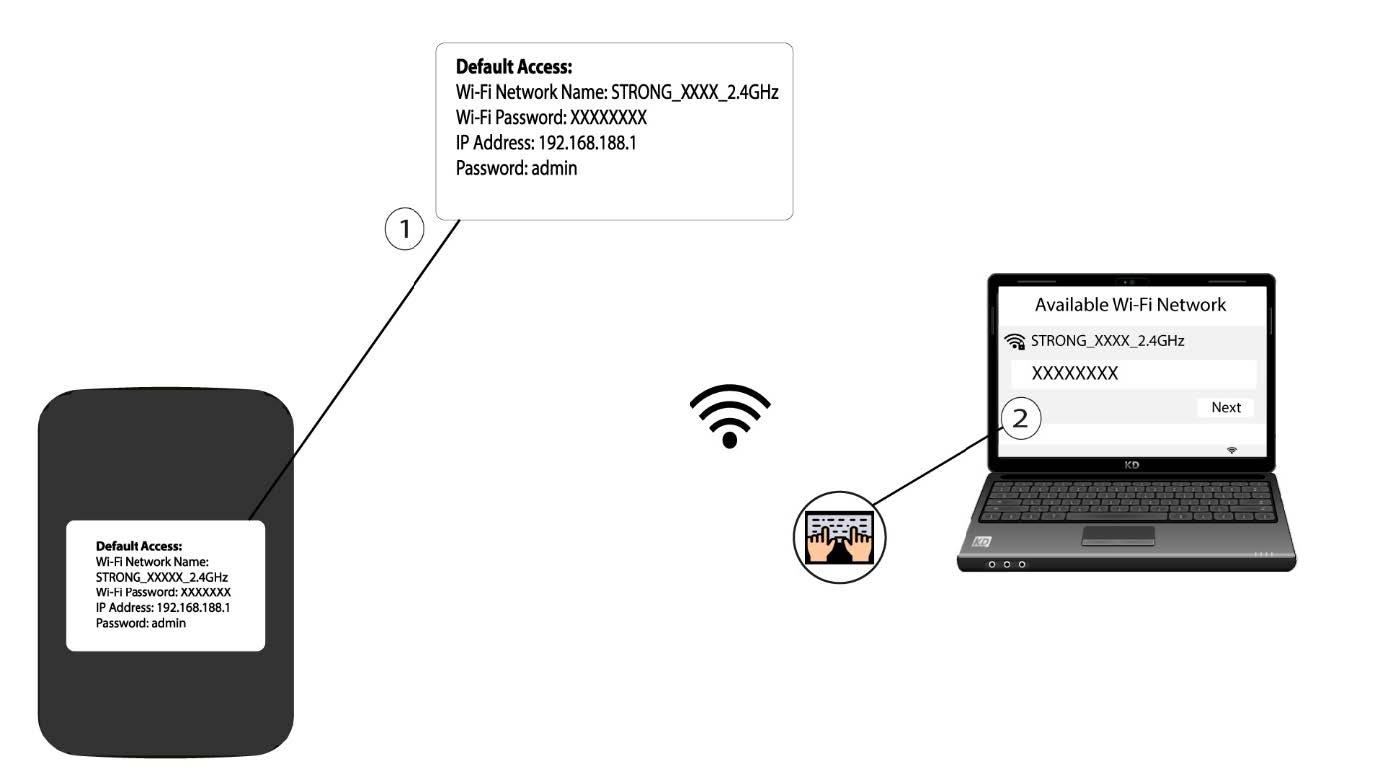
1. Conéctatea la red Wi-Fi del router
- Para actualizar el firmware del dispositivo, debes conectarte a la red Wi-Fi de tu router.
2. Accedea la dirección IP de la interfaz de usuario web
A continuación, introduce la siguiente dirección IP en tu navegador: 192.168.188.1.

3. Accede ala página de inicio de sesión
Debes introducir la contraseña.

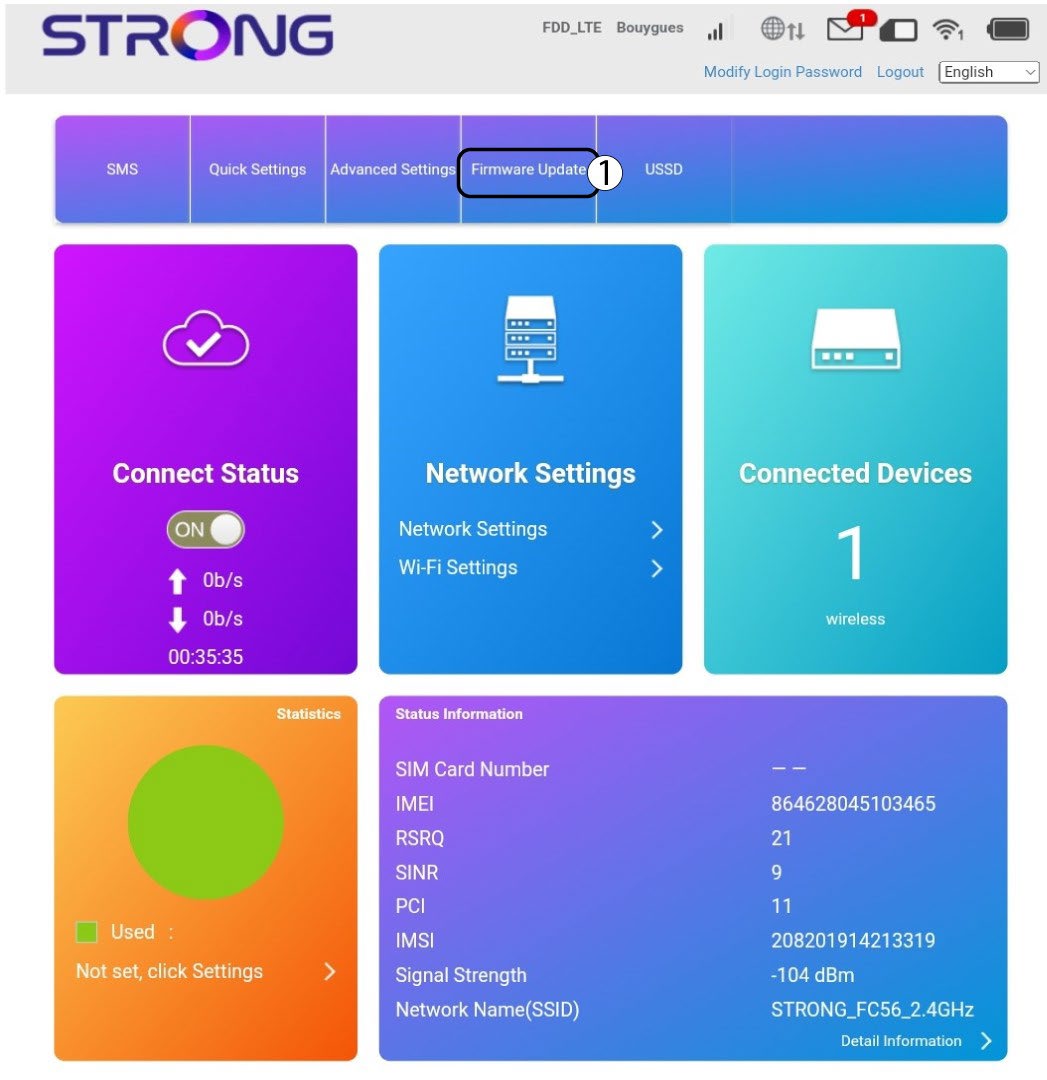
4. Actualización
Haz clic en «Actualización de firmware».
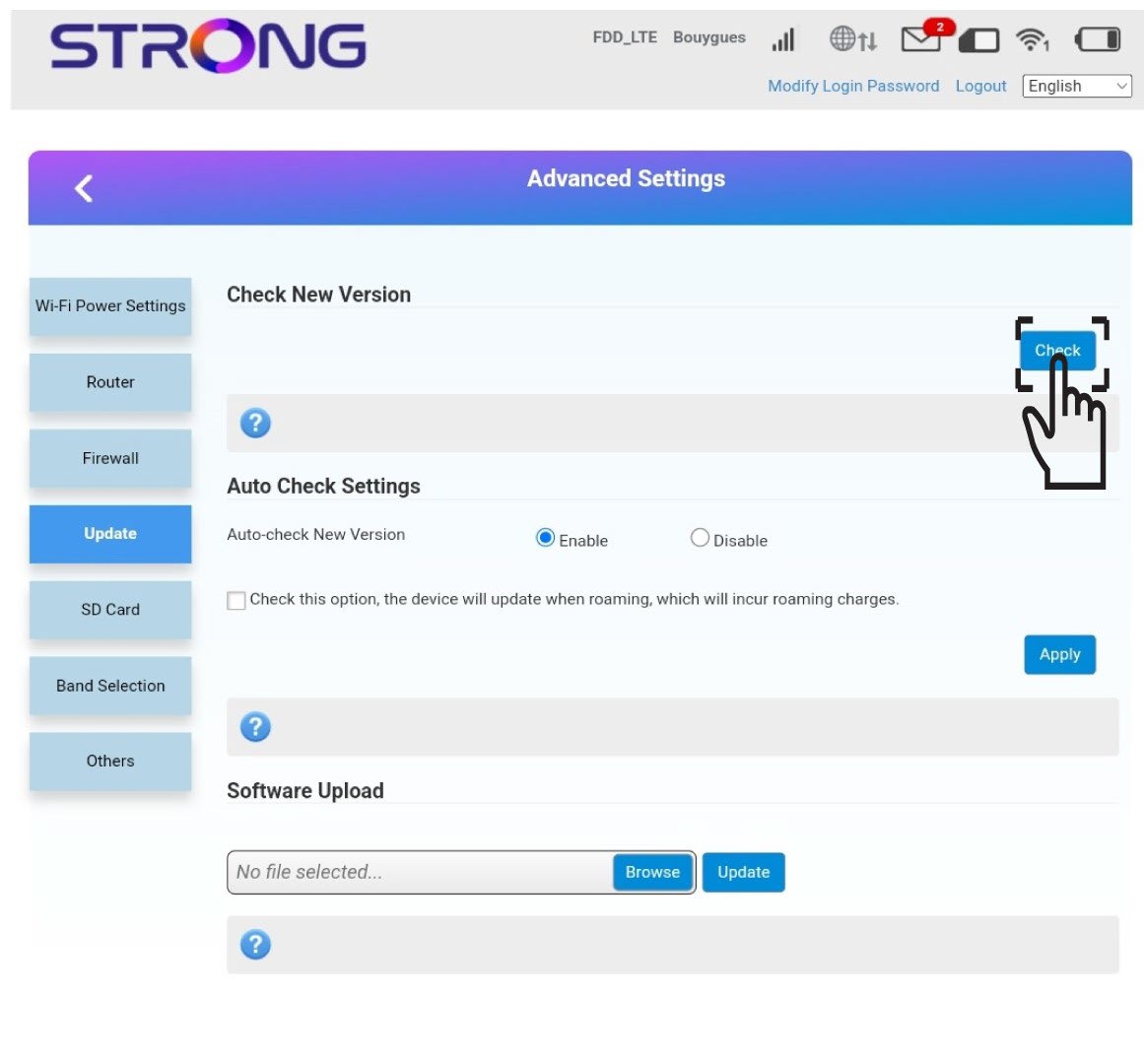
5. Compruebasi hay nuevas versiones
Haz clic en «Comprobar» en la sección «Comprobar nueva versión». Se descargará automáticamente la última versión del software y tendrás que volver a conectarte a la red Wi-Fi para introducir tu código PIN.