Punto de acceso Wi-Fi 4G AIRSPOT 220 con pantalla
No se han encontrado artículos.
No se han encontrado artículos.
Todas las preguntas
Punto de acceso Wi-Fi 4G AIRSPOT 220 con pantalla
No se han encontrado artículos.
No se han encontrado artículos.
¿Cómo se inserta la tarjeta SD en el Hotspot 150?
¿Cómo se inserta la tarjeta SD en el Hotspot 150?
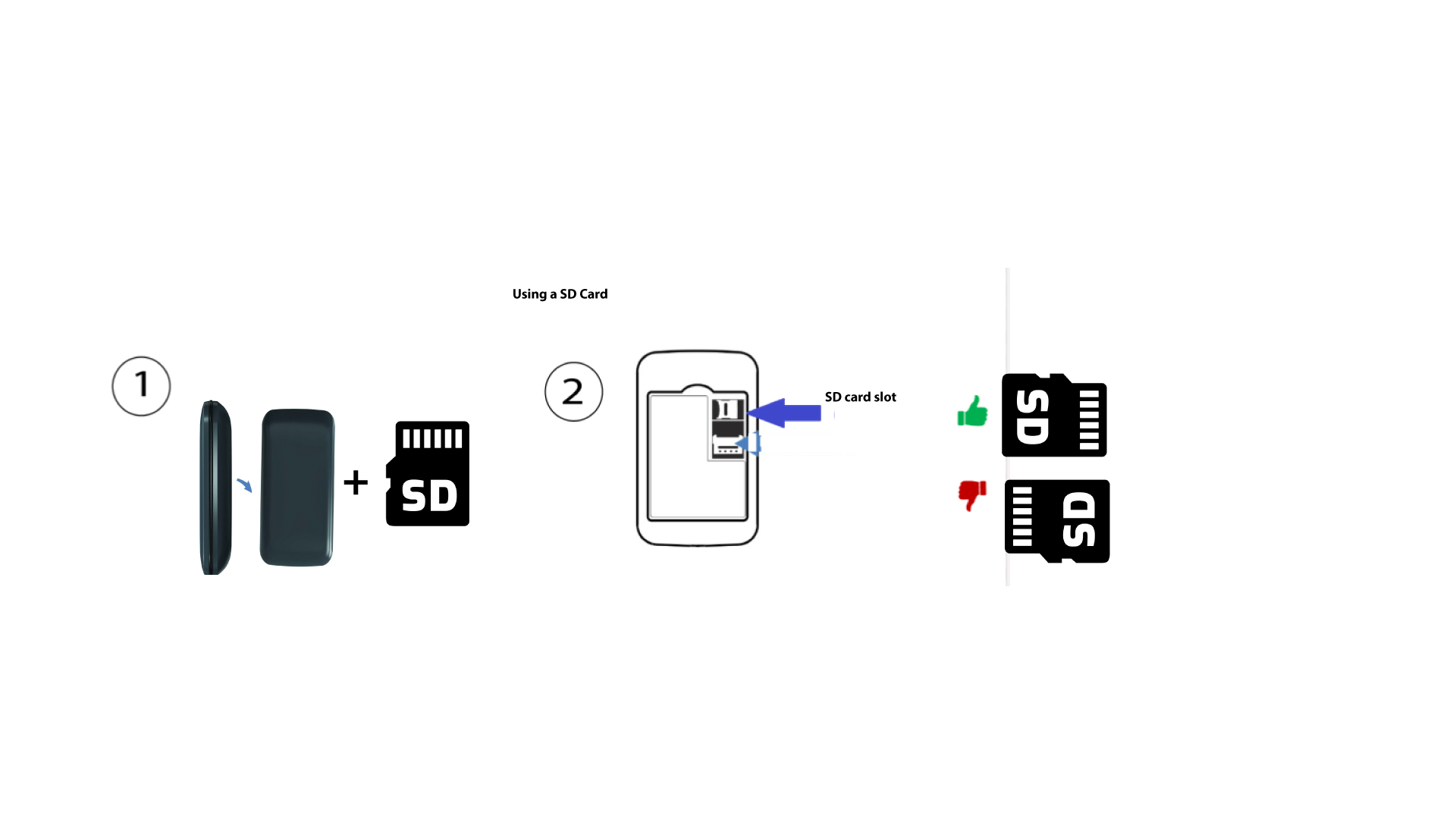
Para insertar la tarjeta SD en el router, primero debes apagar el dispositivo pulsando el botón de encendido durante cinco segundos.
1
Inserta la tarjeta SD
A continuación, retira la tapa e inserta la tarjeta SD en la ranura situada en la esquina superior derecha de la parte trasera del dispositivo.