5G AIRHOME 1050 | Wi-Fi 6
Toutes les questions
5G AIRHOME 1050 | Wi-Fi 6
Comment puis-je modifier le SSID (nom du réseau Wi-Fi) et le mot de passe Wi-Fi ?
Comment puis-je modifier le SSID et le mot de passe ?
Le routeur 5G AX 3000 est un routeur « dual band » : il vous permet de modifier les paramètres de votre réseau Wi-Fi Mesh sur les bandes 2,4 GHz et 5 GHz.
1. Connectez-vousà l'appareil
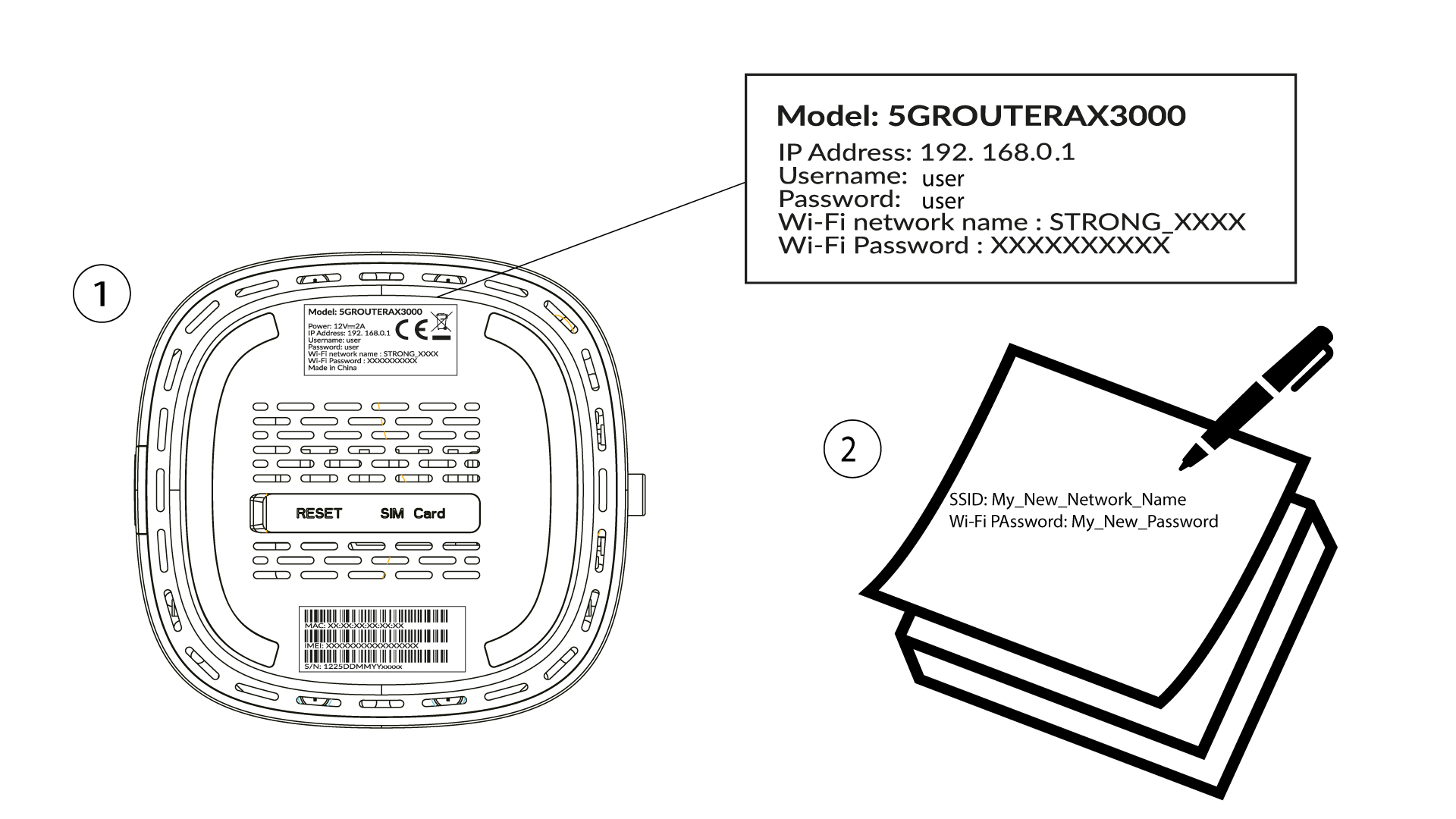
Pour modifier le SSID (nom du réseau Wi-Fi) et le mot de passe Wi-Fi, vous devez être connecté au réseau Wi-Fi de votre appareil.

2Accéder àl'interface utilisateur Web
Saisissez ensuite l'adresse IP suivante : 192.168.0.1 dans votre navigateur.

3Connexion
Vous devez saisir votre nom d'utilisateur et votre mot de passe ( veuillez noter qu'après la première connexion, vous devrez créer votre mot de passe d'administrateur personnel ; le mot de passe indiqué sur l'étiquette du produit ne fonctionnera donc plus). Cliquez ensuite sur « Connexion ».

4. Configuration du Wi-Fi
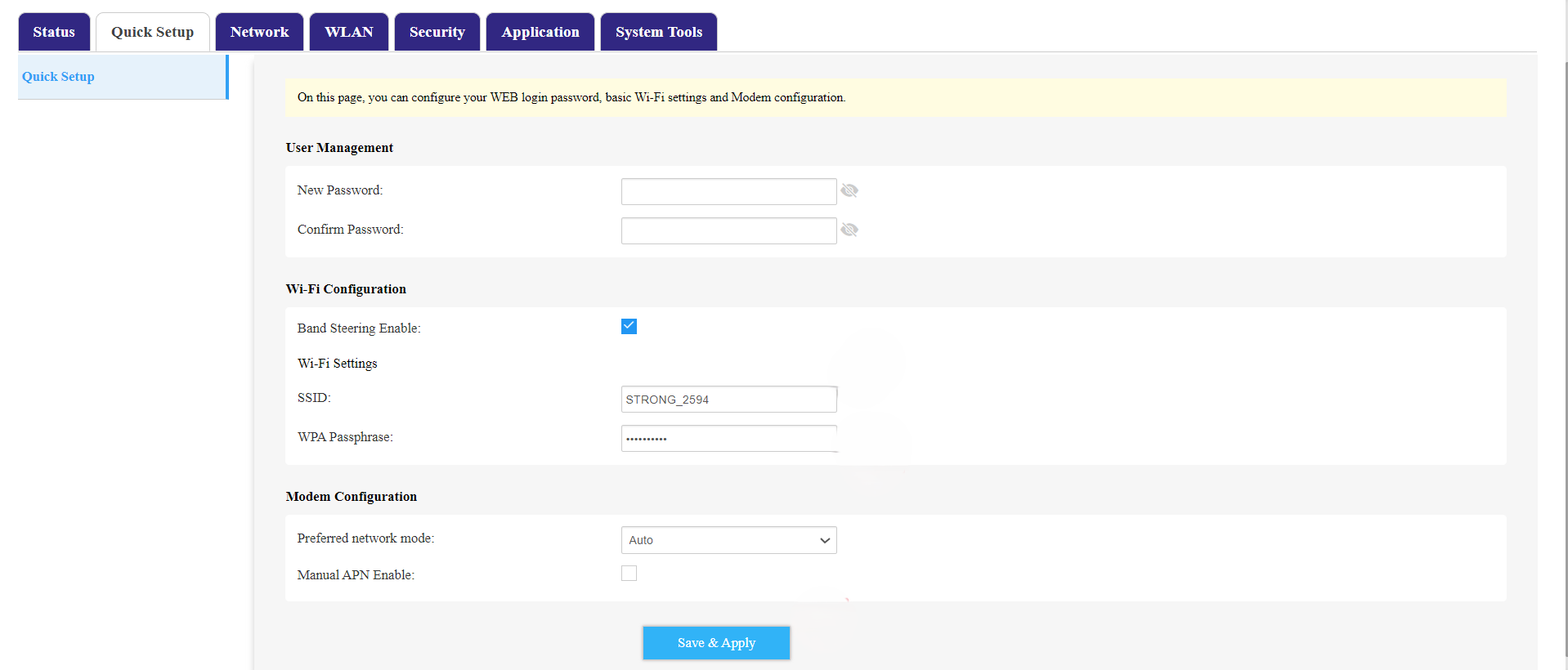
Cliquez sur « Configuration rapide » dans la barre supérieure, puis accédez à la section « Configuration Wi-Fi ».
5. Modifierle SSID et le mot de passe
Modifiez le nom saisi dans le champ « SSID ». Cliquez ensuite sur l'icône en forme d'œil pour afficher le mot de passe, puis modifiez le mot de passe saisi dans le champ « WPA Passphrase ». Cliquez ensuite sur « Enregistrer et appliquer » pour enregistrer les modifications.
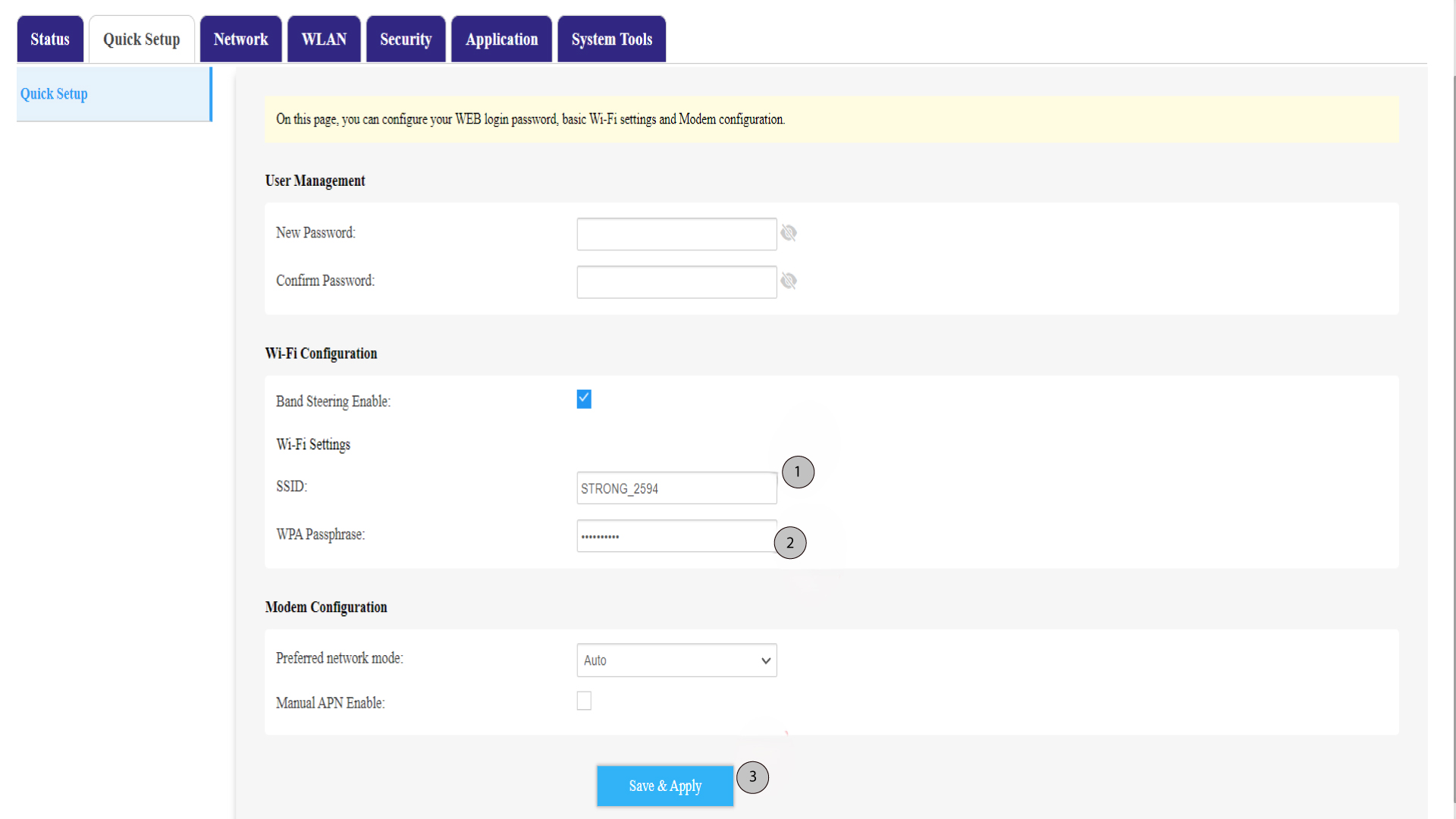
6. Notezle nom du nouveau réseau et le mot de passe.
Notez votre nouveau SSID (nom du réseau Wi-Fi) et votre mot de passe Wi-Fi sur un bout de papier, puis collez-le sur le routeur.