
5G AIRHOME 1050 | Wi-Fi 6
Toutes les questions
5G AIRHOME 1050 | Wi-Fi 6
Comment mettre à jour le micrologiciel de mon appareil (mise à jour manuelle) ?
Une fois connecté à l'interface utilisateur Web, vous devez vérifier la version du micrologiciel utilisée par votre appareil à l'aide de l'option de mise à jour en ligne disponible dans l'interface utilisateur Web. Cela permettra d'installer la dernière version du micrologiciel.
Si vous disposez d'une version différente, veuillez suivre la procédure ci-dessous pour mettre à jour votre micrologiciel.
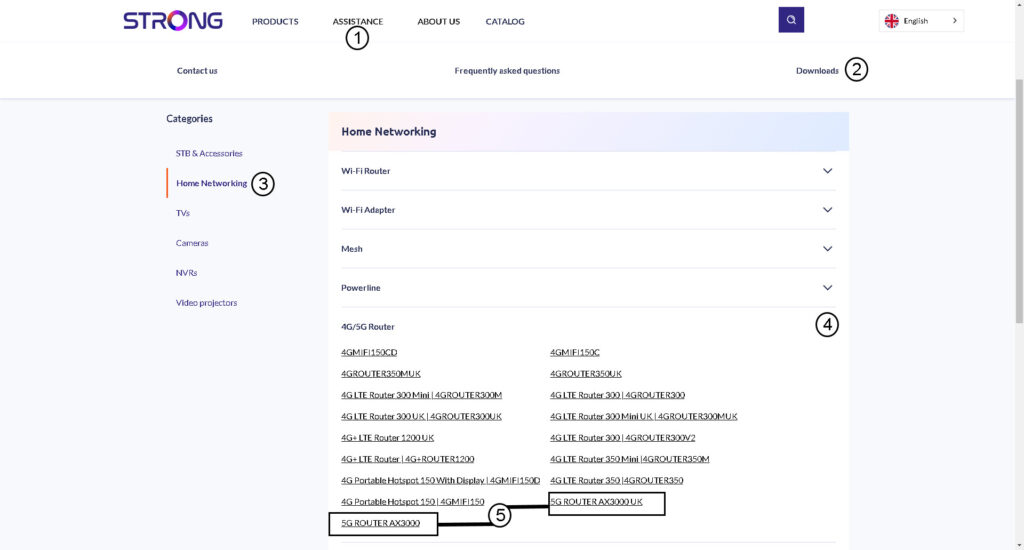
1. Rendez-voussur la page de téléchargement de notre site web.
Rendez-vous sur notre page de téléchargement.
- Cliquez sur « Assistance et téléchargements ».
- Sélectionnez « Réseau » puis « Routeur 4G/5G ».
- Cliquez sur le nom du produit pour accéder à sa page de téléchargement.
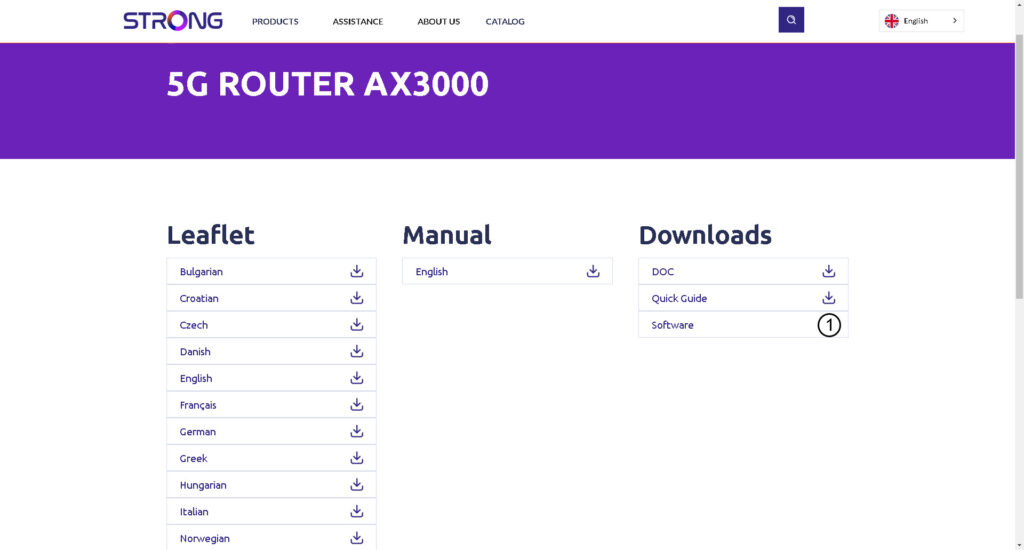
2Téléchargerle fichier de configuration
Cliquez sur l'icône de téléchargement située à côté du logiciel.
3. Se connecterau Wi-Fi
Pour mettre à jour le micrologiciel de l'appareil, vous devez vous connecter au réseau Wi-Fi de celui-ci.

4. Accédezà l'adresse IP de l'interface utilisateur Web
Ensuite, saisissez l'adresse IP suivante : 192.168.0.1 dans votre navigateur.

5Page de connexion
Cliquez ensuite sur « Connexion ».

6. Mise à jour du micrologiciel
Cliquez sur « Outils système », sélectionnez « Gestion des périphériques », puis accédez à la section « Mise à jour du micrologiciel ».
- Cliquez ensuite sur « Choisir un fichier » et sélectionnez le fichier du micrologiciel avant de cliquer sur « Mettre à jour le logiciel ».
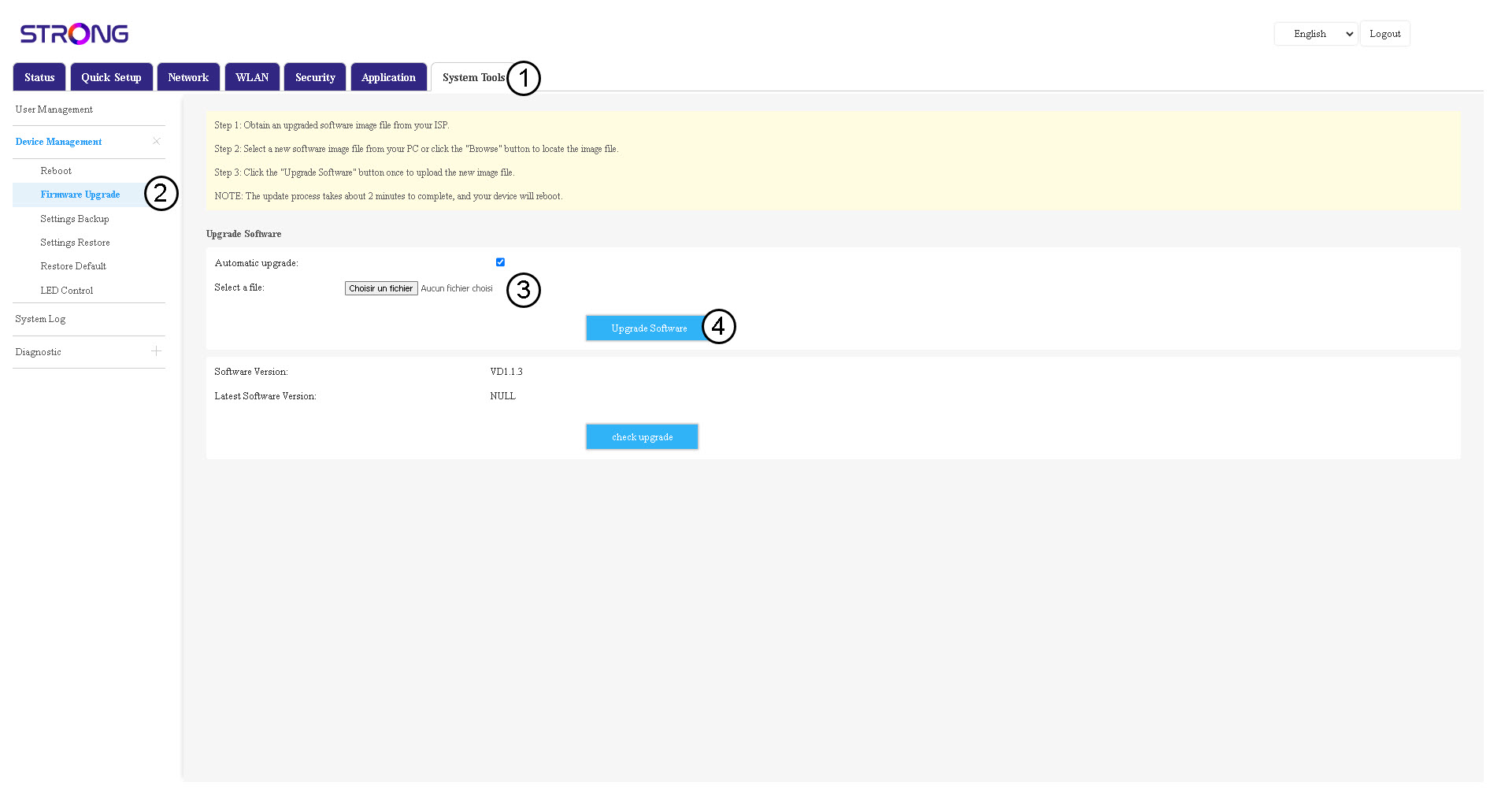

Veuillez noter qu'une fois la mise à jour effectuée, le routeur redémarrera automatiquement. Vous devrez vous reconnecter au réseau Wi-Fi et à l'interface utilisateur Web.