4G AIRHOME 200 Mini ruter s odvojivim 4G antenama
Nema pronađenih stavki.
Nema pronađenih stavki.
Sva pitanja
4G AIRHOME 200 Mini ruter s odvojivim 4G antenama
Nema pronađenih stavki.
Nema pronađenih stavki.
Kako mogu promijeniti IP adresu svoje LAN mreže?
1. Spojite se na web sučelje
Za pristup web sučelju, molimo pogledajte postupak u nastavku:
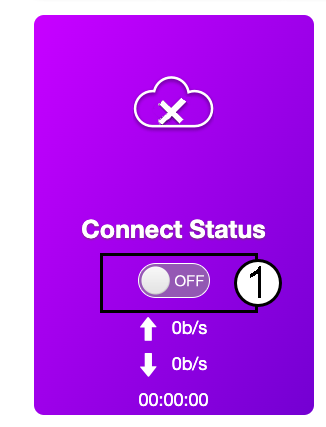
2. Isključite internet
Na početnoj stranici kliknite prekidač Status veze da biste deaktivirali internetsku vezu.
Nije moguće promijeniti IP adresu vaše LAN mreže dok je vaša internetska veza uključena.
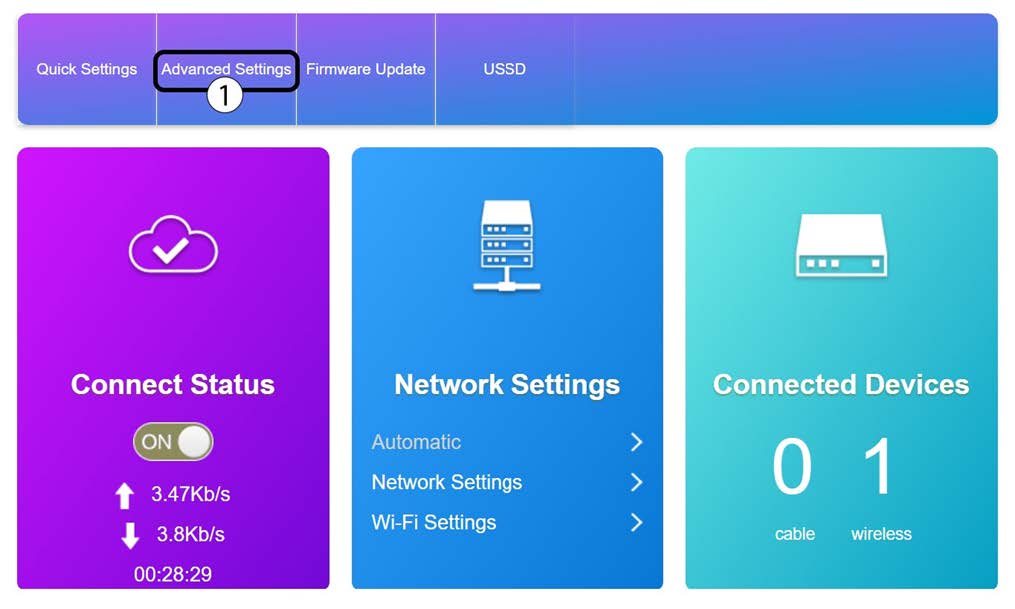
3 Napredne postavke
Kliknite Napredne postavke
4 Postavke usmjerivača
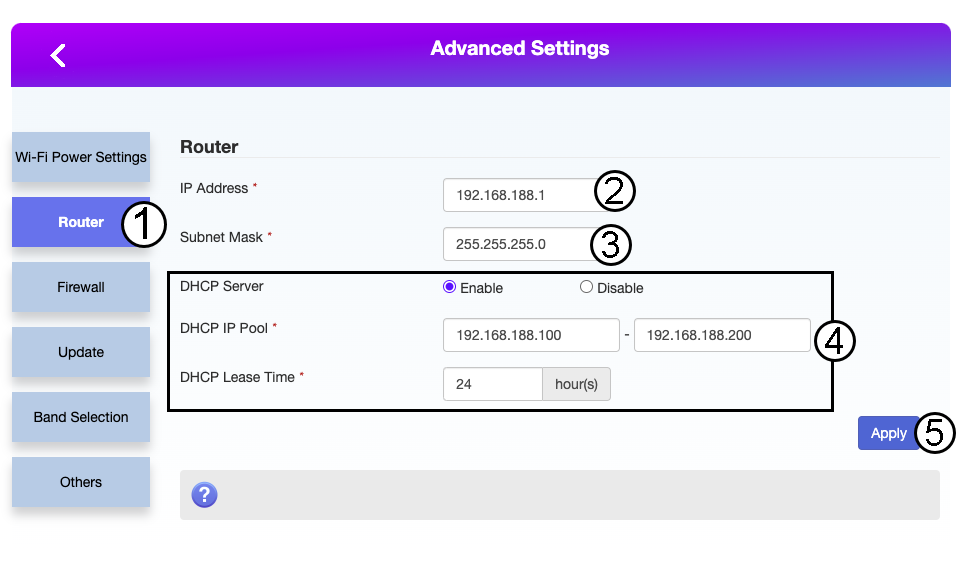
Kliknite Usmjerivač. Zatim unesite sljedeće podatke prije nego što kliknete Primijeni:
- IP adresa: Unesite novu IP adresu vašeg rutera.
- Maska podmreže: Unesite IP adresu maske podmreže
- DHCP poslužitelj: Omogućite DHCP poslužitelj
- DHCP IP skup: Unesite početnu i završnu IP adresu za vaš DHCP.
- DHCP vrijeme: Unesite maksimalno vrijeme najma u satima.