
4G AIRHOME 200 Mini ruter s odvojivim 4G antenama
Sva pitanja
4G AIRHOME 200 Mini ruter s odvojivim 4G antenama
Koju vrstu SIM kartice mogu umetnuti u svoj ruter?
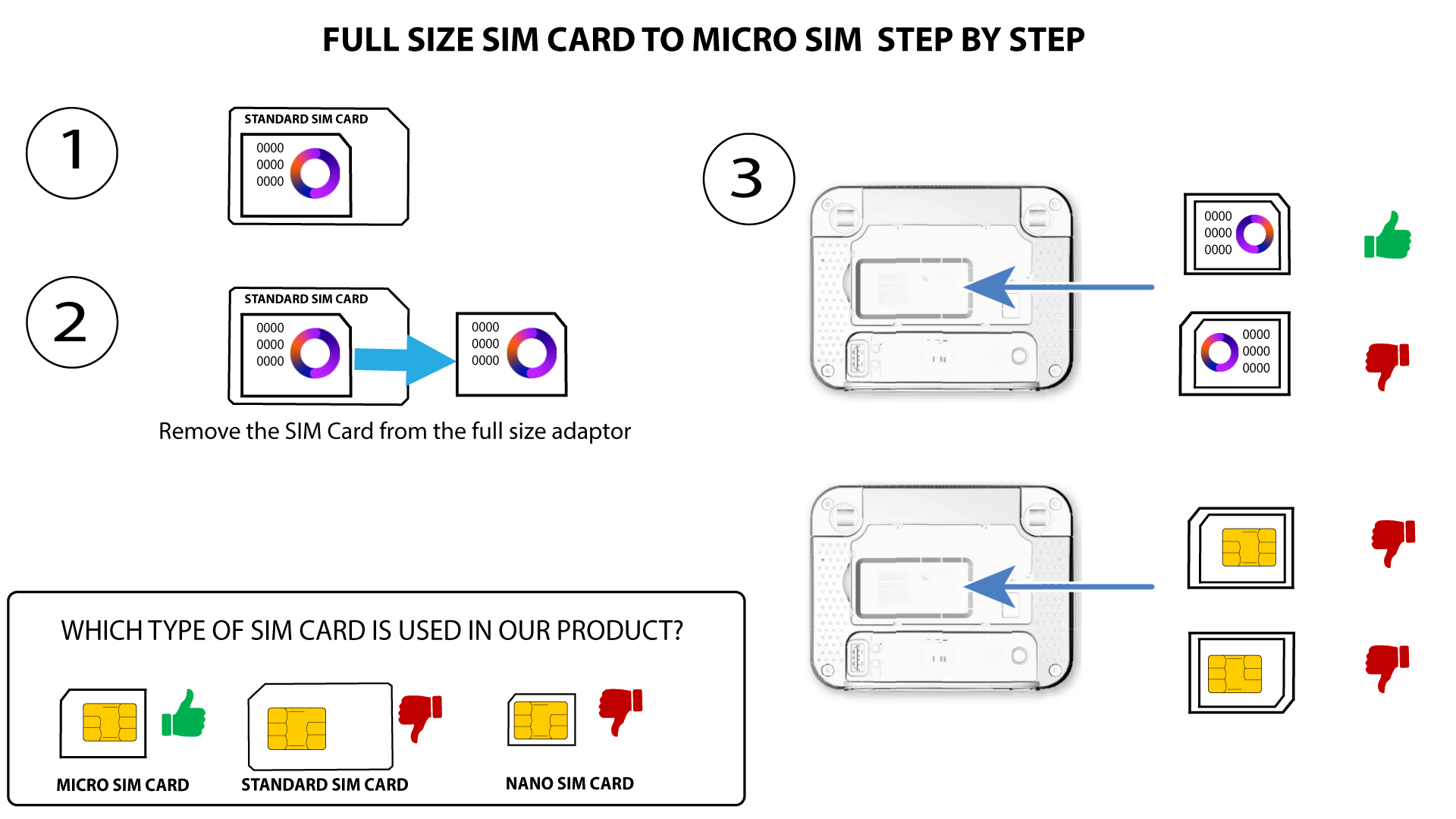
Mikro SIM kartica mora biti umetnuta u utor za SIM karticu 4G LTE usmjerivača 350M. Ne morate brinuti o veličini SIM kartice jer se u pakiranju usmjerivača nalaze adapteri za odgovarajuću veličinu. SIM karticu morate umetnuti prije uključivanja uređaja.
Nakon što stavite SIM karticu u adapter, nastavite pritiskati SIM karticu u adapteru kako biste je zadržali. Uzmite uređaj u ruku i umetnite SIM karticu u utor na isti način kao što je prikazano na shemi ispod.
Slučaj 1: SIM kartica pune veličine na mikro SIM karticu
SLUČAJ 2: Nano SIM kartica na Micro SIM karticu
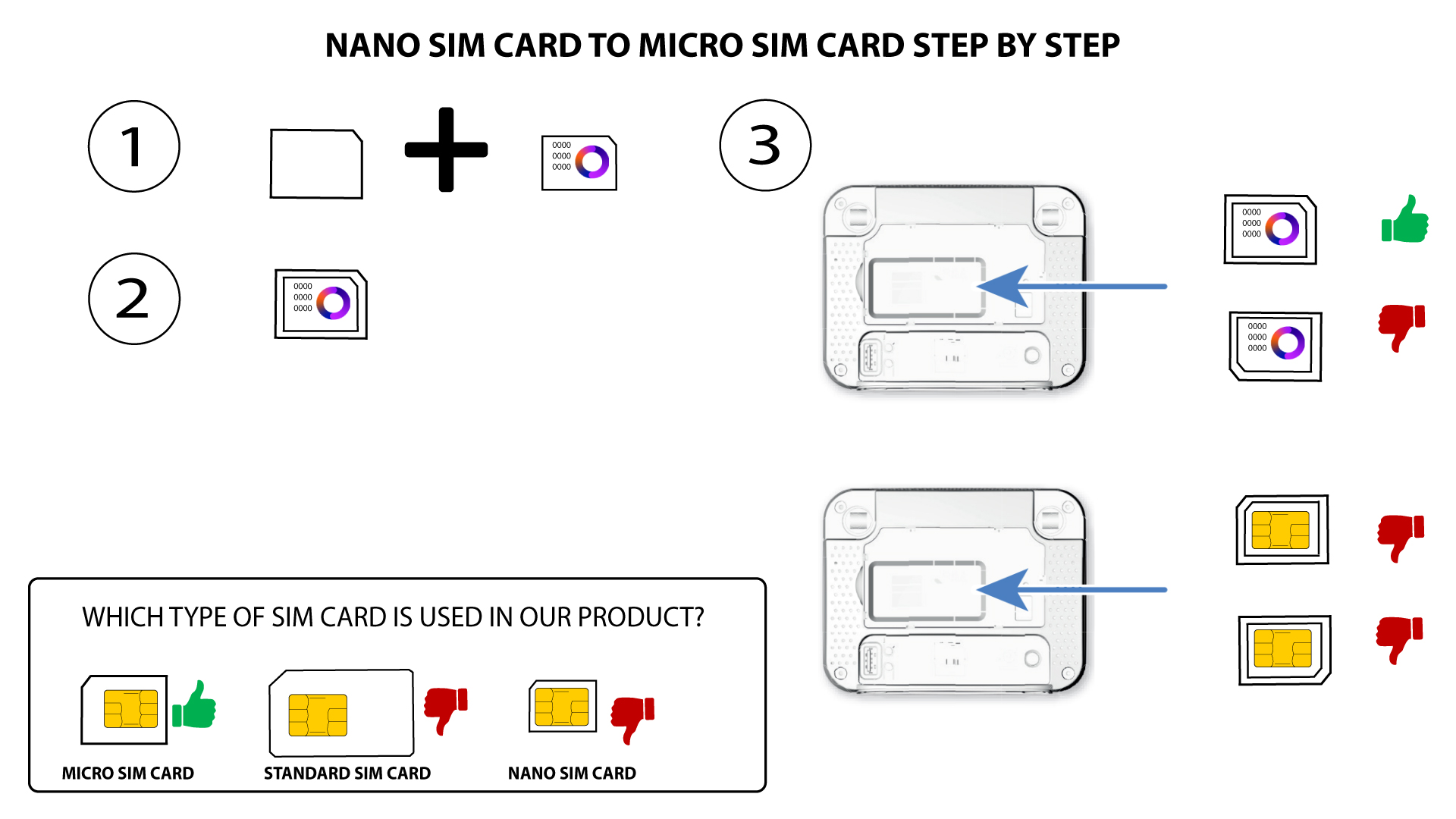

Prije umetanja SIM kartice u utor provjerite je li ispravno postavljena u adapter.
• Ako uređaj ne prepozna vašu SIM karticu, provjerite njezin položaj i jeste li ispravno umetnuli adapter.