4G AIRHOME 200 Mini ruter s odvojivim 4G antenama
Nema pronađenih stavki.
Nema pronađenih stavki.
Sva pitanja
4G AIRHOME 200 Mini ruter s odvojivim 4G antenama
Nema pronađenih stavki.
Nema pronađenih stavki.
Kako ažuriram firmware uređaja?
Kada ste spojeni na web sučelje, morate provjeriti verziju firmvera koju koristi vaš uređaj pomoću opcije online nadogradnje na web sučelju. Na taj način će se instalirati najnovija verzija firmvera. Ako vaš usmjerivač nije ažuriran, pogledajte donji postupak za ažuriranje firmvera.
1. Spojite se na Wi-Fi mrežu svog usmjerivača
Za ažuriranje firmvera uređaja morate se povezati s Wi-Fi mrežom vašeg rutera.

2. Pregledajte IP adresu web sučelja
Zatim unesite sljedeću IP adresu: 192.168.188.1 u svoj preglednik.

3 Unesite svoje vjerodajnice
Morate unijeti Lozinku.

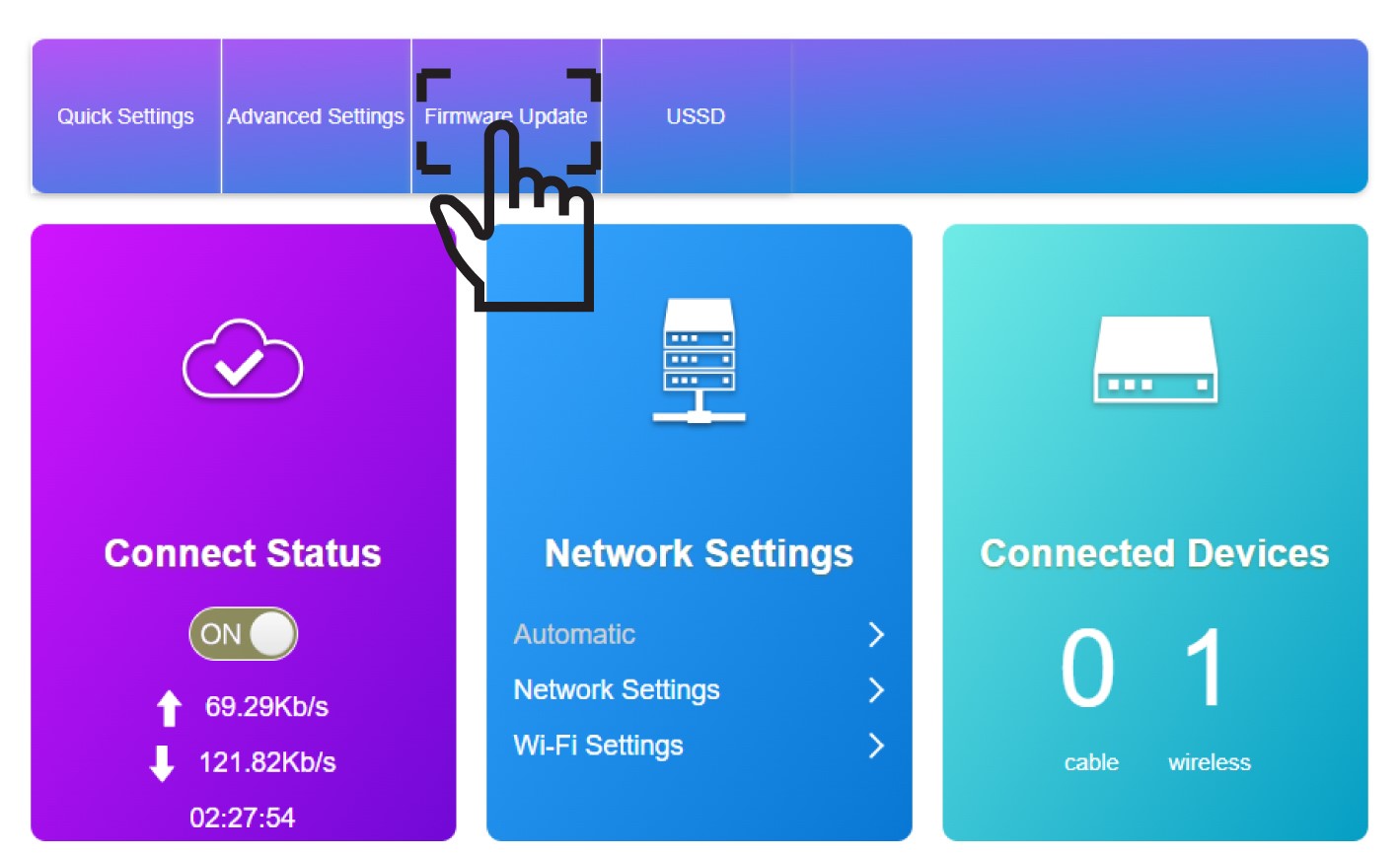
4 Ažuriranje firmvera
Kliknite Ažuriranje firmvera .
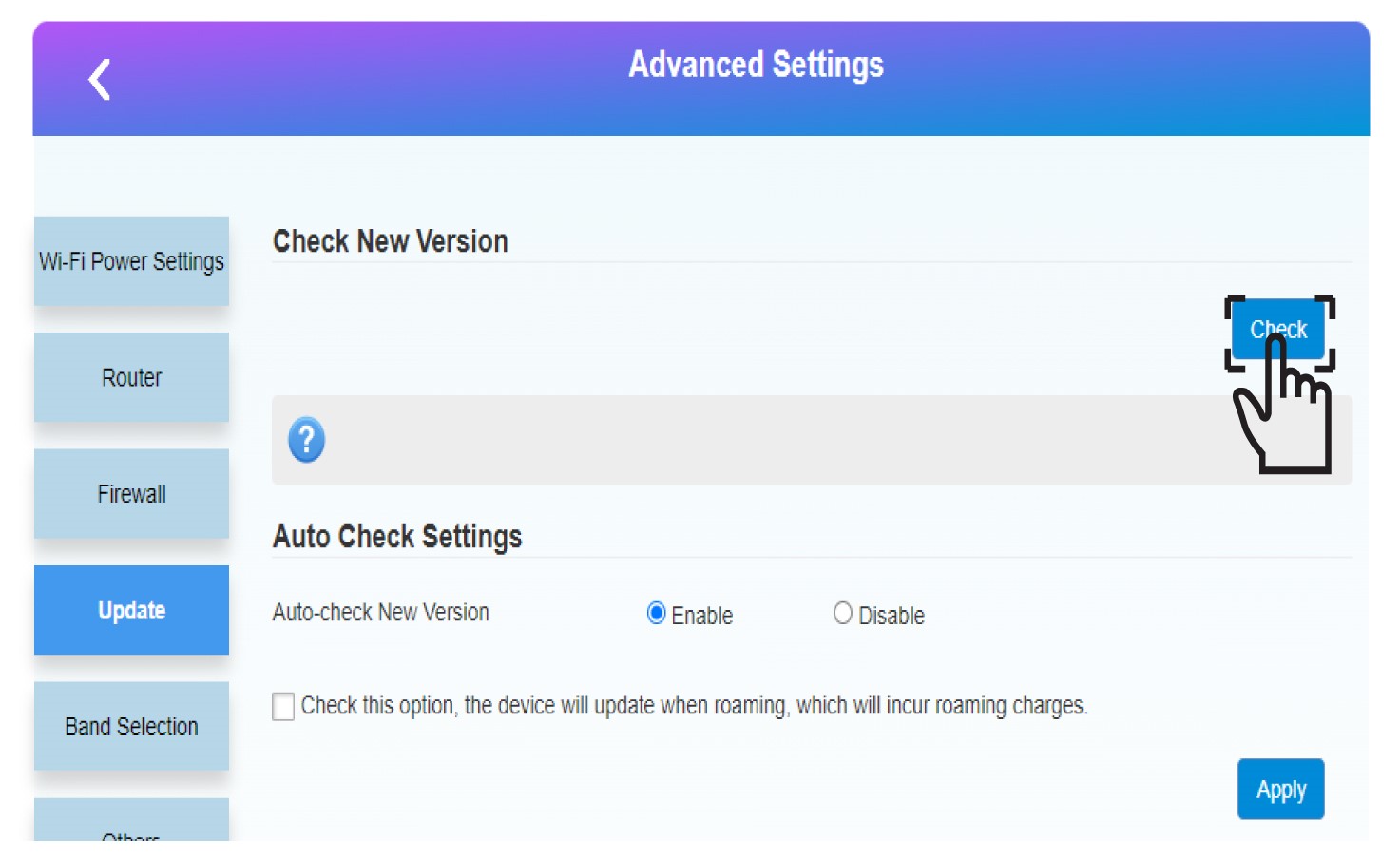
5 Pokrenite ažuriranje
Kliknite Provjeri u odjeljku Provjeri novu verziju. Najnovija verzija softvera automatski će se preuzeti i morat ćete se ponovno povezati s Wi-Fi mrežom da biste unijeli PIN kôd.